New Trade Zone
Trade Zone is now live
Use the new Trade Zone for auctions and instant-price trades so Pokemon and item offers are easy to find.

Primeninja223
Registered User
-
Joined
-
Last visited
Everything posted by Primeninja223
-
trade bunny 2

-
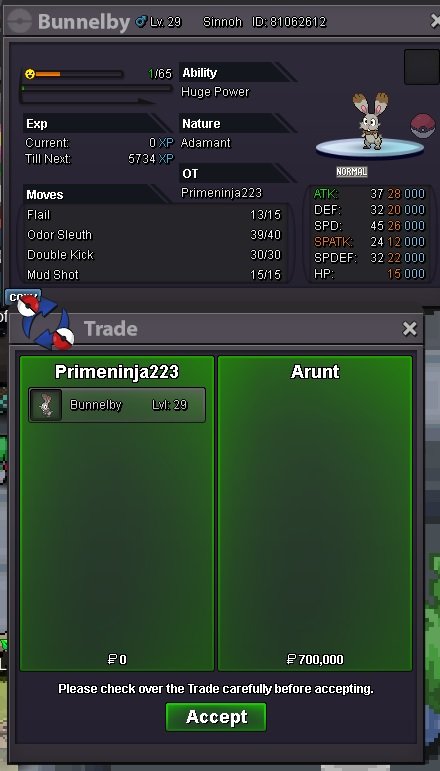
@Suncity so you win bunny2 aswell. lemme know when we can trade
-
trade for bunny 1 , waiting for a mod to help with bunny 2 cuz it was really close
-
bunny 2 is already at 300k. 50k min bid
-
Auction ends in 30min for both bunnies
-
450k bid for bunnelby1 by grimmxy

-
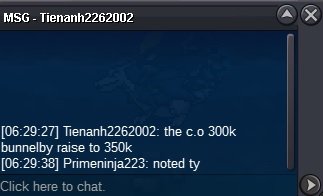
350k bid for bunnelby1 by Tienanh2262002
-
300k bid for bunnelby1 by Grimmxy

-
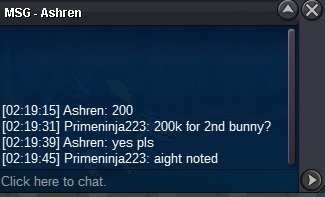
200k bid for bunnelby2 by Ashren
-
150k bid for bunnelby2 by bruce8244

-
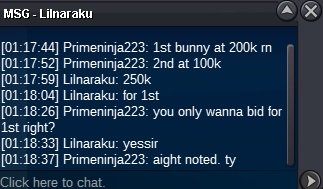
250k bid for bunnelby1 by lilnaraku
-
200k bid for bunnelby1 by kirinnn

-
100k bid for each bunny by Mcbeelati

-
both bunnies started at 50k. Auction ends in 24hrs for both

-
Bunnelby 1 Starting offer: 50k Min Bid: 50k No insta Auction ends 24hrs after first bid Accepted payments: -pokedollars -cc = 360k Bunnelby 2 Starting offer: 50k Min Bid: 50k No insta Auction ends 24hrs after first bid Accepted payments: -pokedollars -cc = 360k


-
-
700k hawlucha
-
@Ivonle gratz on winning the auction . lemme know when you available to do the tradeAuction ends in 1hrmin bid is 50k. so 1.55m is still the highest offer1.1m bid by pasokoss
 500k bid by pasokoss
 250k bid by parabolic
 Starting offer: 200k Min Bid: 50k No insta Auction ends 24hrs after first bid Accepted payments: -pokedollars -cc = 360k