




New Trade Zone
Trade Zone is now live
Use the new Trade Zone for auctions and instant-price trades so Pokemon and item offers are easy to find.

Darthxd
Suspended
-
Joined
-
Last visited
Everything posted by Darthxd
-
b.o 1m mimikyu

-
started mimikyu, 20h https://countingdownto.com/?c=3740326

-
https://countingdownto.com/#
-
started, last 18h

-
SOLOSIS: MIMIKYU: VENDIDO Pokedollars cápsula de moeda: 375k relançar iv: 700k doce raro: 7k


-
dragon
-
S.O: 400k MIN BID: 50k INSTA: 1m TIME: 4h AFTER STARTING Pokedollars Coin Capsules: 375k Reroll Tickets: 700k rare candy 7k


-
-
-
Roma? You answered my question by changing the subject, it wasn't a rhetorical question, I really wanted to know how long ago, in case you know. Astrella is still just a drawing on the map
-
I understand you need to wipe, but remember when this aution house was announced?
-
forget it, this won't make it to the PRO anytime soon I suggest a global trade link like the screenshots below, where you put pokemon or items for sale and can be purchased at any time, with this advanced search engine to search for desired nature, ivs, evs, or ability


-
600k Pokedollars Coin Capsules: 375k Reroll Tickets: 700k rare candy 7k

-
you won, i'm online from the game now
-
b.o 900k, 2h 13min

-
b.o 700k, last 2h 27min

-
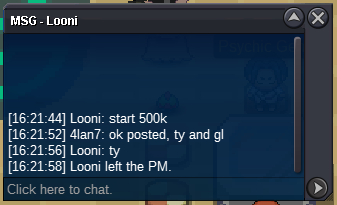
started by @Looni https://countingdownto.com/?c=3687144
-
-
-
-


