




New Trade Zone
Trade Zone is now live
Use the new Trade Zone for auctions and instant-price trades so Pokemon and item offers are easy to find.

Siidon
Registered User
-
Joined
-
Last visited
Everything posted by Siidon
-
WTB Impish Skaromory 20+ prefered!! Post it here or dm on discord: harutaa#2760
-
Added Legendary Quests, have a nice day.
-
Nobody said you lied. Read it again, if it still doesnt appear you already encountered it. Rotom encounter A catchable Rotom can be found inside the small room of Mt. Coronet 4F. To reach it, it is necessary to enter 4F through Mt. Coronet Summit’s south-east entrance, then use Waterfall to reach its room. In there, examining the only rock in the room will trigger the fight with the level 10 wild Rotom. If you don't trigger a fight with this Rotom clicking the Stone, you either didnt get in the right way or you have already encountered it.
-
Rotom encounter A catchable Rotom can be found inside the small room of Mt. Coronet 4F. To reach it, it is necessary to enter 4F through Mt. Coronet Summit’s south-east entrance, then use Waterfall to reach its room. In there, examining the only rock in the room will trigger the fight with the level 10 wild Rotom. If you don't trigger a fight with this Rotom clicking the Stone, you either didnt get in the right way or you have already encountered it.
-
-
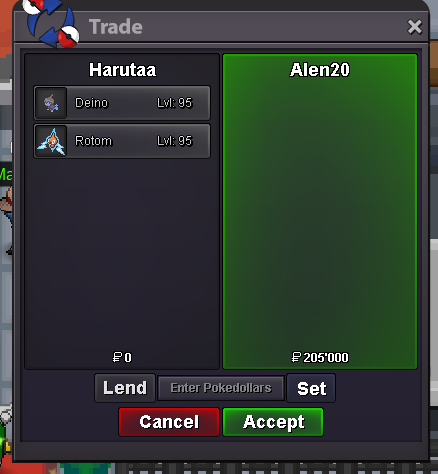
this for 200k
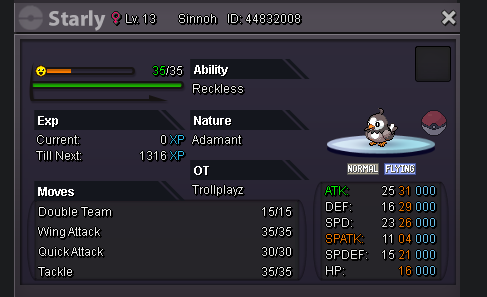
-
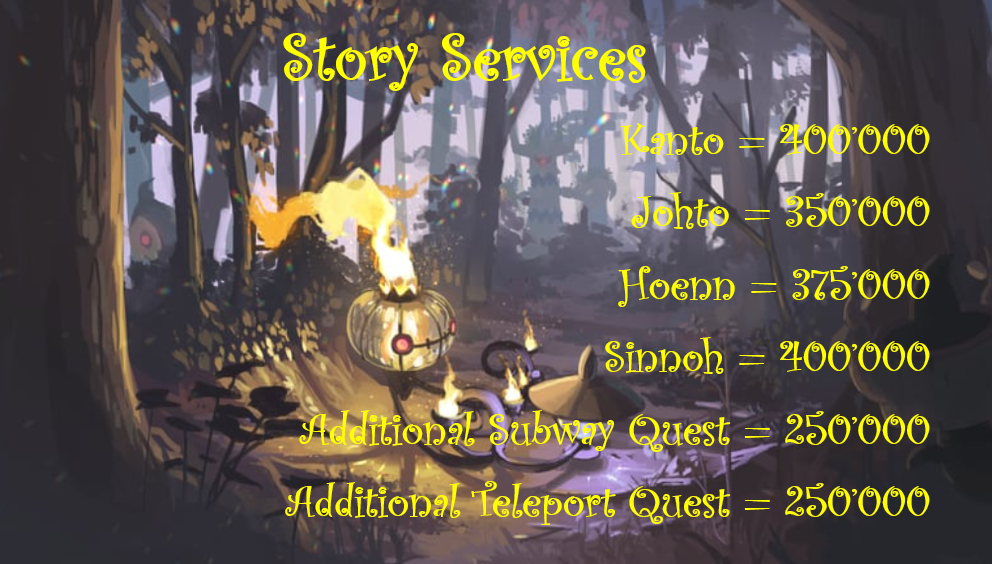
story service 3 regions done
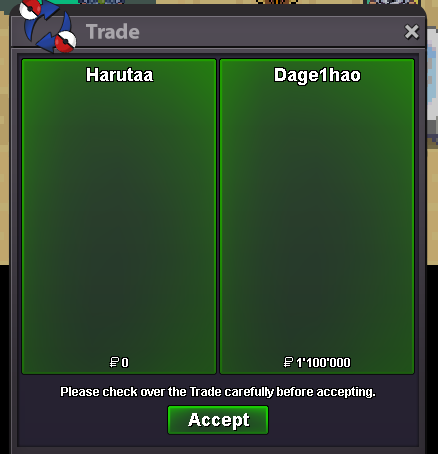
-
i've created this layout for my own shop, please do your own stuff
-
please delete my layout, this is unbelievable to just copy it out of my shop.
-
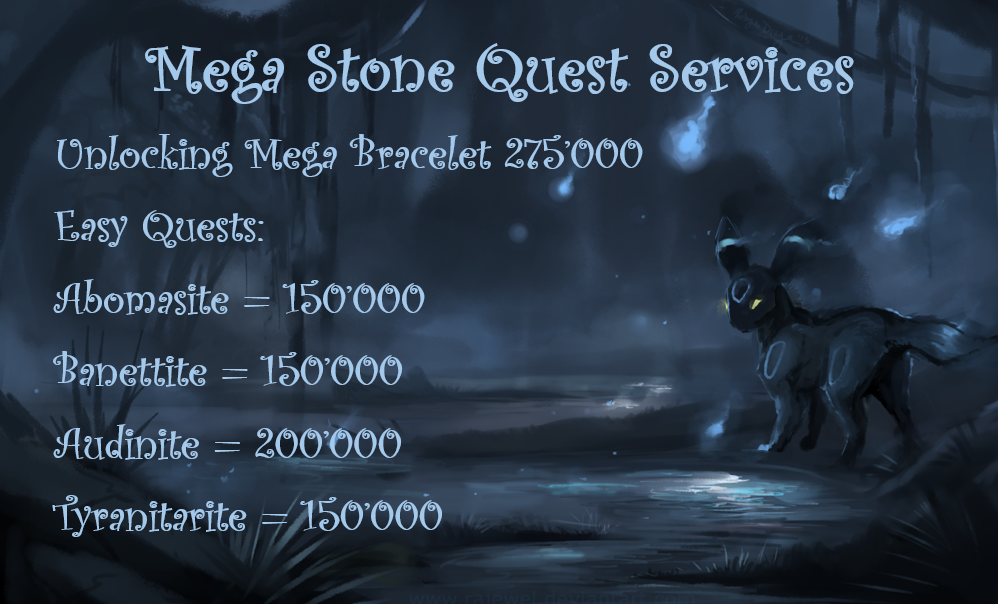
some mega quest services (why is it half screen) o.o

-
Hello, i'm currently very busy due to the many requests i get. Please leave your discord here so i can contact you as soon as i'm done with the other stuff! 😄 Greetings, Harutaa
-
thanks, that helped me a lot 😄 have a good day.Does it show you now? It seems to be not visable in some browsers! Thanks for the information! 😄I am not very proud to re-open the darkest place on PRO's Forums again... please bear with me staff. Contact me here: Forum direct messages Discord: not_siidon Ingame: Siidon If ur brave enough directly in here... ?!?!?!?!WHaT iS THiS PLaCe!?!?!?!? In this Shop I will provide you the fastest Service you've ever seen, using my dark power which i gained from Darkrai himself. Quest-Service at a incredible speed and prices that even the most addicted ones can use my service over and over again... I HOPE YOU ENJOY THE ARTWORK AND LEAVE A LOT OF MONEY HERE!!! Mega Stone Quests: All Requirements have to be met before the start of the Service! I'll only provide the Service, not the requirements!!! Legendary Quests: All Requirements have to be met before the start of the Service! I'll only provide the Service, not the requirements!!! I hope you enjoyed looking at my Service Shop and i will meet you soon! Very happy to do business with you...or not.

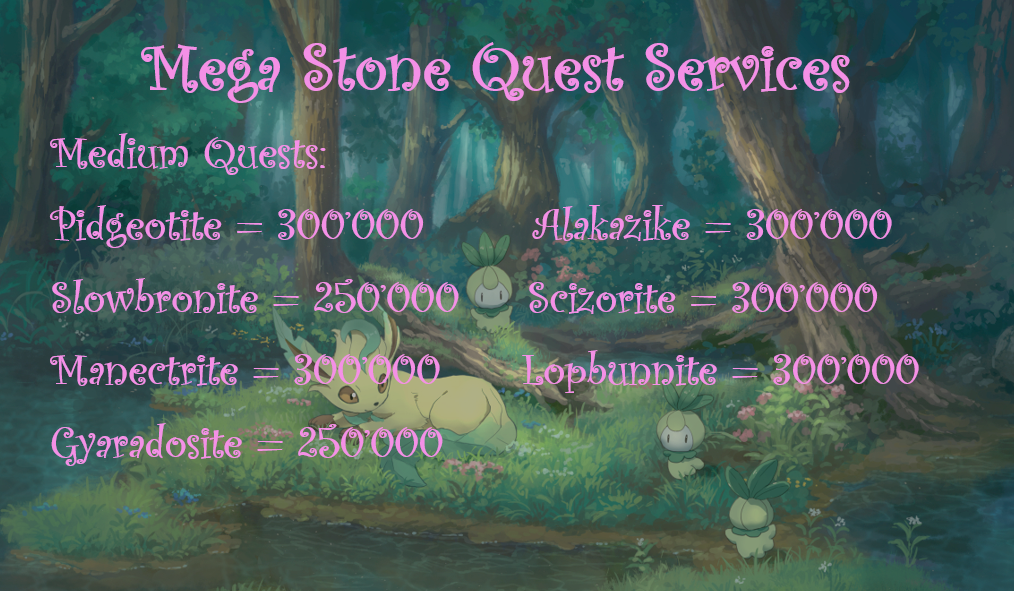


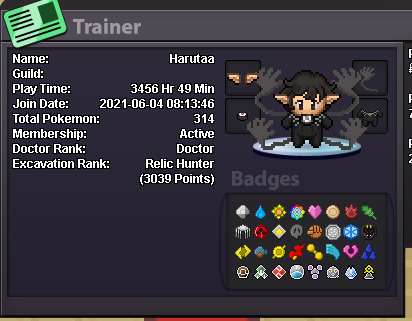
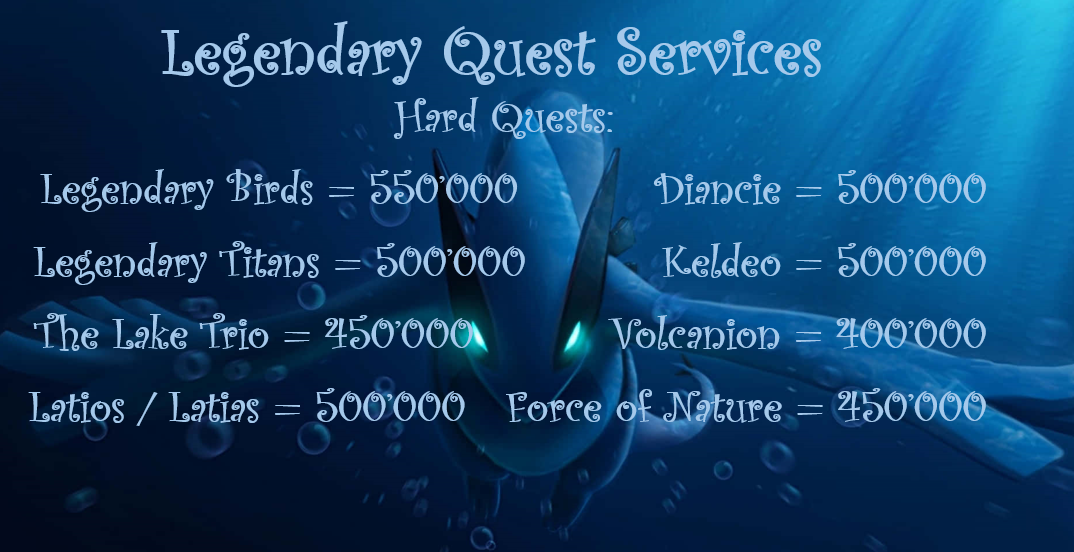 Hello PRO Players, I have a question about the Story and the Quest Services in General. Is it bannable to do Quests and Story services for other players since it registrates your IP and could count as a extra account which could cause a ban for mass accounts. Is it at my own risk and if i get banned and explain that i did a service for someone, will i get unbanned then or does it still count as mass account? I dont wanna risk anything so i'm asking to make everything sure before i do something... I would love to get a reply here to clear everything up and follow othe rules. Greetings, HarutaaHello, my IGN is Harutaa and i'm 19 years old. I'm playing this game for nearly 2 Years and managed to get pass all the stories already. I spent multiple Hourse, Days, and Weeks to grind PvP (was not really successful in that, but i wanna learn it and get better) i love PvE and i'm really good at creating new strategies, fast lvl up and super duper fast EV services! Currently i dont play PRO that often because all my friends quit the game and its boring to play alone all day. Thats why i'm looking forward to join a guild with active discord server so we can make friends, enjoy the game and have a good time together. My Favorite Pokémon is Seismitoad since gen 5 got released. My Goal is to get better at PvP and teambuilding since i already got everything in PvE and its pretty easy against bosses always. So maybe i would love to join a PvP group that would like to help me get better and is friendly to PvP beginners. This is my trainercard: I play on gold server currently, would change to silver if a guild from silver server is interested in recruiting me. My Discord Name is harutaa#2760 and would love to get a message from you. Hopefuly see you soon! Regards, Harutaa
 lets start lower 😄 kind of overpriced for this defencei need this 🙂 ign: harutaa discord: manuu#2760
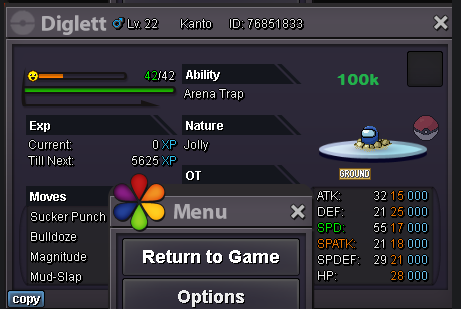 would love to buy this pancham! ign: Harutaa discord: manuu#2760
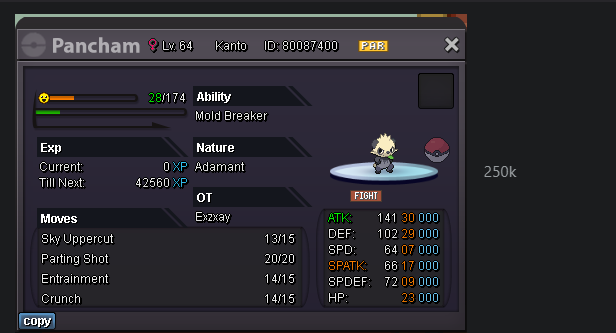 @Mattswyou cant make your own rules
 buy a mysterious candy at celadon market for 5k poke$ (at the vitamin seller 5th floor)


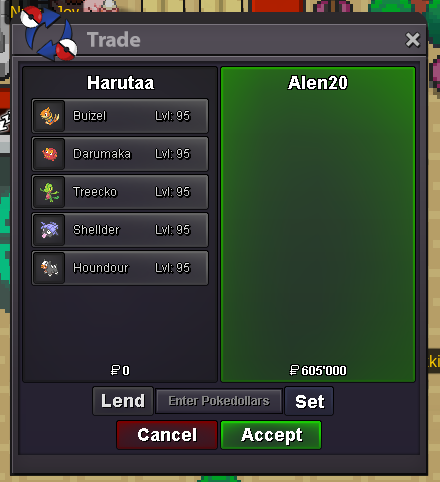
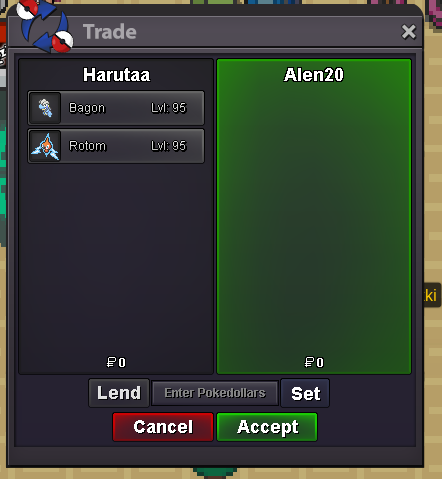
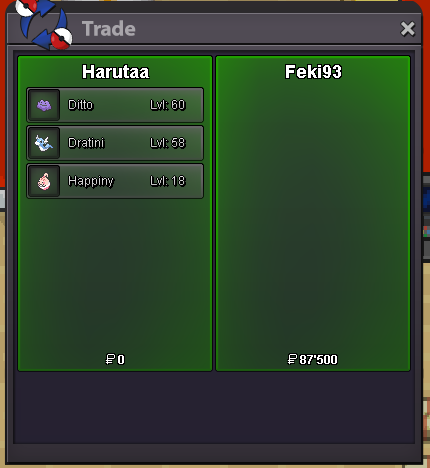
Account
Navigation
Search
Configure browser push notifications
Chrome (Android)
- Tap the lock icon next to the address bar.
- Tap Permissions → Notifications.
- Adjust your preference.
Chrome (Desktop)
- Click the padlock icon in the address bar.
- Select Site settings.
- Find Notifications and adjust your preference.
Safari (iOS 16.4+)
- Ensure the site is installed via Add to Home Screen.
- Open Settings App → Notifications.
- Find your app name and adjust your preference.
Safari (macOS)
- Go to Safari → Preferences.
- Click the Websites tab.
- Select Notifications in the sidebar.
- Find this website and adjust your preference.
Edge (Android)
- Tap the lock icon next to the address bar.
- Tap Permissions.
- Find Notifications and adjust your preference.
Edge (Desktop)
- Click the padlock icon in the address bar.
- Click Permissions for this site.
- Find Notifications and adjust your preference.
Firefox (Android)
- Go to Settings → Site permissions.
- Tap Notifications.
- Find this site in the list and adjust your preference.
Firefox (Desktop)
- Open Firefox Settings.
- Search for Notifications.
- Find this site in the list and adjust your preference.