New Trade Zone
Trade Zone is now live
Use the new Trade Zone for auctions and instant-price trades so Pokemon and item offers are easy to find.

Luigi92
Registered User
-
Joined
-
Last visited
-
As a pokedex collector and silver server player (1k+ hours and 0 hours on gold) I don't like the idea of having exclusive pokemon for each server. For Lugia and Ho-oh it would kinda make sense but for rest of poke I don't see a point to split them between servers especialy when you need 335 evolutions for 3rd legendary bird. I have never traded any poke with other players for collection as I like to catch them all by myself. I am fine by different time as long the wq doesn't start in the middle of night so before I wake up it's already finished (if it's ingame time please ignore last sentence). I really like this game but some decisions can make the experience annoying. ( like forcing ppl to play on another server, trade or transfer poke and waste more time for something unnecessary) Also consider that not everyone has so much time to play or maybe plays other games too.
-
Luigi92 changed their profile photo
-
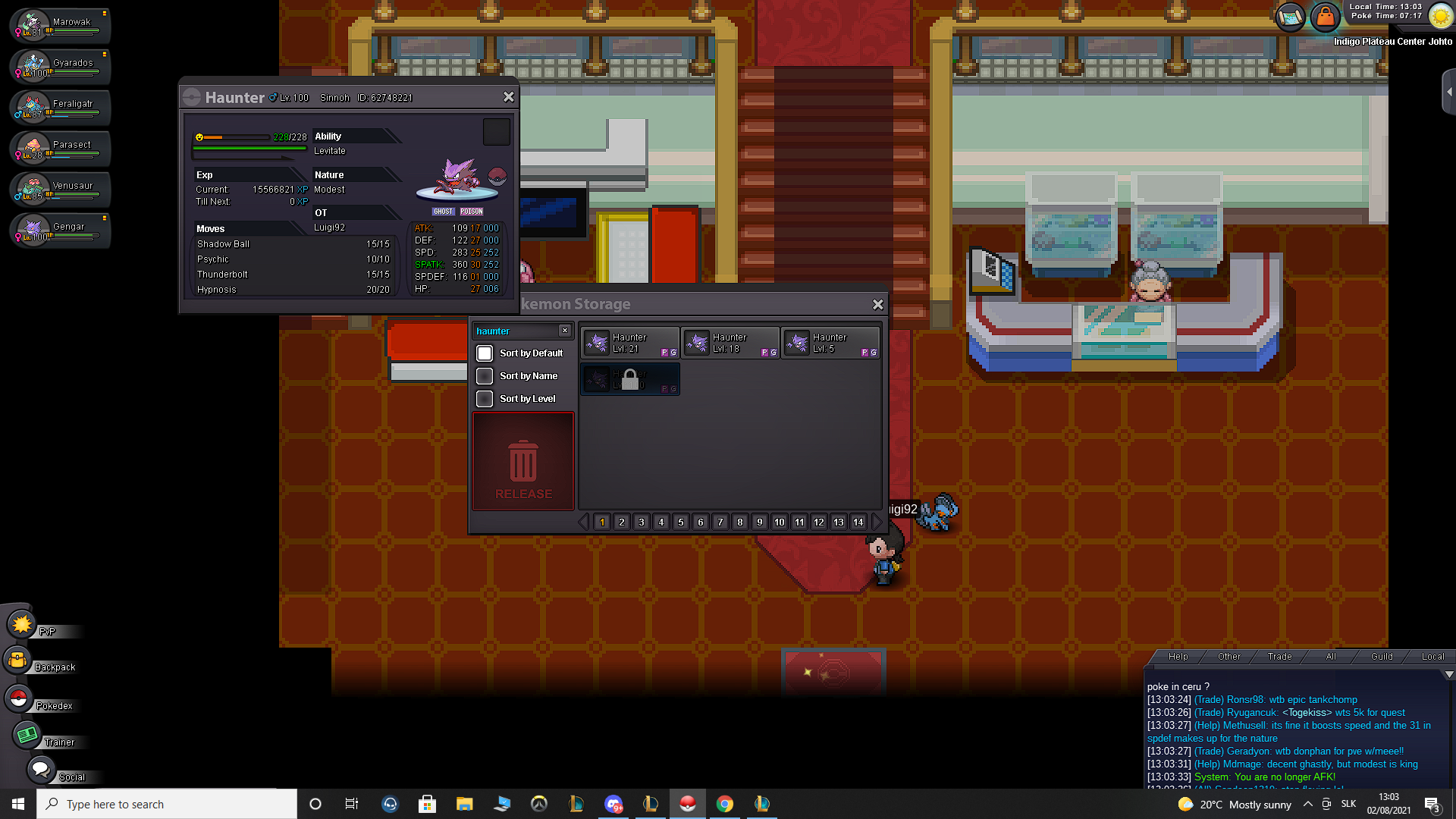
Hi, we have traded haunters with a friend with intention to evolve it, but my haunter is region locked for him and he cannot trade it back. Username: Luigi92 Friend username: Tracerkoo Server: Silver Pokemon name: Haunter Id of Pokemon: 62748221 Could you please send the pokemon back to my account? Below is the screenshot from friend.