New Trade Zone
Trade Zone is now live
Use the new Trade Zone for auctions and instant-price trades so Pokemon and item offers are easy to find.


Zetsubon
Registered User
-
Joined
-
Last visited
Everything posted by Zetsubon
-
ty for price checking ❤️
-
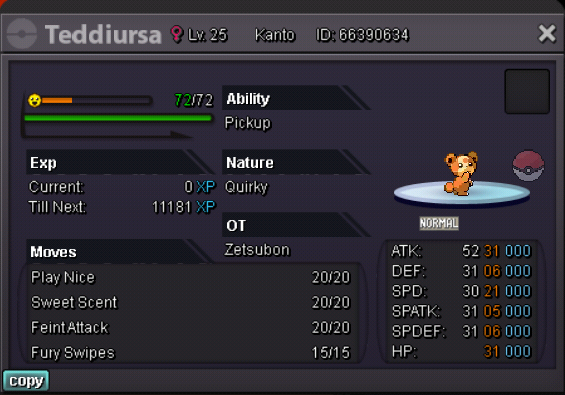
especially when im using android with lowest gui possible to see everything.....always missclick i support this ggWts Price 100k accept rc 5k each end 24hr after this post every pokemon has weakness and advantages for def hp type counter fire steel and grass (delete the post thank you)
 oo thank you for advice selling them instead of auction ❤️price check pls doing an auction for 24 hrcan delete this sold 20ki will sell it when i know the price
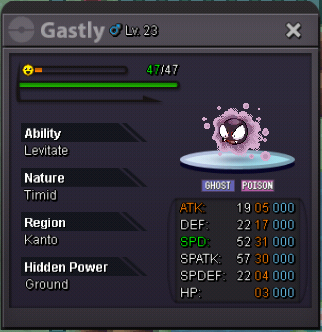
 90k200kCancel Auction Can Close no buyerInsta 50k Raise Bid 2k max bid 5k ended after INSTA or after first bidder under 30min ONCE BID CANNOT CANCEL
 Or better delete this post....sorry for the trouble....... Decided to quit ... Maybe come back 2-3years laterHai GM i decided to Quit Can U Give This Pokemon Free to Who Want it First....... Just use my acc with my permission and give thia poke.....Bid start 10k insta 500k Minimum bid 10k ONCE BID CANNOT CANCEL bid end after 3HR after posted in forum
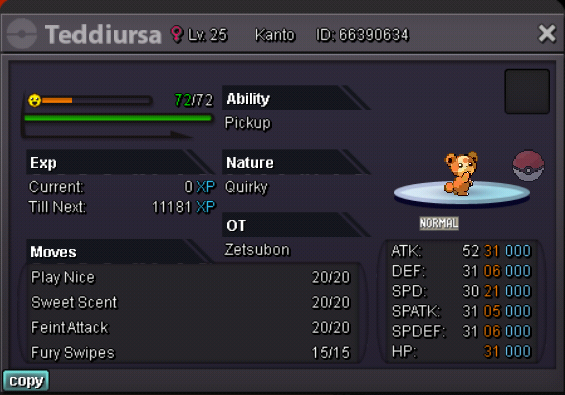 Wrong post can deleteminimum bid 10k insta 500k Start bid 10k Bidding end 3hr from this post Once bid CANNOT CANCEL