




New Trade Zone
Trade Zone is now live
Use the new Trade Zone for auctions and instant-price trades so Pokemon and item offers are easy to find.
Rob05
Suspended
-
Joined
-
Last visited
Everything posted by Rob05
-
1.6
-
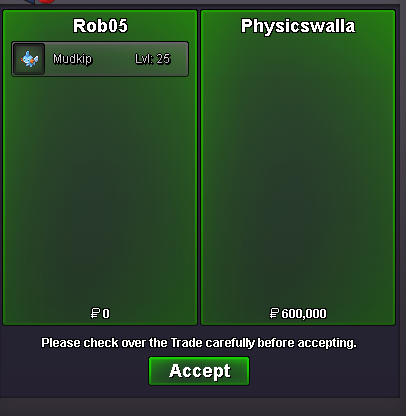
@Physicswallapm me pls my dc :Arnob#8829@Physicswallawinners.o 100k min raise 50k insta 2m (ends in 24h after first bid)
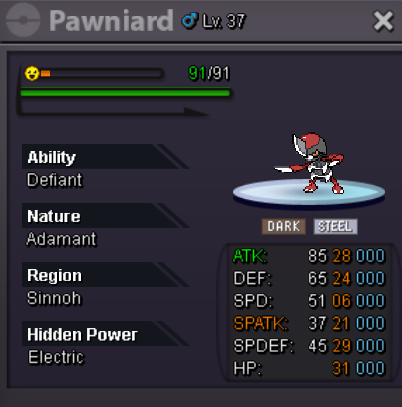
.png.78f07d63ae1149e3dd3baa730f1a5b39.png) dc Arnob#8829 ping mes.o 100k min raise 50k insta 3m ends 24h after first bidPvP ofcIf U have quiet porygon show pls@Alphariderwinners.o 50k min raise 50k no insta (ends at 10pm 6+gmt feb 03 today)
dc Arnob#8829 ping mes.o 100k min raise 50k insta 3m ends 24h after first bidPvP ofcIf U have quiet porygon show pls@Alphariderwinners.o 50k min raise 50k no insta (ends at 10pm 6+gmt feb 03 today).png.1695b46c744eba8c4fe01f430cdff22c.png) pm me when online
pm me when online

.png.48105cabcc78581445f4abe9bbe3cdc9.png)
.png.6abbd27746bdf878682c2fa1fb8397ac.png)
.png.1f1931a0db9aecfbd9ffa453f721d7ad.png)
.png.52f51df4d4e3e52413458889a0a0cf57.png)
.png.ae737ffab813d6c252db2890892fc718.png)
.png.b40052dbb4c87e83272ea1503d7d584d.png)
.png.05792aff3ec16e7fbf1d971d8157623e.png)
.png.97ef02ee906c424dec417f75031fa032.png)
.png.6e3d010d151129ef72fcdb2ebe56dba5.png)
Account
Navigation
Search
Configure browser push notifications
Chrome (Android)
- Tap the lock icon next to the address bar.
- Tap Permissions → Notifications.
- Adjust your preference.
Chrome (Desktop)
- Click the padlock icon in the address bar.
- Select Site settings.
- Find Notifications and adjust your preference.
Safari (iOS 16.4+)
- Ensure the site is installed via Add to Home Screen.
- Open Settings App → Notifications.
- Find your app name and adjust your preference.
Safari (macOS)
- Go to Safari → Preferences.
- Click the Websites tab.
- Select Notifications in the sidebar.
- Find this website and adjust your preference.
Edge (Android)
- Tap the lock icon next to the address bar.
- Tap Permissions.
- Find Notifications and adjust your preference.
Edge (Desktop)
- Click the padlock icon in the address bar.
- Click Permissions for this site.
- Find Notifications and adjust your preference.
Firefox (Android)
- Go to Settings → Site permissions.
- Tap Notifications.
- Find this site in the list and adjust your preference.
Firefox (Desktop)
- Open Firefox Settings.
- Search for Notifications.
- Find this site in the list and adjust your preference.