




New Trade Zone
Trade Zone is now live
Use the new Trade Zone for auctions and instant-price trades so Pokemon and item offers are easy to find.

Gen1king
Suspended
-
Joined
-
Last visited
Everything posted by Gen1king
-
@Tezkatlipoka hello! auction is over. i see you are online. pm me in game so we can trade. ign : Gen1king
-
20 hours it end 23;35 gmt + 02 pm. 10th November
-
Last day
-
-
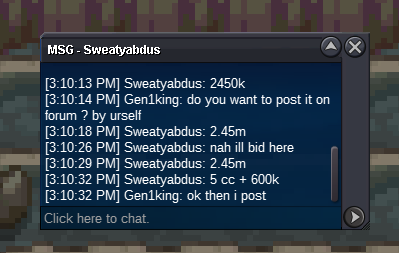
2.45m . he wanted me to post his bid
-
day2 bump
-
Noted. Started
-
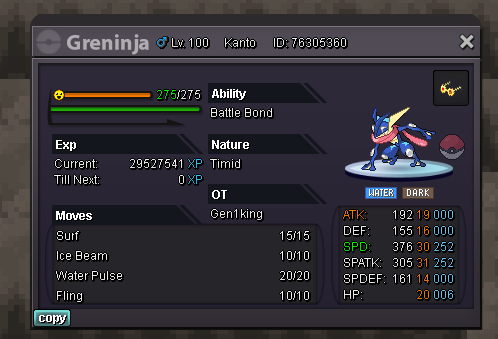
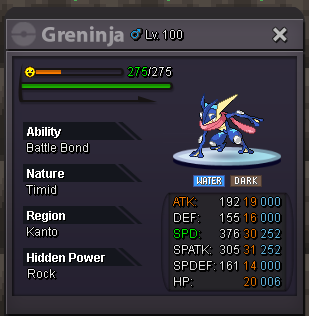
Hello guys i do an auction for this Greninja. Starting offer 2m No insta min raise 200k Duration 5 days since first bid currency accepted : pokedollars, nature rr 330k , iv reroll 680k , cc 370k Auction started 5/11 time 23:35 gmt +02 Finish: 10/11 time 23:35 gmt +02
-
@Raika
-
pm me in game gen1king . i am online atm
-
@raika won i think . auction started at 17:06 Tuesday(according to my time zone) and his bid was inside the 48 hours period
-
3 hours left
-
hello?
-
24 hours left
-
Mods this person has days to come online. Could you help with the auction?
-
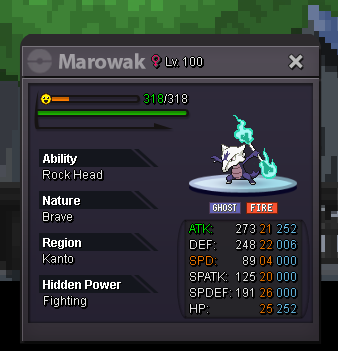
auction 48 hours since first bid 1m starting offer min raise 100k insta 3m accepted currency: pokedollars, cc 370k, nature reroll 330k , iv reroll= 2xnature reroll
-
@Chris5500 auction over. noone bidded after you. so you won. you can pm me in game. gen1king ign
-
4
-
34 hours left
-
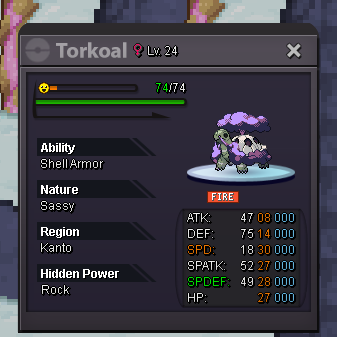
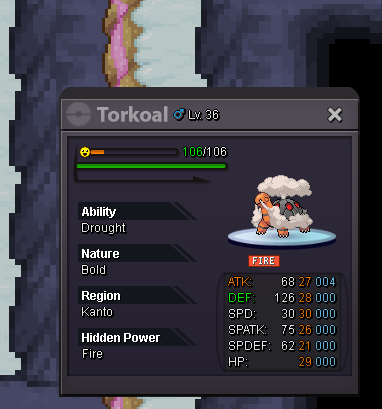
I want to buy the bold duskull. Will be online today. Eu time noon and evening.
-
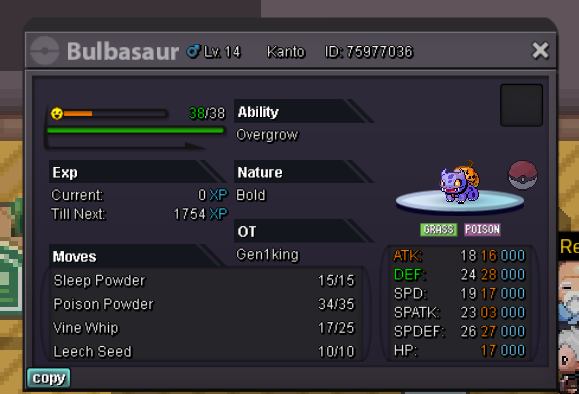
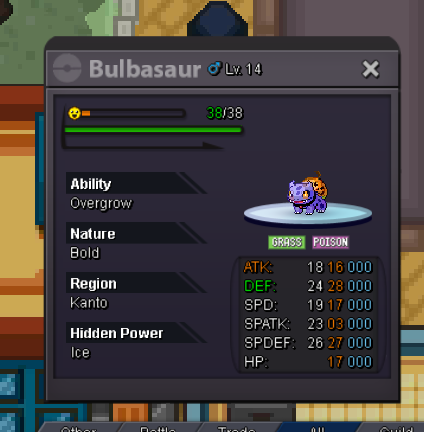
Hello people. i Auction this Duration time 60 hours since first bid. Starting bid 2m Min raise 100k No insta Accepting pokedollars, cc(370k) iv rr(680k),nature rr (340k).
-
auction over . pm me in game gen1king to meet

Account
Navigation
Search
Configure browser push notifications
Chrome (Android)
- Tap the lock icon next to the address bar.
- Tap Permissions → Notifications.
- Adjust your preference.
Chrome (Desktop)
- Click the padlock icon in the address bar.
- Select Site settings.
- Find Notifications and adjust your preference.
Safari (iOS 16.4+)
- Ensure the site is installed via Add to Home Screen.
- Open Settings App → Notifications.
- Find your app name and adjust your preference.
Safari (macOS)
- Go to Safari → Preferences.
- Click the Websites tab.
- Select Notifications in the sidebar.
- Find this website and adjust your preference.
Edge (Android)
- Tap the lock icon next to the address bar.
- Tap Permissions.
- Find Notifications and adjust your preference.
Edge (Desktop)
- Click the padlock icon in the address bar.
- Click Permissions for this site.
- Find Notifications and adjust your preference.
Firefox (Android)
- Go to Settings → Site permissions.
- Tap Notifications.
- Find this site in the list and adjust your preference.
Firefox (Desktop)
- Open Firefox Settings.
- Search for Notifications.
- Find this site in the list and adjust your preference.