Skip to content
View in the app

A better way to browse. Learn more.

Pokemon Revolution Online

A full-screen app on your home screen with push notifications, badges and more.

To install this app on iOS and iPadOS
  1. Tap the Share icon in Safari
  2. Scroll the menu and tap Add to Home Screen.
  3. Tap Add in the top-right corner.
To install this app on Android
  1. Tap the 3-dot menu (⋮) in the top-right corner of the browser.
  2. Tap Add to Home screen or Install app.
  3. Confirm by tapping Install.
New Trade Zone
Trade Zone is now live
Use the new Trade Zone for auctions and instant-price trades so Pokemon and item offers are easy to find.
Open Trade Zone

Medu5a

Registered User
  • Joined

  • Last visited

Everything posted by Medu5a

  1. 1783 270more commends for lvl up xD
  2. 1781
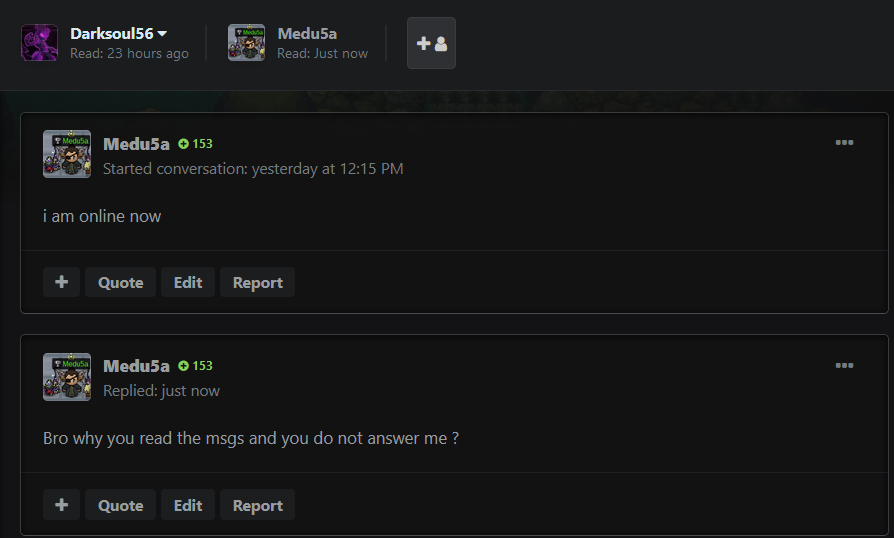
  3. I am sorry but this trade its not my problem! the sellere not even send me msg at forum or anything! Even shes not answer me at the msgs! Its look like i do not try find him but the truth is other!
  4. 1779 ofcurse xD
  5. 1777 happy 2hear it 😄
  6. 1775 suppp i just wake up how are you?
  7. 1773
  8. 1632
  9. 1601
  10. 1599
  11. 1576
  12. 1574
  13. 1559
  14. 1555
  15. 1553
  16. 1551
  17. 1549
  18. 1541
  19. Whatttt ?
  20. What are you typing dude? xD
  21. 1539
  22. 1537
  23. 1535

Account

Navigation

Search

Search

Configure browser push notifications

Chrome (Android)
  1. Tap the lock icon next to the address bar.
  2. Tap Permissions → Notifications.
  3. Adjust your preference.
Chrome (Desktop)
  1. Click the padlock icon in the address bar.
  2. Select Site settings.
  3. Find Notifications and adjust your preference.