




New Trade Zone
Trade Zone is now live
Use the new Trade Zone for auctions and instant-price trades so Pokemon and item offers are easy to find.

Lacomus
Registered User
-
Joined
-
Last visited
Everything posted by Lacomus
-
Enjoy @Crazymad

-
Bump (auction ends in approx 1 hour)
-
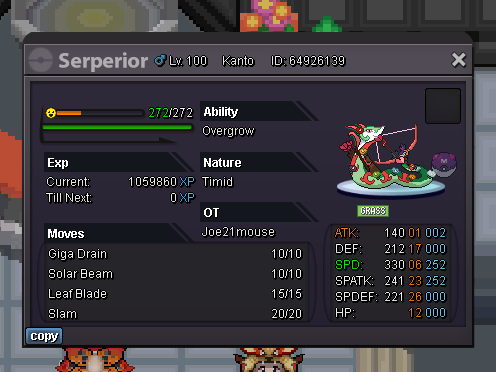
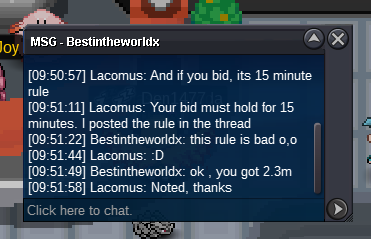
BumpAuction Details: Start Price: 1m End Point: 48 hours (after start price is met) Insta Price: 5m (Buy it Now option) Minimum Raise: 100k Accepted Payments: Pokedollars, Coin Capsules (400k), IV Rerolls (500k) Important Reminders: The auction will conclude in 48 hours (after start price is met), and bids must adhere to the minimum raise. The "Buy it Now" option allows you to secure the Pokémon, immediately at the Insta Price. If a bid is received in the final 15 minutes of the auction, the end point will be delayed by 15 minutes from that bid, and will be delayed by 15 minutes for each new bid thereafter, until the current offer has been held for a full 15 minutes. Happy Bidding!
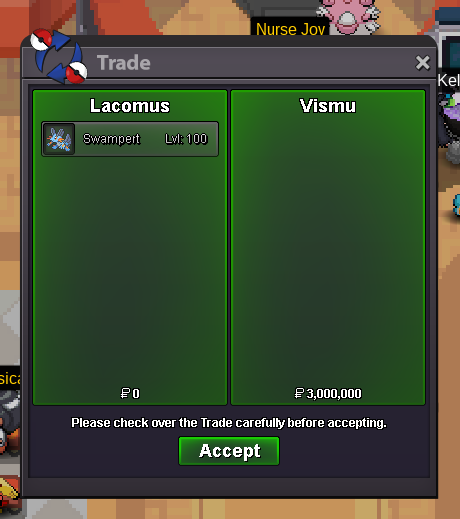
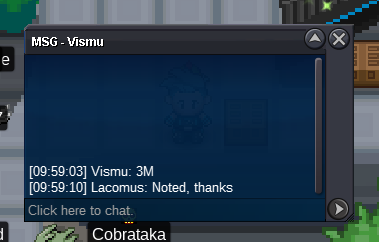
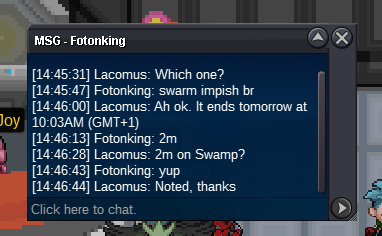
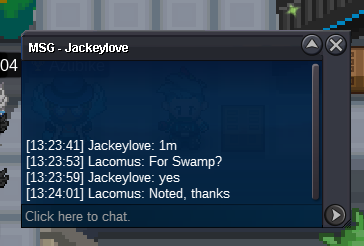
 Auction Details: Start Price: 500k End Point: 24 hours (after start price is met) Insta Price: 3m (Buy it Now option) Minimum Raise: 100k Accepted Payments: Pokedollars, Coin Capsules (400k), IV Rerolls (500k) Important Reminders: The auction will conclude in 24 hours (after start price is met), and bids must adhere to the minimum raise. The "Buy it Now" option allows you to secure the Pokémon, immediately at the Insta Price. If a bid is received in the final 15 minutes of the auction, the end point will be delayed by 15 minutes from that bid, and will be delayed by 15 minutes for each new bid thereafter, until the current offer has been held for a full 15 minutes. Happy Bidding!
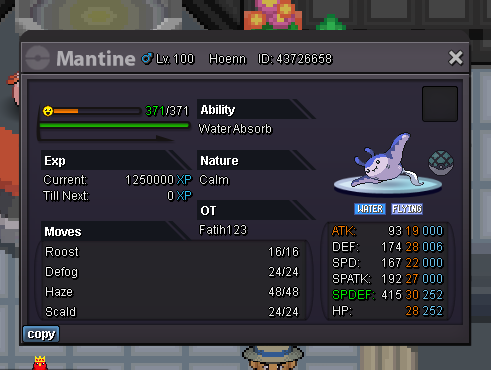 Enjoy @Vismu
 BumpStart (6,666)8m7.5m7m6.5mWhen giving access to your account for story service / quests, there's a fair amount of trust that comes with that. Easy to say "just use trustworthy people", but don't feel that's good enough. I'd like to see the option for an account to be PIN-protected, against all purchases and trades. Peace of mind knowing nothing has been spent, sent, traded...even released by accident. For those that don't feel its necessary, you don't have to have one, but the option to have it may be nice Felt like suggesting. Whether it be tricky to implement, is another questionAuction Details: Start Price: 1m End Point: 48 hours (after start price is met) Insta Price: N/A Minimum Raise: 100k Accepted Payments: Pokedollars, Coin Capsules (400k), IV Rerolls (500k) Important Reminders: The auction will conclude in 48 hours (after start price is met), and bids must adhere to the minimum raise. If a bid is received in the final 15 minutes of the auction, the end point will be delayed by 15 minutes from that bid, and will be delayed by 15 minutes for each new bid thereafter, until the current offer has been held for a full 15 minutes. Happy Bidding!
 Bump666,666





Account
Navigation
Search
Configure browser push notifications
Chrome (Android)
- Tap the lock icon next to the address bar.
- Tap Permissions → Notifications.
- Adjust your preference.
Chrome (Desktop)
- Click the padlock icon in the address bar.
- Select Site settings.
- Find Notifications and adjust your preference.
Safari (iOS 16.4+)
- Ensure the site is installed via Add to Home Screen.
- Open Settings App → Notifications.
- Find your app name and adjust your preference.
Safari (macOS)
- Go to Safari → Preferences.
- Click the Websites tab.
- Select Notifications in the sidebar.
- Find this website and adjust your preference.
Edge (Android)
- Tap the lock icon next to the address bar.
- Tap Permissions.
- Find Notifications and adjust your preference.
Edge (Desktop)
- Click the padlock icon in the address bar.
- Click Permissions for this site.
- Find Notifications and adjust your preference.
Firefox (Android)
- Go to Settings → Site permissions.
- Tap Notifications.
- Find this site in the list and adjust your preference.
Firefox (Desktop)
- Open Firefox Settings.
- Search for Notifications.
- Find this site in the list and adjust your preference.