




New Trade Zone
Trade Zone is now live
Use the new Trade Zone for auctions and instant-price trades so Pokemon and item offers are easy to find.


Lacomus
Registered User
-
Joined
-
Last visited
Everything posted by Lacomus
-
Congrats @Grabarz23 you win. I'm in vermi with your pokes, if this is a convenient place
-
@Kshitijmpanchal Machoke evolves by trading
-
-
Wish I bid on this one, ugh (gg)
-
Approx 3 hours remaining Countdown: https://www.tickcounter.com/countdown/4246031/pika-bundle
-
71,563
-
26,374
-
@Hektor047 If you decide to trade with someone to help you evolve them (and they send them back), then yes. You'll get to keep them. You'll get the DEX data too. Just be aware about what I said earlier. Evolutions can't be reversed either
-
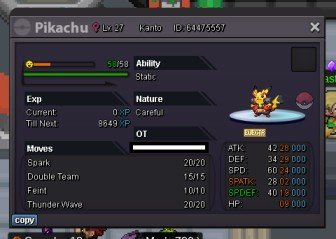
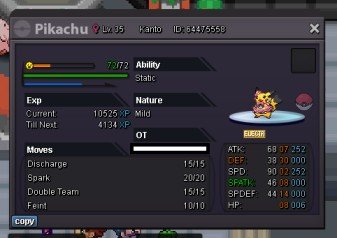
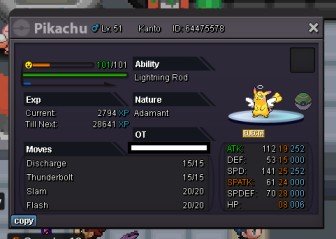
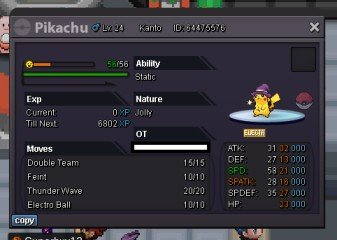
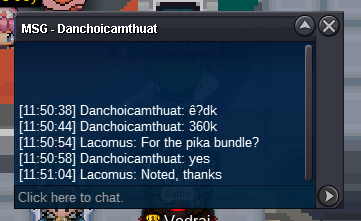
Started: https://www.tickcounter.com/countdown/4246031/pika-bundleStart: 1 Min bid: 1 Duration: 24 hours (after the first bid) Payment: Pokedollars Note: Rock Star Pika HP Fire, Pop Star Pika HP Fighting, Val Pika HP Ground, Hallow Pika HP Grass, Ash Pika HP Water. This is a bundle. No cancellations, no insta Countdown: https://www.tickcounter.com/countdown/4246031/pika-bundle - Extra time. If a bid is received in the final 15 minutes of the auction, the end point will be delayed by 15 minutes from that bid, and will be delayed by 15 minutes for each new bid thereafter, until the current offer has been held for a full 15 minutes. Must be accurate to the minute that the auction is set to end. › e.g. If the auction ends at 15:00, it will end at 15:00:00. If a late bid is received in the final 15 minutes, at 14:46, the auction will end at 15:01. If another user bids at 15:00, the auction will be extended again, and will end at 15:15, this will be repeated until the current offer has been held for a full 15 minutes. Closed: @Grabarz23 566k
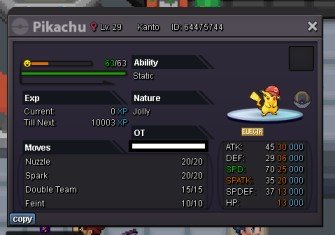 I wanted to pick more than one, its hard. Overall...its Thai / Japanese for me. Italian maybe takes second place. PS Shout out to Spanish food tooThanks again! @Goddness
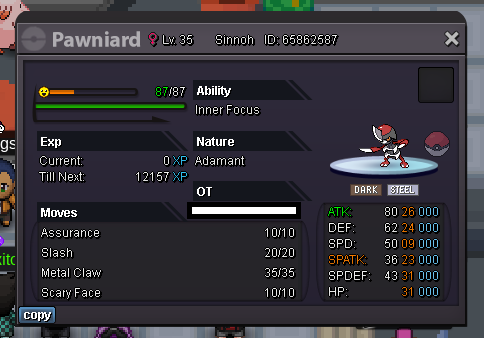
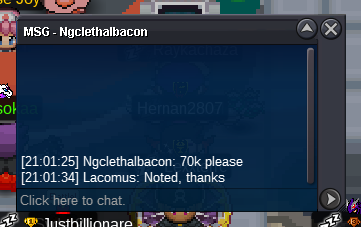
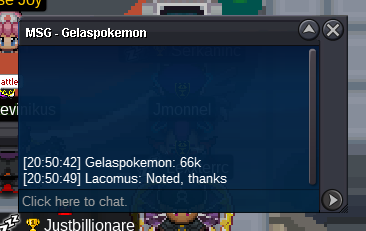
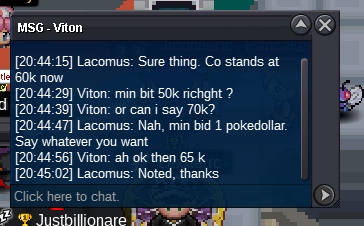
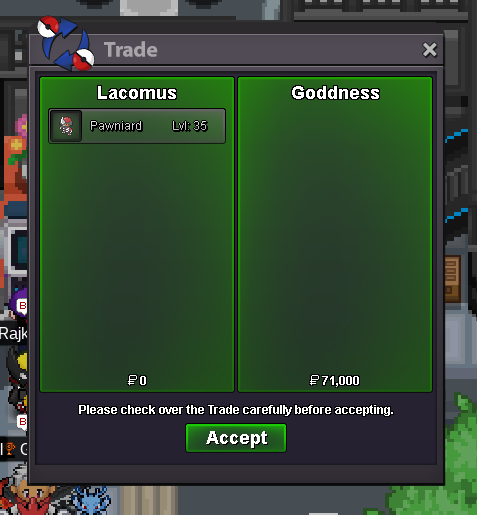 I'm in vermi, if this is a convenient placeYour bid has now held for a full 15 minutes (uninterrupted), think its safe to say you've taken this one. Congrats @GoddnessCountdown: https://www.tickcounter.com/countdown/4244303/pawniard - Extra time. If a bid is received in the final 15 minutes of the auction, the end point will be delayed by 15 minutes from that bid, and will be delayed by 15 minutes for each new bid thereafter, until the current offer has been held for a full 15 minutes. Must be accurate to the minute that the auction is set to end. › e.g. If the auction ends at 15:00, it will end at 15:00:00. If a late bid is received in the final 15 minutes, at 14:46, the auction will end at 15:01. If another user bids at 15:00, the auction will be extended again, and will end at 15:15, this will be repeated until the current offer has been held for a full 15 minutes.Started: https://www.tickcounter.com/countdown/4244303/pawniardStart: 1 Min bid: 1 Duration: 1 hour (after the first bid) Payment: Pokedollars Note: HP Ice. No cancellations, no insta Countdown: https://www.tickcounter.com/countdown/4244303/pawniard - Extra time. If a bid is received in the final 15 minutes of the auction, the end point will be delayed by 15 minutes from that bid, and will be delayed by 15 minutes for each new bid thereafter, until the current offer has been held for a full 15 minutes. Must be accurate to the minute that the auction is set to end. › e.g. If the auction ends at 15:00, it will end at 15:00:00. If a late bid is received in the final 15 minutes, at 14:46, the auction will end at 15:01. If another user bids at 15:00, the auction will be extended again, and will end at 15:15, this will be repeated until the current offer has been held for a full 15 minutes. Closed: @Goddness 71k
 666kEnjoy! @Nafumi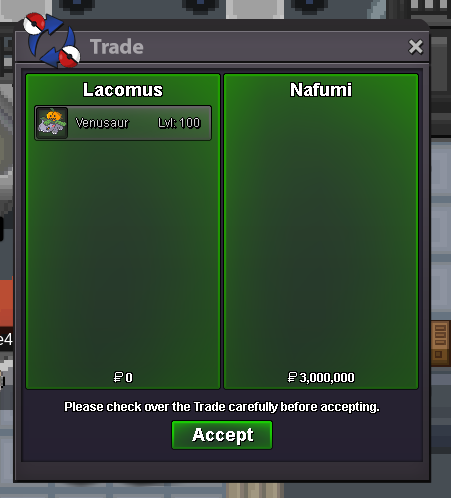



Account
Navigation
Search
Configure browser push notifications
Chrome (Android)
- Tap the lock icon next to the address bar.
- Tap Permissions → Notifications.
- Adjust your preference.
Chrome (Desktop)
- Click the padlock icon in the address bar.
- Select Site settings.
- Find Notifications and adjust your preference.
Safari (iOS 16.4+)
- Ensure the site is installed via Add to Home Screen.
- Open Settings App → Notifications.
- Find your app name and adjust your preference.
Safari (macOS)
- Go to Safari → Preferences.
- Click the Websites tab.
- Select Notifications in the sidebar.
- Find this website and adjust your preference.
Edge (Android)
- Tap the lock icon next to the address bar.
- Tap Permissions.
- Find Notifications and adjust your preference.
Edge (Desktop)
- Click the padlock icon in the address bar.
- Click Permissions for this site.
- Find Notifications and adjust your preference.
Firefox (Android)
- Go to Settings → Site permissions.
- Tap Notifications.
- Find this site in the list and adjust your preference.
Firefox (Desktop)
- Open Firefox Settings.
- Search for Notifications.
- Find this site in the list and adjust your preference.