




New Trade Zone
Trade Zone is now live
Use the new Trade Zone for auctions and instant-price trades so Pokemon and item offers are easy to find.


Lacomus
Registered User
-
Joined
-
Last visited
Everything posted by Lacomus
-
PS This auction is on the Gold server. Just making people doubly aware, before bidding
-
Start: 1 Min bid: 1 Duration: 1 hour (after the first bid) Payment: Pokedollars Note: HP Flying. No cancellations, no insta Countdown: https://www.tickcounter.com/countdown/4237239/pelipper - Extra time. If a bid is received in the final 15 minutes of the auction, the end point will be delayed by 15 minutes from that bid, and will be delayed by 15 minutes for each new bid thereafter, until the current offer has been held for a full 15 minutes. Must be accurate to the minute that the auction is set to end. › e.g. If the auction ends at 15:00, it will end at 15:00:00. If a late bid is received in the final 15 minutes, at 14:46, the auction will end at 15:01. If another user bids at 15:00, the auction will be extended again, and will end at 15:15, this will be repeated until the current offer has been held for a full 15 minutes. Closed: @Legend001playz 101,001

-
Thanks! @Jero1989

-
I need an image fixed, DM me if you're good with editing (can pay in pokedollars)Approaching the final 3 hours Countdown: https://www.tickcounter.com/countdown/4233357/af-special-formsStarted: https://www.tickcounter.com/countdown/4233357/af-special-formsStart: 1 Min bid: 1 Duration: 24 hours (after the first bid) Payment: Pokedollars Note: AF Moltres HP Psychic, AF Zapdos HP Grass, AF Articuno HP Ground. This is a bundle. No cancellations, no insta Countdown: https://www.tickcounter.com/countdown/4233357/af-special-forms - Extra time. If a bid is received in the final 15 minutes of the auction, the end point will be delayed by 15 minutes from that bid, and will be delayed by 15 minutes for each new bid thereafter, until the current offer has been held for a full 15 minutes. Must be accurate to the minute that the auction is set to end. › e.g. If the auction ends at 15:00, it will end at 15:00:00. If a late bid is received in the final 15 minutes, at 14:46, the auction will end at 15:01. If another user bids at 15:00, the auction will be extended again, and will end at 15:15, this will be repeated until the current offer has been held for a full 15 minutes. Closed: @Jero1989 775k


 Nice work, keep it up! @ItzspookyIts a fair suggestion, but I could see something like this being exploitable. People remaining logged in, with very little productivity...cheaters and their cute ideas. I agree making the game more fun, with higher activity would be nice, but an idea like this has to be thought through carefully IMOStart both (10k each)Start both (100k each)Note: Alt account (Pokeattack) Thanks! @Manav862
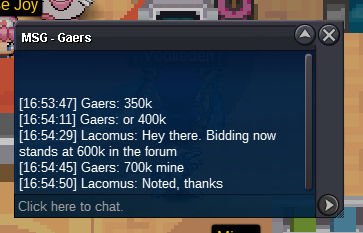
 Time up, you win @Manav862 I'm in vermi, if this is a convenient place. Let me know#018 PidgeotJust so new bidders are aware Countdown: https://www.tickcounter.com/countdown/4229181/pikachu - Extra time: If a bid is received in the final 15 minutes of the auction, the end point will be delayed by 15 minutes from that bid, and will be delayed by 15 minutes for each new bid thereafter, until the current offer has been held for a full 15 minutes. Must be accurate to the minute that the auction is set to end. › e.g. If the auction ends at 15:00, it will end at 15:00:00. If a late bid is received in the final 15 minutes, at 14:46, the auction will end at 15:01. If another user bids at 15:00, the auction will be extended again, and will end at 15:15, this will be repeated until the current offer has been held for a full 15 minutes.@Itzronin In future just create a new bid with a new post, saves confusion @Itzronin now leads at 123,456@Itzronin Invalid, sorryCountdown: https://www.tickcounter.com/countdown/4229181/pikachu - Extra time: If a bid is received in the final 15 minutes of the auction, the end point will be delayed by 15 minutes from that bid, and will be delayed by 15 minutes for each new bid thereafter, until the current offer has been held for a full 15 minutes. Must be accurate to the minute that the auction is set to end. › e.g. If the auction ends at 15:00, it will end at 15:00:00. If a late bid is received in the final 15 minutes, at 14:46, the auction will end at 15:01. If another user bids at 15:00, the auction will be extended again, and will end at 15:15, this will be repeated until the current offer has been held for a full 15 minutes.@Wakaranaii leads at 68,686





Account
Navigation
Search
Configure browser push notifications
Chrome (Android)
- Tap the lock icon next to the address bar.
- Tap Permissions → Notifications.
- Adjust your preference.
Chrome (Desktop)
- Click the padlock icon in the address bar.
- Select Site settings.
- Find Notifications and adjust your preference.
Safari (iOS 16.4+)
- Ensure the site is installed via Add to Home Screen.
- Open Settings App → Notifications.
- Find your app name and adjust your preference.
Safari (macOS)
- Go to Safari → Preferences.
- Click the Websites tab.
- Select Notifications in the sidebar.
- Find this website and adjust your preference.
Edge (Android)
- Tap the lock icon next to the address bar.
- Tap Permissions.
- Find Notifications and adjust your preference.
Edge (Desktop)
- Click the padlock icon in the address bar.
- Click Permissions for this site.
- Find Notifications and adjust your preference.
Firefox (Android)
- Go to Settings → Site permissions.
- Tap Notifications.
- Find this site in the list and adjust your preference.
Firefox (Desktop)
- Open Firefox Settings.
- Search for Notifications.
- Find this site in the list and adjust your preference.