New Trade Zone
Trade Zone is now live
Use the new Trade Zone for auctions and instant-price trades so Pokemon and item offers are easy to find.

Lacomus
Registered User
-
Joined
-
Last visited
Everything posted by Lacomus
-
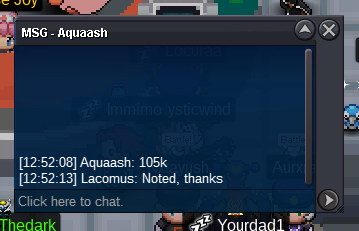
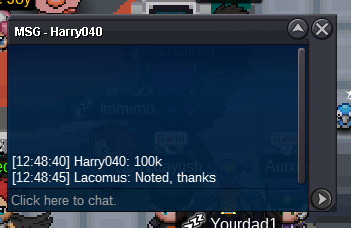
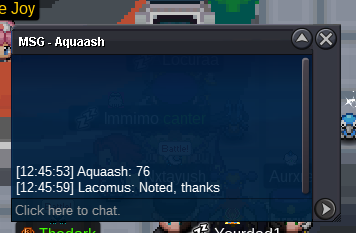
@Rajatsardar leads at 80k@Suncity Bid above 70k@Gatso Its being sold as a bundle, so you can have just 10,200 (buy one get one free)Started: https://www.tickcounter.com/countdown/4159087/gyarados-jolteonStart: 1 Min bid: 1 Duration: 24 hours (after the first bid) Payment: Pokedollars Note: Gyar HP Fire, Jolt HP Ice. This is a bundle. No cancellations, no insta Countdown: https://www.tickcounter.com/countdown/4159087/gyarados-jolteon Closed: @Rajatsardar 120,100

 Manectric 20k Torkoal 20kNote: Alt account (Alduiin) Appreciate you @Isildurr2x
 @Isildurr2x Maybe message me on Discord when you're free (I'm free today). My ID is in my signature@Alfatrion1980s Will you be around today to close this? I'll be free@Isildurr2x Sure thing, no problemIf an auction closed at 100k (transaction complete with the winner), from time to time could I distribute that 100k evenly to all who took part in the auction? Gives people a bit of happiness, even if they lose. These intentions would be declared at the beginning of the auction, if I was doing it. Wanted to ask in case I'm breaking any rules, or if its conflicting in any way
Account
Navigation
Search
Configure browser push notifications
Chrome (Android)
- Tap the lock icon next to the address bar.
- Tap Permissions → Notifications.
- Adjust your preference.
Chrome (Desktop)
- Click the padlock icon in the address bar.
- Select Site settings.
- Find Notifications and adjust your preference.
Safari (iOS 16.4+)
- Ensure the site is installed via Add to Home Screen.
- Open Settings App → Notifications.
- Find your app name and adjust your preference.
Safari (macOS)
- Go to Safari → Preferences.
- Click the Websites tab.
- Select Notifications in the sidebar.
- Find this website and adjust your preference.
Edge (Android)
- Tap the lock icon next to the address bar.
- Tap Permissions.
- Find Notifications and adjust your preference.
Edge (Desktop)
- Click the padlock icon in the address bar.
- Click Permissions for this site.
- Find Notifications and adjust your preference.
Firefox (Android)
- Go to Settings → Site permissions.
- Tap Notifications.
- Find this site in the list and adjust your preference.
Firefox (Desktop)
- Open Firefox Settings.
- Search for Notifications.
- Find this site in the list and adjust your preference.