New Trade Zone
Trade Zone is now live
Use the new Trade Zone for auctions and instant-price trades so Pokemon and item offers are easy to find.


Lacomus
Registered User
-
Joined
-
Last visited
Everything posted by Lacomus
-
In auctions, countdown timers often fail to accurately match the exact timing of a forum’s “start” post, leading to more issues than benefits. In the long run, it’s best to avoid using them
-
Enjoy @Nikolajoklc

-
@Nikolajoklc Cerulean on Silver, sure. No problem. See you there
-
Congrats @Nikolajoklc
-
-
Bump
-
-
Bump
-
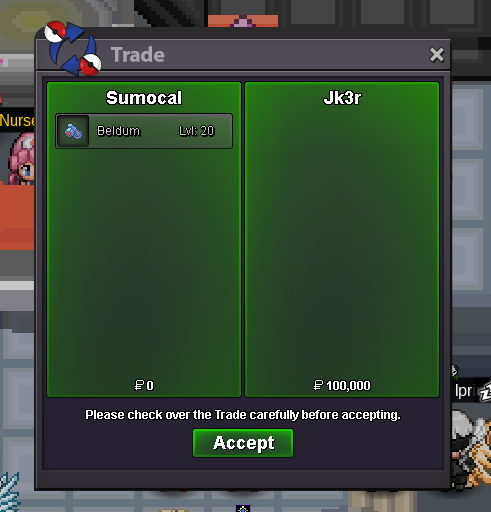
Enjoy @Jk3r
-
Alt account: Sumocal (Silver) Auction Details: Start Price: 10k End Point: 30 minutes (after start price is met) Insta Price: N/A Minimum Raise: 10k Accepted Payments: Pokedollars Important Reminders: This is a Silver Server auction. If bidding from an alternative server, state that you will transfer upon winning. If you intend to purchase with an alt account, specify the account alongside your bid. If a bid is received in the final 15 minutes of the auction, the end point will be delayed by 15 minutes from that bid, and will be delayed by 15 minutes for each new bid thereafter, until the current offer has been held for a full 15 minutes. Happy Bidding!
 Start 100k. Alt account: Sumocal (Silver)Start 200k. Alt account: Sumocal (Silver)Note: This set is compatible with both male and female characters. After opening, these items are no longer tradable. The cosmetics included in this set are Captain Clothes and Daiguren Hyorinmaru. PvP Chests: Battle, Win, and Earn Exclusive Rewards! - Announcements - Pokemon Revolution Online Auction Details: Start Price: 10m End Point: 72 hours (after start price is met) Insta Price: N/A Minimum Raise: 100k Accepted Payments: Pokedollars, IV Reroll Tickets (x1 IV Reroll Ticket = 650k) Important Reminders: This is a Gold Server auction. However, you may bid from any server, and I will transfer to your preferred server upon winning. If you intend to purchase with an alt account, specify the account alongside your bid. If a bid is received in the final 15 minutes of the auction, the end point will be delayed by 15 minutes from that bid, and will be delayed by 15 minutes for each new bid thereafter, until the current offer has been held for a full 15 minutes. Happy Bidding!
 BumpStart 50k. Alt account: Sumocal (Silver)Enjoy @Praveen00
 @Praveen00 Now?Congrats @Praveen00Enjoy @Nyong
 Congrats @NyongStart 50k. Alt account: Sumocal (Silver)Start 100k