




New Trade Zone
Trade Zone is now live
Use the new Trade Zone for auctions and instant-price trades so Pokemon and item offers are easy to find.

Hinozz
Registered User
-
Joined
-
Last visited
-
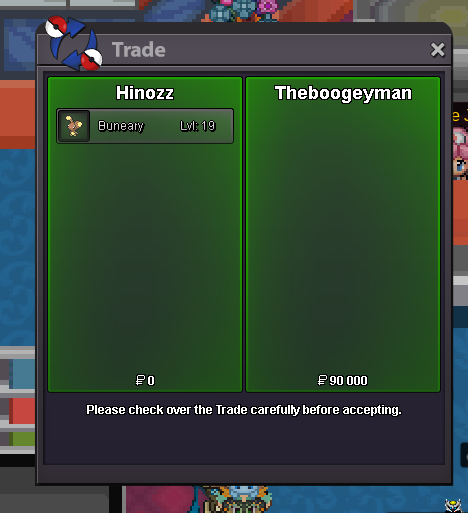
ada buneary sold
-
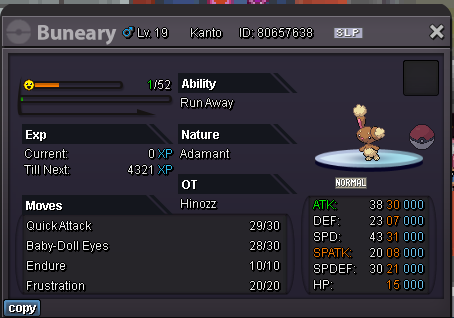
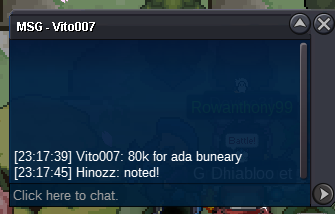
WTS those two Buneary s.o 50k min bid 10k end one hour after first bid c.o. 90k Theboogeyman SOLD s.o. 50k cancelled, hasn't started anyway first auction i've read all the rules i hope i wont be missing any
 1. What's your Player name (IGN)? Hinozz 2. Number of hours played? Currently 102 3. What's your favorite Pokemon? Torkoal 4. What do you enjoy doing the most in PRO? (Hunting, PvP, trading, etc) Definitely hunting, ultimate goal would be to get all forms but there is a long road in front of me pepega. Also looking for people to talk to ! 5. How old are you? (Optional) 25 I definitely want to hear those puns...


Account
Navigation
Search
Configure browser push notifications
Chrome (Android)
- Tap the lock icon next to the address bar.
- Tap Permissions → Notifications.
- Adjust your preference.
Chrome (Desktop)
- Click the padlock icon in the address bar.
- Select Site settings.
- Find Notifications and adjust your preference.
Safari (iOS 16.4+)
- Ensure the site is installed via Add to Home Screen.
- Open Settings App → Notifications.
- Find your app name and adjust your preference.
Safari (macOS)
- Go to Safari → Preferences.
- Click the Websites tab.
- Select Notifications in the sidebar.
- Find this website and adjust your preference.
Edge (Android)
- Tap the lock icon next to the address bar.
- Tap Permissions.
- Find Notifications and adjust your preference.
Edge (Desktop)
- Click the padlock icon in the address bar.
- Click Permissions for this site.
- Find Notifications and adjust your preference.
Firefox (Android)
- Go to Settings → Site permissions.
- Tap Notifications.
- Find this site in the list and adjust your preference.
Firefox (Desktop)
- Open Firefox Settings.
- Search for Notifications.
- Find this site in the list and adjust your preference.