




New Trade Zone
Trade Zone is now live
Use the new Trade Zone for auctions and instant-price trades so Pokemon and item offers are easy to find.

Nightfurry
Registered User
-
Joined
-
Last visited
Everything posted by Nightfurry
-
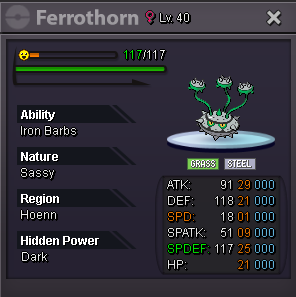
700kAuction start: 1m Ends in: https://countingdownto.com/?c=5772424 Minium raise: 100k Acceptance: +Cash +Coin Capsule: 400k +Reroll iv: 500k
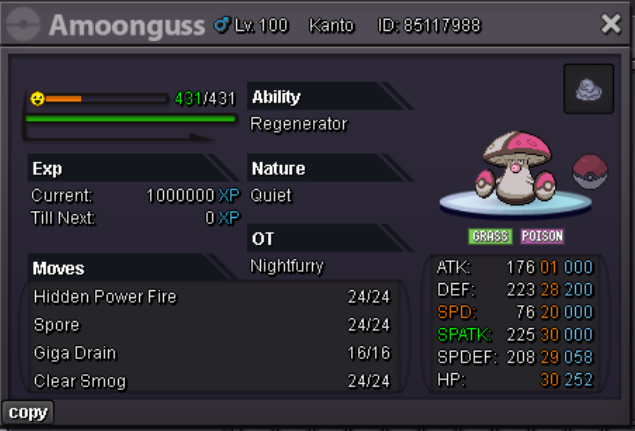 Username: Nightfurry Server: Gold Country/Timezone: Vietnam GMT+71m10ki'm here pm me when u able to trade.S.O=500K MIN BID=50K DURATION=24 HOURS AFTER FIRST BID ACCEPTED PAYMENTS 1.COIN CAPSULE (380K) 2.REROLL TICKET (480K)
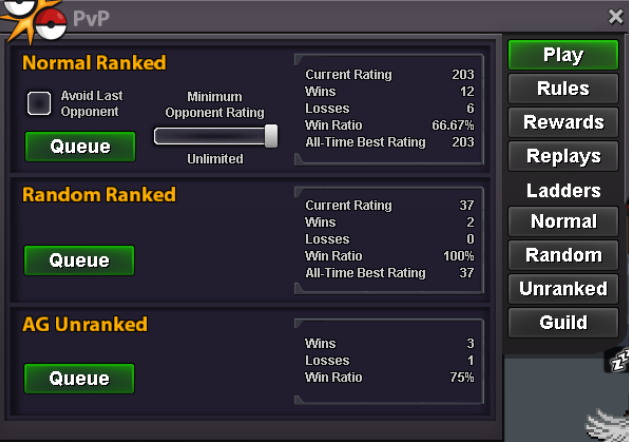
 What is your IGN? tagn What is your discord? nightfurryyyy Tell us a little about yourself (age, where are you from, interests) I'm 20, Vietnam, intersted in pro How many hours do you currently have? (please link a picture of your trainer card) Do you know any existing members? blaggy, anwir, tkl070101 What is the highest rating you have reached? Why would you like to join us at Fireborn? I want to improve and keep on pvp playing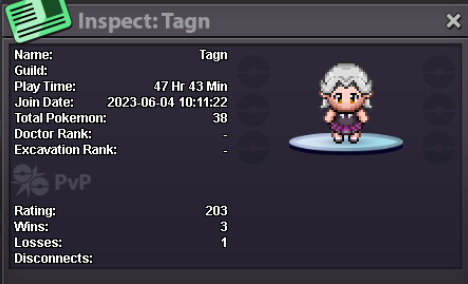
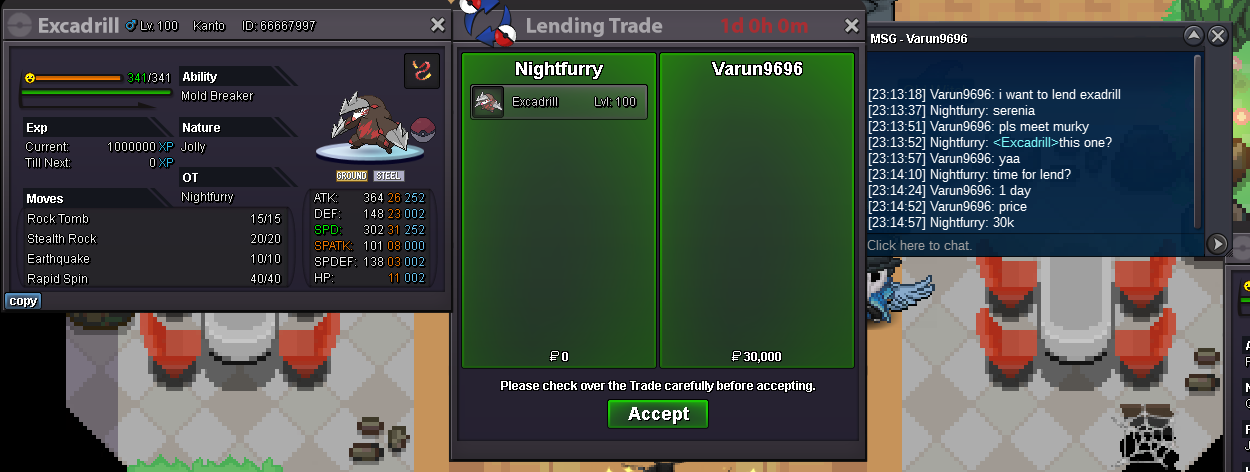
 Lend Pokemons Shop Hello guys. I'm opening my store. I'm renting my pokemons, I'll keep a fixed price per day and some discounts depending on how many days you need the pokemon. Whether it's for boss, team testing or ranking, I have some options for you, rare pokemons with quality. I'll sort into two categories of pokemons. The first (EXTREME PVP), high rarity pokemons and excellent ivs considered "godlys", maybe h.a. or not. This type of pokemon will cost: Pvpable: 1 day = 30k 10 days = 250k 20 days = 400k 30 days = 700k Boss mons+story mons: 1 day = 10k 10 days = 80k 20 days = 150k 30 days = 240k Contacts IGN: Nightfurry Discord: Nightfurry Accept payment: Pokedollars. - 380K - 500K - 250K - 7K Pvpable Mons Mons untrained (add to lend later) Mons for boss Mons for story end.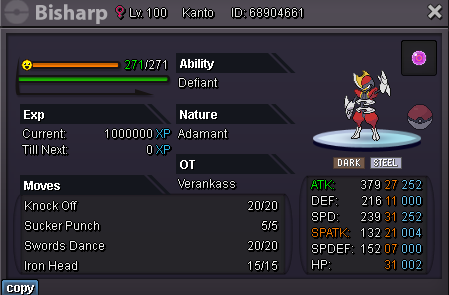
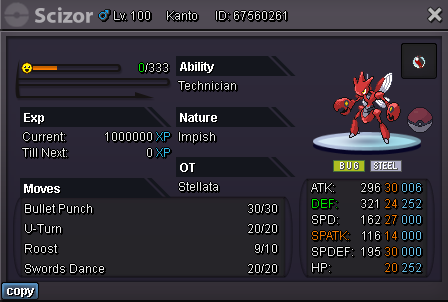


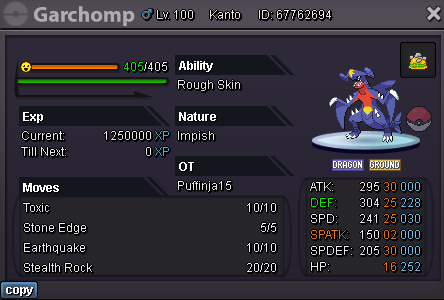
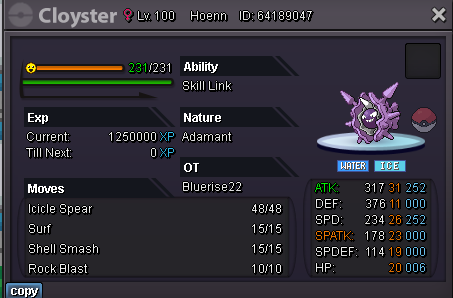
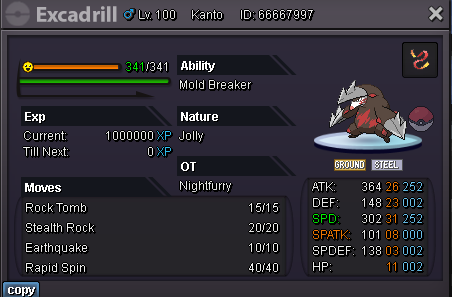
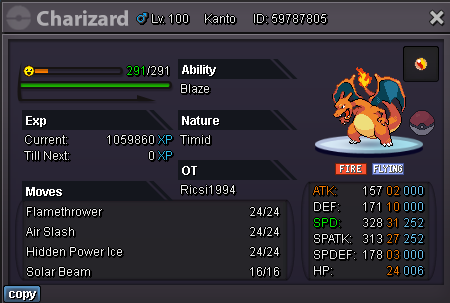
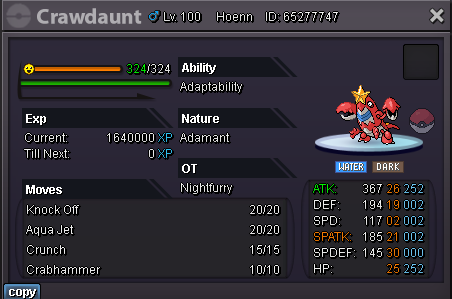
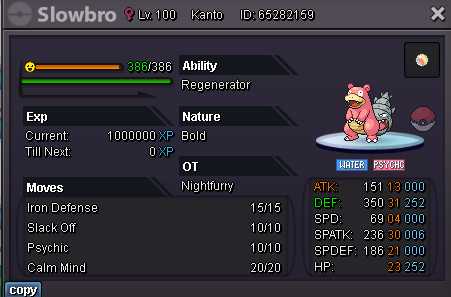
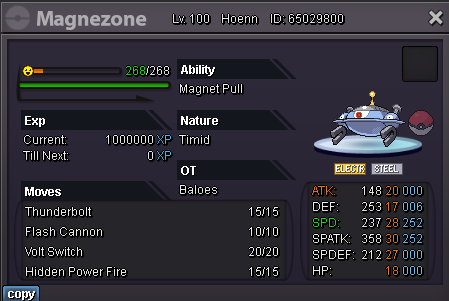
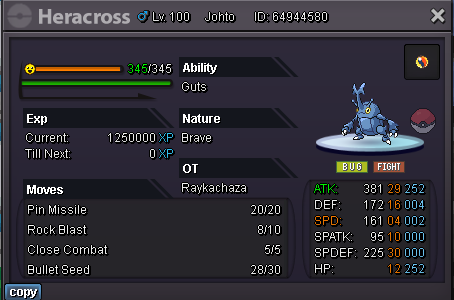
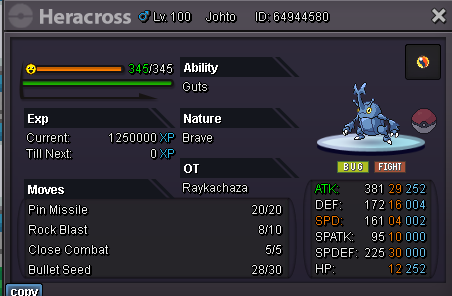
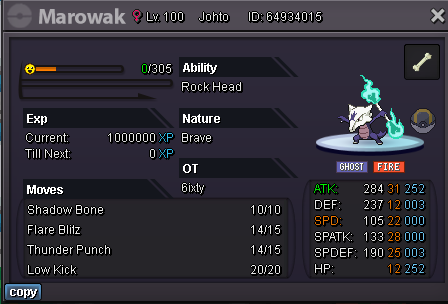
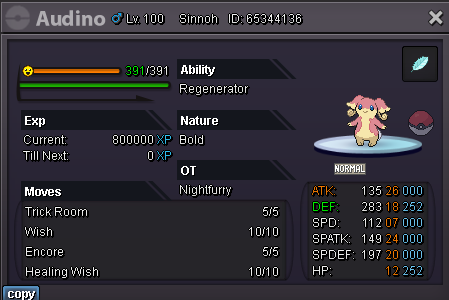
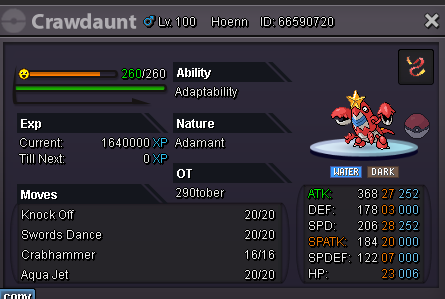
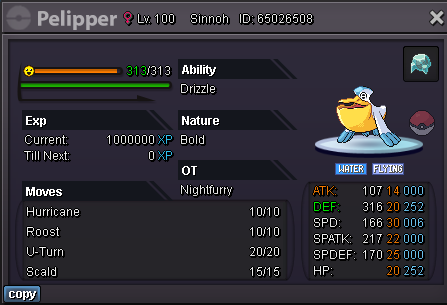
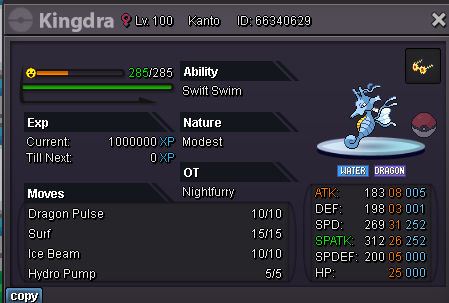


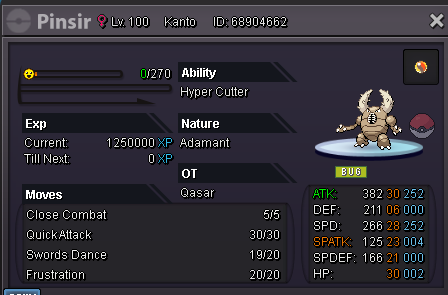
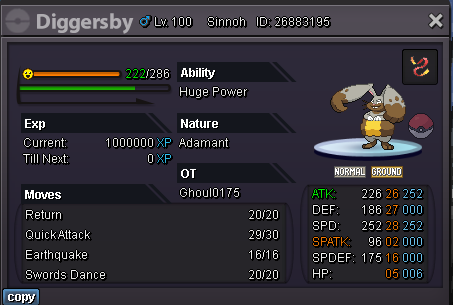
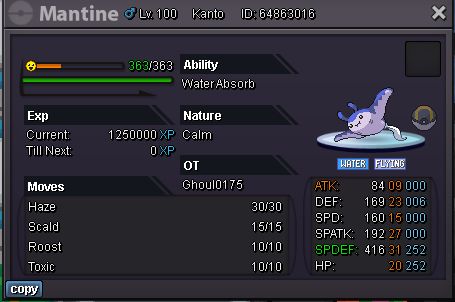
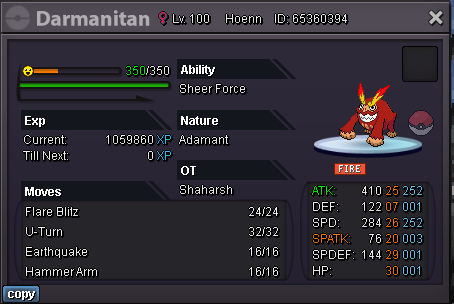
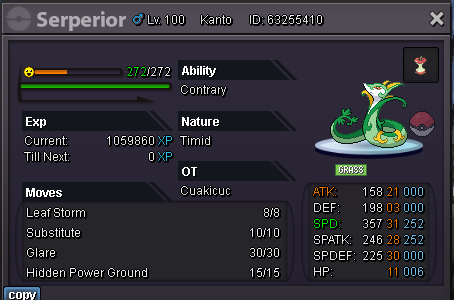

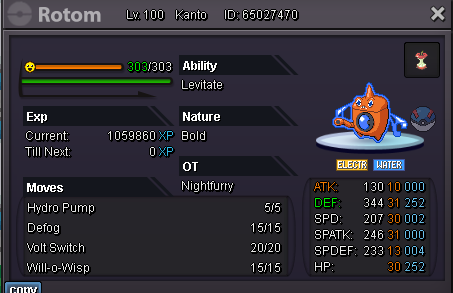


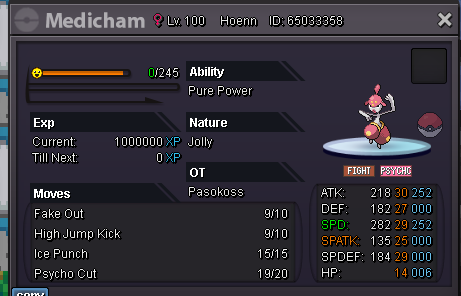

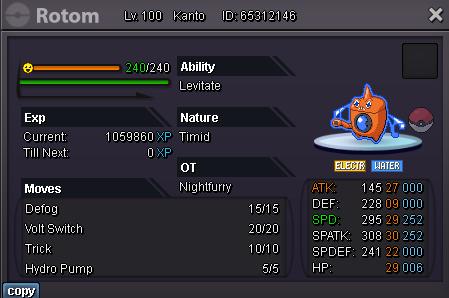
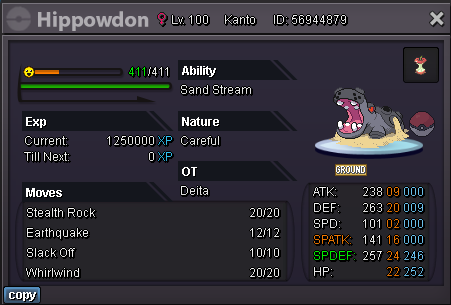
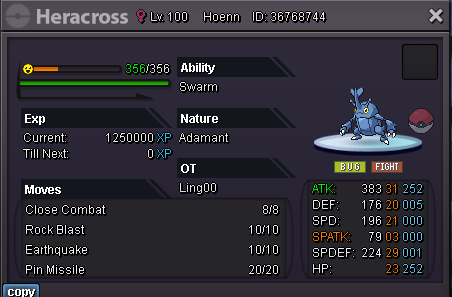

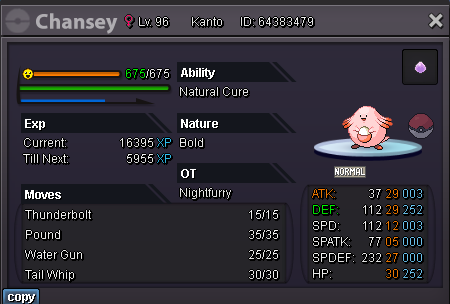


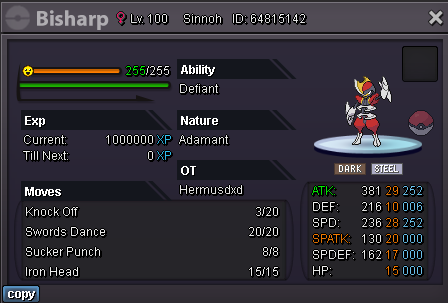

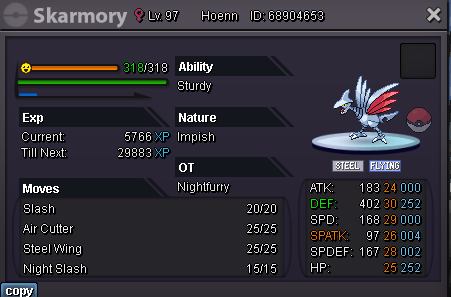
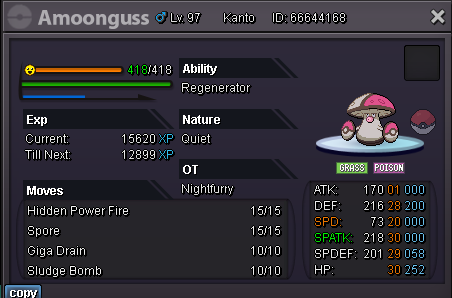
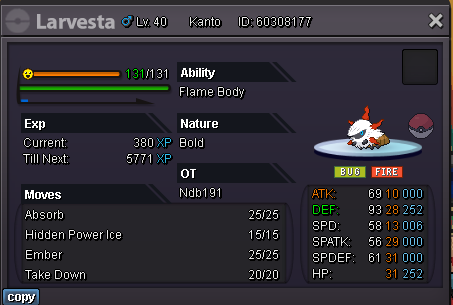
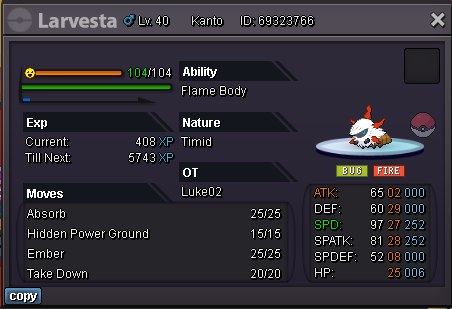
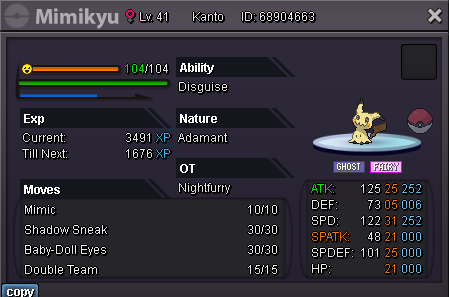
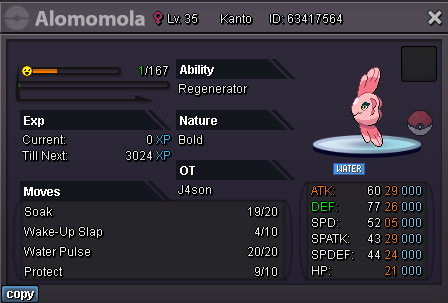
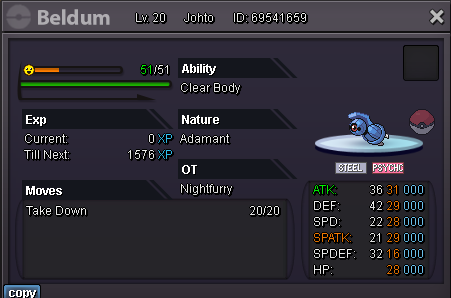
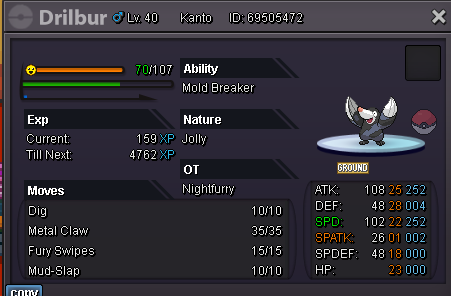

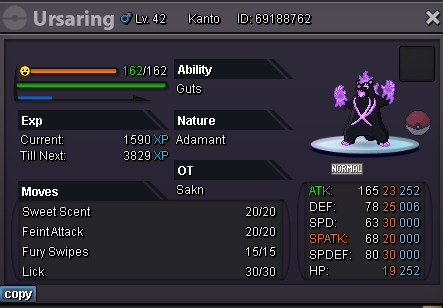
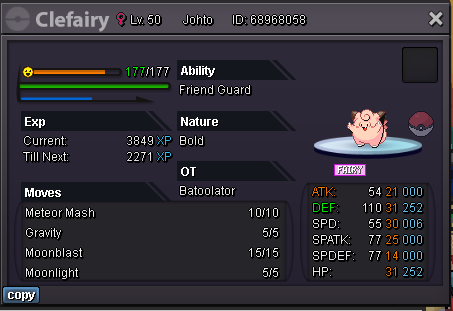
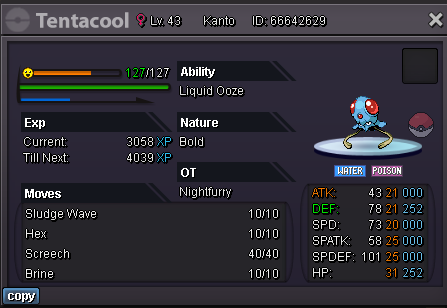
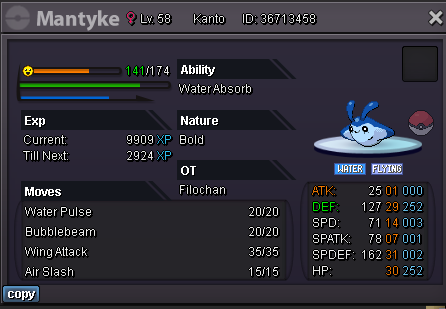
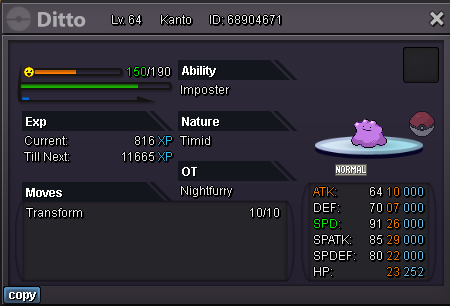
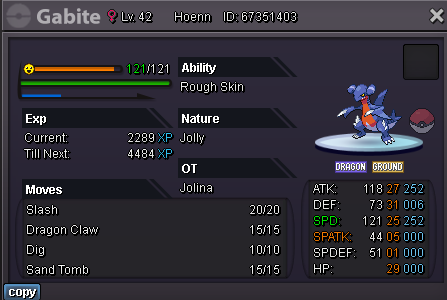


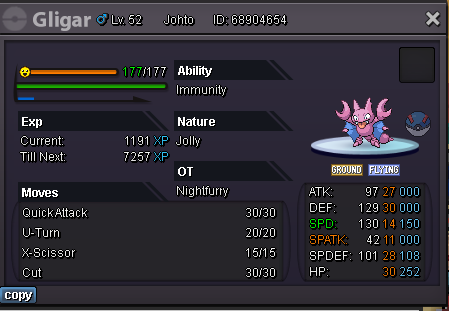
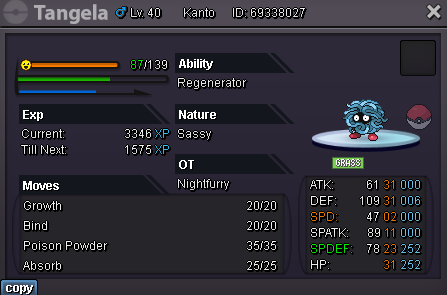
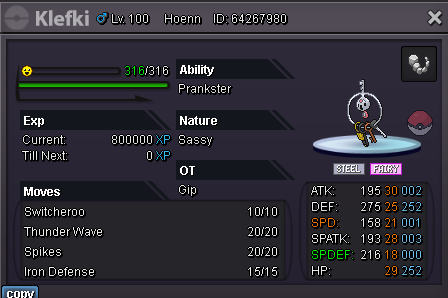
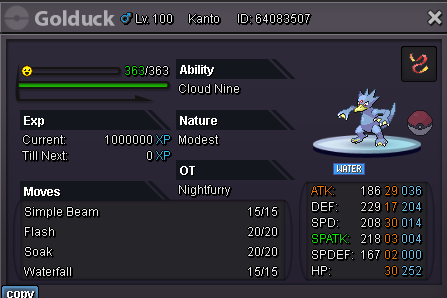
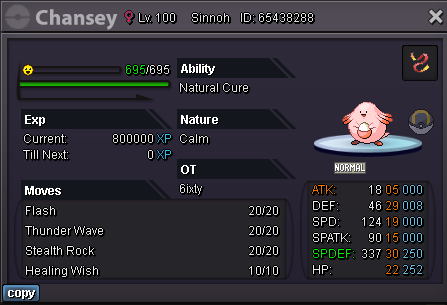
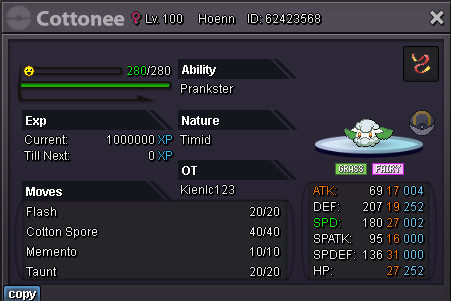
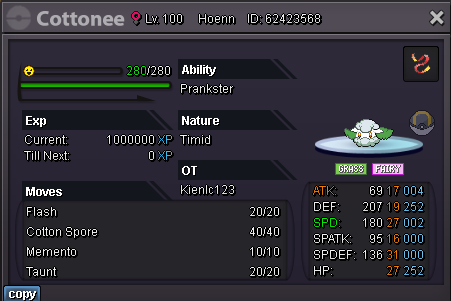

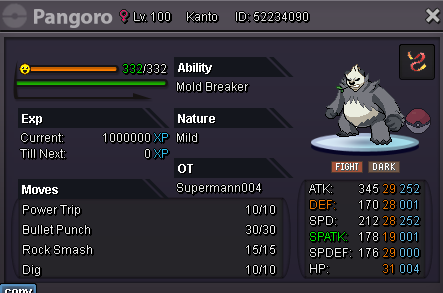
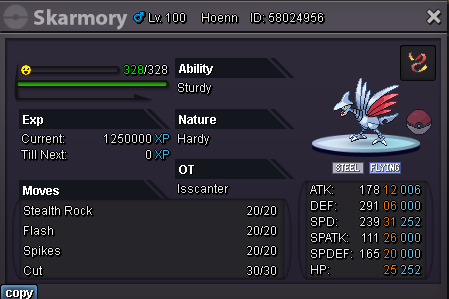
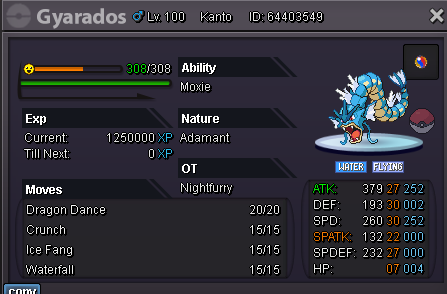
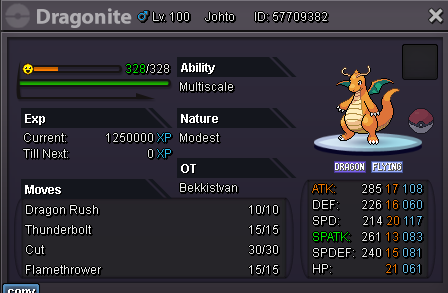
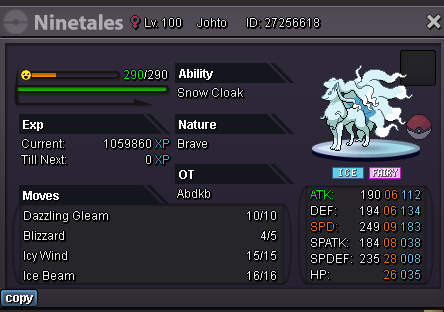
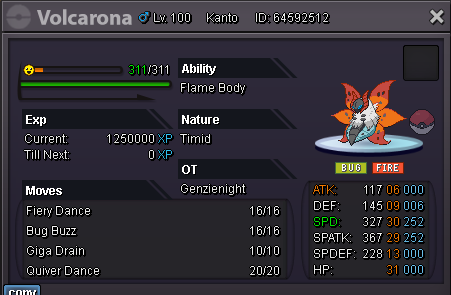
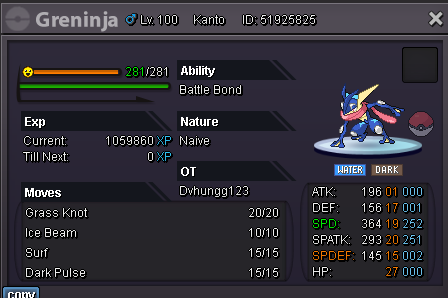
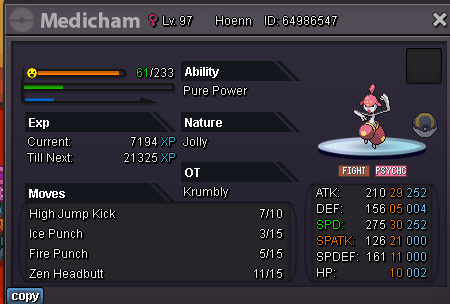
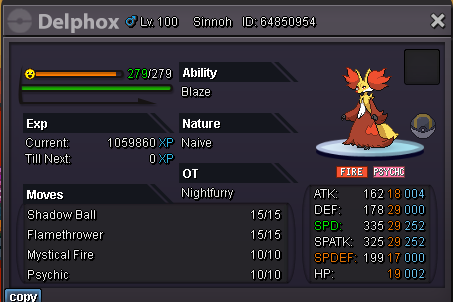
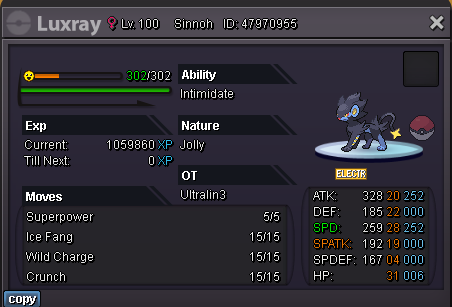 you win the auction. pm me in gameauction end.Start offer: 500k Min bid: 100k Auction end 24h after first bid Accept: Coin Capsule: 380k Reroll iv: 500k
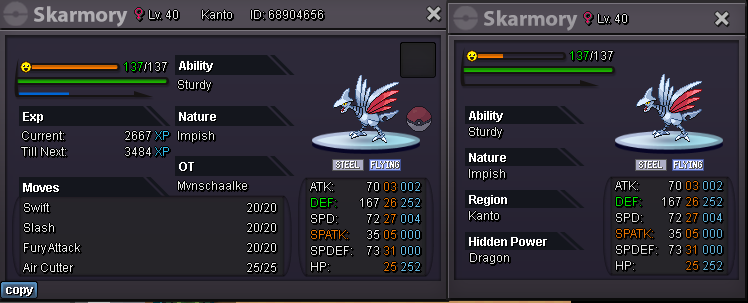 2m1m81m61m41. What's your Player name (IGN)? nightfurry 2. Number of hours played? 780h+ 3. What's your favorite Pokemon? dragonite 4. What do you enjoy doing the most in PRO? (Hunting, PvP, trading, etc) pvp and hunting





Account
Navigation
Search
Configure browser push notifications
Chrome (Android)
- Tap the lock icon next to the address bar.
- Tap Permissions → Notifications.
- Adjust your preference.
Chrome (Desktop)
- Click the padlock icon in the address bar.
- Select Site settings.
- Find Notifications and adjust your preference.
Safari (iOS 16.4+)
- Ensure the site is installed via Add to Home Screen.
- Open Settings App → Notifications.
- Find your app name and adjust your preference.
Safari (macOS)
- Go to Safari → Preferences.
- Click the Websites tab.
- Select Notifications in the sidebar.
- Find this website and adjust your preference.
Edge (Android)
- Tap the lock icon next to the address bar.
- Tap Permissions.
- Find Notifications and adjust your preference.
Edge (Desktop)
- Click the padlock icon in the address bar.
- Click Permissions for this site.
- Find Notifications and adjust your preference.
Firefox (Android)
- Go to Settings → Site permissions.
- Tap Notifications.
- Find this site in the list and adjust your preference.
Firefox (Desktop)
- Open Firefox Settings.
- Search for Notifications.
- Find this site in the list and adjust your preference.