




New Trade Zone
Trade Zone is now live
Use the new Trade Zone for auctions and instant-price trades so Pokemon and item offers are easy to find.

Cathater
Suspended
-
Joined
-
Last visited
Everything posted by Cathater
-
(abra)
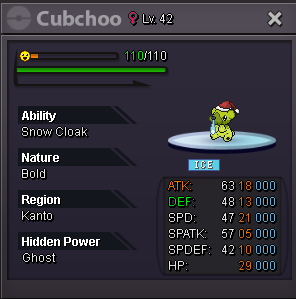
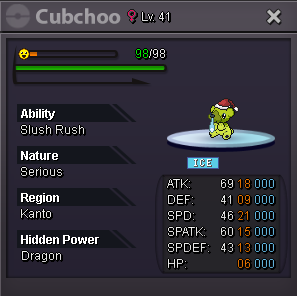
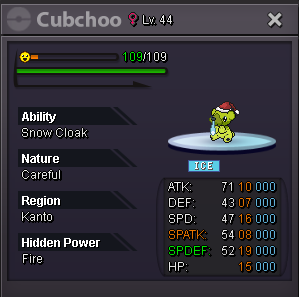
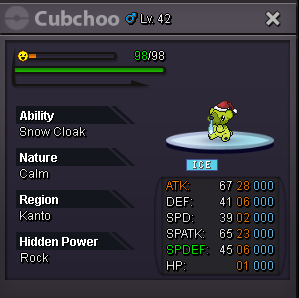
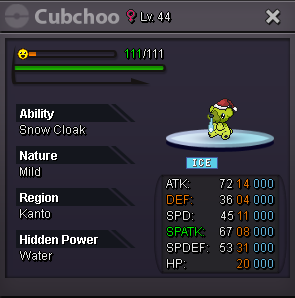
 For the ice bear enthusiasts. Start Price: 25m End Point: 48 hours (after start price is met) Insta Price: N/A (Buy it Now option) Minimum Raise: 100k Accepted Payments: Pokedollars, CC (390K) IGN: Cathater Discord: AlThePa1 Good Luck!!
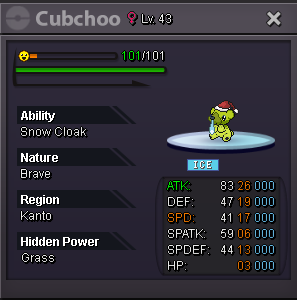



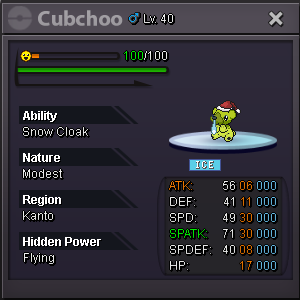

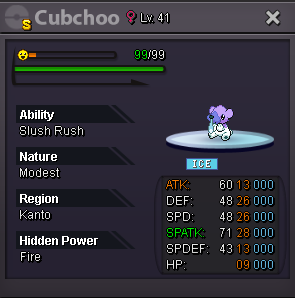
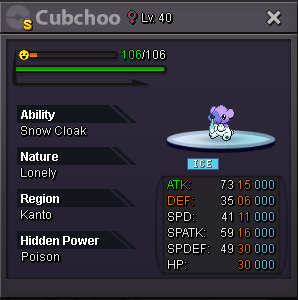










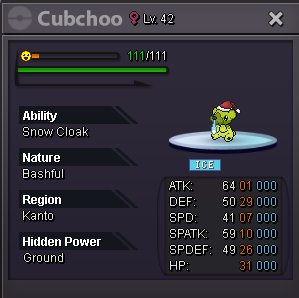




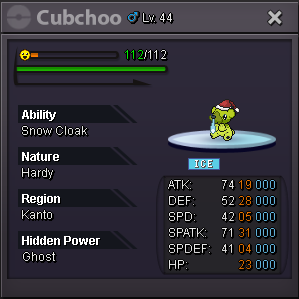

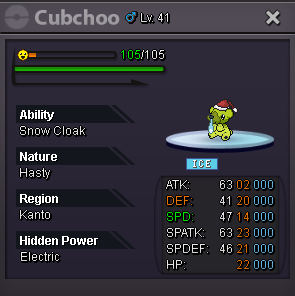

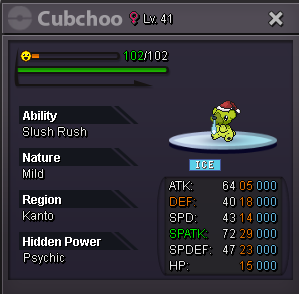

 250k abrawtb epic/godly/ pvp pokes! pm me with what you got. need excadrill, battle bond greninja, weavile, dragonite, volcarona, gliscor, togekiss, venusaur h.a hp fire, seperior h.a hp fire, ninetales-alolan IGN: Cathater Discord: AlThePa1509k ʕノ•ᴥ•ʔノ502 ;o333k ❤️100kgreat quick story service and good communication!!start all4m500k2.5mmeditite 600k









Account
Navigation
Search
Configure browser push notifications
Chrome (Android)
- Tap the lock icon next to the address bar.
- Tap Permissions → Notifications.
- Adjust your preference.
Chrome (Desktop)
- Click the padlock icon in the address bar.
- Select Site settings.
- Find Notifications and adjust your preference.
Safari (iOS 16.4+)
- Ensure the site is installed via Add to Home Screen.
- Open Settings App → Notifications.
- Find your app name and adjust your preference.
Safari (macOS)
- Go to Safari → Preferences.
- Click the Websites tab.
- Select Notifications in the sidebar.
- Find this website and adjust your preference.
Edge (Android)
- Tap the lock icon next to the address bar.
- Tap Permissions.
- Find Notifications and adjust your preference.
Edge (Desktop)
- Click the padlock icon in the address bar.
- Click Permissions for this site.
- Find Notifications and adjust your preference.
Firefox (Android)
- Go to Settings → Site permissions.
- Tap Notifications.
- Find this site in the list and adjust your preference.
Firefox (Desktop)
- Open Firefox Settings.
- Search for Notifications.
- Find this site in the list and adjust your preference.