




New Trade Zone
Trade Zone is now live
Use the new Trade Zone for auctions and instant-price trades so Pokemon and item offers are easy to find.

Svikt
Registered User
-
Joined
-
Last visited
-
Hey guys I thought I'd share what we know so far to help out with the confusion Here are my exact steps in order, happy halloween! 1. /pm S1lverh4wk 'how to find sailor?' 2. ??? 3. Profit. That's all, Cheers & enjoy!

-
+1 getting less and less interested in announcements p.s. && make an outbreak +1 as stated, it has been over 365 days since an outbreak[Buy Kangaskhan & Wailord] --> Hohlyeraser75 will make the transfer in my place.Hello, this thread is currently in editing, thanks for stopping by. -Svikt Header Header...? Rules; - No Cross Server. (Transfer to Silver if you wish to shop here) - Fake offers --> Reported if intentionally malicious or misleading. - No auctions are posted here & no Pokémon listed here may be sold as auction. - First come, first serve. I will not cancel a sale for a better deal once the agreement has been made. - Payments are accepted in items, and at their listed values they will be considered as an offer in Pokédollars. Contact = Svikt (In Game) Svikt (Forum) Svikt (Discord) Payment Methods: Pokédollars CC = 350K Nature Reroll = 250K IV Reroll Ticket = 500K [No Price = Offer] Pokemon for Sale;
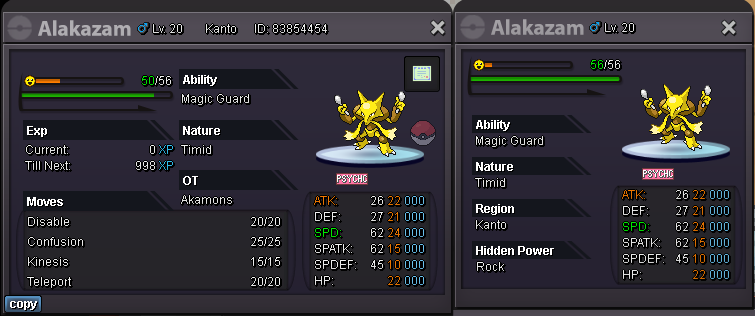
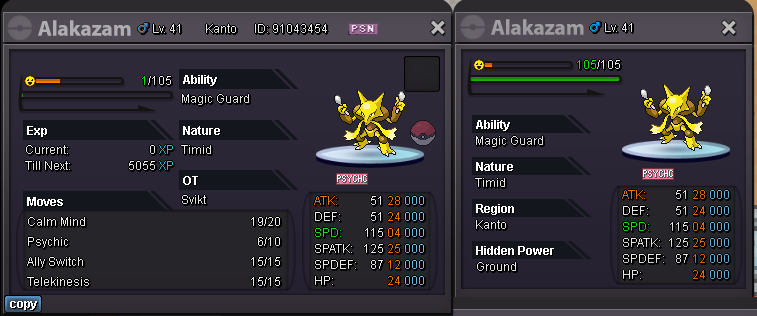
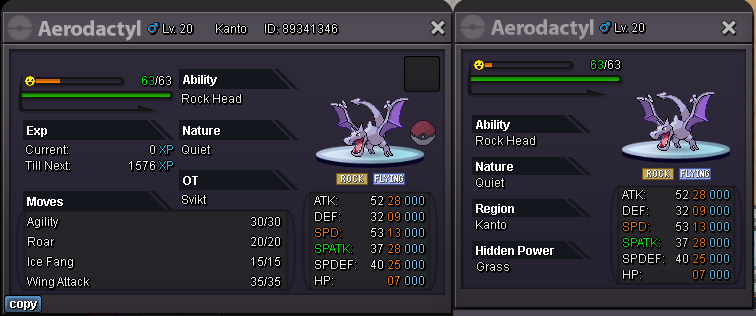
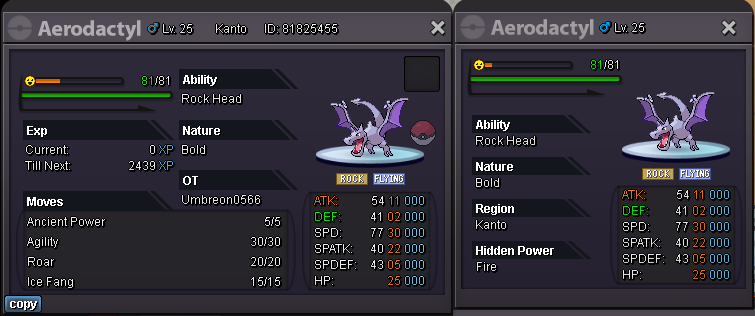
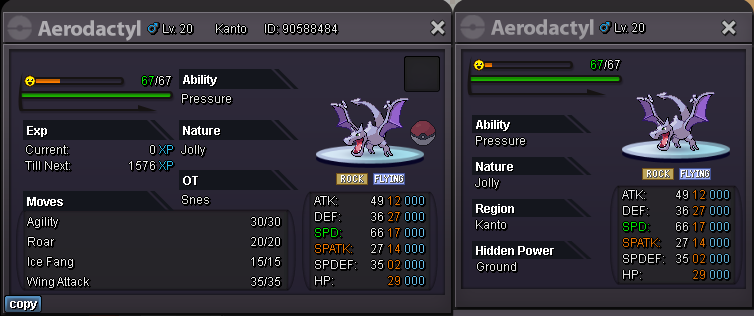


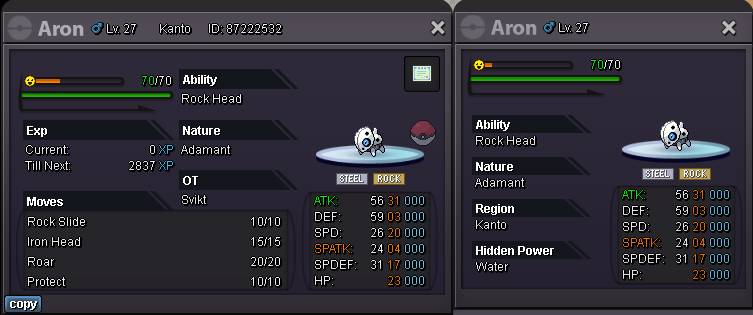
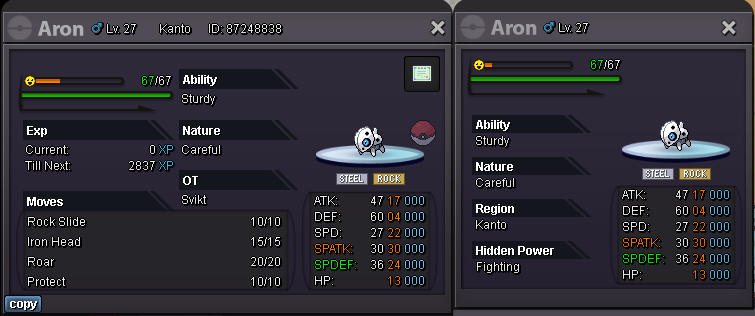
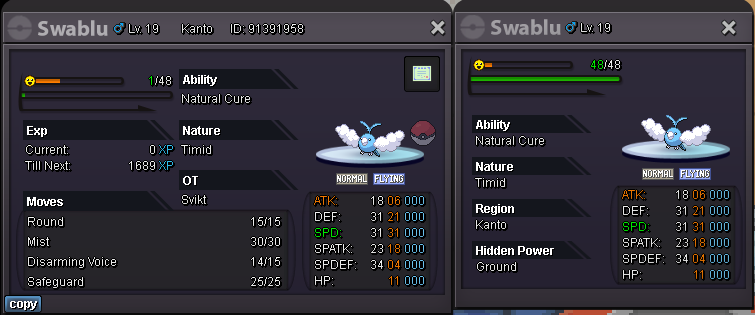
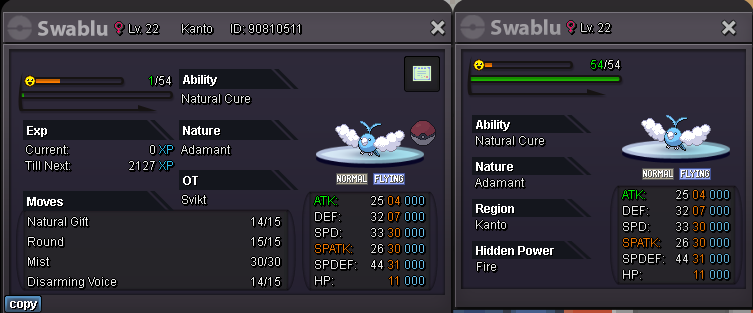
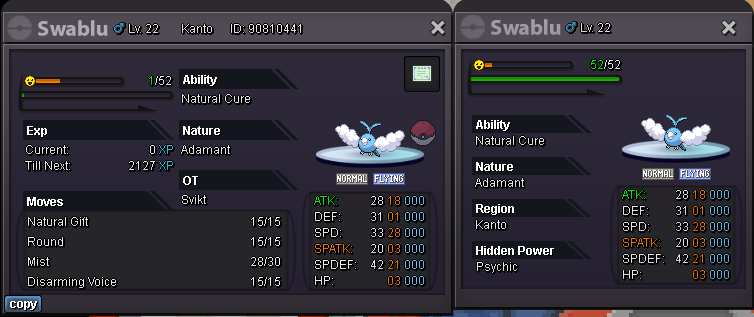
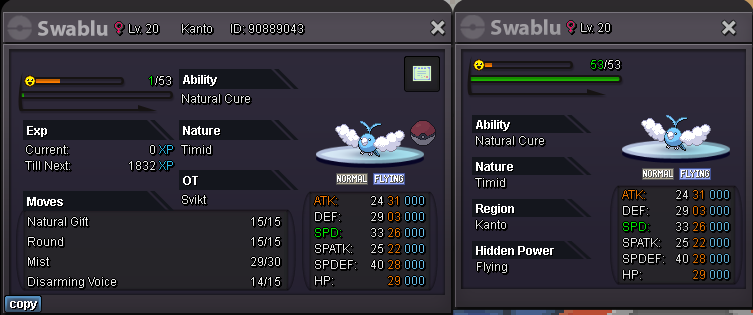
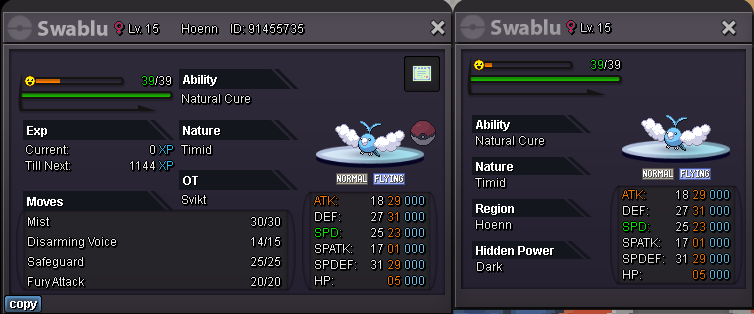

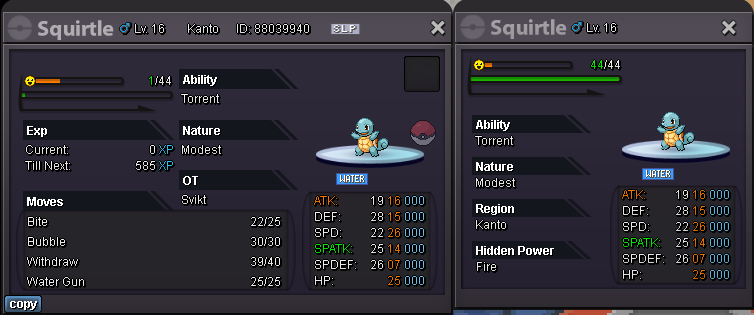
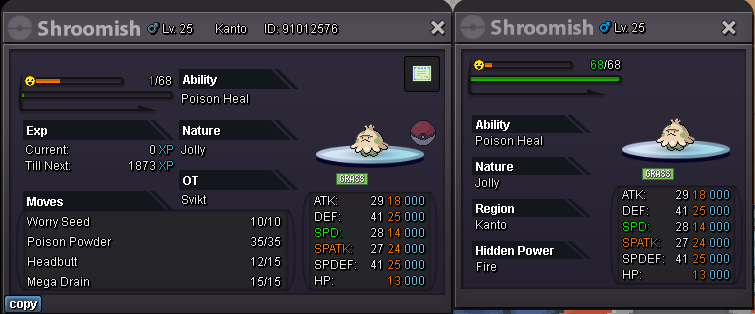
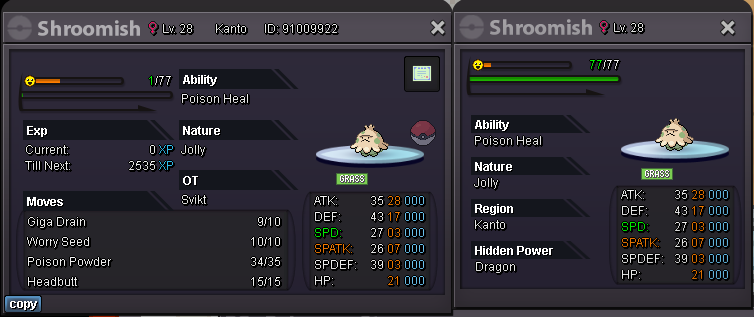
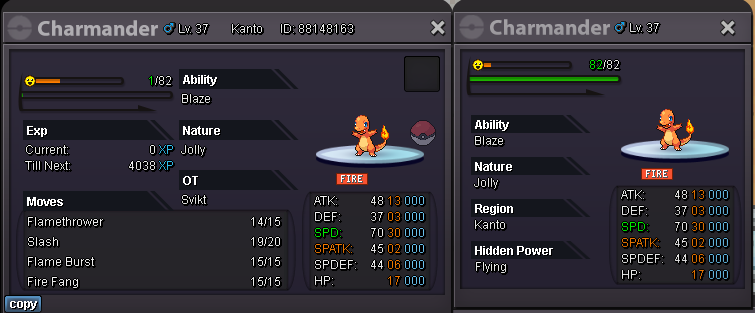
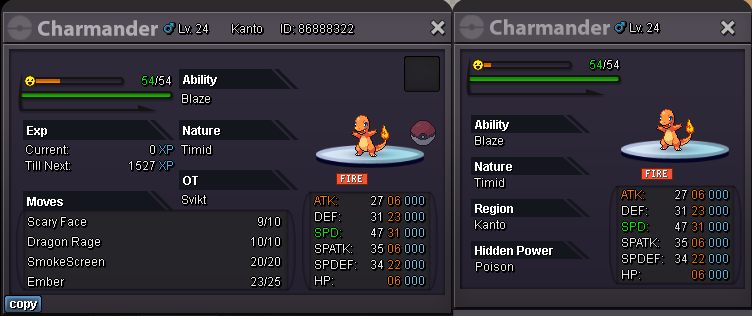
 Accepted payment methods: Pokedollars CC=360k each IV Reroll=500k each Contact: In Game: Svikt S.O. - 50k C.O. - 150k [ Jhodge253 ] No Insta Min. Bid - 50k Duration - Auction Ends 48h after first bid Start - 19:55utc MAR/20/2024 End - 19:56utc MAR/22/2024
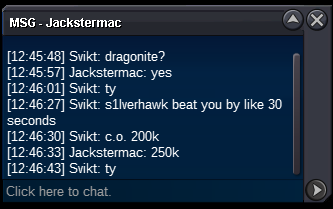
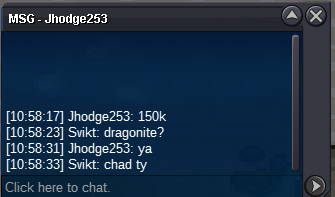
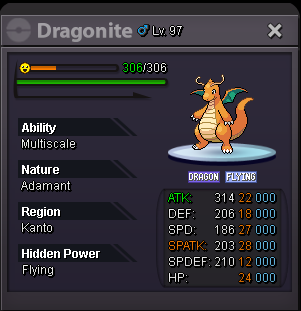 Wait what? 1.2m >:(1150k1.1m875k; :<825k



Account
Navigation
Search
Configure browser push notifications
Chrome (Android)
- Tap the lock icon next to the address bar.
- Tap Permissions → Notifications.
- Adjust your preference.
Chrome (Desktop)
- Click the padlock icon in the address bar.
- Select Site settings.
- Find Notifications and adjust your preference.
Safari (iOS 16.4+)
- Ensure the site is installed via Add to Home Screen.
- Open Settings App → Notifications.
- Find your app name and adjust your preference.
Safari (macOS)
- Go to Safari → Preferences.
- Click the Websites tab.
- Select Notifications in the sidebar.
- Find this website and adjust your preference.
Edge (Android)
- Tap the lock icon next to the address bar.
- Tap Permissions.
- Find Notifications and adjust your preference.
Edge (Desktop)
- Click the padlock icon in the address bar.
- Click Permissions for this site.
- Find Notifications and adjust your preference.
Firefox (Android)
- Go to Settings → Site permissions.
- Tap Notifications.
- Find this site in the list and adjust your preference.
Firefox (Desktop)
- Open Firefox Settings.
- Search for Notifications.
- Find this site in the list and adjust your preference.