




New Trade Zone
Trade Zone is now live
Use the new Trade Zone for auctions and instant-price trades so Pokemon and item offers are easy to find.


Nisenco
Registered User
-
Joined
-
Last visited
-
280k Jolly
-
260k Jolly
-
180k Jolly
-
150k Jolly
-
Jolly 91k
-
Hey there, I'm Nico, a passionate Pokémon enthusiast since 1999 when I embarked on my Pokémon journey with Red and Blue. Over the years, I've delved into every generation and spinoff, developing a deep love for the Pokémon universe. Joining the New Leaf guild in Pokémon Revolution Online (PRO) opened up a world of camaraderie, and I've been fortunate to connect with many good-hearted individuals. In addition to battling and exploring, I've discovered a knack for creating memes that bring joy and laughter to my fellow trainers. My ultimate goal in PRO is to build my dream competitive Pokémon team, and along the way, I'm on the lookout for more friendly faces to share the adventure with. Shout out to my New Leaf guildmates – you guys are awesome! Let's continue this Pokémon journey together!
-
550k
-
.
-
-
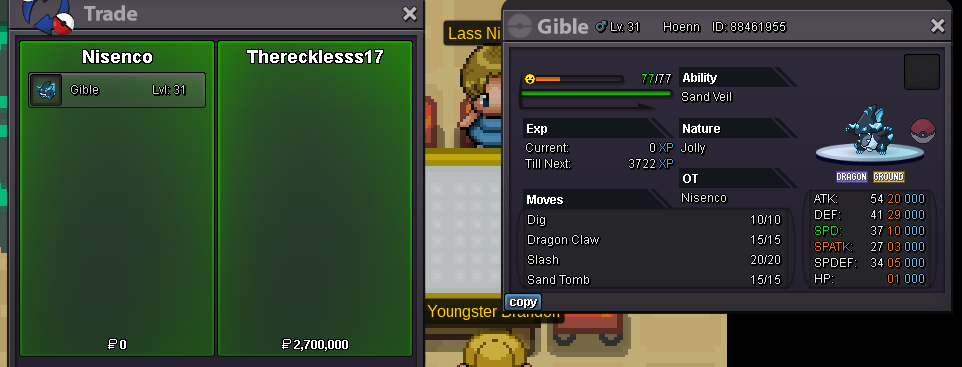
Trade done, Topic can be closed. Thank you!
-
The Auction is over @Therecklesss17 you won the bid for 2.7m for Gible, congratulations! Let me know when and where you want to meet.
-
CO: 2.7m from @Therecklesss17

-
Bumpety Boo
-
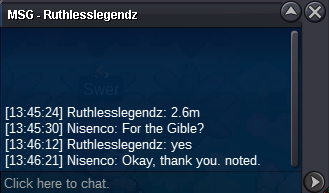
CO: 2.6m from @Ruthlesslegendz
-
CO 1.7m from @Charank358

