New Trade Zone
Trade Zone is now live
Use the new Trade Zone for auctions and instant-price trades so Pokemon and item offers are easy to find.

Boltackle
Suspended
-
Joined
-
Last visited
-
IGN:Boltackle Timezone:gmt+5:30
-
omg thats whyy lol i never saw that gardevoir there. THANK YOU
-
hey here it is it happened again on the second room the mistress of mane is not spawning after killing all the gardevoirs in the corners of the room this time i have taken the screenshot of the whole room . i have lost several runs due to this problem pls do something about it
.png.d8d156e4557bdbef132130e9b872285a.png)
.png.8103f8e002e1ae5a3917d17a1cde0ef7.png)
.png.191e44c00cd18e91d0831d8adac5e6d2.png)
.png.2ee3a951852479abaa6db69950c5508a.png)
.png.eda507a437744411952cf6f55912fbe9.png)
.png.b336212820899345f0efaf5cd03fe8f7.png)
.png.814a1358d64590dc1a6c707e4e102917.png)
-
START:500K MIN BID:100K TIME: 48 hours after start price is met Good Luck To All !
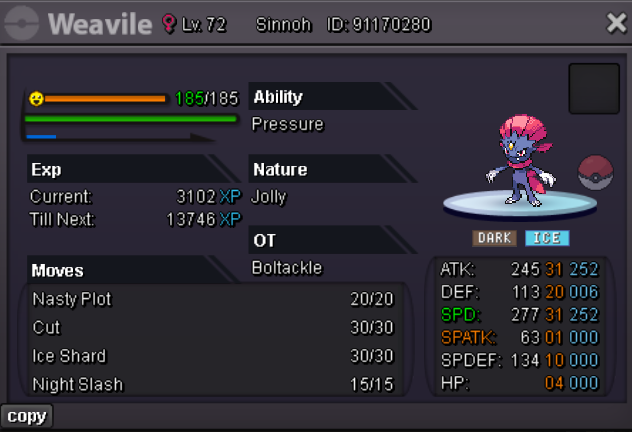 todays run went pretty good i didnt experience any problem. lets see for one more week if the bug happen to come again i can send u a screenshotfavourite pokemon: LUCARIO pve and will start pvp soon COUNTRY:INDIA AGE:17 DISCORD:zoro_kami0_16039
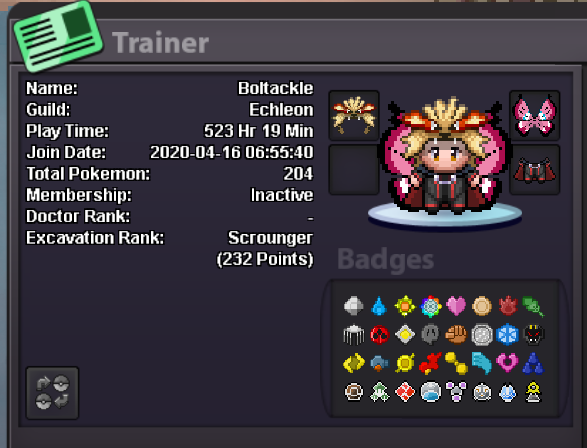 hello i am boltackle 🙂 recently whenever i do the forlorn court lavender dungeon i finish the first room and go to the second room there i talk to to the mistress of mane and fight all the small gardevoirs in the corner of the room after fighting all of them the mistress of mane is supposed to spawn in the middle of the room for me to fight here.now the thing is today and the day before yesterday the mistress of mane didnt spawn after defeating all the gardevoirs pls resolve this i am hvaing troubles completing the dungeon.i forgot to take a screenshot if it happens again i will take the screenshot and send it