




New Trade Zone
Trade Zone is now live
Use the new Trade Zone for auctions and instant-price trades so Pokemon and item offers are easy to find.

Sageeee
Suspended
-
Joined
-
Last visited
Everything posted by Sageeee
-
-
-
5/10 for me but it is still good form for everyone
-
2.5m+ imo
-
352k
-
201k
-
dm my discord: isoking_205
-
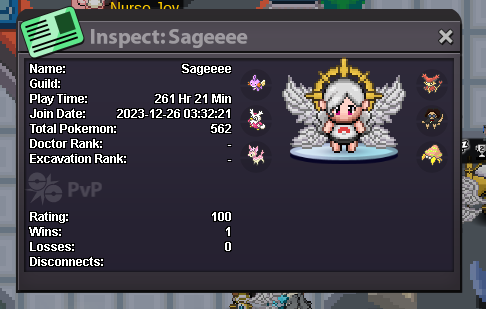
● What's your IGN?: Sageeee ● How old are you?: 19 ● Where are you from?: Vietnam ● What's your total playtime?: 261 Hours ● What do you enjoy doing in the game?: Hunting any pokes with good ivs, and shinies, pve, a little pvp ● Would you like to offer some kind of service to the guild?: I can offer egg move service and lend pokes to other guildmates ● My discord: isoking_205 And the most important question of them all: Which Bidoof Form do you like the most? I like SUIDOOF!!
-
end 18:18 1/19/2024 gmt+7
-
wtb Natu Timid, Psyduck Serious246.810222.222123.456111kStartGood Service.
 500Kdm my discord: isoking_205120k130k




Account
Navigation
Search
Configure browser push notifications
Chrome (Android)
- Tap the lock icon next to the address bar.
- Tap Permissions → Notifications.
- Adjust your preference.
Chrome (Desktop)
- Click the padlock icon in the address bar.
- Select Site settings.
- Find Notifications and adjust your preference.
Safari (iOS 16.4+)
- Ensure the site is installed via Add to Home Screen.
- Open Settings App → Notifications.
- Find your app name and adjust your preference.
Safari (macOS)
- Go to Safari → Preferences.
- Click the Websites tab.
- Select Notifications in the sidebar.
- Find this website and adjust your preference.
Edge (Android)
- Tap the lock icon next to the address bar.
- Tap Permissions.
- Find Notifications and adjust your preference.
Edge (Desktop)
- Click the padlock icon in the address bar.
- Click Permissions for this site.
- Find Notifications and adjust your preference.
Firefox (Android)
- Go to Settings → Site permissions.
- Tap Notifications.
- Find this site in the list and adjust your preference.
Firefox (Desktop)
- Open Firefox Settings.
- Search for Notifications.
- Find this site in the list and adjust your preference.