




New Trade Zone
Trade Zone is now live
Use the new Trade Zone for auctions and instant-price trades so Pokemon and item offers are easy to find.

Aberg01
Registered User
-
Joined
-
Last visited
-
Discord: aberg101 havent played pvp yet or pve but interested im mostly on in weekends but still play through the week
-
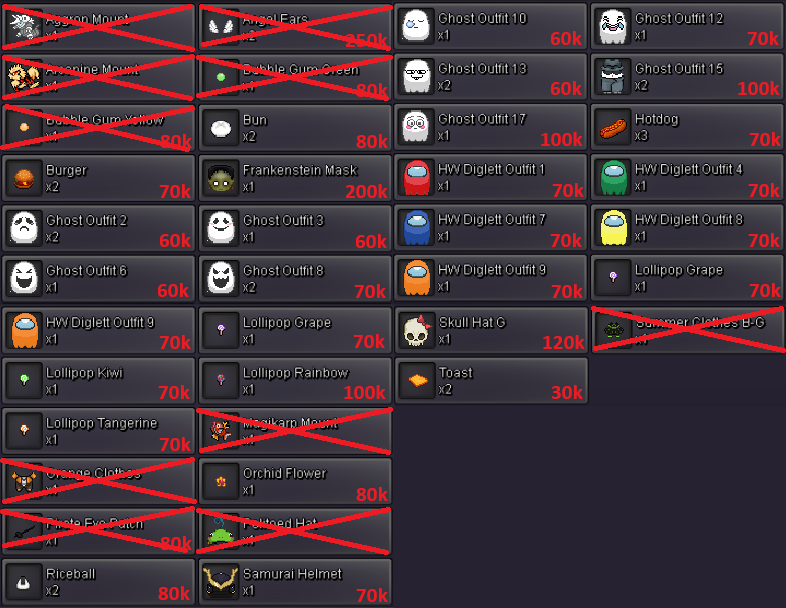
All items are of course negotiable and will trade with other items as well Discord: aberg101 IGN: aberg01
-
1. Can you see yourself playing this game for at least 1-2 years? yes. i have always been a fan of Pokemon, and this game is awesome, especially with online 2. What type of investment are you leaning towards in-game? (e.g., time, willingness to help, etc.) I will most likely play most in weekends because of work, but will play some week days as well I love to help where i can but not the most knowledgeable person on Pokemon but i try 3. How active are you on Discord? (It's important for guild members to participate in Discord discussions, events, and updates to stay connected with the community.) I'm always on discord if my pc is turned on, and always ready to chat over text 4. How active are you in-game? We encourage active participation and engaging discussions among all members, whether it's sharing game strategies, discussing team compositions, or just chatting. Whenever i am in game, i'll be down to chat both through discord or in-game.
-
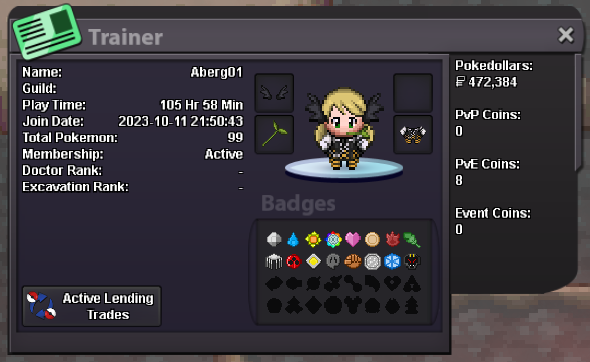
IGN: Aberg01 country: Denmark Highest rating: 0 or none age: 23 Discord: aberg101
