




New Trade Zone
Trade Zone is now live
Use the new Trade Zone for auctions and instant-price trades so Pokemon and item offers are easy to find.


Caubemuadong
Registered User
-
Joined
-
Last visited
Everything posted by Caubemuadong
-
hi, im onl nowhi, i can go 4m for this
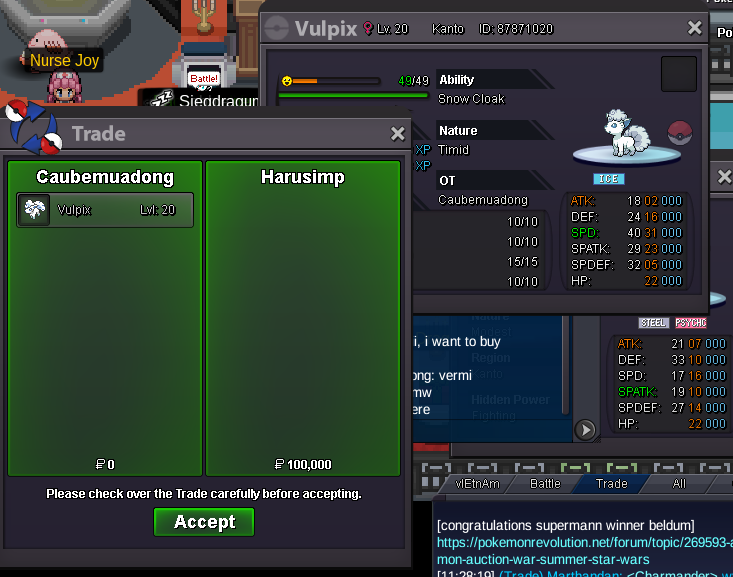
 trade done ty
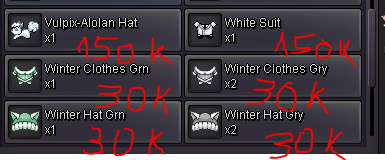
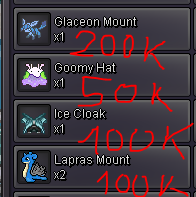
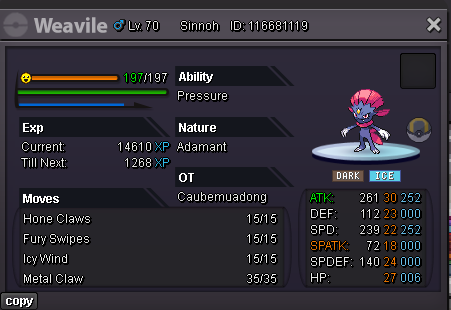
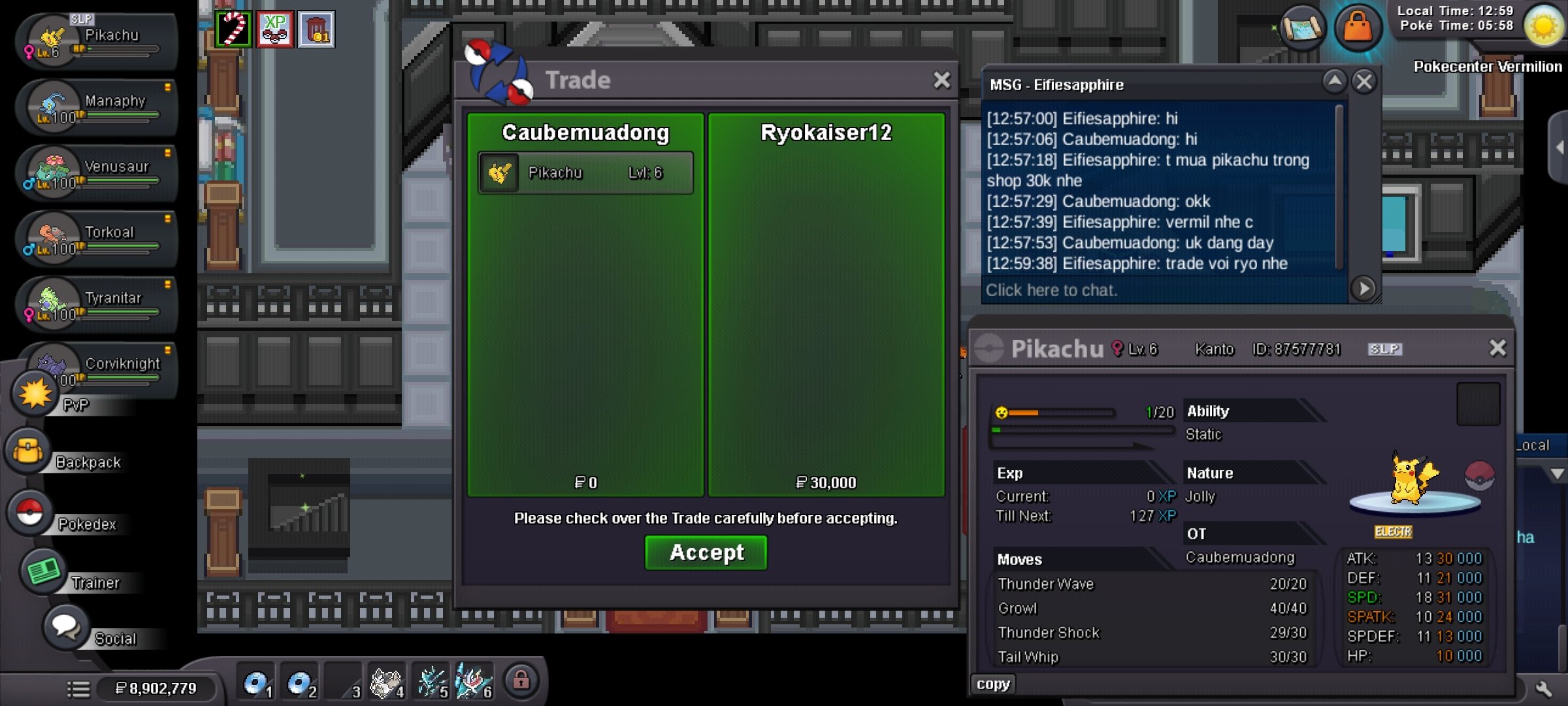
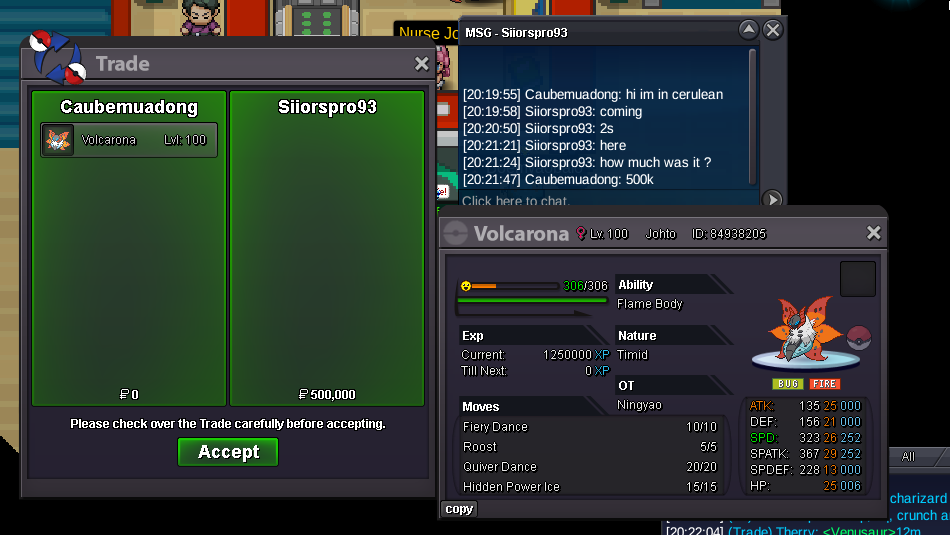
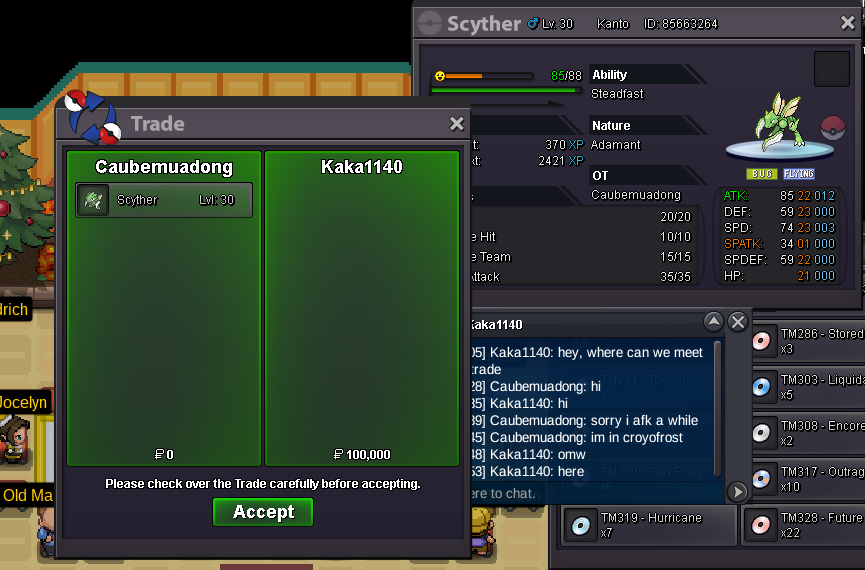
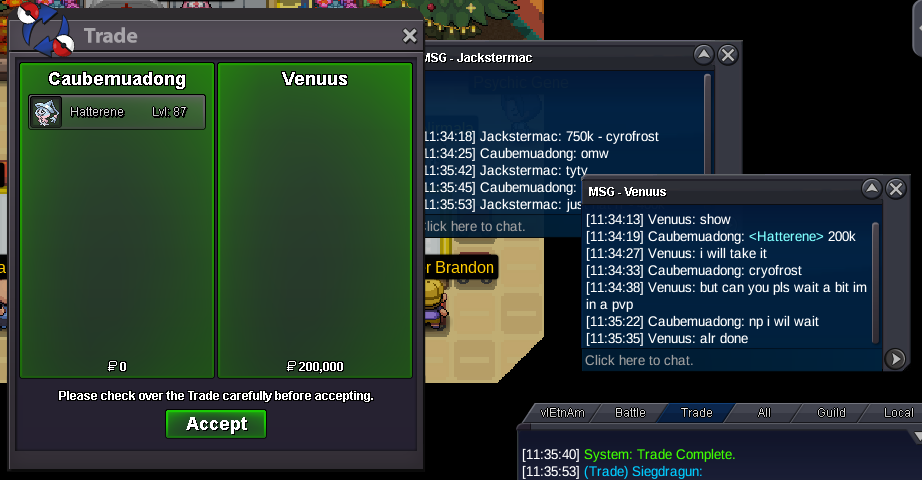
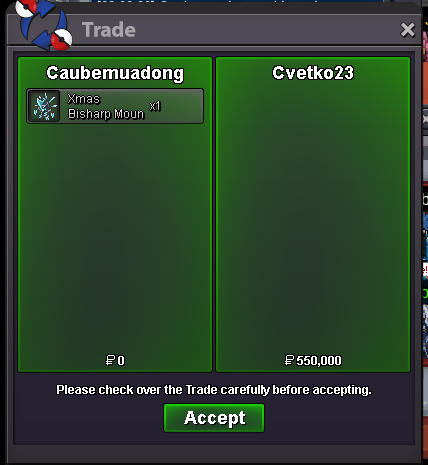
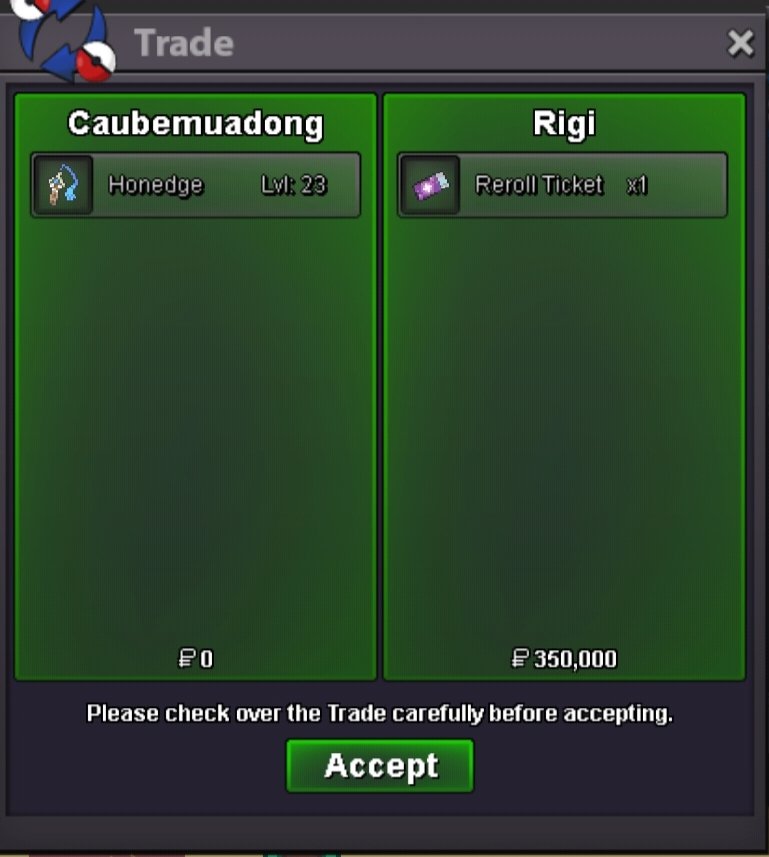 auction ended, pm me when u onl xdStart Ursa 0,5m Weavile 2,8mWelcome to ❄️ Ice House ❄️ Contact me In-game: Caubemuadong Discord: Boemvaobalo. Accept payments Pokedollar Coin Capsule = 500k Reroll Ticket = 700k Nature Reroll Ticket = 350k Rare Candy = 5k The Shop will be frequently updated ☃️ Ice Pokemons Spoiler ⛄ Other Pokemons Spoiler 🧙♀️Customizations Spoiler Cool and refreshing moments – enjoyable every visit. Thank you for choosing my store 🏂. I hope you always have cool moments with your favorite items! don't matter [SOLD] Spoiler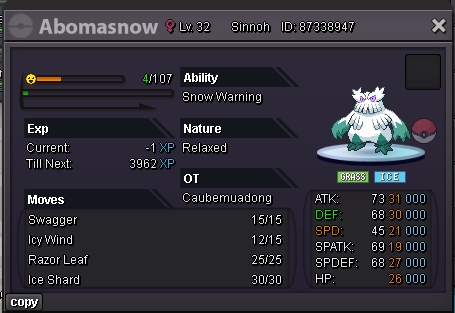
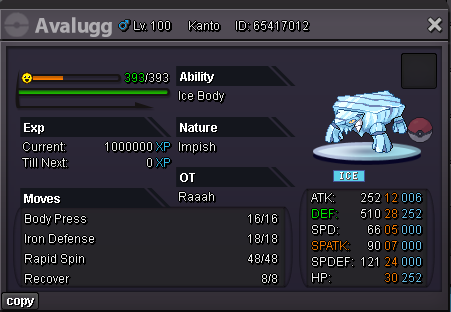
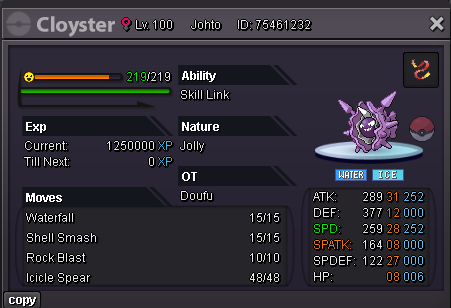
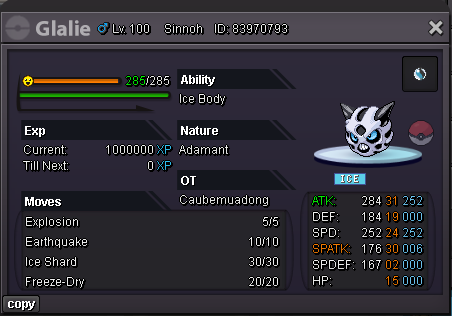
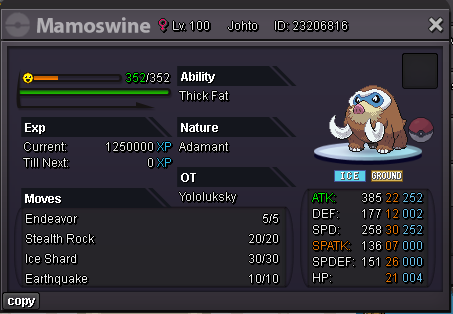
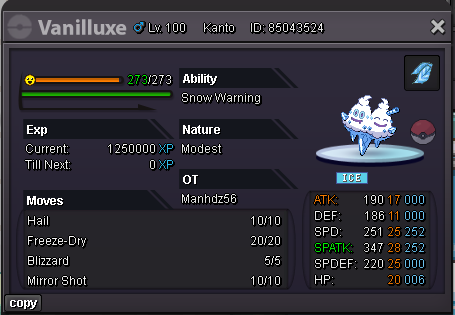
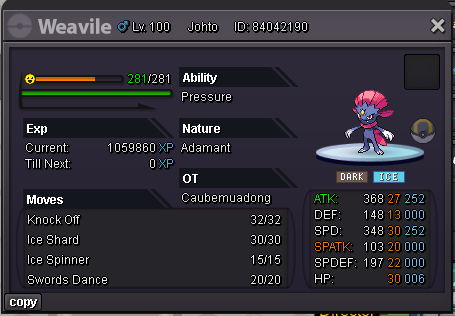
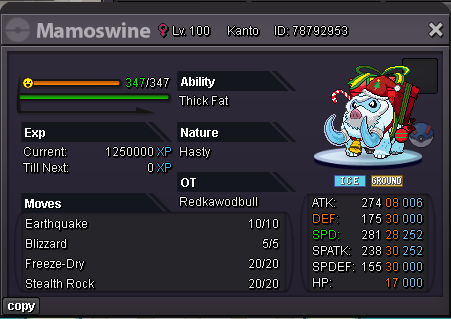
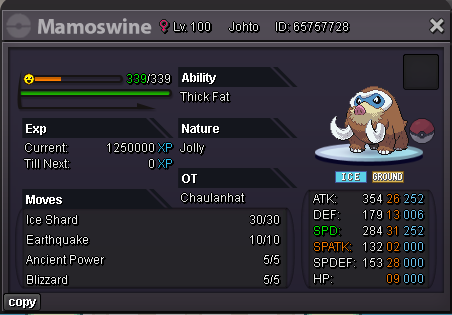
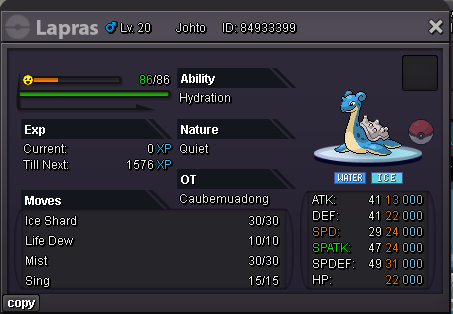
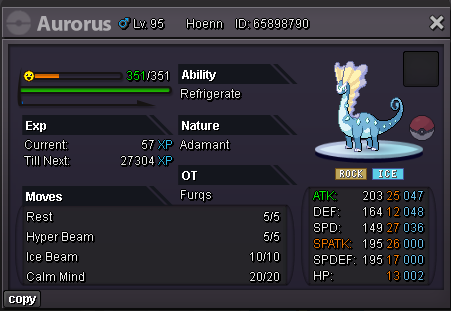
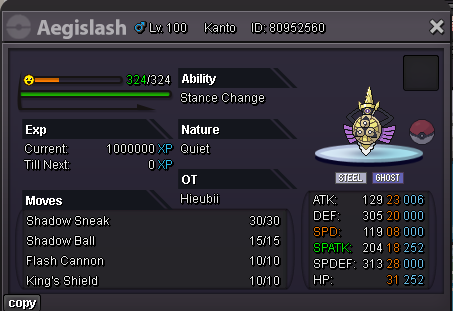
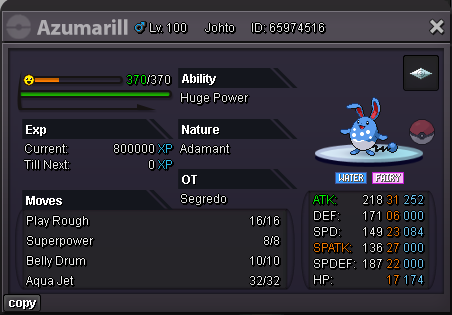
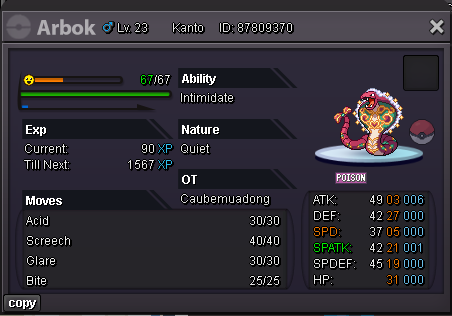
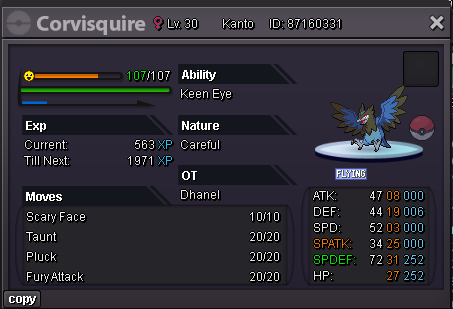
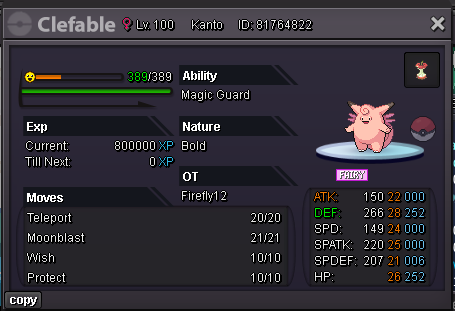

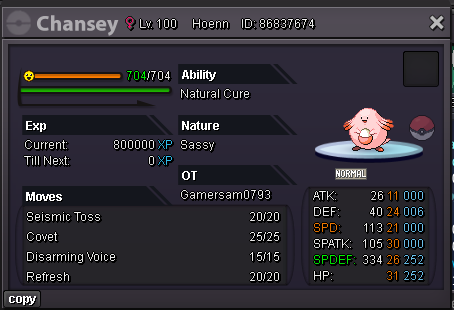
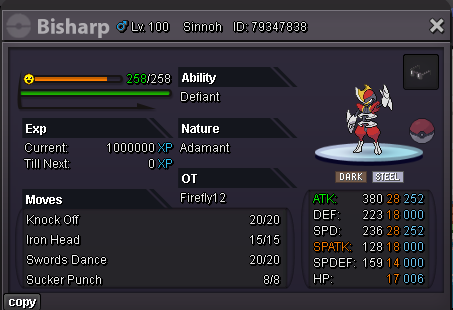
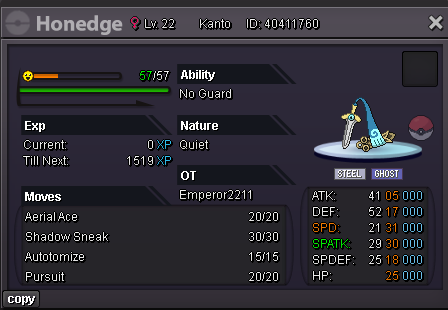

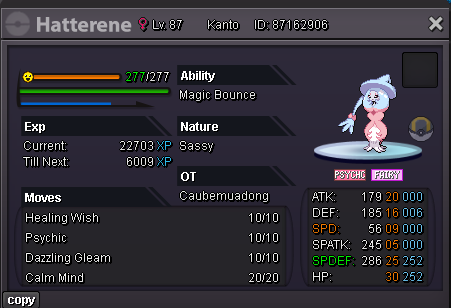
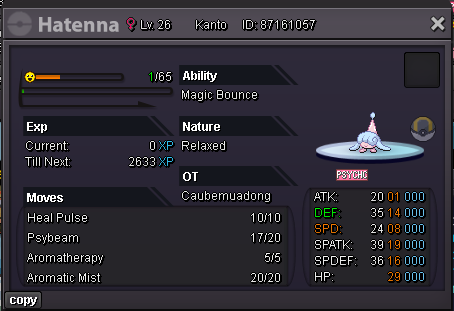
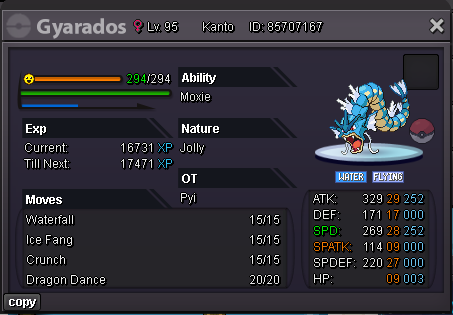
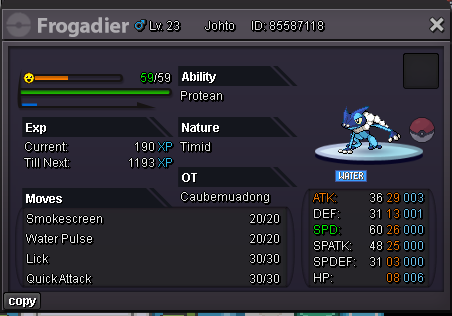
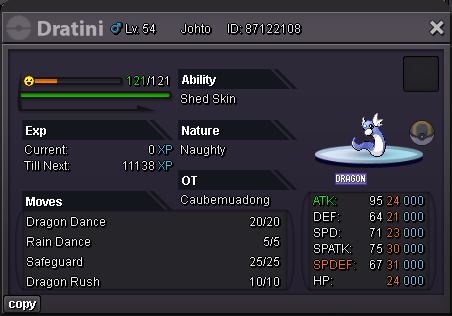
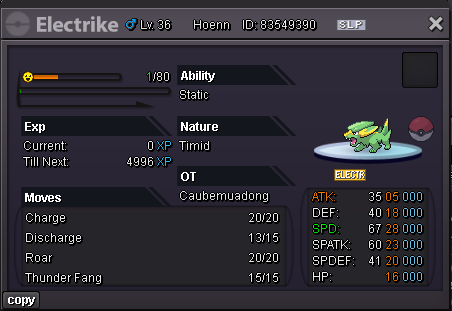
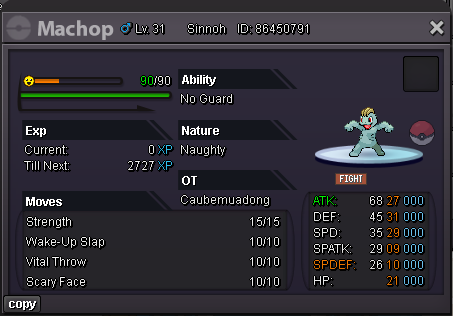
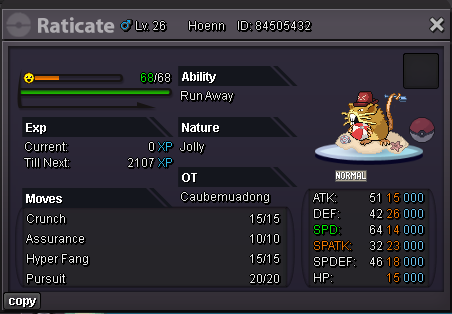
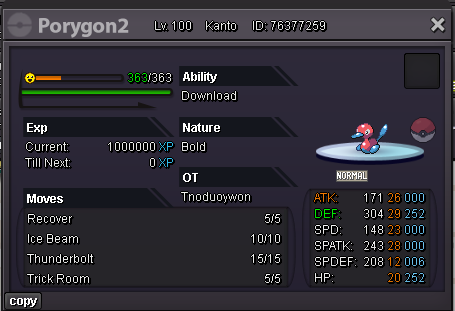
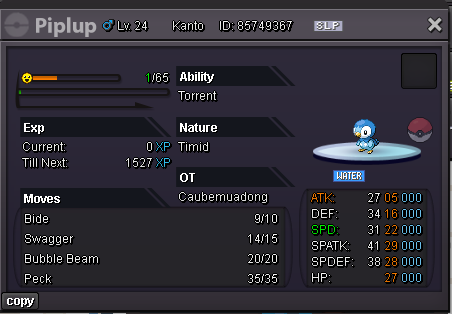
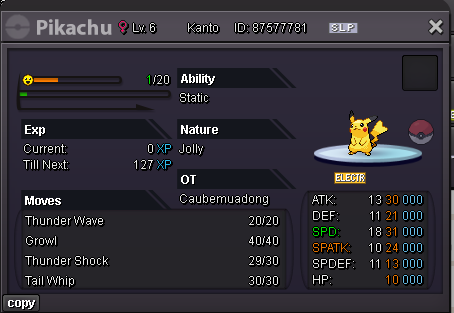

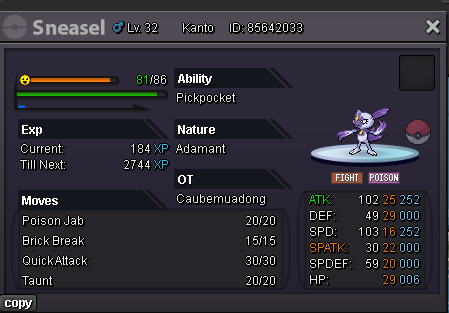
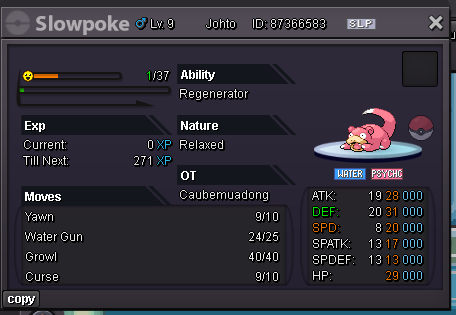
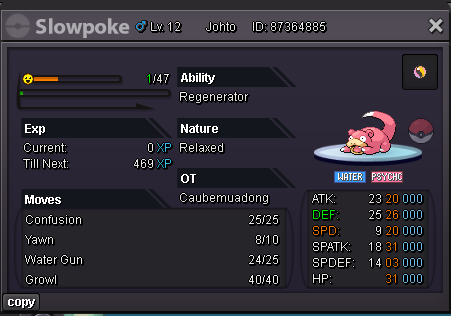


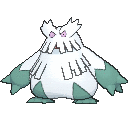





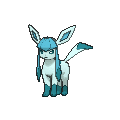






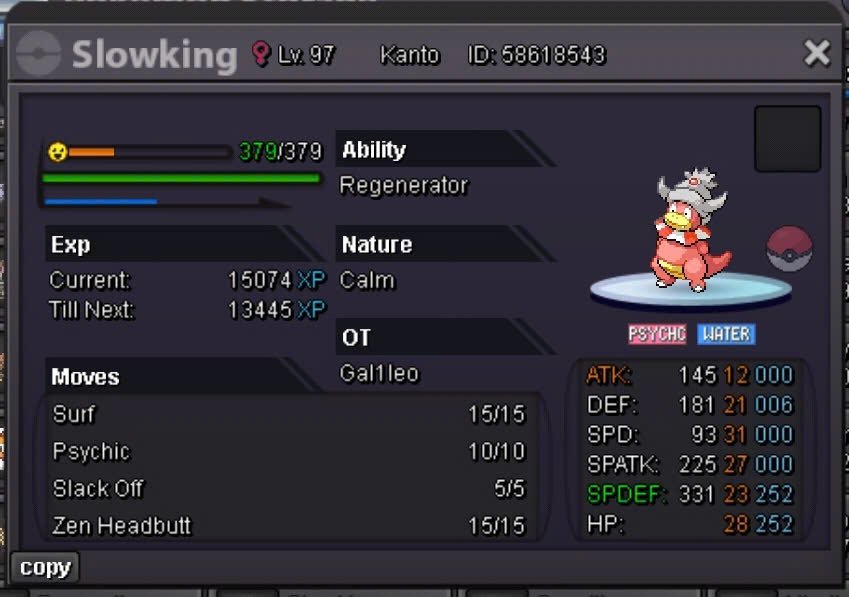
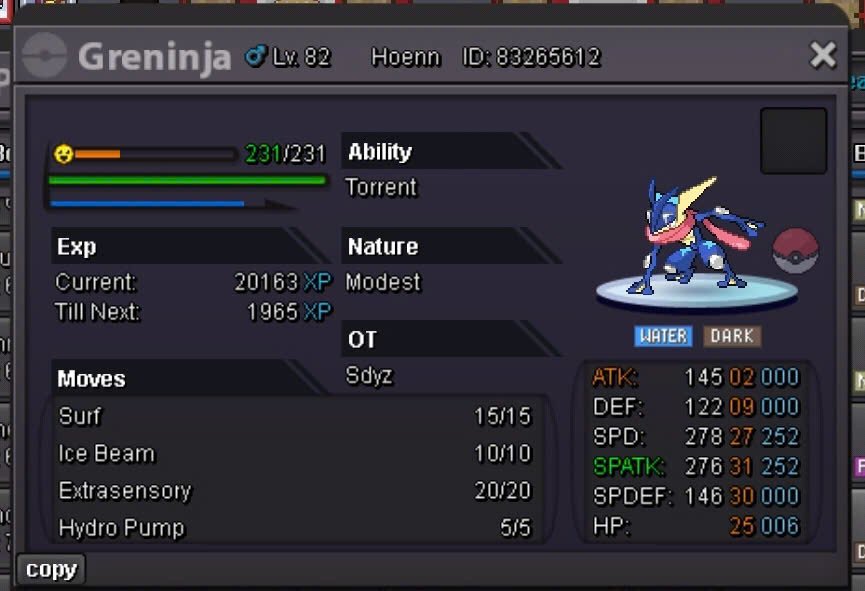
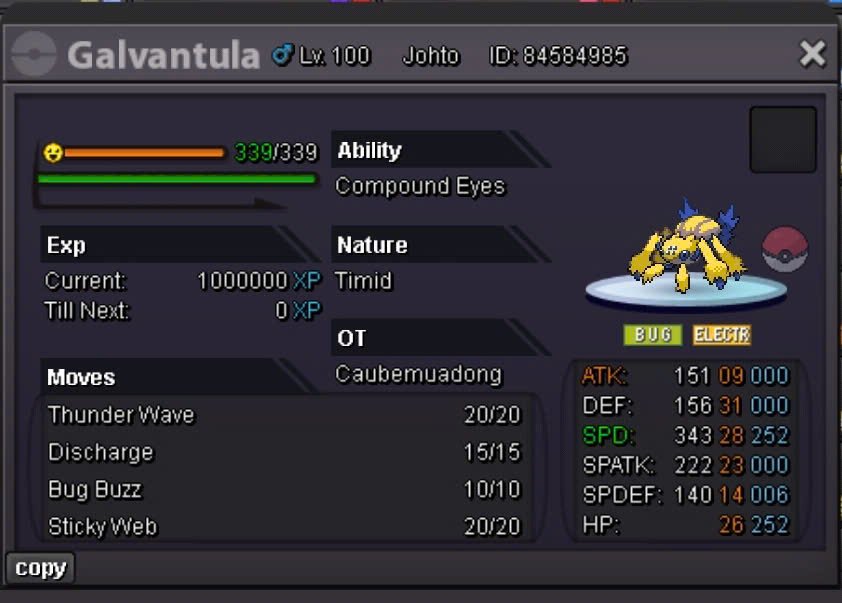
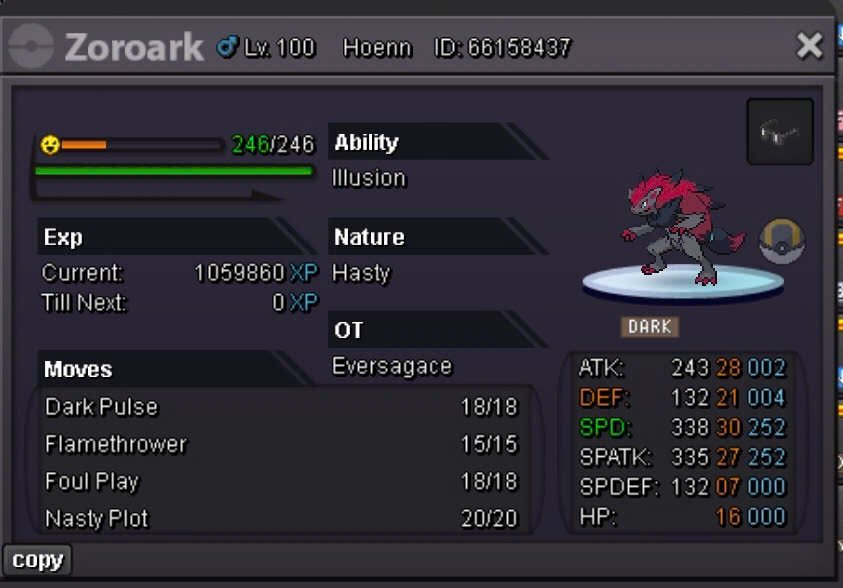
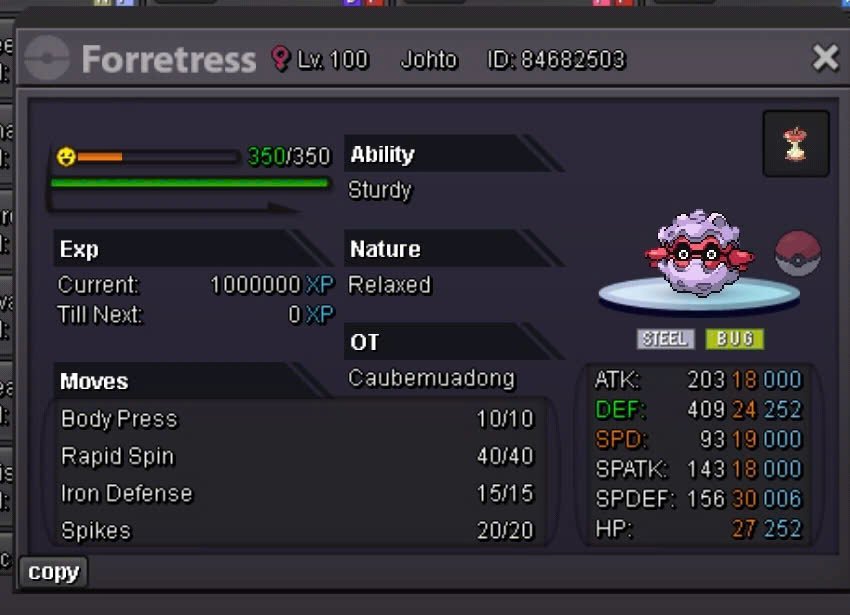
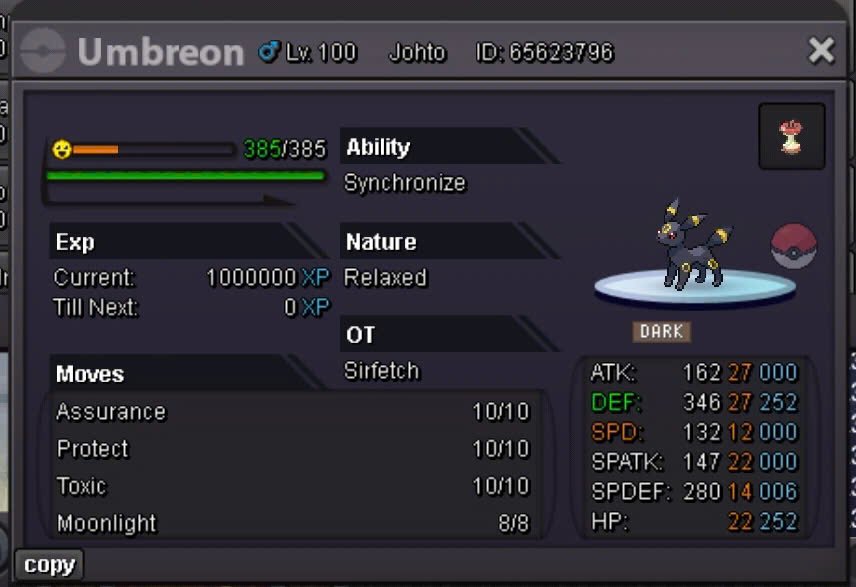
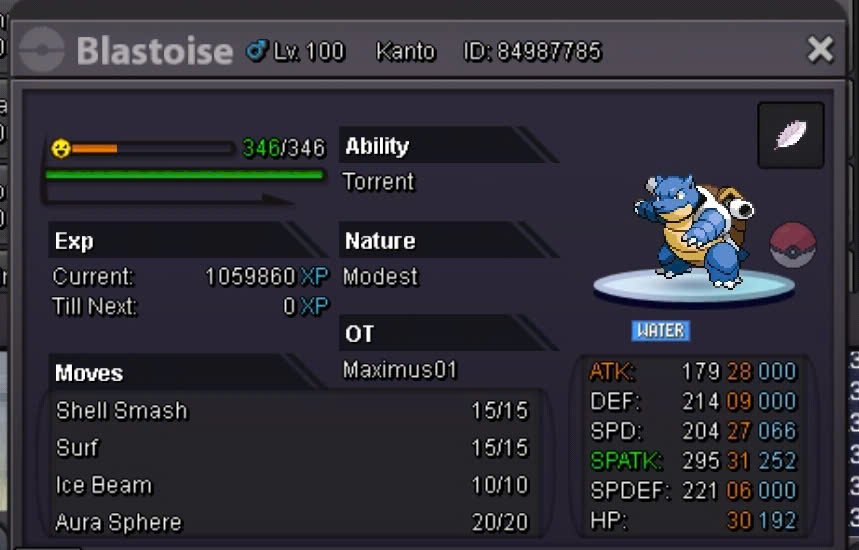
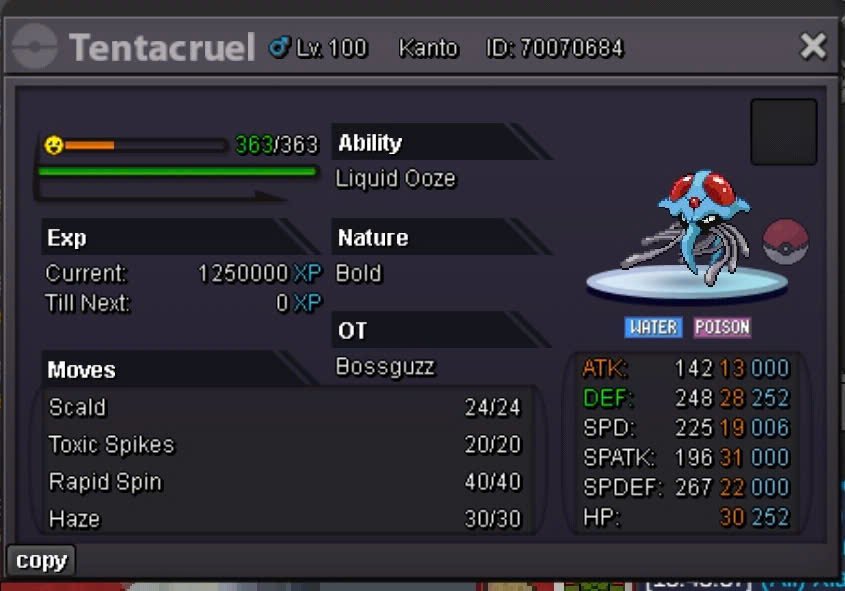
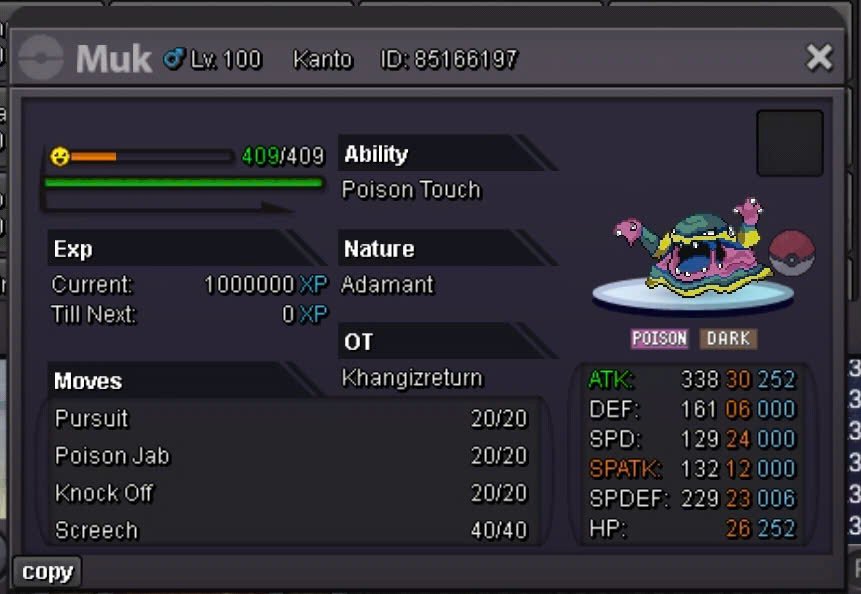
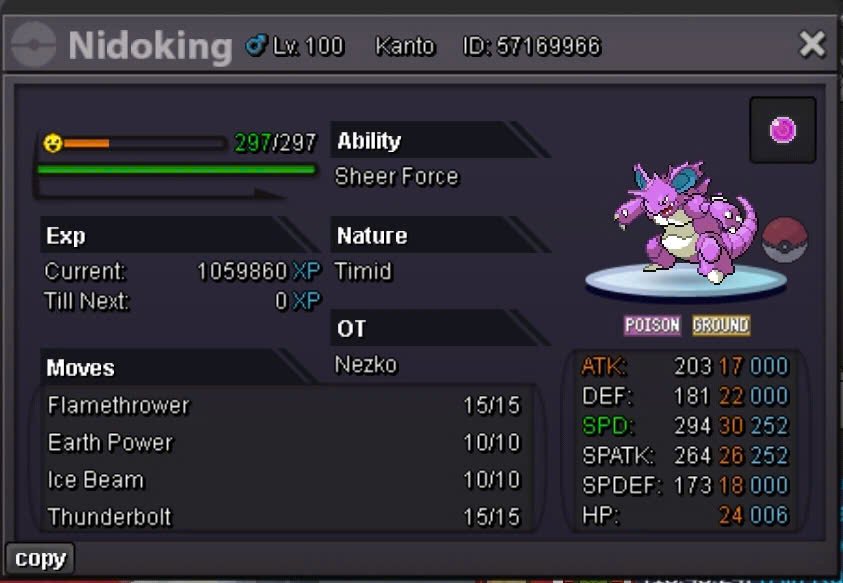
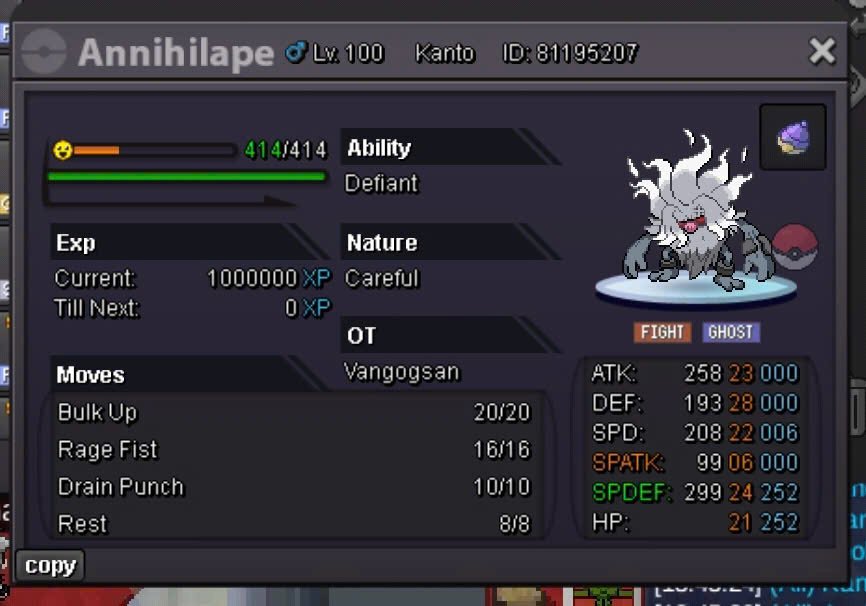
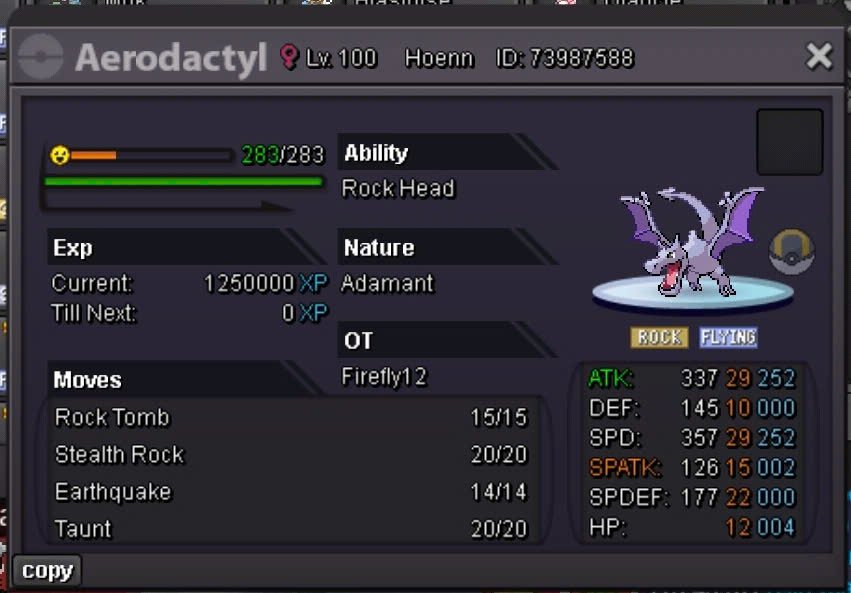
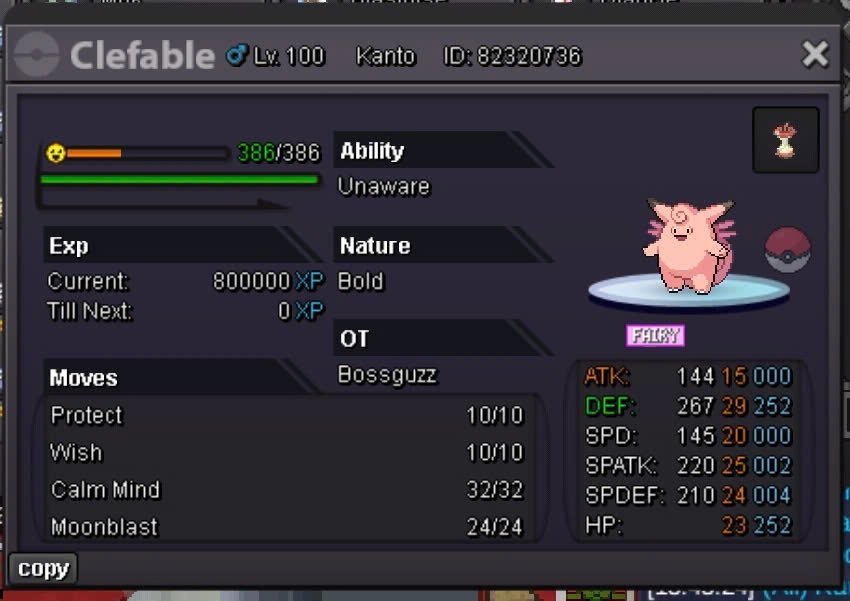
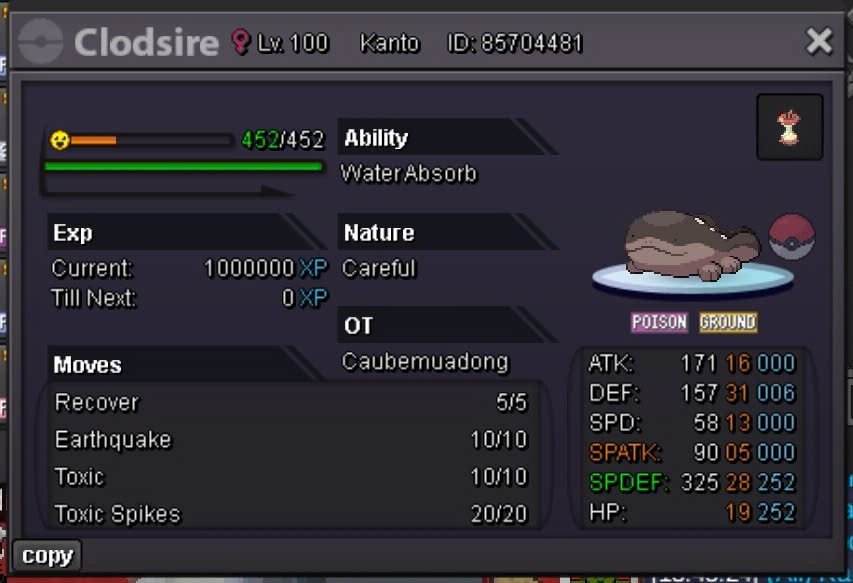
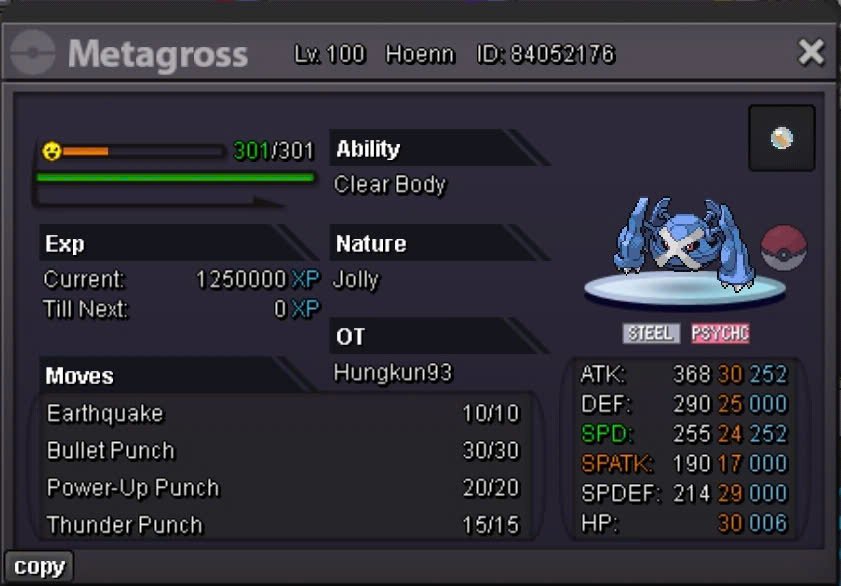
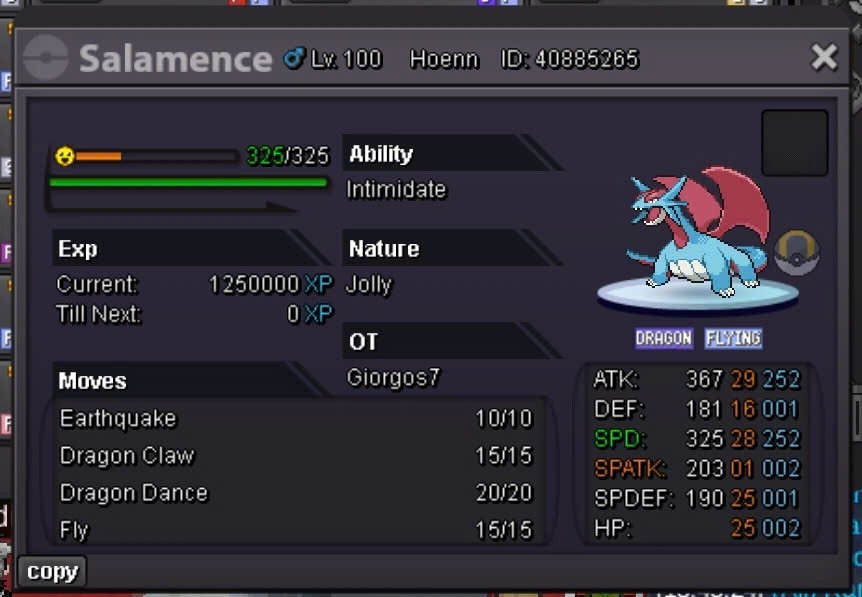
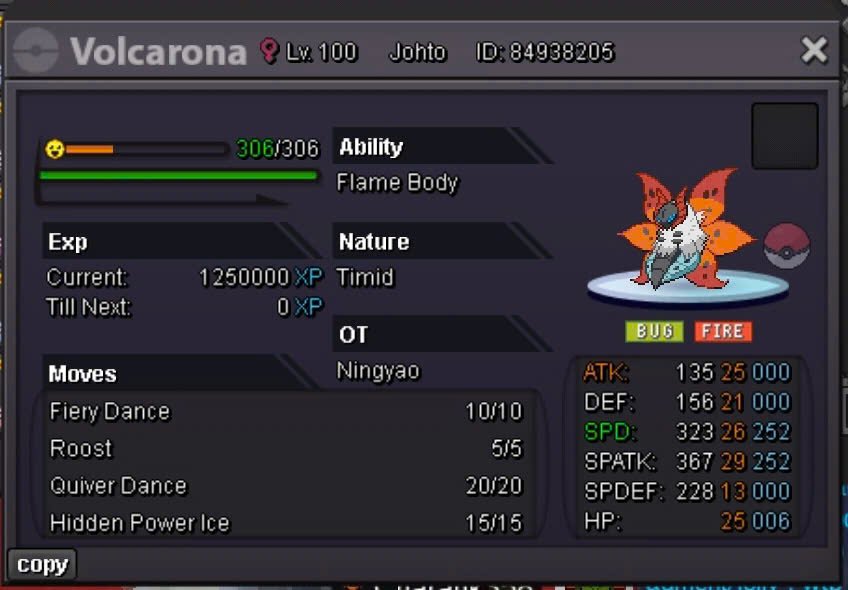
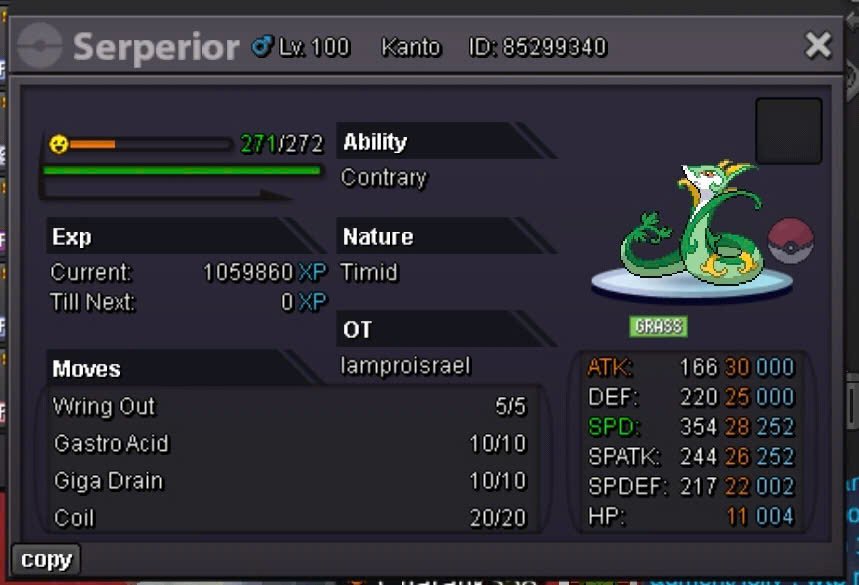
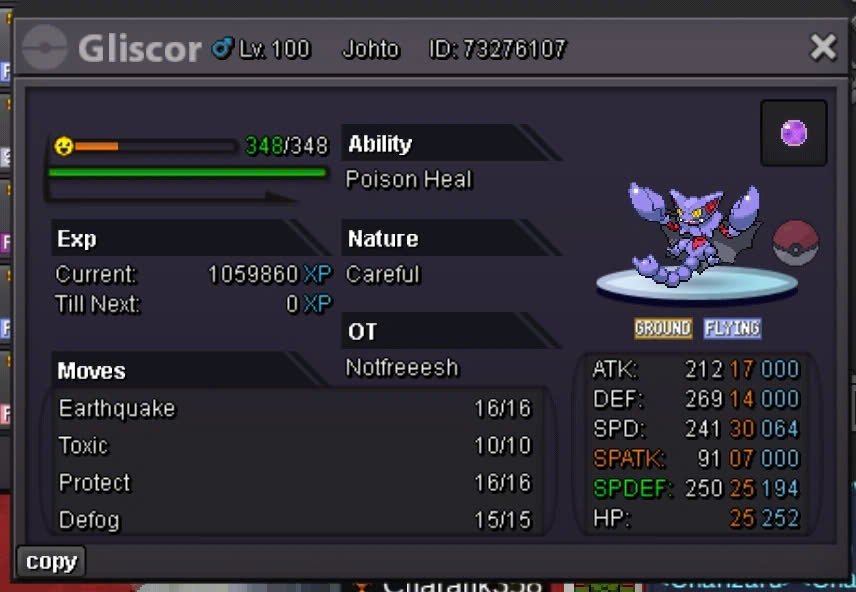
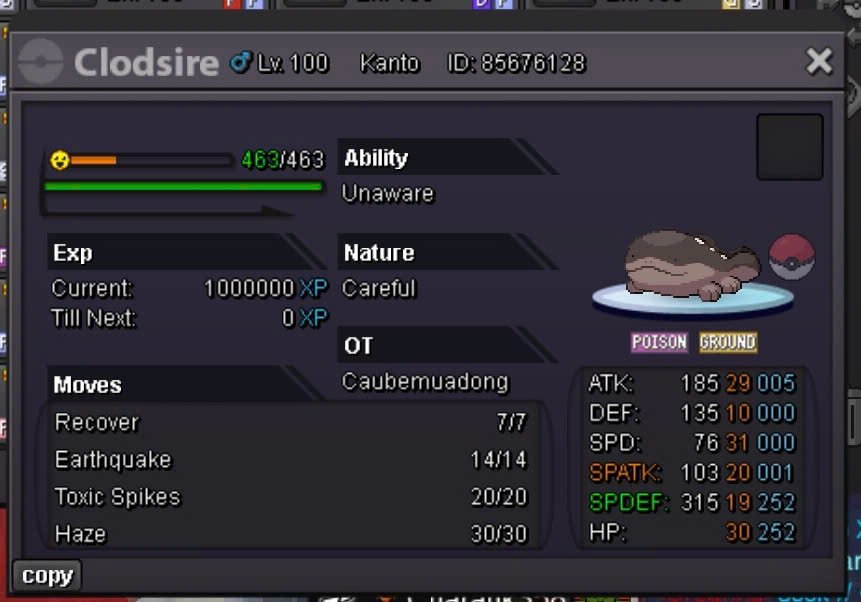
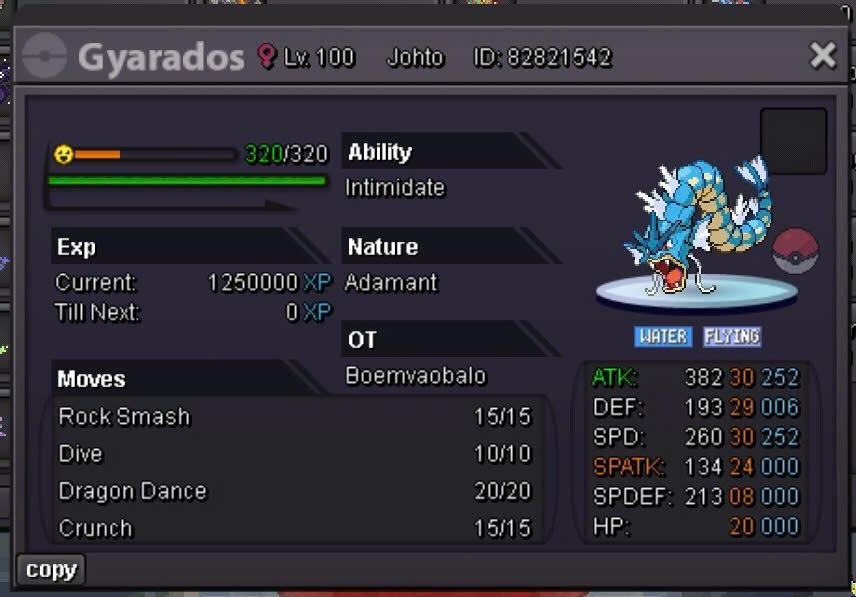
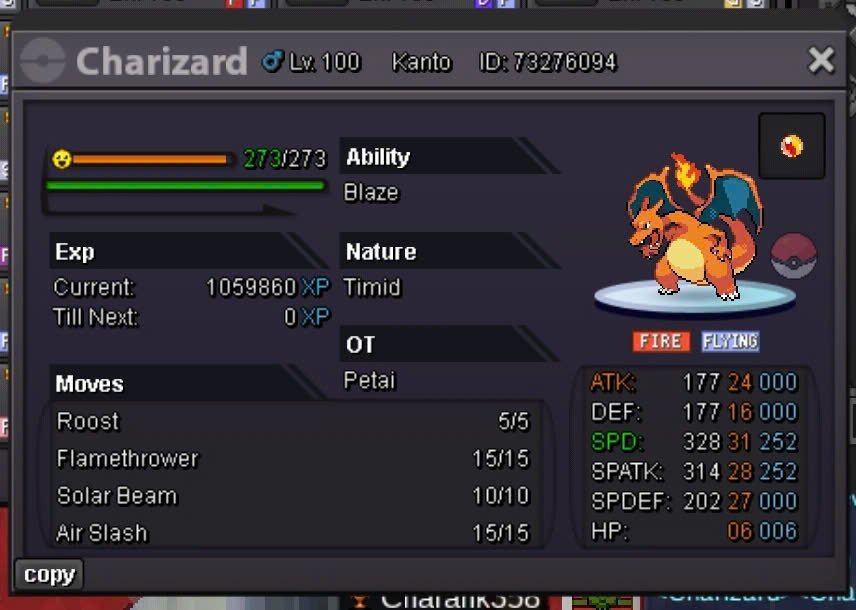
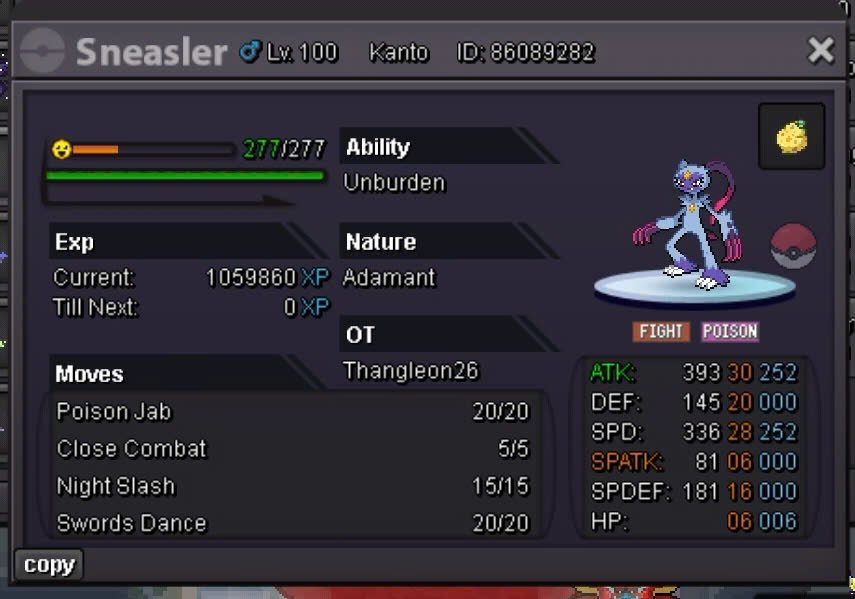
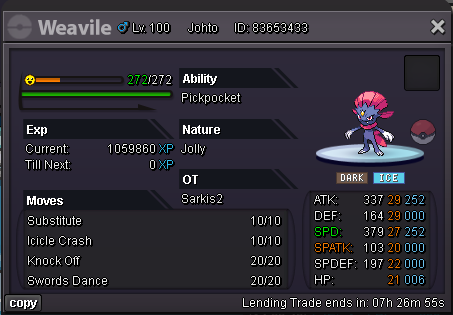
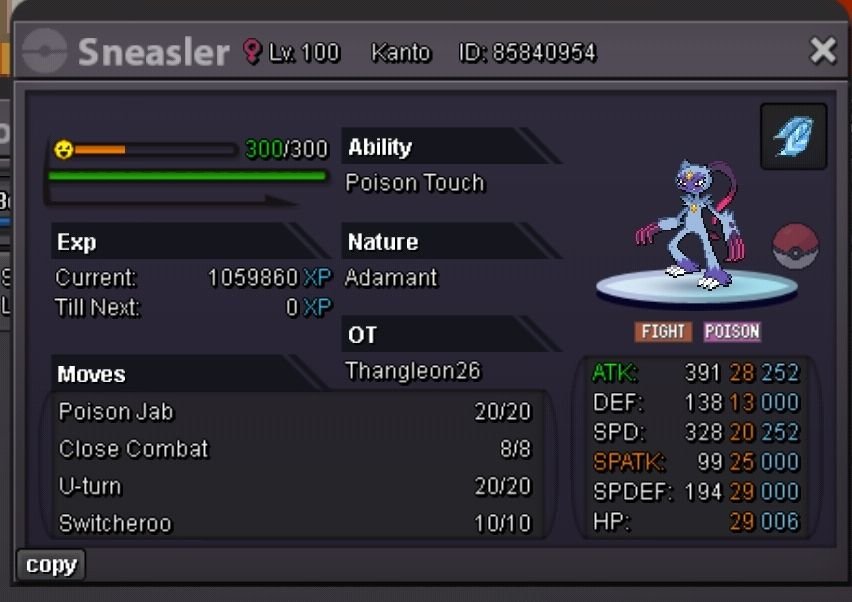

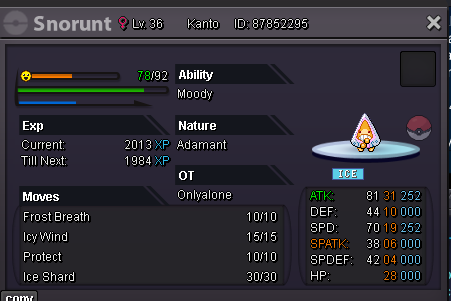
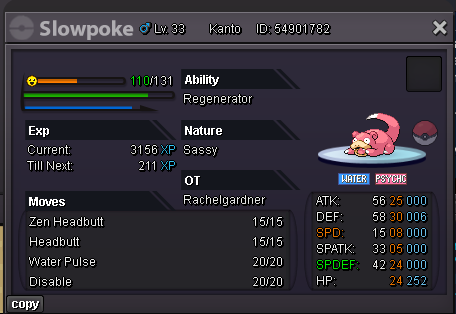
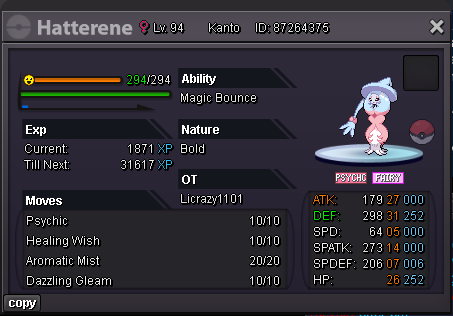
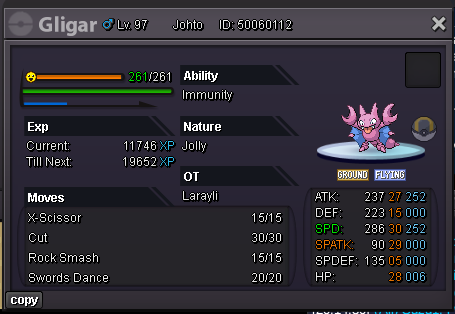
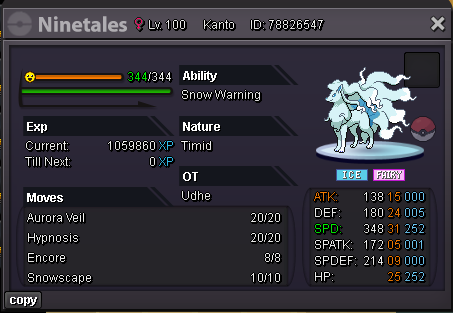
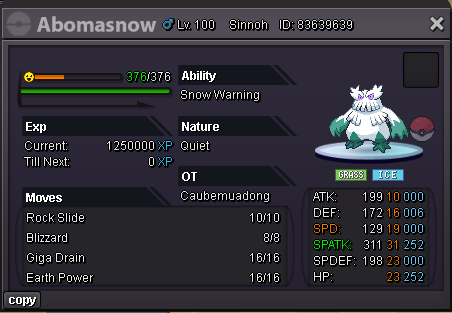
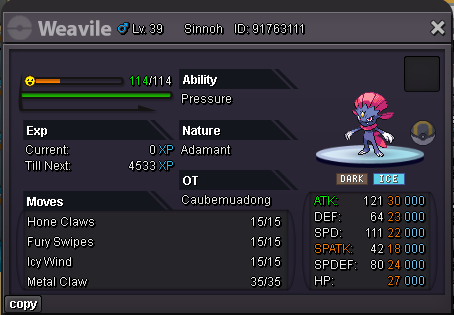
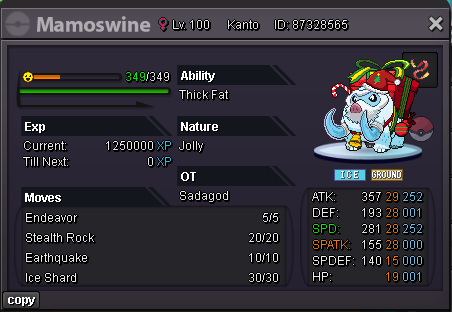
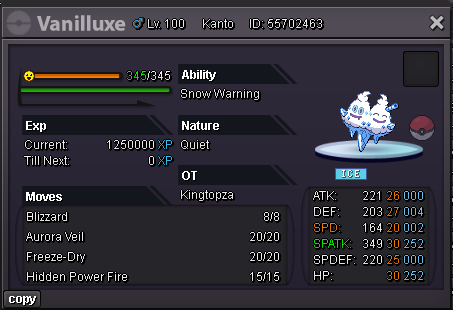
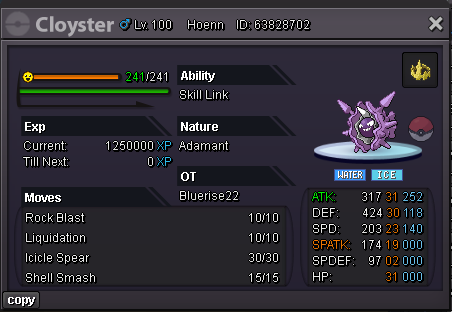
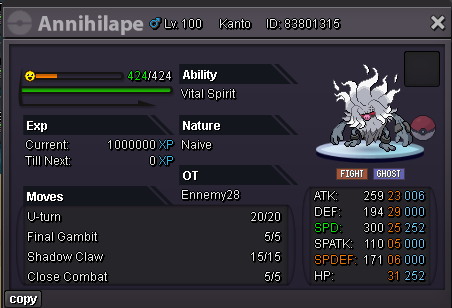
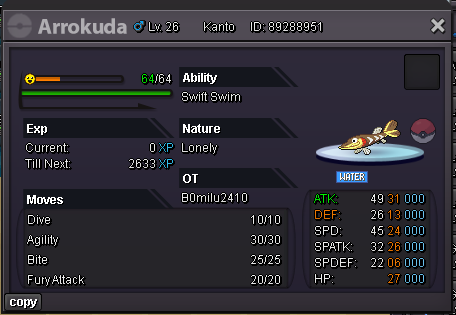
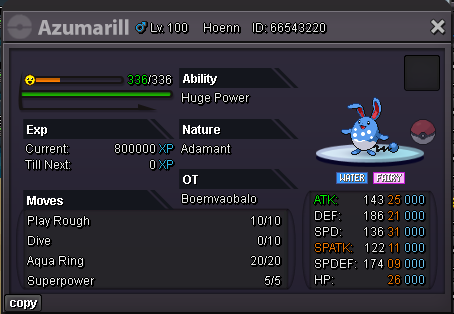
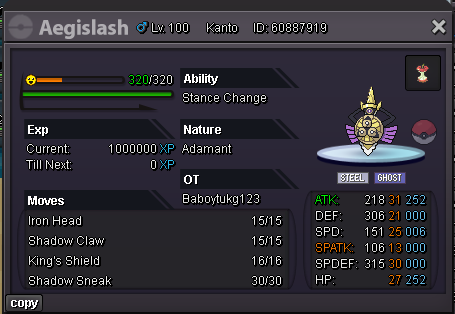
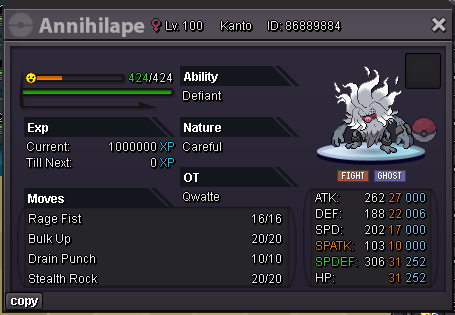
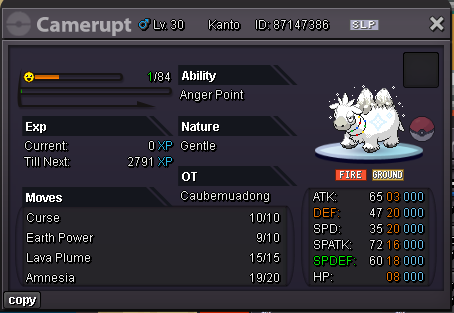
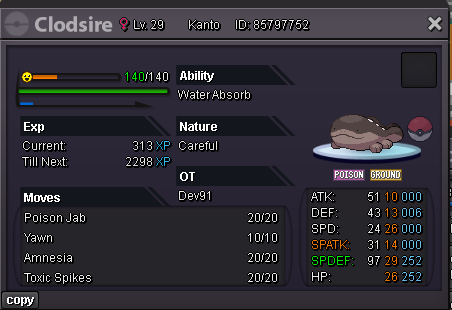
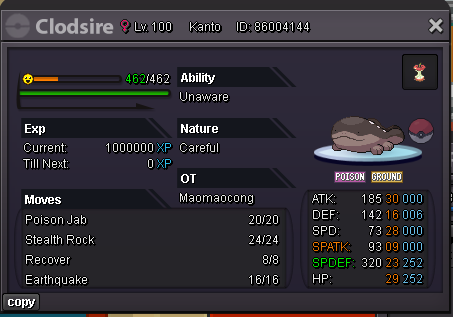
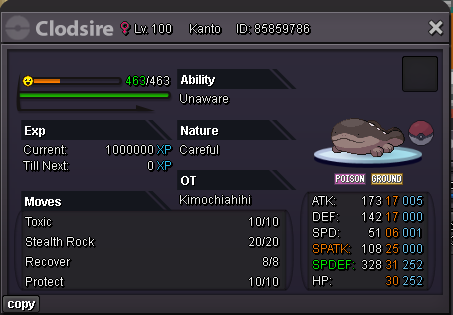
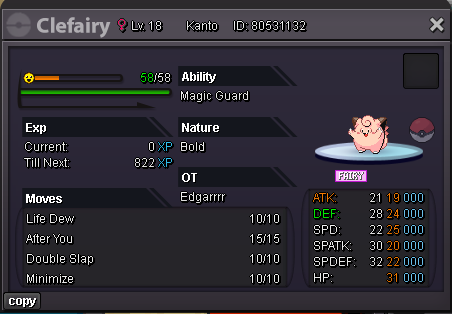
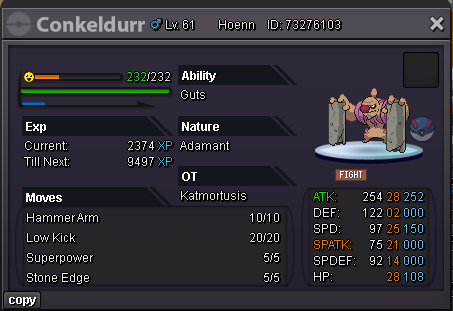
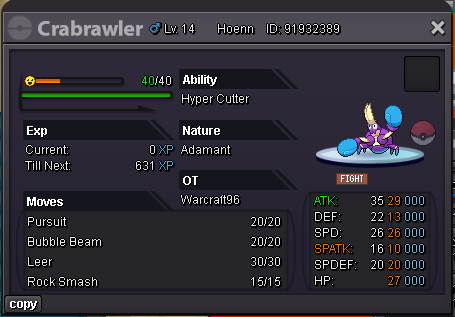
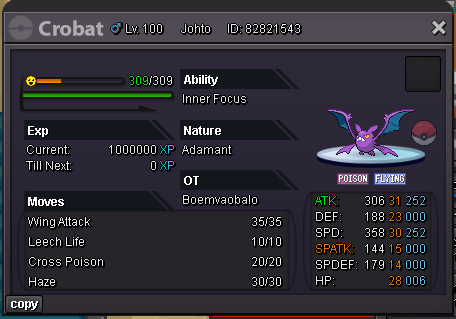
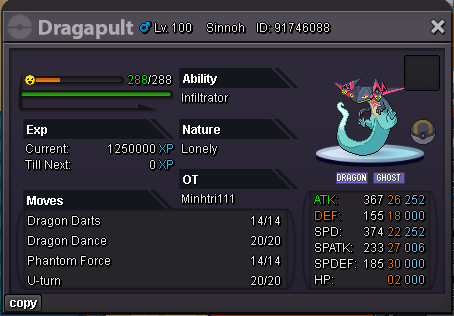
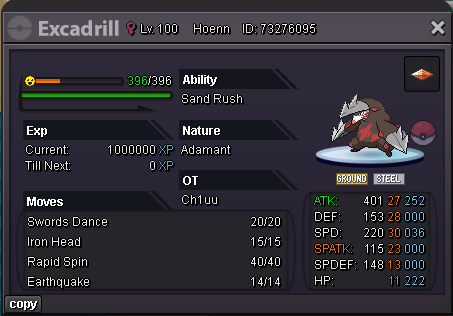
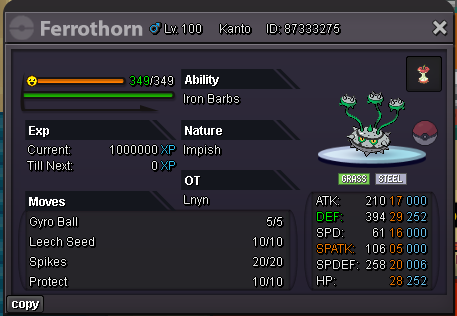
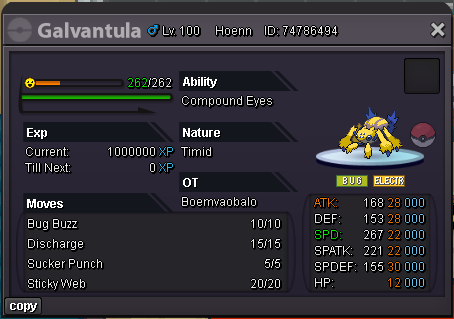
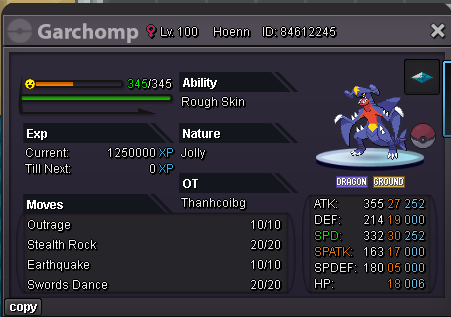
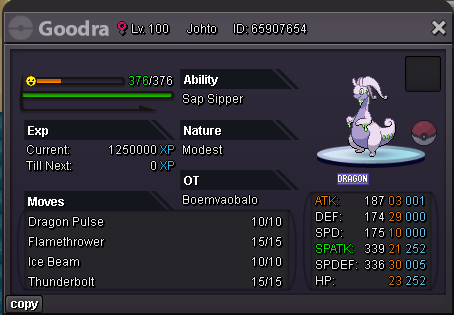
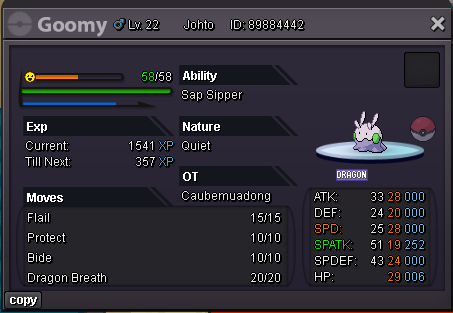
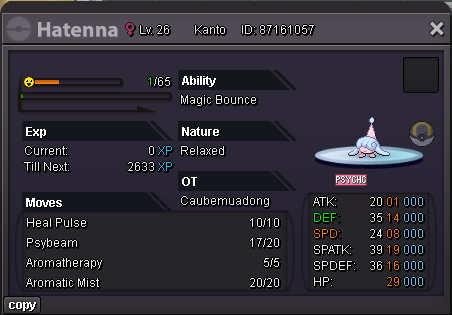
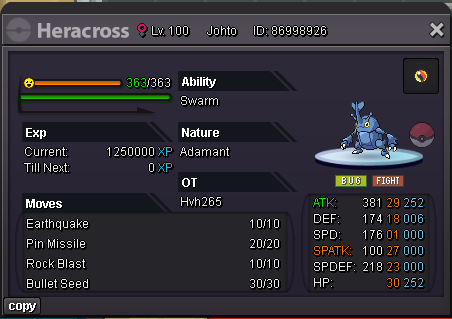
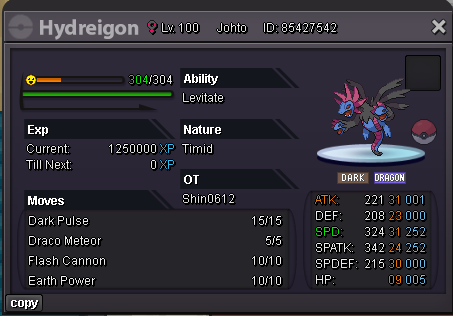
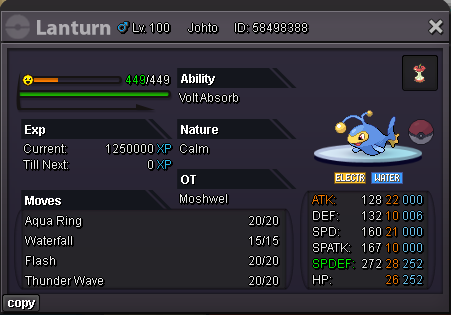
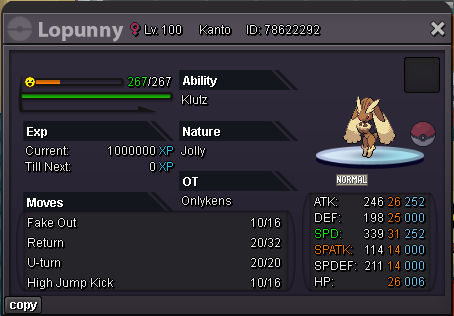
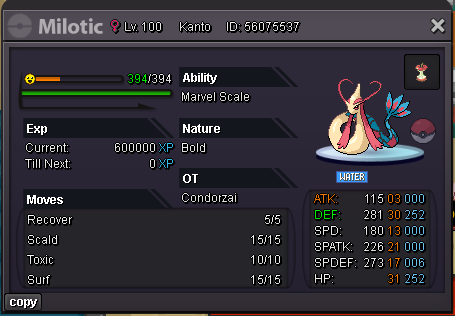
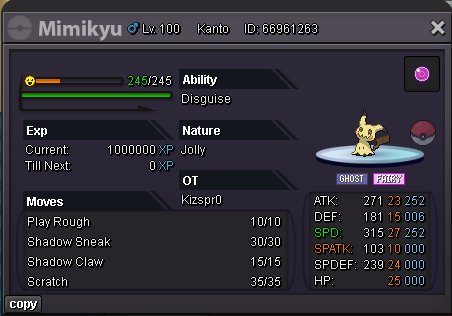
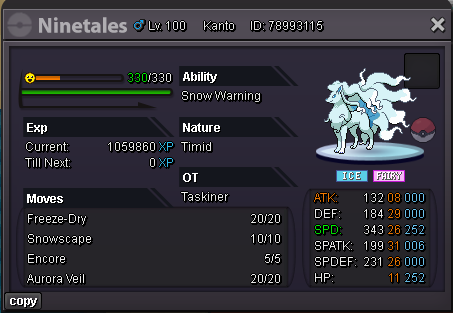
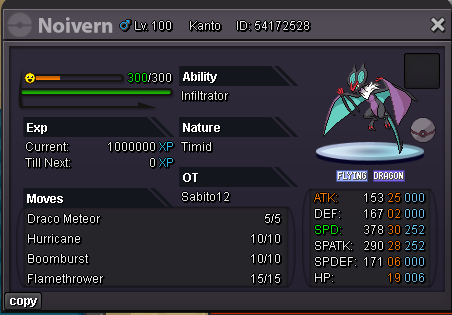
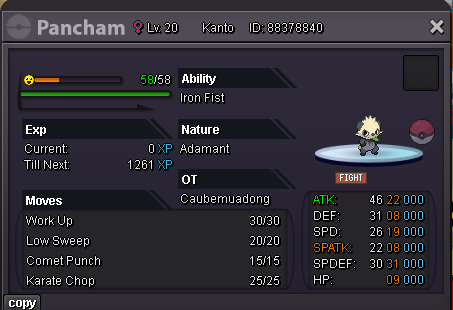
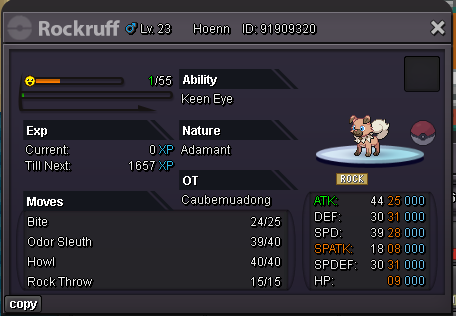
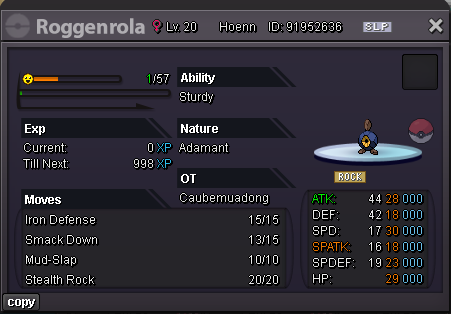
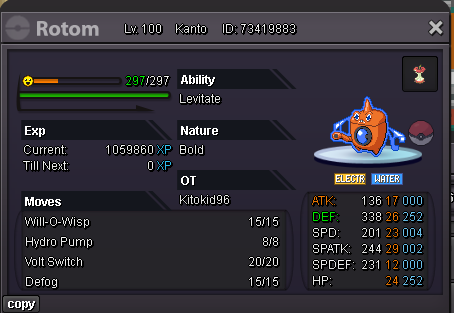
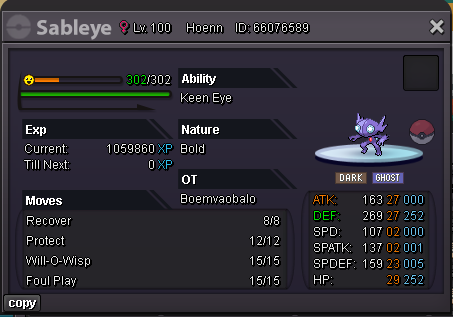
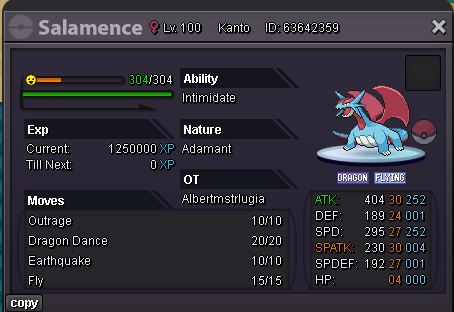
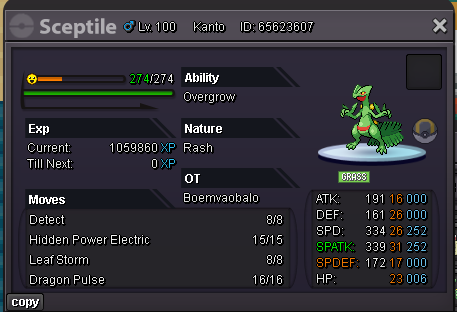
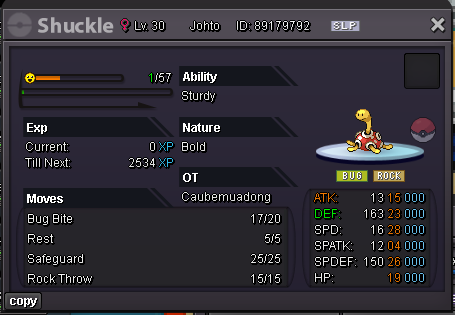
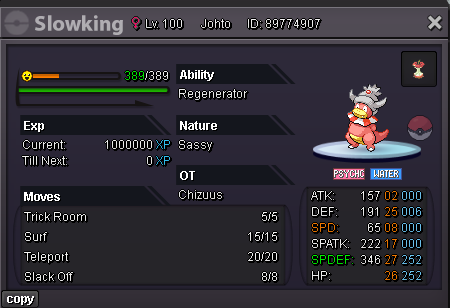
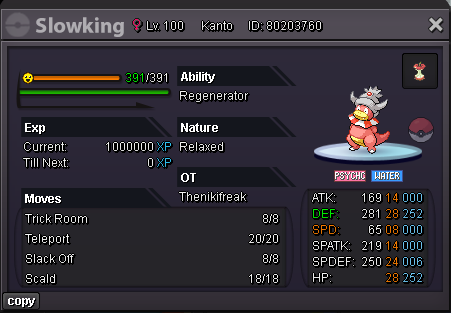
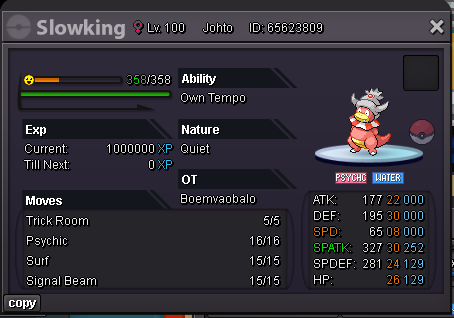
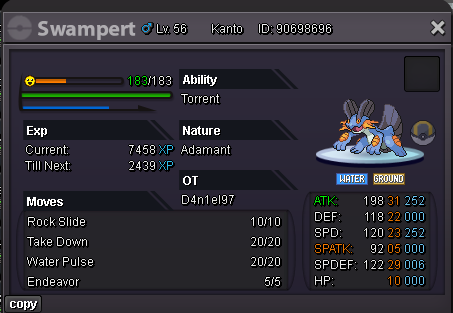
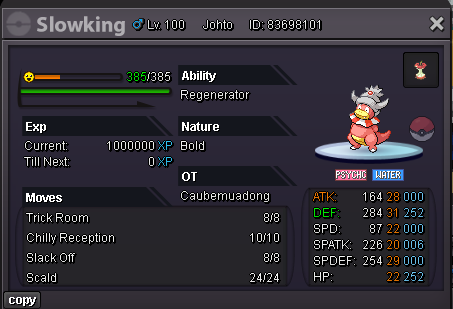
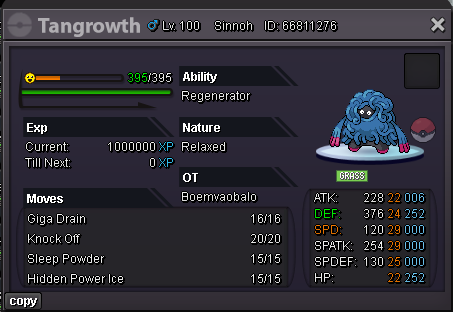
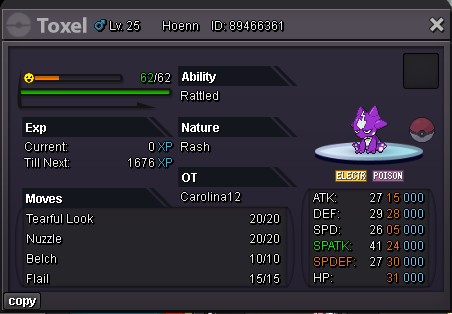
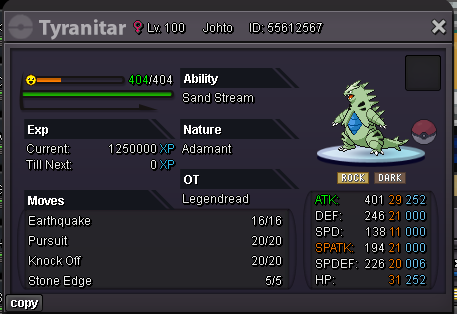
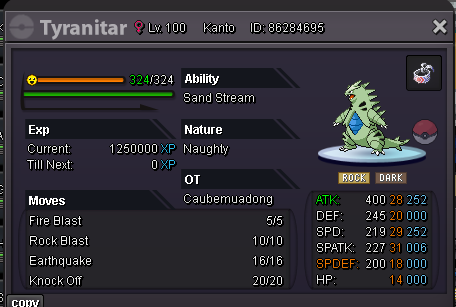
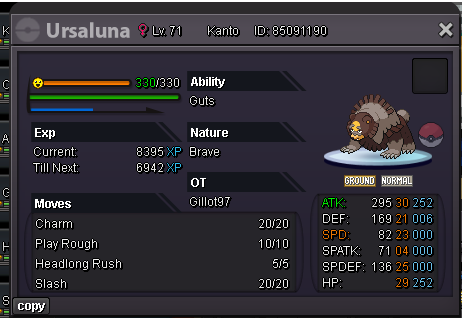
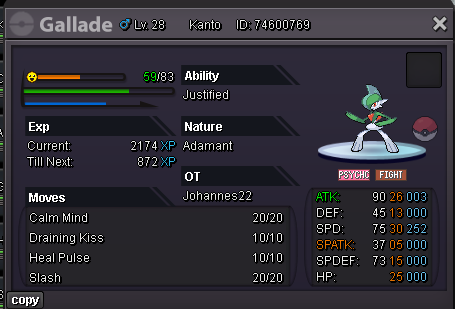
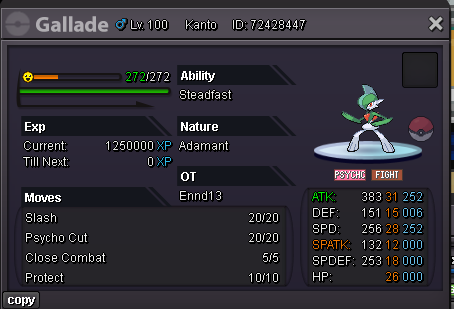
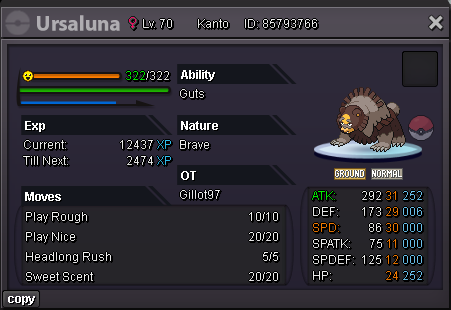
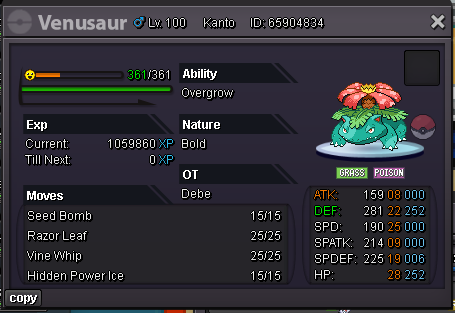
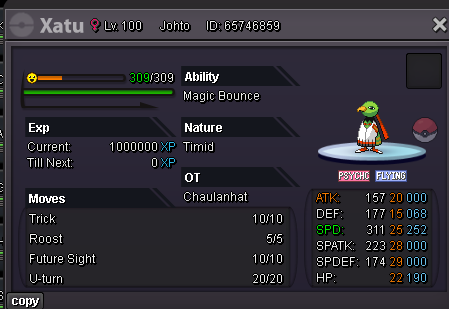
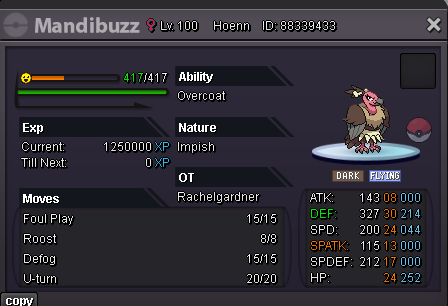
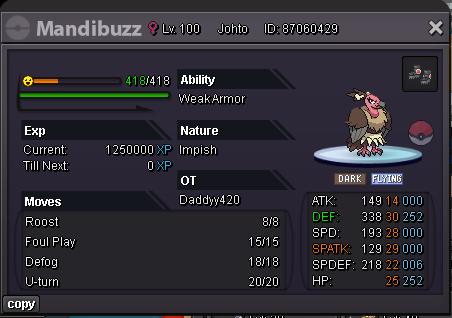
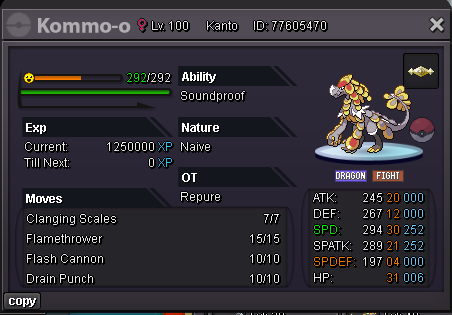
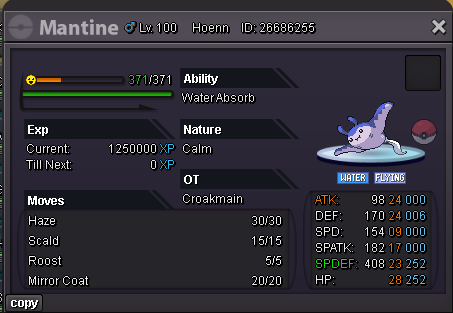
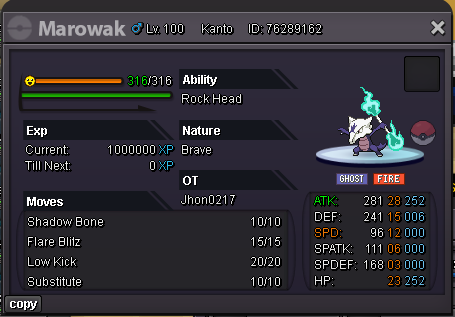
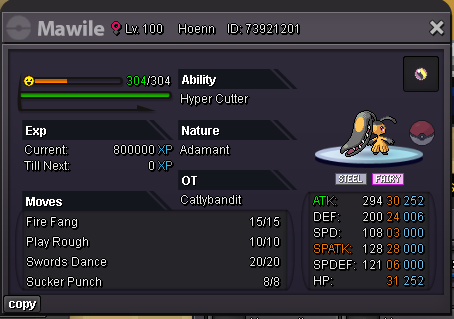
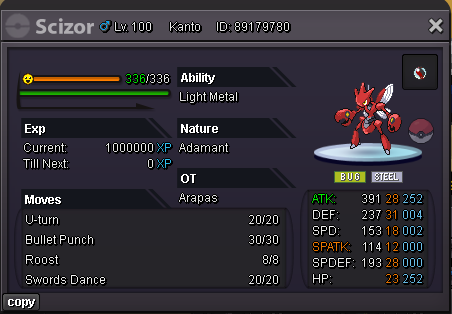
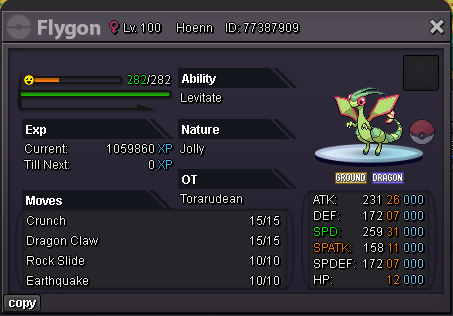
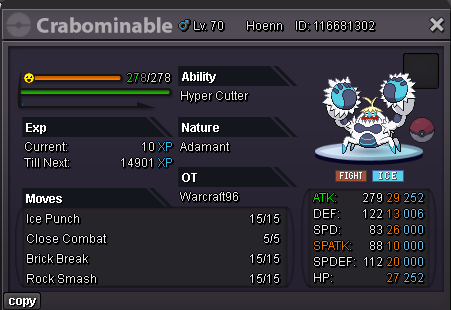
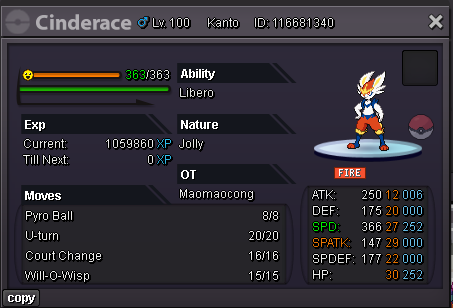
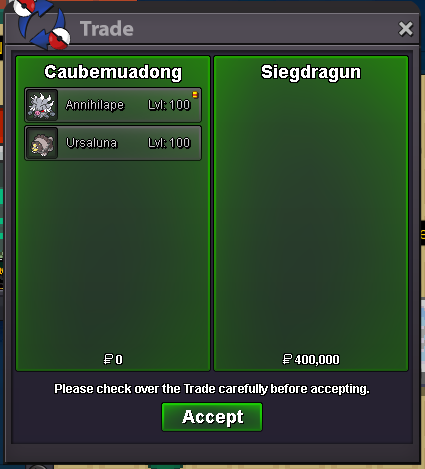
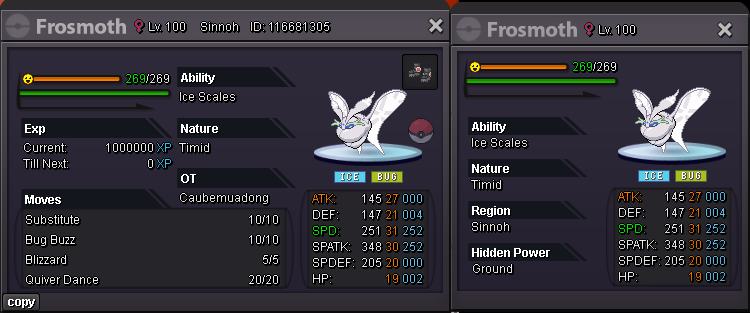 Start 400k min bid 50k End in 24hr after first bid (15 minutes rule applied) Accept cc 500k, rr 750k, rc 5k
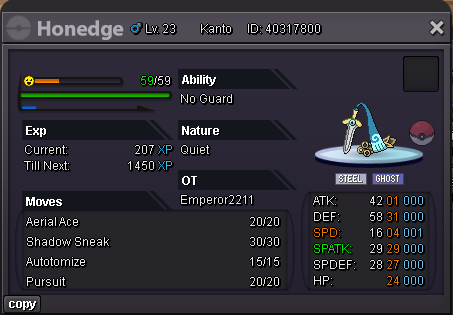 wtb
wtb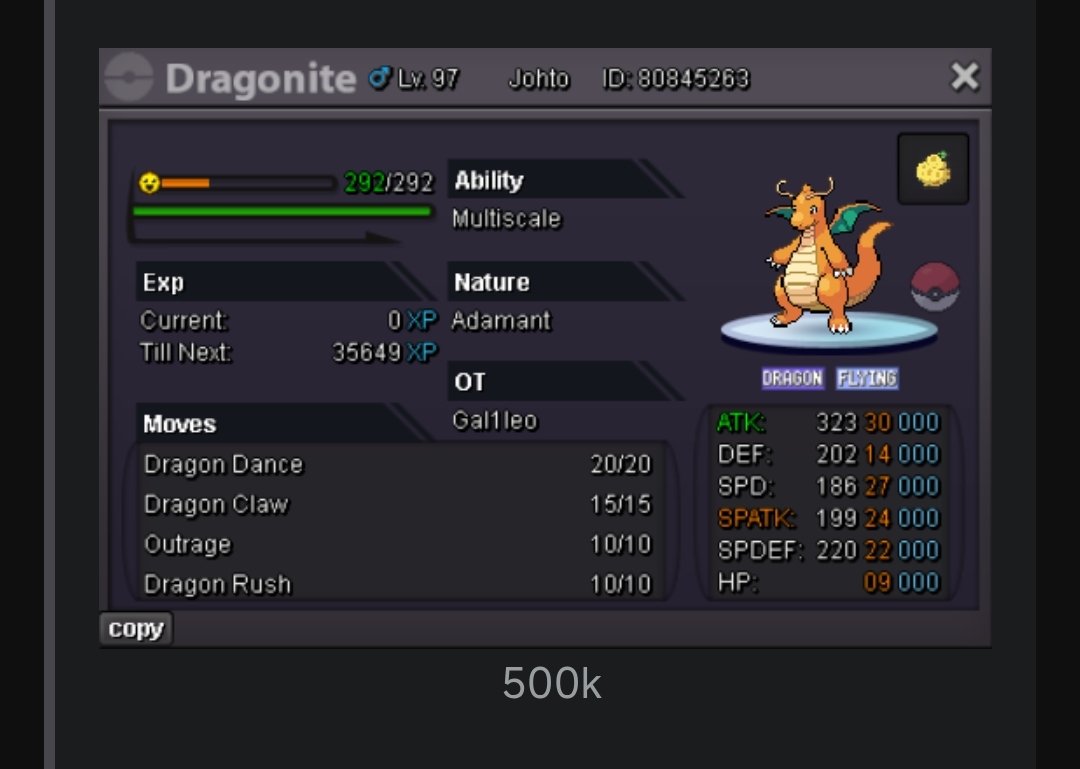 wtb hlw annihilapewtb these clodsire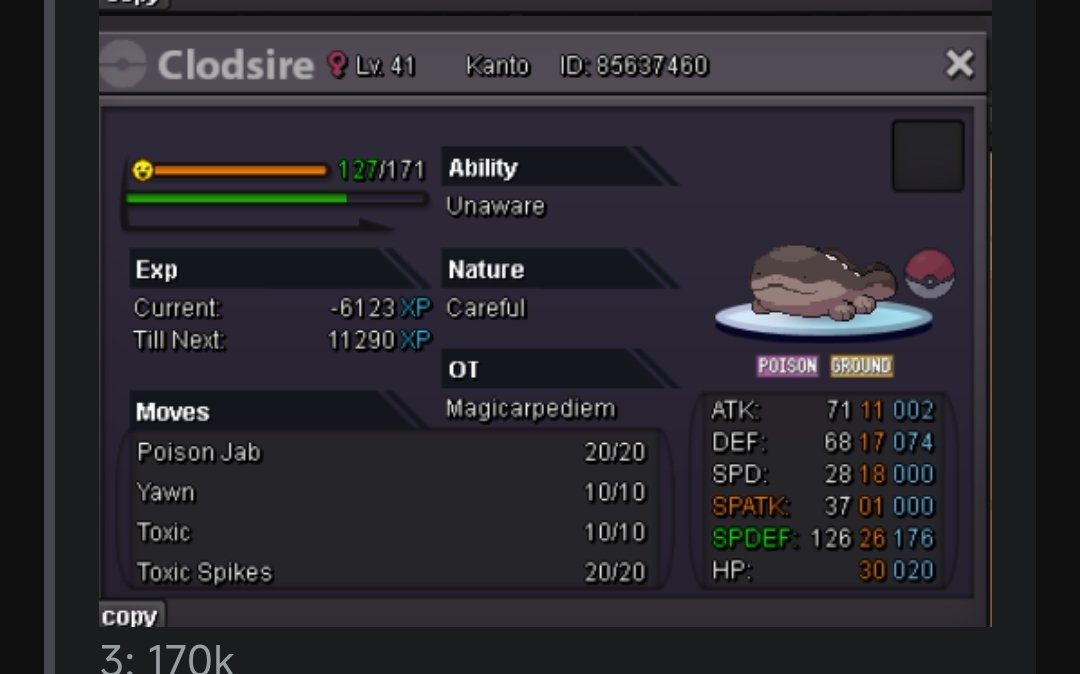
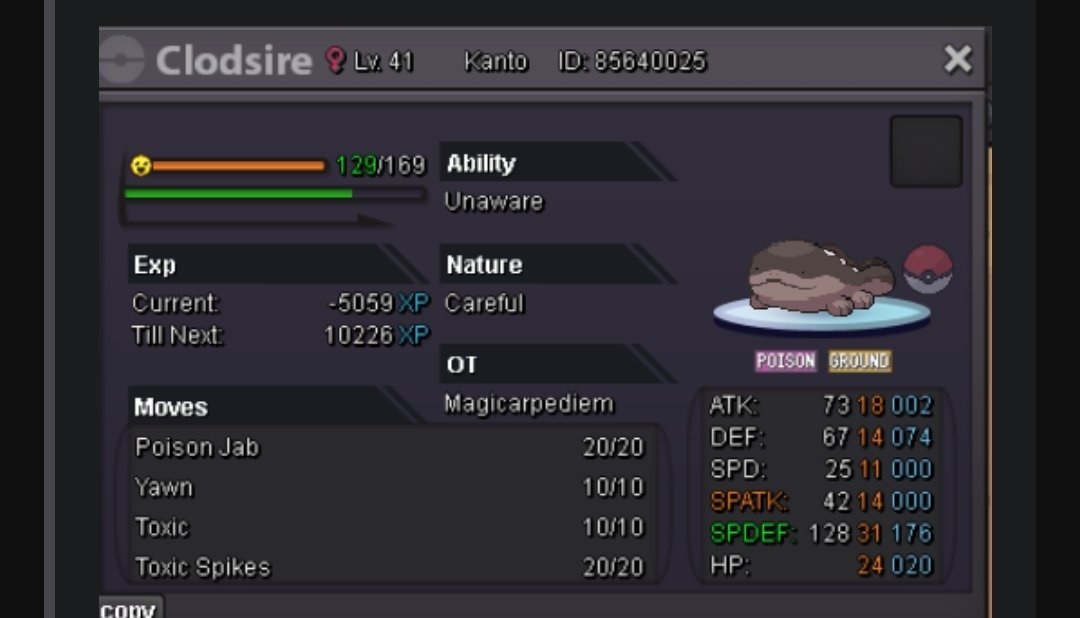 sorry 1,5m and 40k g ca cut1,5m and 10k
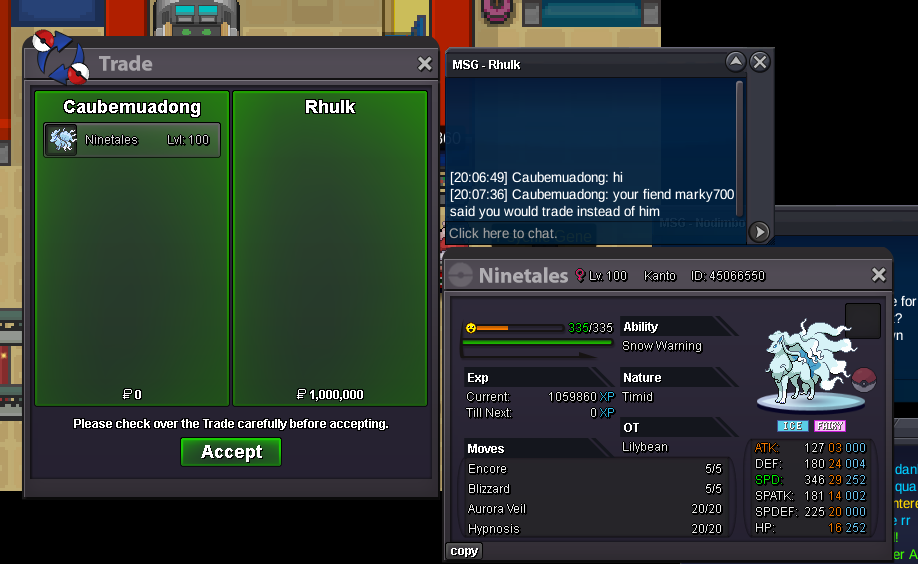
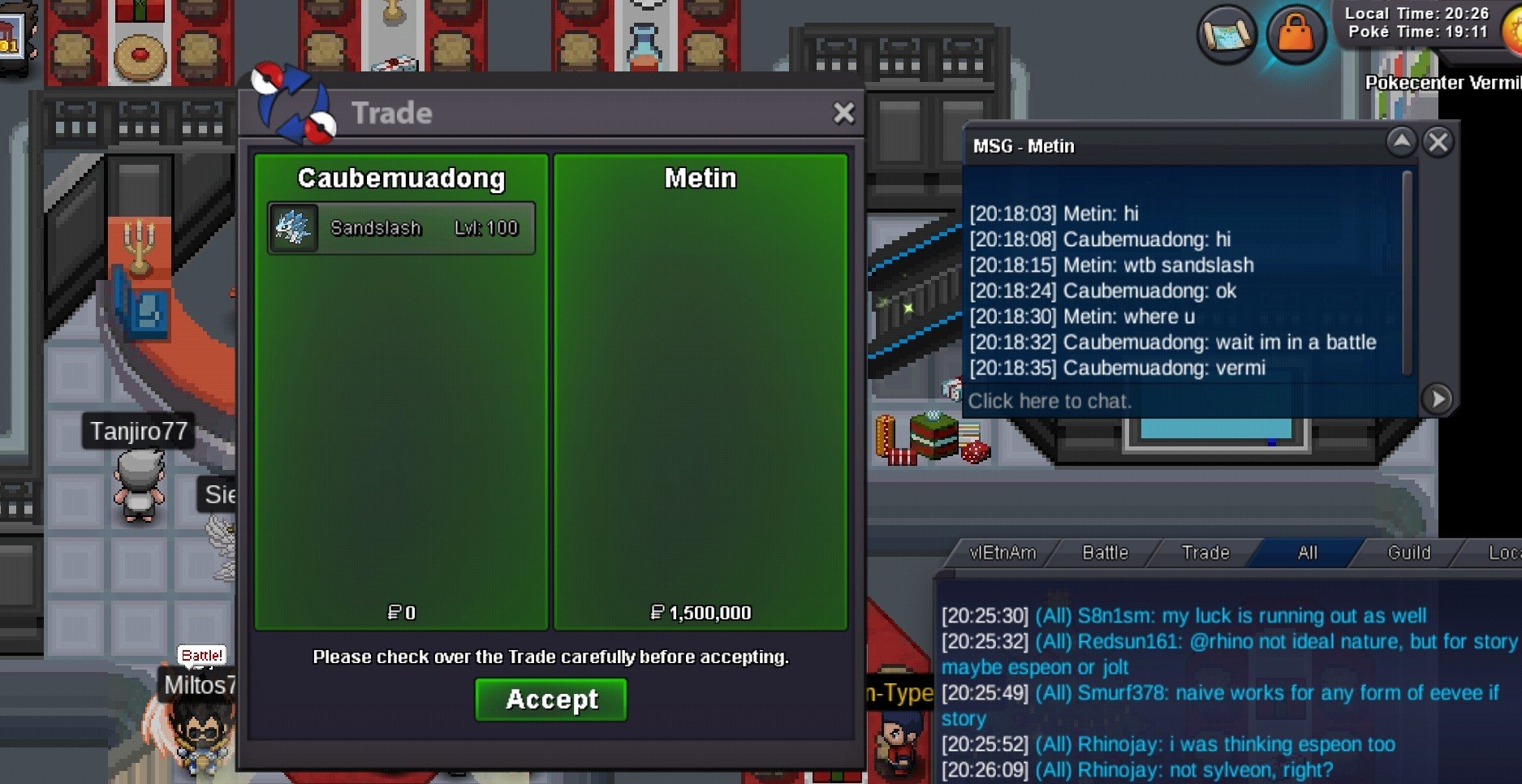


Account
Navigation
Search
Configure browser push notifications
Chrome (Android)
- Tap the lock icon next to the address bar.
- Tap Permissions → Notifications.
- Adjust your preference.
Chrome (Desktop)
- Click the padlock icon in the address bar.
- Select Site settings.
- Find Notifications and adjust your preference.
Safari (iOS 16.4+)
- Ensure the site is installed via Add to Home Screen.
- Open Settings App → Notifications.
- Find your app name and adjust your preference.
Safari (macOS)
- Go to Safari → Preferences.
- Click the Websites tab.
- Select Notifications in the sidebar.
- Find this website and adjust your preference.
Edge (Android)
- Tap the lock icon next to the address bar.
- Tap Permissions.
- Find Notifications and adjust your preference.
Edge (Desktop)
- Click the padlock icon in the address bar.
- Click Permissions for this site.
- Find Notifications and adjust your preference.
Firefox (Android)
- Go to Settings → Site permissions.
- Tap Notifications.
- Find this site in the list and adjust your preference.
Firefox (Desktop)
- Open Firefox Settings.
- Search for Notifications.
- Find this site in the list and adjust your preference.