




New Trade Zone
Trade Zone is now live
Use the new Trade Zone for auctions and instant-price trades so Pokemon and item offers are easy to find.

Mtmazhab007
Registered User
-
Joined
-
Last visited
Everything posted by Mtmazhab007
-
150k mankey careful
-
Auction Details: Start Price: 1m End Point: 48 hours (after start price is met) Insta Price: 5m Minimum Raise: 200k Accepted Payments: Pokedollars, Coin Capsules (x1 Coin Capsule = 500k), IV Reroll Tickets (x1 IV Reroll Ticket = 700k) Important Reminders: This is a Silver Server auction. You may bid from any server, and You have transfer to silver server upon winning. If you intend to purchase with an alt account, specify the account alongside your bid. If a bid is received in the final 15 minutes of the auction, the end point will be delayed by 15 minutes from that bid, and will be delayed by 15 minutes for each new bid thereafter, until the current offer has been held for a full 15 minutes.
-
azu 200k
-
100k azumaril and jolly mankey
-
Start careful and impish mankey (100k each)
-
wtb 21+ tech scyther 150k
-
-
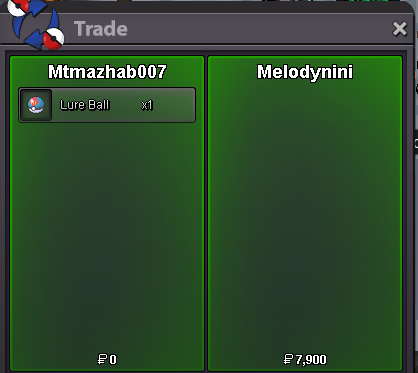
trade done,closed
-
Congrats @Melodyniniu won the auction
-
-
350k
-
IGN: Mtmazhab007 Service Taken: Mawilite Feedback: "Fast, reliable, and completely hassle-free! They provided a smooth and secure service to get my Mawilite. Communication was top-notch throughout the entire process. I highly recommend them to anyone looking for trusted items or services in PRO. Would definitely deal with them again! A++"
-
Start
-
+1
-
-1 for world quest and legends, +1 for money tower,building,outbreaks
-
ONE LURE BALL,The Ultimate ball for fishing! [Auction] Lure Ball (Silver Server) Starting Bid: 1,000 Minimum Bid Increment: 1,000 Accepted Payments: Pokedollars Insta Price: None Auction Duration: 48Hours (after starting bid is met) Item Note: One Lure Ball, The Ultimate ball for fishing! Rules: This is a Silver Server auction. If you are on Gold, you must transfer to Silver upon winning. Please include the account name you will be using for the transaction if you are not purchasing with your main account. 15 Minute Rule: If a bid is received in the final 15 minutes of the auction, the end point will be delayed by 15 minutes from that bid. This delay will repeat with each new bid until the current offer has stood for a full 15 minutes. Auction Ends: 48 hours after the starting bid is met.

-
51k
-
700k Kingdra
-
300k wooper
-
SOLD
-
Rare PVP Set: Tapu Fini Set 1m insta buy

-
Start Garchomp
-
600k dnite
-
300k
-
500k

