




New Trade Zone
Trade Zone is now live
Use the new Trade Zone for auctions and instant-price trades so Pokemon and item offers are easy to find.

Tonyg1997
Registered User
-
Joined
-
Last visited
-
Hello around 13-14 hours ago i accidentally bought the same z crystal twice. Is it possible to get a refund of the PVE coins ? Thanks in advance

-
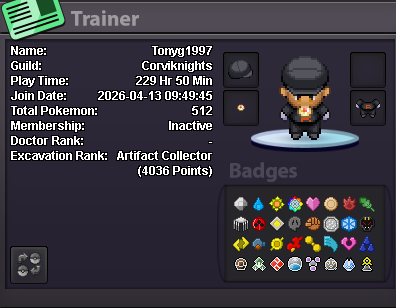
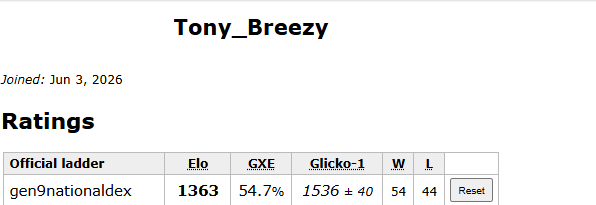
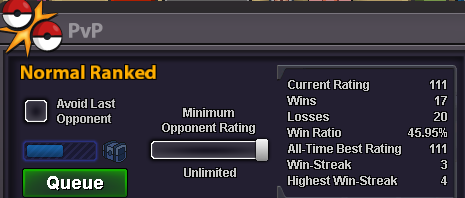
What can you contribute to Dynasty? Started as a casual, now on my PvP redemption journey. I play every day, actively work on improving, and I'm determined to become more useful than just the guild's designated old guy.I'll contribute through daily activity, guild events, helping teammates when I can, and bringing a positive attitude. As my PvP skills improve, I hope to help Dynasty rack up wins ° What are your real-life and in-game names? Tony/Tonyg1997 ° How old are you and where are you from? 29 From Greece ° Discord tag? How often are you online there? tony_plays-I'm active daily ° Screenshot of your trainer card?

-
bumb
-
bumb
-
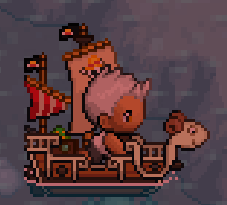
Going Merry Start Price:6M Insta:11M Min. Raise:200k 48 hour auction starts after starting price is met Accepted Payment(s): CC: 480k Pokedollars RR:700k -This is a Silver Server Auction. If bidding from an alternative server, state that u will transfer upon winning.


-
Tonyg1997 changed their profile photo
-
Returning player here! I lost access to my old account and had to start fresh, but I’m back to rebuild and progress quickly. Looking for an active and friendly guild to grow with!