New Trade Zone
Trade Zone is now live
Use the new Trade Zone for auctions and instant-price trades so Pokemon and item offers are easy to find.


Tantankare67
Registered User
-
Joined
-
Last visited
Everything posted by Tantankare67
-
^bump
-
^bump
-
^bump
-
Please don't write unnecessary comments on the post please.
-
^bump
-
i dont to mega please check out the spoilers
-
^Bump
-
SHOP IS OPEN AGAINED!
-
+1
-
shop is closed temporarily
-
Pancham 180k
-
It is working but talking 30sec-1 min to log in rn
-
How to to the firewall stuff
-
Same problem @Hallowglow
-
No let me try then I'll tell ya
-
STORY SERVICES: CLICK HERE! EV SERVICES: CLICK HERE! ACCEPTED PAYMENT METHODS: CLICK HERE! LEGENDARY QUEST: CLICK HERE! PINKAN QUEST: CLICK HERE!
-
For me vpn has not solved this
-
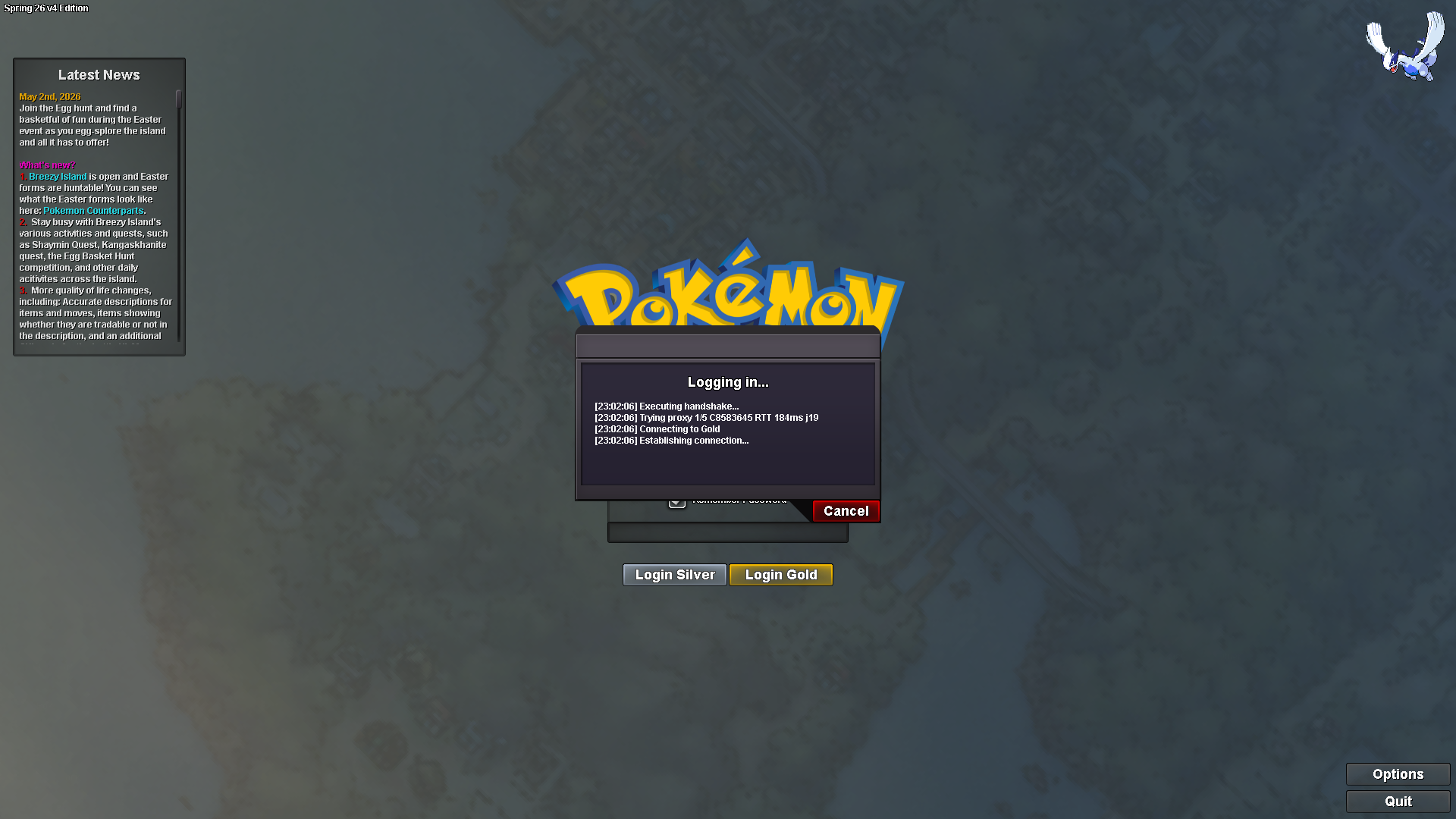
Hey PRO Team, I am facing a problem to log in on gold server especially. I can join as normal in silver but it freezes in"executing ahndshacke" and never logs in. THnak You, Tantankare67