




New Trade Zone
Trade Zone is now live
Use the new Trade Zone for auctions and instant-price trades so Pokemon and item offers are easy to find.

Brockx
Registered User
-
Joined
-
Last visited
Everything posted by Brockx
-
Start Point/Price: 1k each End Point: 48h after first bid Min. Raise: 1k each Accepted Payment(s): CC 400k each - RR 500k each https://www.webcountdown.de/?c=1708888380
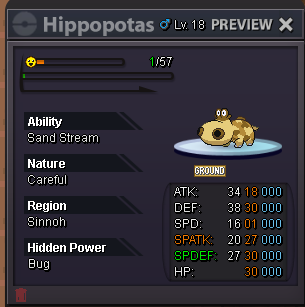 moin welcome backsold to @Weaponsxbumpc.o. 269k by @Priya78
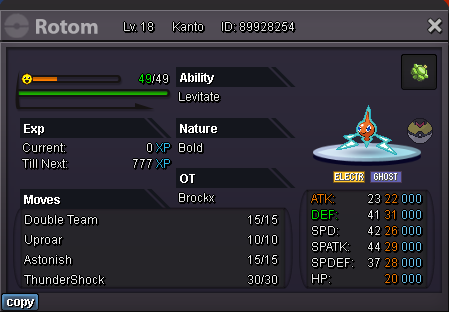
 Start Point/Price: 1k each End Point: 48h after first bid Min. Raise: 1k each Accepted Payment(s): CC 400k each - RR 500k each https://www.webcountdown.de/?c=1707931200
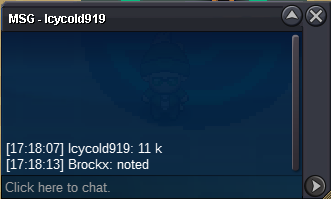
 i got it back from shinohara, can u close the thread @Rockyraccoon? grüße brock willysold to @Rob05ur last bit was 1m and 50k or 1m and 5k?@Rob05?c.o. 1m by rob05Start Point/Price: 1k each End Point: 24h after first bid Min. Raise: 10k each Accepted Payment(s): CC 400k each - RR 500k each Counter: https://www.webcountdown.de/?c=1706807520
 i need my swiper pleasebump @Rockyraccoonhello and thanks for the quick reply - i caught it by myself - yes i own 5pve coins and u can take themI accidentally submitted my lv 100, modest, own tempo, halloween Smeargle for pve coins to the NPC at Goldenrot (Collector Joro). Is there a way to get it back ? Server Silverstart both gruß, willy


Account
Navigation
Search
Configure browser push notifications
Chrome (Android)
- Tap the lock icon next to the address bar.
- Tap Permissions → Notifications.
- Adjust your preference.
Chrome (Desktop)
- Click the padlock icon in the address bar.
- Select Site settings.
- Find Notifications and adjust your preference.
Safari (iOS 16.4+)
- Ensure the site is installed via Add to Home Screen.
- Open Settings App → Notifications.
- Find your app name and adjust your preference.
Safari (macOS)
- Go to Safari → Preferences.
- Click the Websites tab.
- Select Notifications in the sidebar.
- Find this website and adjust your preference.
Edge (Android)
- Tap the lock icon next to the address bar.
- Tap Permissions.
- Find Notifications and adjust your preference.
Edge (Desktop)
- Click the padlock icon in the address bar.
- Click Permissions for this site.
- Find Notifications and adjust your preference.
Firefox (Android)
- Go to Settings → Site permissions.
- Tap Notifications.
- Find this site in the list and adjust your preference.
Firefox (Desktop)
- Open Firefox Settings.
- Search for Notifications.
- Find this site in the list and adjust your preference.