




New Trade Zone
Trade Zone is now live
Use the new Trade Zone for auctions and instant-price trades so Pokemon and item offers are easy to find.

Sshate
Registered User
-
Joined
-
Last visited
Everything posted by Sshate
-
Thanks for answering. Can confirm that downloading the 32B/x86 version doesn't have virus warnings.
-
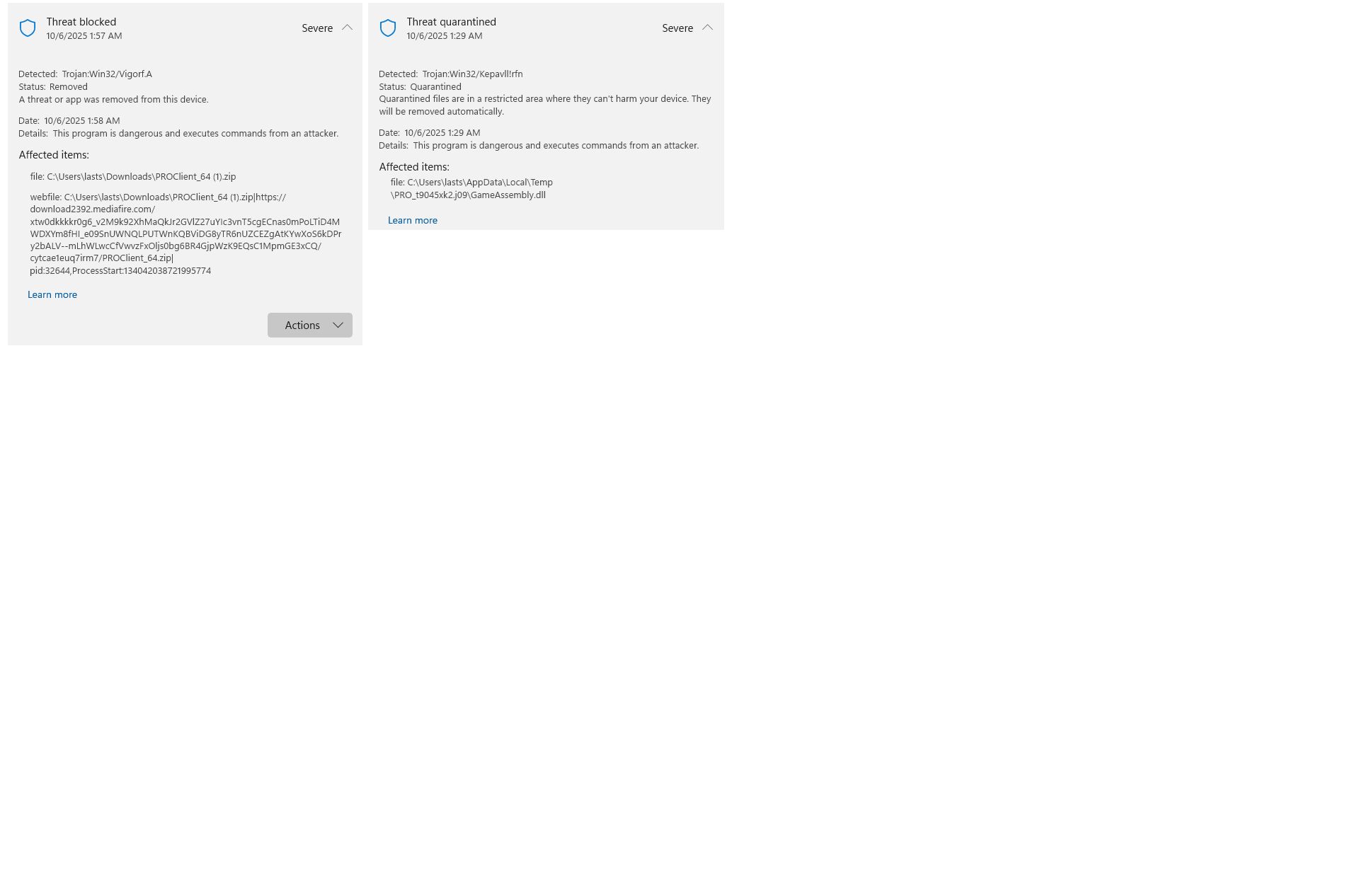
Windows Defender doesn't let download or update the proclient because of a virus, multiples actually. What's happening? Attach: Screenshot of Windows Defender Log.
-
UPDATE: Already at the Island, thank you so much, you can close this. (SOLVED)
-
I'm going to do that then and I will try again. I didn't know that those were the requirements. Thanks for responding and the help! ❤️
-
Hi. I can't travel to Shamouti Island to start Legendary Bird Quest. I already have seen data of Articuno, Moltres and Zapdos. I already beat Sinnoh e4. Am I missing something? I already checked older information and threads, and they just say that you only need those requirements. Thanks in advance.
-
On my way!
-
No updates = people leaving...
-
Indeed, confusion mechanics should work as intended, 1 to 4 turns randomly, not 3 turns always, and "Swagger" move should be banned (smogon banned this move). -sadface
-
-
Thanks a lot, couldnt find that key under the pillow, lul! (y)
-
1. 168 HOURS 2. La Paz - Bolivia 3. Blastoise!, You know is kinda cold in here, and that headset would warm me up. And you it will look awesome on my head. Thanks a lot mate, hope i have a chance. See ya!
-
Great job, im commending you!
