




New Trade Zone
Trade Zone is now live
Use the new Trade Zone for auctions and instant-price trades so Pokemon and item offers are easy to find.


Eunia
Registered User
-
Joined
-
Last visited
Everything posted by Eunia
-
Auction begins after starting bid is made, will last 5 days! Starting Bid: 15m Minimum Bid : 1m no instant win Currency Accepted: CC = 370k | IV RR = 750k Happy Bidding! I am on Gold server, I will give CC if you transfer (free transfer every 30 days!) to Gold from Silver to trade!
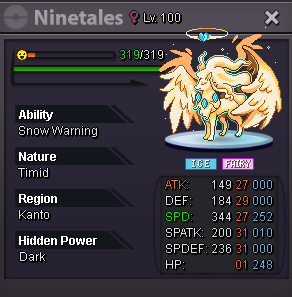
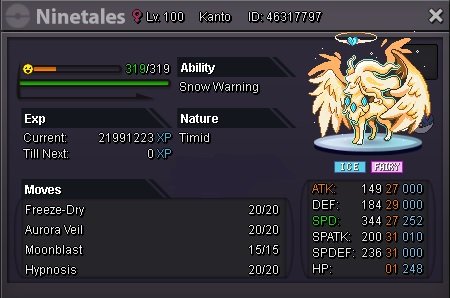
-
^
-
-
User Name: Seoulmate Server: Gold Timezone: Pacific Standard Time (Northwest USA)
-
ah sorry I sold it awhile ago. forgot to update this post.
-
added/updated list!
-
wherer r you?
-
i won meet in game?
-
bump
-
-
500k
-
-
up
-
When can we expect this to be fixed..?
-
bump
-
-
yea let me know when u are on!
-
-
bump
-
@Epithet @g3n3r4l Thanks guys hopefully the tm thing gets fixed soon
-
and you guys changed the old rock polish guy to tutor diff move now too...

-
PROwiki states that TM Rock Polish works on Metagross but its not working. Smogon/showdown it works as well. But in game it does not...? I actually spent all day getting a metagross, doing the mega quest, getting the tm, and now it doesn't work even though your wiki page says so...? Can you guys fix this or make a post about why its not working? https://prowiki.info/index.php?title=Rock_Polish
-
Currency Accepted: CC = 375k Nat RR = 375k IV RR = 750k Contact me at: Discord: Moonz#9776 Ingame: Seoulmate

-
-
