




New Trade Zone
Trade Zone is now live
Use the new Trade Zone for auctions and instant-price trades so Pokemon and item offers are easy to find.

Archr
Suspended
-
Joined
-
Last visited
Everything posted by Archr
-
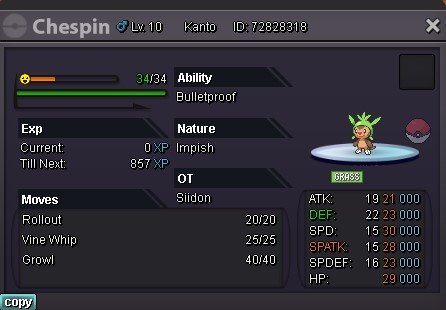
Wts epic chespin 21+ Starting offer: 2m No Insta Min raise 100k Auction ends 3 days after 1st bid Accept cc at 380k each, RR 650k
-
-
-
Poke$ showing depends on country of account origin, so in India, its written in that format. So my question is, if you dont know something, u shld learn it. Should not act as jack of all trades.
-
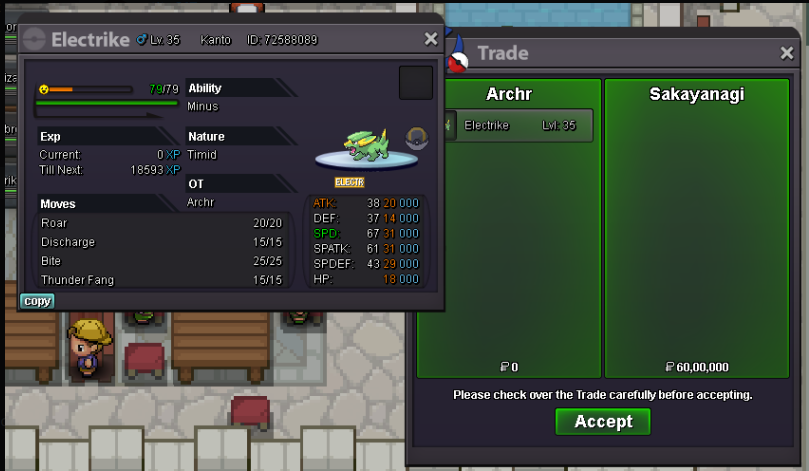
Sold insta to Sakayanagi. Thread can be closed.
-
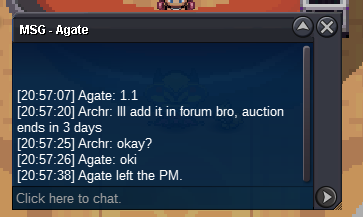
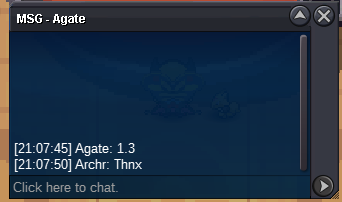
C.o 1.1 by agate
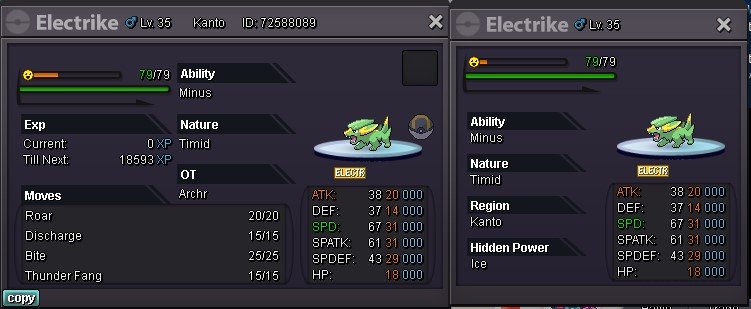
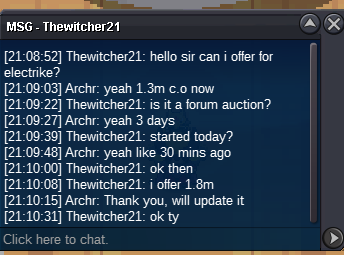
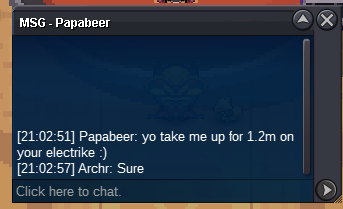
 Hi Wts this electrike Start 1m Insta 6m C.o 1.8m by thewitcher21 Ends on 14th July 9 PM IST or 3:30 PM GMT Auction ends after 3 days of 1st bid.
 start gastro4mIve pinged you in discord, lmk once you are onlinePlayer name: Archr Showdown name: FearlessStitches Server: Silver Timezone: GMT +5.30 Rank on ladder: 9StartstartCancelling the auction, thread can be closedStart bid lowered to 1.5mI can lower that start to 1.5m max bro, not less than thatWts this Godly hp ground Gengar Start bid: 1.5m Insta: 4m Increase: 200k Auction ends after 48 hours of first bid
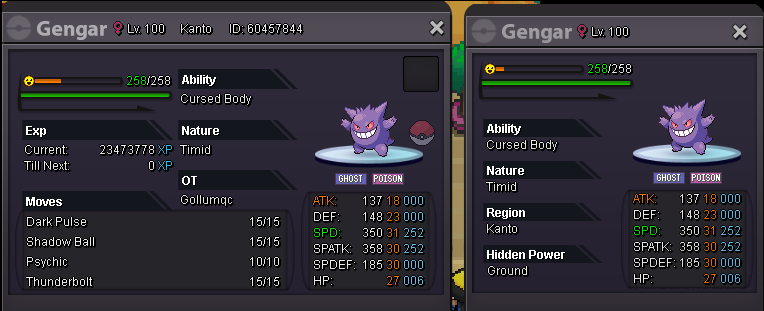 Player name: Archr Server: Silver Timezone:GMT+5:30

Account
Navigation
Search
Configure browser push notifications
Chrome (Android)
- Tap the lock icon next to the address bar.
- Tap Permissions → Notifications.
- Adjust your preference.
Chrome (Desktop)
- Click the padlock icon in the address bar.
- Select Site settings.
- Find Notifications and adjust your preference.
Safari (iOS 16.4+)
- Ensure the site is installed via Add to Home Screen.
- Open Settings App → Notifications.
- Find your app name and adjust your preference.
Safari (macOS)
- Go to Safari → Preferences.
- Click the Websites tab.
- Select Notifications in the sidebar.
- Find this website and adjust your preference.
Edge (Android)
- Tap the lock icon next to the address bar.
- Tap Permissions.
- Find Notifications and adjust your preference.
Edge (Desktop)
- Click the padlock icon in the address bar.
- Click Permissions for this site.
- Find Notifications and adjust your preference.
Firefox (Android)
- Go to Settings → Site permissions.
- Tap Notifications.
- Find this site in the list and adjust your preference.
Firefox (Desktop)
- Open Firefox Settings.
- Search for Notifications.
- Find this site in the list and adjust your preference.