New Trade Zone
Trade Zone is now live
Use the new Trade Zone for auctions and instant-price trades so Pokemon and item offers are easy to find.

Kalfanio
Registered User
-
Joined
-
Last visited
-
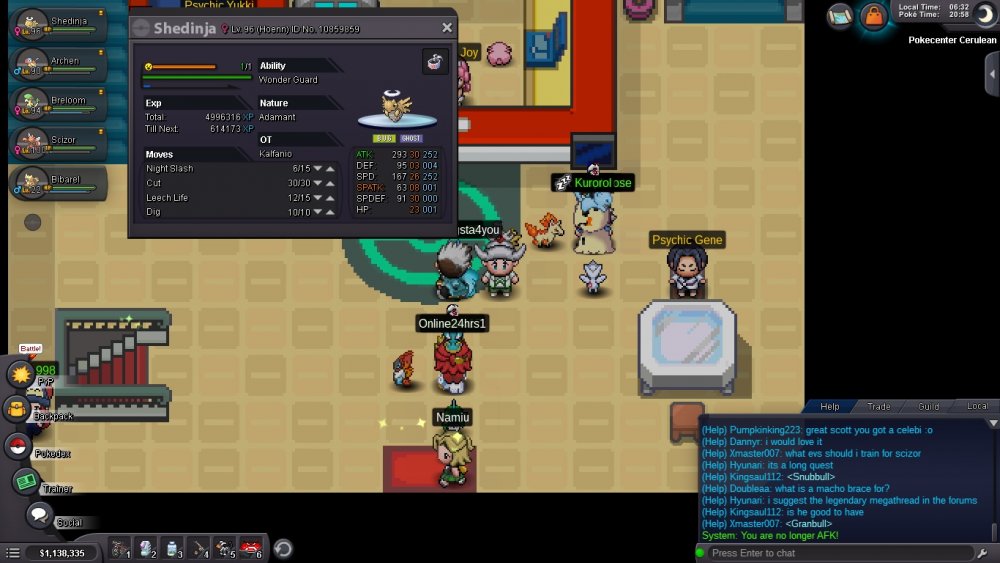
hi i have a nincada that evolved to shedninja instead of ninjask , can you please delevel it to make it nincada again?i never wanted that poke and i hope you guys fix it , thanks server : silver ign:kalfanio time zone:+3 gmt
-
i have a nincada lvl 96 when i made a free space in team for the extra poke shedninja and evolved it it only evolved to shedninja not ninjast , so i will provide the ss for it , hope you fix it
-
i tried to use rare candies on my minfoo to lvl him up from lvl 97 to 100 but i found only 2 rare candies in my bag , i had 69 pcs earlier today , so you can check the logs no rc trade or anything , please fix this , and no no body have access to my account , in case you need to know , i have 2 different ip's 2 internet connection , but same person
-
yes i did merge it , it says file/page can not be found , that was yesterday , but today it worked , thanks a lot
-
i have an old account and i stopped playing years ago , and now when i tried to play again , it shows that im a new player no data there for me , i used to play on blue , and silver logged me in , but no data , any way i can get my account back? i have a message history that shows that i have tried to join an old event in pro , so the mod or a gh called goat jesus , he is the 1 who took my information , any way im really hoping to play soon , thanks