




New Trade Zone
Trade Zone is now live
Use the new Trade Zone for auctions and instant-price trades so Pokemon and item offers are easy to find.

Shamac
Former Staff
-
Joined
-
Last visited
Everything posted by Shamac
-
Hi crisjan2134, welcome to PRO, and i hope you have a lot of fun in this game. As for my little tip to you, try to explore our forum, you can interact with people of different servers, play games in our Playground and make your own Suggestions. If you have any problems along your stay, we have various ways to support you. You can check our Game Guides or seek out Live Chat support via our IRC Channel. We've also got a list of Frequently Asked Questions to help guide you through. Hope you all the best and that you remain here for a long time :Angel:
-
As said previously, it’s not currently possible for players to evolve Porygon2 into Porygon-Z, since the Dubious Disc hasn’t been coded yet. However, make sure to keep track of the Downloads & Update Logs for news so you know when it’s implemented for players! Locked the Topic as Solved :Angel:
-
Hello Qwetyness, unfortunatly Dubious Disc isnt coded yet or there is a ETA for it. Pay attention to the Downloads & Update Logs topic, once that evolution does get coded it will be posted there. :Grin:
-
Greetings, I had in mind to create a list for you guys to ease your gameplay. Here's what I got: /player or /playertime ~ Displays the date of your accedence and shows the amount of played hours. /online or /on ~ Shows the current player count on the server. /inspect playername ~ Used to inspect players. Note that other players have to be near you in order to make it work. /pm yourname-=-playername ~ Grants the possibility to message players without having them on your friendlist or seeing them ingame or in chat. /cgjoin channelname ~ Joins/creates a private channel. Note that these channels only last until a server crash or a manual reboot took place. /cgleave channelname ~ Leaves a private channel. /ignore playername ~ Nothing much to add. Ignore mode lasts until a server crash or manual reboot took place. /unignore playername ~ Removes ignore mode. /friend playername ~ Sends a query to add the player to your friendlist. You'll receive a notification as soon as an user is online if you added them on your list. Staff cannot add non-staff players to their friendlist and vice versa. /trade playername ~ Sends an invitation to trade to the player. Note that both participating players have to be in the same Pokemon Center. /battle playername ~ Sends a battle request to the player (Unranked PvP!) Note that both players must be anywhere but a Pokemon Center. /pvp ~ Displays your stats in the chat: Total Wins, Losses and Disconnects (Unranked PvP) /happy 1-6 ~ Checks the happiness of your Pokemon. Type 1-6, dependent on the slot of your Pokemon in your party. Also, it can be used to check Pokemon's ID. /pokedex or /dex ~ Displays the amount of caught/seen Pokemon in the chat and shows the evolution count. Guild commands: Commands only available to Guild Leaders: /gcreate ~ Creates a guild. Note that you need 400K Pokedollar and at least 100 hours ingame to do so. /gdisband ~ The guild will be disbanded if you type that command in the chat bar. Be aware that it can't be undone once it was typed. /gmotd ~ Allows you to set/change the message of the day shown at your guild menu. /ginvite playername ~ Sends an invitation to the user to join your guild. Commands available to Guild Members: /gjoin ~ Type that in the chat once you've received an invitation to join a guild. Note that you can be only member of one guild at a time. /gleave ~ Type that command to leave the guild. Credits to Qhinn (Creator), nightjay, JollyolNathan, LeoChaos, Carlito2 for participating.
-
There are many services that you can use to upload your photos, and some may relate to your country only. Be aware that if photos are deleted from their host website they will no longer work in a post, as the image will no longer exist. Some hosts also periodically clear images that receive very few views - so some of your images may be lost over time. These are the homepages of the three most-used services: Imgur ○ Lightshot ○ Gyazo You can find How To's for each of these at the bottom of this post. ○ Uploading to forums. 1 At this point you will have the direct link to the image you want to upload. If you do not know how to find the direct link for an image, scroll down to find the service you are using to find a guide on how to get the direct link. 2 The next step is to integrate it into your post. You can go ahead and copy paste your direct link straight into your post, highlight it, then press the Image button OR press the Image button first, then copy paste your direct link between the brackets (If you know the code, you can also go ahead and type this in manually). The image button is highlighted in red: 3 Simply submit your post, and your image will have been added. A correctly linked image will look like this whilst in the post creation area: An incorrectly linked image will appear like this: If you find this happening, you have given the URL of the image domain - not the Direct Link. ○ How to use Imgur. Imgur is the only one of these services in the guide that doesn't require a download, there are a few more steps and you will need to do them every time you want to upload an image. You will also need an image or a screenshot you have already captured. 1 Visit the Imgur Homepage. At the top of the page you will find an option to upload images: 2 When you click the Upload Images button you will be presented with an upload screen. You can either drag and drop from the file location, or find it manually via browsing your computer. Here you can see I've already begun the process of uploading one image, you can tick the box under "Edit" if you'd like to enter the edit screen before uploading. I'm happy with my image so I won't be editing it. Click "Start Upload" to begin uploading. 3 Now you've uploaded your image you will come to the image page. to progress you need the url of the image (not of the image page). To find the url of the image, drag and drop the image into the browser search bar, or find it to the right of your image - this is highlighted in red. ○ How to use Lightshot. There is already a useful guide on how to use Lightshot so I won't show that in this post. It can be found here: https://pokemonrevolution.net/forum/topic/10699-url/ ○ How to use Gyazo. Gyazo is my personal favourite, since once it's downloaded, I can also use it to capture screenshots and resize them. There is also a handy draw feature which is nice for highlighting certain points. 1 After you've downloaded Gyazo, it's useful to put it in a place with easy access - such as locking it to your dock/taskbar. Simply click the Gyazo Icon and it will allow you to screenshot an area. Just click and drag to size. 2 A few seconds after taking your screenshot with Gyazo, it will automatically open a link in your browser in a new tab. Here you can select options to Delete, Draw, Share and Copy Link. Select Share as shown in red: Another option here is to simply click and drag the image into the browser search bar. 3 Again, like Imgur, we want the direct link for the image to upload properly. So select that here and get it ready for copy & pasting. Contributor: Daeon (Creator), Shaui
-
System Requirements. Operating Systems: Windows Vista+, Mac OS X 10.7+, Ubuntu 10.10+. Graphics Card: DX9 (shader model 2.0) capabilities; generally everything made since 2004 should work. CPU Speed: 2Ghz+ Processor recommended. Ram: 2GB+ recommended. Download Sources: Homepage Downloads Update Logs Preparing your Download. 1. Clear your device entirely of all clients, previous and current versions. Also empty the Trash to ensure they are no longer accessible at all. 2. Visit System Preferences> Security & Privacy> General. It will look like this: 3. Unlock your Settings by clicking the padlock, this will prompt a password if you use one. After doing this, make sure that "Allow Apps Downloaded From: Anywhere" is selected as shown in the image above. An alternative: Select "Mac App Store and identified developers" instead of "Anywhere". When you reach step 7 you will need to revisit your Security & Privacy Settings and click a button that says "Open Anyway" - however, I have found this a little unpredictable across multiple tests and can test your patience a little. I definitely prefer "Anywhere" for this particular client, but this is definitely a viable option if you'd like to try it. 4. Now download the client from one of the above sources. 5. Once the client has download it should expand (unzip) itself, if not, you will need to do this manually. You can generally do this by double-clicking or Ctrl+clicking the file. You can also do this by unzipping via Archive Utility as you can see here: 6. Now you may need to move the client to Applications. As seen here, I find mine quite easily by searching "PROMAC" (Update: Client is now called PRO_OSX), and simply selecting and dragging the client to the Applications folder on the left hand side. At this point I also drag the client to my dock to lock it there for future use, just makes things easier - completely optional step though. 7. Now you can try open your client. The icon should jump up and down for a moment, then prompt you with the following message: 8. Click Open when prompted with the message above. Your client should now open and run as normal. If you do the above steps and still cannot connect, try the solution offered in the following thread: https://pokemonrevolution.net/forum/topic/28245-url/
-
This guide will cover the benefits of the membership perks, as it wasn't written on the forum before. MS Benefits + How to get them How to activate the membership? You need to click on it for manual activation. The benefit is not stacked when you activate more MS medallions (for example you won't get 100% EXP from activating two medallions at the same time) MS exclusive locations Leev Town (After you beat the E4 of Hoenn, you can go there from the docks at Lilicove City, Olivine City or VermilionCity) Safari Exclusive (The most amount of MS pokemon are located there) Sevii Island (Go from Vermilion City dock by talking with the NPC) Amazon Forest (Go from Olivine City docks) Pokemon Tower Underground (Underground of the Pokemon Tower at Lavender Town, Guide Direction here ) More information Membership has only one level and no premium. The green name players mean membership users. Furthermore, you can also have extra spawns in the Excavation Sites. You have also access to the EV train area in Kanto Safari Area, which costs 10k each 20 minutes, with empowered spawns made of pokemons specified to train each Stat you want to train. Useful items in the shop With this item you don't need to have a pokemon with the cut move to get past trees (Requirement: need have HM Cut). Permanent use. It's a substitute item that you can use instead of a pokemon with rock smash. It needed on the sparkling breakables in the excavation sites in Hoenn, but can't be used on Love Island. Permanent use. Recreate your character apparel such as Hair, Skin, Gender, etc (default customize only). One use. Stack to membership bonus. One use. Increases the chance of finding a pokemon with hidden ability from 5% to 25% for 3 days. One use.
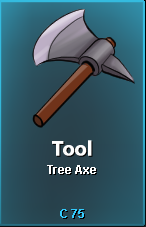
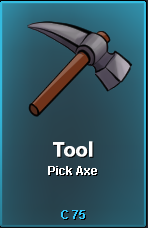
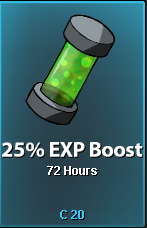

-
To get the most out of this guide, please use CTRL+F or CMD+F to search for the item that you're looking for. If you know additional locations for any TMs or Move Tutors, please post them as replies. You can either post a picture (preferred) or you can list the map name (found in the upper right of the game) and the item name. Do not ask questions in this thread. Instead, use the General Support forum for questions. All replies other than additions to this list will be deleted. ✖︎ Disclaimer: Not every TM and Move Tutor is currently obtainable in-game. The game is based on gen 7 mechanics which doesn't work for gen 8. Keep that in mind if you can't find a move that you're searching for. Feel free to send us suggestions in case we are missing some important Tutor or Moves! ‣ TM01: Mega Punch - Fuchsia City - $6,000 ‣ TM02: Razor Wind - Fuchsia City - $3,500 ‣ TM03: Energy Ball - Love Island House 3 - $12,000 - Special Offer: 5 for $36,000 ‣ TM04: Whirlwind - Fuchsia City - $4,000 ‣ TM05: Mega Kick - Fuchsia City - $6,000 / FOUND on Route 4 ‣ TM06: Toxic - FOUND in Fiery Path (hidden inside a Rock) / Fuchsia City Gym - $5,000 - Special Offer: 5 for $20,000 ‣ TM08: Body Slam - Fuchsia City - $6,500 ‣ TM09: Take Down - FOUND in Mt. Moon 1F / Fuchsia City - $6,500 ‣ TM11: Bubble Beam - Fuchsia City - $3,000 ‣ TM12: Water Gun - FOUND in Mt. Moon B1F ‣ TM13: Ice Beam - Celadon Mart 3 / Goldenrod Mart 3 / Lilycove Department Store 3F / Veilstone Department Store 2F - $9,000 / FOUND at Seafoam B2F / FOUND at Route 216 / FOUND at Abandoned Ship B1F Room 4 / possible Held Item of Spheal on Route 105 ‣ TM14: Blizzard - Snowpoint Gym- $12,000 - Special Offer: 5 for $48,000 / Lorelei Boss Battle Reward / Held item of Frillish on Route 105 ‣ TM15: Hyper Beam - Celadon Mart 3 / Goldenrod Mart 3 / Lilycove Department Store 3F / Veilstone Department Store 2F - $15,000 ‣ TM16: Pay Day - Fuchsia City - $1,500 ‣ TM17: Submission - Fuchsia City- $6,500 / FOUND in Route 15 ‣ TM19: Seismic Toss - FOUND in Route 25 / FOUND aboard the SS Anne ‣ TM21: Mega Drain - Fuchsia City - $3,000 ‣ TM22: Solar Beam - Celadon Mart 3 / Goldenrod Mart 3 / Lilycove Department Store 3F / Veilstone Department Store 2F - $15,000 / possible Reward from Erika Boss ‣ TM23: Dragon Rage - Fuchsia City - $2,000 - FOUND in the Viridian Maze ‣ TM24: Thunderbolt - Celadon Mart 3 / Goldenrod Mart 3 / Lilycove Department Store 3F / Veilstone Department Store 2F - $9,000 / possible Reward from Lt. Surge Boss / FOUND in Cerulean Cave 2F / possible Reward from Pokestop next to Power Plant ‣ TM25: Thunder - Power Plant - $12,000 ‣ TM26: Earthquake - Viridian City Gym - $9,000 - Special Offer: 5 for $36,000 / possible Reward from Bruno Boss / Historical Site (Artifact Maniac Hastor) - 75 Artifact Points ‣ TM27: Fissure - Fuchsia City - $15,000 / possible Celadon Task Master Reward ‣ TM28: Dig - Celadon Mart 3 / Goldenrod Mart 3 / Lilycove Department Store 3F / Veilstone Department Store 2F - $3,500 / Route 36 (Smuggler) - $5,000 / Historical Site (Artifact Maniac Hastor) - 50 Artifact Points / FREE Cerulean House 6 / FREE Route 114 ‣ TM29: Psychic - Saffron Gym - $9,000 - Special Offer: 5 for $36,000 ‣ TM30: Teleport - Eumi Island Theme Park 1 - $5,000 ‣ TM32: Double Team - Eumi Island Theme Park 1 - $8,000 ‣ TM33: Reflect - Celadon Mart 3 / Goldenrod Mart 3 / Lilycove Department Store 3F / Veilstone Department Store 2F - $4,000 ‣ TM34: Bide - Fuchsia City - $1,000 ‣ TM36: Self-Destruct - Eumi Island Theme Park 1 - $8,000 ‣ TM37: Egg Bomb - Fuchsia City - $6,500 ‣ TM38: Fire Blast - Cinnabar Gym - $12,000 - Special Offer: 5 for $48,000 ‣ TM39: Swift - Fuchsia City - $3,000 ‣ TM40: Skull Bash - Fuchsia City - $6,000 ‣ TM41: Soft-Boiled - Fuchsia City - $5,000 ‣ TM42: Dream Eater - Celadon Mart 3 - $6,000 / possible Celadon Task Master Reward ‣ TM44: Rest - Celadon Mart 3 / Goldenrod Mart 3 / Lilycove Department Store 3F / Veilstone Department Store 2F - $8,000 / Vermilion City - $6,000 - Special Offer: 5 for $24,000 ‣ TM45: Thunder Wave - Celadon Mart 3 / Goldenrod Mart 3 / Lilycove Department Store 3F / Veilstone Department Store 2F - $2,000 ‣ TM46: Psywave - Fuchsia City - $3,000 / FOUND in Goldenrod Underground Path / FOUND in Granite Cave B1F ‣ TM48: Rock Slide - Celadon Mart 3 / Goldenrod Mart 3 - $8,000 / Historical Site (Artifact Maniac Hastor) - 50 Artifact Pieces ‣ TM50: Substitute - Trainers Valley - $9,000 ‣ TM51: Endure - Eumi Island Theme Park 1 - $5,000 ‣ TM52: Dragon Claw - Celadon Mart 3 / Lilycove Department Store 3F - $7,000 / possible Reward from Shary & Shaui Boss ‣ TM53: Psyshock - Goldenrod Mart 3 - $9,000 / Historical Site (Artifact Maniac Hastor) - 75 Artifact Pieces ‣ TM54: Calm Mind - Mossdeep City Gym - $6,000 - Special Offer: 5 for $24,000 / possible Reward from Shary & Shaui Boss ‣ TM55: Roar - Celadon Mart 3 - $4,000 / Route 114 (Katy Perry) - $2,000 - Special Offer: 5 for $8,000 / FOUND on Route 213 (Rock Climb / Abseil Rope needed) / Guild Island - $15,000 - Special Offer: 5 for $60,000 ‣ TM57: Hail - Lilycove Department Store 3F - $4,500 ‣ TM58: Bulk Up - Dewford Town Gym - $3,000 - Special Offer: 5 for $12,000 ‣ TM59: Echoed Voice - Goldenrod City Gym - $3,500 - Special Offer: 5 for $14,000 ‣ TM60: Hidden Power - Slateport City (Outdoor Market) - $6,500 / Veilstone Department Store 2F - $6,500 / possible Reward from Lt. Surge Boss ‣ TM61: Sunny Day - Lilycove Department Store 3F - $4,500 ‣ TM62: Taunt - Goldenrod Mart 3 / Veilstone Department Store 2F - $6,000 / possible Prize from Trick House Challenge (Route 110) / possible Reward from Shary & Shaui Boss / FOUND in Goldenrod Underground Basement (during Radio Station Quest) ‣ TM63: Dynamic Punch - CIanwood City Gym - $12,000 - Special Offer: 5 for $48,000 ‣ TM64: Drain Punch - Veilstone Gym - $8,000 - Special Offer: 5 for $32,000 ‣ TM65: Dragon Breath - Goldenrod Mart 3 - $3,500 / Eumi Island Theme Park 1 - $3,500 ‣ TM66: Light Screen - Celadon Mart 3 / Goldenrod Mart 3 / Lilycove Department Store 3F / Veilstone Department Store 2F - $4,000 ‣ TM67: Protect - Trainers Valley - $6,000 / Celadon Mart 3 / Goldenrod Mart 3 / Lilycove Department Store 3F / Veilstone Department Store 2F - $6,000 ‣ TM68: Rain Dance - Lilycove Department Store 3F - $4,500 ‣ TM69: Roost - Fortree Gym - $9,000 - Special Offer: 5 for $36,000 / Historical Site (Artifact Maniac Hastor) - 75 Artifact Pieces ‣ TM71: Dragon Pulse - Blackthorn City Gym - $8,500 - Special Offer: 5 for $34,000 ‣ TM74: Dazzling Gleam - Diamond Domain Main Cave - $15,000 - Special Offer: 5 for $60,000 ‣ TM75: Swords Dance - Trainers Valley - $10,000 / Celadon Mart 6 in exchange for a Soda Pop (one time only) / Historical Site (Artifact Maniac Hastor) - 100 Artifact Pieces ‣ TM76: Dark Pulse - Ecruteak City - $15,000 - Special Offer: 5 for $60,000 / Sinnoh Pokemon League Grand Floor - $10,000 - Special Offer: 5 for $40,000 ‣ TM77: Curse - Eumi Island Theme Park 1 - $5,000 / Hearthome City House 1 - $15,000 - Special Offer: 5 for $60,000 / Guild Island - $15,000 - Special Offer: 5 for $60,000 ‣ TM78: Charge Beam - Vermilion City Gym - $5,000 - Special Offer: 5 for $20,000 ‣ TM80: Shadow Ball - Hearthome Gym - $9,000 - Special Offer: 5 for $36,000 / possible Celadon Task Master Reward / FOUND in Hall of Fame (Lavender Town) / possible Reward from Morty Boss / possible Reward from Shary & Shaui Boss ‣ TM81: Brick Break - Lilycove Department Store 3F - $6,500 ‣ TM85: Flamethrower - Celadon Mart 3 / Goldenrod Mart 3 / Lilycove Department Store 3F / Veilstone Department Store 2F - $9,000 / possible Reward from Shary & Shaui Boss ‣ TM86: Sludge Bomb - Dewford Town - $5,000 - Special Offer: 5 for $20,000 (needs 5 Hoenn badges) ‣ TM87: Sandstorm - Lilycove Department Store 3F - $4,500 / FOUND in Route 111 Desert ‣ TM88: Brine - Pastoria Gym - $4,000 - Special Offer: 5 for $16,000 ‣ TM89: Rock Tomb - Rustboro City Gym - $3,000 - Special Offer: 5 for $12,000 ‣ TM90: Avalanche - Mahogany Town Gym - $7,000 - Special Offer: 5 for $28,000 ‣ TM91: Aurora Veil - Snowpoint City House - $15,000 - Special Offer: 5 for $60,000 ‣ TM92: Facade - Petalburg City Gym - $6,000 - Special Offer: 5 for $24,000 / possible Reward from Shary & Shaui Boss ‣ TM94: Aerial Ace - Violet City Gym - $3,000 - Special Offer: 5 for $12,000 ‣ TM96: Thief - Celadon Mart 6 - $7,500 (after finishing Thief Quest) / possible Reward from Shary & Shaui Boss / FREE from Officer Jenny in Viridian ‣ TM99: Fury Cutter - Goldenrod Mart 3 - $3,500 ‣ TM100: Overheat - Lavaridge Town Gym - $15,000 - Special Offer: 5 for $60,000 ‣ TM101: Giga Drain - Celadon Gym - $8,000 - Special Offer: 5 for $32,000 ‣ TM102: Headbutt - Celadon Mart 3 / Goldenrod Mart 3 / Lilycove Department Store 3F / Veilstone Department Store 2F - $4,500 ‣ TM103: Ice Punch - Guild Island - $15,000 - Special Offer: 5 for $60,000 ‣ TM104: False Swipe - Celadon Mart 3 / Goldenrod Mart 3 / Lilycove Department Store 3F / Veilstone Department Store 2F - $4,000 / FREE from Max in Mart Rustboro City / Route 48 - $4,000 - Special Offer: 5 for $16,000 / possible Reward from Celadon Task Master ‣ TM105: Scald - Sootopolis City Gym 1F - $9,000 - Special Offer: 5 for $36,000 / possible Reward from Misty Boss ‣ TM107: Iron Tail - Olivine City Gym - $8,000 ‣ TM108: Leech Life - Trainers Valley - $8,000 ‣ TM111: Will-O-Wisp - Veilstone Department Store 2F - $7,000 ‣ TM114: Rock Smash - Celadon Mart 3 / Goldenrod Mart 3 / Lilycove Department Store 3F / Veilstone Department Store 2F - $3,500 / Route 36 (Smuggler) - $5,000 / Mauville City House 2 (Nerd Julian) - $5,000 / Oreburgh City House 2 (Miner Daen) - $5,000 / Ravaged Path (Explorer Tony) - $5,000 / given by Oaks Aide inside Route 11 Stop House 1F after obtaining 30 caught Pokemon ‣ TM115: Shadow Claw - Ecruteak Gym - $7,000 - Special Offer: 5 for $28,000 / possible Celadon Task Master Reward / FOUND in Burned Tower Floor 2 / FOUND in Granite Cave B2F / possible Reward from Shary & Shaui Boss ‣ TM122: Volt Switch - Trainers Valley - $6,000 ‣ TM123: Steel Wing - Celadon City Game Corner - $7,000 ‣ TM128: Water Pulse - Cerulean Gym - $3,500 - Special Offer: 5 for $14,000 ‣ TM130: Return - Goldenrod Mart 3 / Veilstone Department Store 2F - $8,000 ‣ TM134: Shock Wave - Mauville Gym - $3,500 - Special Offer: 5 for $14,000 ‣ TM135: Gyro Ball - Guild Island - $15,000 - Special Offer: 5 for $60,000 ‣ TM138: Sleep Talk - Celadon Mart 3 / Goldenrod Mart 3 / Lilycove Department Store 3F / Veilstone Department Store 2F - $7,000 ‣ TM139: U-Turn - Azalea Town Gym - $6,000 - Special Offer: 5 for $24,000 / possible Reward from Bugsy Boss ‣ TM142: Rock Polish - Oreburgh City Gym - $4,000 - Special Offer: 5 for $12,000 ‣ TM143: Poison Jab - (Kanto) Safari Area 1 - $12,000 ‣ TM145: Focus Blast - Celadon Mart 3 / Veilstone Department Store 2F - $12,000 ‣ TM146: Giga Impact - Celadon Mart 3 / Goldenrod Mart 3 / Lilycove Department Store 3F / Veilstone Department Store 2F - $15,000 ‣ TM147: Flash Cannon - Canalave Gym - $9,000 - Special Offer: 5 for $36,000 ‣ TM149: Stone Edge - Mt. Silver Lower Mountainside - $12,000 - Special Offer: 5 for $48,000 ‣ TM150: Stealth Rock - Guild Island - $15,000 - Special Offer: 5 for $60,000 ‣ TM151: Grass Knot - Eterna Gym - $7,000 - Special Offer: 5 for $28,000 ‣ TM155: Sludge Wave - Celadon City Game Corner - $10,000 ‣ TM156: Smack Down - Pewter Gym - $2,000 - Special Offer: 5 for $8,000 ‣ TM157: Wild Charge - Sunyshore Gym - $12,000 - Special offer: 5 for $48,000 ‣ TM167: Power-Up Punch - Eumi Island Theme Park 1 - $7,000 ▹ HM01: Cut - FOUND aboard SS Anne (from the Captain after curing him) ▹ HM02: Fly - Received after completing the Subway Managers Quest (not usable outside battle) ▹ HM03: Surf - FOUND in Safari House 4 in (Kanto) Safari Area 3 ▹ HM05: Flash - Given by Oak's Aide inside Route 2 Stop 3 after obtaining 10 caught Pokemon ▹ HM06: Dive - Received from Steven at Mossdeep City Space Center 1F (after beating Mossdeep Gym) ▹ HM07: Waterfall - FOUND at Cave of Origin B3F / FOUND at Sinnoh Safari Area Zone 4 (only if you had not found it previously) Available at every Daycare Center after defeating Naero Boss in Cerulean Cave B1F. $15,000 per move Kanto Daycare — Route 5 Johto Daycare — Route 34 Hoenn Daycare — Route 117 Sinnoh Daycare — Solaceon Town ‣ Ancient Power - Ruins of Alph - $3,500 (after finishing Pewter Museum questline) ‣ Aqua Tail - Abandoned Ship Exterior - $7,000 ‣ Body Slam - Saffron Dojo - $15,000 / Goldenrod Mart 3 - $15,000 ‣ Bounce - Lake of Rage - $4,000 ‣ Bulldoze - Mt. Coronet Center - $12,000 ‣ Bug Bite - Ilex Forest - $5,000 ‣ Counter - Celadon Mart 3 - $5,000 ‣ Covet - Route 16 - $3,000 ‣ Dark Pulse - Lavaridge Mart - $9,000 ‣ Defog - Violet School - $15,000 / Tutor Heaven - $8,000 ‣ Double-Edge - Victory Road Kanto 2F - $9,000 ‣ Draco Meteor - Dragons Shrine (Lance Boss) - $15,000 / Tutor Heaven - $15,000 ‣ Dragon Pulse - Route 216 - $8,500 ‣ Drain Punch - Lilycove Department Store 5F - $8,000 ‣ Dream Eater - Viridian City - $4,000 ‣ Drill Run - Granite Cave B1F - $6,000 ‣ Dynamic Punch - Rustboro City Building 1 3F - $7,500 (after finishing the Quest given by Expert Belt Bo) ‣ Earth Power - Tohjo Falls - $10,000 ‣ Endeavor - Violet City - $11,000 ‣ Explosion - Mineral Site (Gingery Jones) - $10,000 (needs 5,000 Discoverys) ‣ Extreme Speed (event tutor) - Route 48 - $7,500 ‣ Feint Attack - Lilycove Department Store 3F - $15,000 ‣ Fire Punch - Route 42 (Rock Climb / Abseil Rope needed) - $4,500 / Fallarbor Town - $10,000 / Tutor Heaven - $4,500 ‣ Fissure - Mineral Site (Gingery Jones) - $10,000 (needs 5,000 Discoverys) ‣ Foul Play - Lavender Town - $15,000 ‣ Furry Cutter - Pokecenter Verdanturf (Upstairs) - $2,000 (3 times per week limit) ‣ Giga Drain - Viridian Maze (Erika Boss) - $7,500 / Tutor Heaven - $7,500 ‣ Gunk Shot - Petalburg Woods - $9,000 ‣ Headbutt - Viridian Forest Maze - $2,000 / Ilex Forest - $1,000 / Petalburg Maze - $2,000 / Eterna Forest - $1,000 ‣ Heal Bell - Ecruteak City - $16,000 / Tutor Heaven - $16,000 ‣ Heat Wave - Cinnabar Gym B1F - $8,000 ‣ Horn Leech - Eterna Forest (through the Secret Cave) - $15,000 ‣ Hyper Voice - Route 28 - $8,000 ‣ Hypnosis - Pokemon Tower B12 - $12,000 ‣ Ice Punch - Route 42 (Rock Climb / Abseil Rope needed) - $4,500 / Safari Johto Snow Zone - $15,000 / Pokemon League Hoenn - $10,000 / Tutor Heaven - $4,500 ‣ Icy Wind - Seafoam B4F - $5,000 / Mahogany Town Shop - $12,000 / Eumi Island Town - $15,000 ‣ Iron Head - Olivine Cafe - $8,000 / Tutor Heaven - $15,000 ‣ Knock Off - Trainers Valley - $15,000 / Tutor Heaven - $15,000 ‣ Liquidation - Amity Square - $15,000 ‣ Low Kick - Golds Gym (Chuck Boss) - $7,500 ‣ Magic Coat - Celestic Town - $15,000 ‣ Magic Room - Celestic Town - $10,000 ‣ Magnet Rise - Mt. Coronet Summit - $12,000 ‣ Mega Kick - Route 4 - $2,000 ‣ Mega Punch - Route 4 - $2,000 ‣ Ominous Wind - Union Cave 1F - $3,000 ‣ Outrage - Abandoned Ship B1F Room 1 (Toothless Boss) - $15,000 / Tutor Heaven - $15,000 ‣ Pain Split - Pokemon Tower 6F - $4,500 / Tutor Heaven - $4,500 ‣ Play Rough - Love Island - $15,000 ‣ Psych Up - Veilstone Department Store 2F - $7,500 ‣ Refresh (event tutor) - Route 114 - $7,500 ‣ Rock Slide - Rock Tunnel 2 - $5,000 ‣ Role Play - Hearthome City House 3 - $12,000 / Veilstone Department Store 2F - $12,000 ‣ Rollout - Route 39 - $10,000 ‣ Secret Sword - Matsuki Village - $15,000 ‣ Seed Bomb - Safari Johto Grass and Swamp Zone - $12,000 ‣ Seismic Toss - Pewter City - $2,000 / Golds Gym - $10,000 ‣ Shock Wave - Power Plant (Kanto) - $6,000 ‣ Signal Beam - National Park (Johto) - $8,000 ‣ Skill Swap - Resort Area - $15,000 ‣ Sky Attack - Love Island House 2 - $10,000 ‣ Snore - Celadon Mart 3 - $15,000 ‣ Soft-Boiled - Celadon City - $15,000 ‣ Stealth Rock - Cliff Edge Gate (West of Cianwood) - $15,000 / Tutor Heaven - $15,000 ‣ Stomping Tantrum - Digletts Cave - $10,000 ‣ Sucker Punch - Haunted Site (Gingery Jones) - $20,000 (needs 5,000 Discoverys) ‣ Super Fang - Natural Site (Gingery Jones) - $20,000 (needs 5,000 Discoverys) ‣ Superpower - Cianwood House 2 - $12,000 / Tutor Heaven - $12,000 ‣ Superpower (event tutor) - Dewford Town House 2 - $7,500 ‣ Swagger - Victory Road Kanto 3F - $10,000 ‣ Swift - Saffron House Bottom - $2,000 ‣ Swords Dance - Violet City House 2 - $15,000 ‣ Synthesis - Route 218 - $12,000 ‣ Tailwind - Violet City House 1 - $15,000 ‣ Throat Chop - Celadon Mart 1 - $8,000 ‣ Thunder Punch - Route 42 (Rock Climb / Abseil Rope needed) - $4,500 / Pokemon League Hoenn - $10,000 / Tutor Heaven - $4,500 ‣ Thunder Wave - Silph Co 1F - $15,000 / Goldenrod Mart 3 - $15,000 ‣ Trick - Ruins of Alph - $6,000 (after you went through Union Cave) ‣ Vacuum Wave - Cianwood City - $8,000 ‣ Volt Switch - New Mauville - $5,000 ‣ Water Pulse - Cianwood House 1 - $5,000 ‣ Whirlpool - Route 41 - $8,000 ‣ Wish - Eumi Island Town - $15,000 ‣ Wonder Room - Celestic Town - $10,000 ‣ Worry Seed - Route 210 North - $7,500 ‣ Zen Headbutt - Slateport City (Outdoor Market) - $8,000 ‣ Acrobatics - Fortree City - $15,000 ‣ Brutal Swing - Old Chateau Dining Room - $12,000 ‣ Bullet Seed - Sinnoh Safari Area Zone 2 - $15,000 ‣ Dark Pulse - Ecruteak City - $15,000 ‣ Dazzling Gleam - Sendoff Spring - $15,000 ‣ Defog - Violet School - $15,000 / Tutor Heaven - $8,000 ‣ Dragon Tail - Dragons Den - $15,000 ‣ Energy Ball - Tutor Heaven - $15,000 ‣ Explosion - Route 47 - $15,000 ‣ Flame Charge - Cinnabar Mansion 2 - $15,000 ‣ Flash Cannon - Tutor Heaven - $12,000 ‣ Focus Blast - Tutor Heaven - $15,000 ‣ Focus Punch - Petalburg City - $15,000 ‣ Frustration - Sunyshore City - $15,000 ‣ Gyro Ball - Cinnabar Lab Room 3 - $15,000 ‣ Heat Wave - Tutor Heaven - $15,000 ‣ Hone Claws - Pastoria City - $7,000 ‣ Infestation - Route 212 South - $10,000 ‣ Iron Defense - Mt. Silver 1F - $8,000 ‣ Iron Tail - Olivine Cafe - $15,000 ‣ Metronome - Cinnabar Lab Room 1 - $8,000 ‣ Rock Climb - Fuchsia House 1 - $15,000 / Route 207 - $15,000 ‣ Psych Up - Fight Area House 2 - 15,000 ‣ Sludge Wave - Celadon City Game Corner - $15,000 ‣ Smart Strike - Iron Island Exit Room - $12,000 ‣ Stone Edge - Tutor Heaven - $15,000 ‣ Sky Attack - Mt. Summer Summit - $15,000 ‣ Tri Attack - Wayward Cave Secret Area - $15,000 ‣ Trick Room - Mossdeep City Space Center 1F - $15,000 ‣ X-Scissor - National Park - $15,000 ‣ Work Up - Golds Gym - $15,000 ‣ Zap Cannon - Iron Island B1F L - $15,000 Pre-Evolution Move tutor: Kanto, Johto, Hoenn and Sinnoh Daycare Centers ‣ $10,000 per move Available moves Alakazam – Role Play Barbaracle – Shell Smash Bellossom – Moonblast, Growth Breloom – Spore Carracosta – Shell Smash Chandelure – Memento Clefable – Moonblast, Cosmic Power, Moonlight Cloyster – Ice Shard, Razor Shell, Iron Defense Eelektross – Acid Spray Espeon – Baton Pass, Double-Edge Exeggutor – Sleep Powder Flareon – Baton Pass, Double-Edge Floatzel – Hydro Pump Glaceon – Baton Pass, Double-Edge Gorebyss – Shell Smash Hawlucha – High Jump Kick Infernape – Nasty Plot, Slack Off Jolteon – Baton Pass, Double-Edge Klefki – Magnet Rise Leafeon – Baton Pass, Double-Edge Leavanny – Sticky Web Lickitung/Lickilicky – Amnesia Lilligant – Sleep Powder Lucario – Nasty Plot Luxray – Night Slash Lopunny – High Jump Kick Ludicolo – Hydro Pump Mamoswine – Ice Shard Mienshao – High Jump Kick Mightyena – Crunch Mismagius – Perish Song Musharna – Moonlight Ninetales – Hypnosis, Fire Spin Pikachu – Nasty Plot Politoed – Hydro Pump, Belly Drum Poliwrath – Hydro Pump, Wake-up Slap, Belly Drum Raichu – Nasty Plot Roserade – Toxic Spikes, Leech Seed, Aromatherapy Scizor – Vacuum Wave, Air Slash Scrafty – High Jump Kick Shiftry – Fake Out, Leaf Blade, Growth Slowking – Slack Off Snorlax – Last Resort Sylveon – Baton Pass, Double-Edge Togekiss – Ancient Power, Wish, Fairy Wind Umbreon – Baton Pass, Double-Edge Huntail – Shell Smash Vaporeon – Baton Pass, Double-Edge Victreebel – Sleep Powder, Growth, Poison Jab Vileplume – Moonblast Whimsicott – Stun Spore, Charm Wobbuffet – Encoure Rotom Evolutions Move Tutor Hearthome City One move for each of Rotom's Evolutions ‣ $12,000 per move Available moves Rotom-Heat: Overheat Rotom-Wash: Hydro Pump Rotom-Frost: Blizzard Rotom-Fan: Air Slash Rotom-Mow: Leaf Storm Legendary Event Move Tutor Ruins of Alph — Ruins Research Center Complete quest here ‣ $20,000 per move Available moves Entei: Flare Blitz, Howl, Extreme Speed Suicune: Air Slash, Extreme Speed Raikou: Aura Sphere, Weather Ball, Extreme Speed Celebi: Nasty Plot Phione: Tail Glow _________________________________________________________________________________ The following players contributed to this list by finding additional TMs throughout the gameplay: Thor, dedepouilleur, Deidara7, Tymerod, JollyolNathan, Kuvishuby, Atomiiiiic, PRRR, blue663 SDarbzzz, NisseP Hakunon, BigBrotha, Firestar72, LeoMendes, duongleo11, zonamarelarap, Prehax
-
This guide will help you pass the E4 easily, it just recommend for all newbie. Good luck! -------------------------------------------------------------------------------------------------------------------------------------- Recommend (can use Kanto Pokemon) Gyarados LV90+ Adamant/Jolly Item: Leftover EV train: 252atk|252spd|6hp Move set: Ice Fang, Dragon Dance, Bounce, Aqua Tail (Bounce teach by move tutor at Lake of Rage by 4000$) Gengar LV 90+ Timid/Modest Item: Black Sludge EV train: 252spatk|252spd|6hp Move set: Thunderbolt, Shadow Ball, Dark Pulse, Psychic (Thunderbolt teach by tm buy at Vermillion City Gym by 3000$) (Psychic teach by tm buy at Saffron City Gym by 3000$) And also don't forget take some backup items Revive x7 (can replace by Revival Herb x 5 with cost more but revive 100% hp), Hyper potion x15 (can replace by Energy roots x15 at Goldenrod Basement with cheaper price), Leppa Berry x10 The more level of your pokemon team, the less buying for backup items Backup team (using for avoiding some unexpected event/tank role with saving slot for revive other pokemon - only using if your core team so poor or you worry about losing) Clefable LV 90+ Bold/Calm/Modest Item: Leftover EV train: 252hp|172def|84spd Move set: Moonblast, Soft-Boiled/Moonlight, Thunder Wave, Ice Beam (Thunder Wave teach by tm buy at Celadon Mart by 2000$) (Soft-Boiled teach by tm buy at Goldenrod Mart by 3000$) (Ice Beam teach by tm buy at Mahogany City Gym by 4000$) E4 Team • Will • Gengar lead with using Shadow Ball for Brozong and Gardevoir, and Dark Pulse for others. Sometimes, Mega Alakazam can outspeed your pokemon, so just give up Gengar for dying and then using Gyarados with Bounce or Clefable with Thunder Wave and then Moonblast for kill • Koga • Gyarados lead with using using Dragon Dance 5-6 times at the beginninng, and then using Bounce for Toxicroak and Mega Beedrill, and using Ice Fang for others. Alternatively, Gengar lead with using Thunderbolt for Skuntank and Mega Beedrill, and Psychic for others • Bruno • Gyarados lead with using using Dragon Dance 5-6 times at the beginninng, and then using Ice Fang/Aqua Tail for Mega Lucario, and using Bounce for others. Alternatively, Gengar lead with using Thunderbolt for Mega Lucario and Psychic for all team • Karen • Gengar lead with using using Thunderbolt for Weavile and Absol. After that, switch to Gyarados with using 5-6 times at the beginning of Spiritomb, and then using Aqua Tail for Mega Houndoom and Ice Fang for others • Lance • Gyarados lead with using 5-6 times at the beginning, and then using Aqua Tail for Charizard, Bounce/whatever moves for Gyarados, and then Ice Fang for others. Alternatively, Gengar lead with using Thunderbolt for Charizard and Gyarados, and Shadow Ball for others. Backup: except Charizard and Gyarados, you can use Ice Beam of Clefable for beat all team dragon Contributors: Windypuff (Creator); Letrix, Shaui
-
Recommend Gengar LV 80+ Timid/Modest Item: Black Sludge EV train: 252spatk|252spd|6hp Move set: Thunderbolt, Shadow Ball/Icy Wind, Psychic (Icy Wind teach by move tutor at Seafoam B4F by 5000$) (Thunderbolt teach by tm buy at Vermillion City Gym by 3000$) (Psychic teach by tm buy at Saffron City Gym by 3000$) Gyarados LV80+ Adamant/Jolly Item: Leftover EV train: 252atk|252spd|6hp Move set: Ice Fang, Dragon Dance, Cruch, Aqua Tail And also don't forget take some backup items Revive x7, Hyper potion x15, Leppa Berry x10 The more level of your pokemon team, the less buying for backup items E4 Team • Lorelei • Gengar lead with using Thunderbolt for beat all team • Bruno • Gengar lead with using Psychic for beat all team • Agatha • Gengar lead with using Thunderbolt for Crobat and Pyschic for all • Lance • Gengar lead with using Thunderbolt for Gyarados and Charizard, while Shadow ball/ Icy Wind for others. Also you can alternatively with Gyarados lead with using Cruch for Gyardos, Aqua tail for Charizard and Ice Fang for others • Blue/Gary • Gyarados lead with using Dragon Dance 2-3 times at the beginning and then using Cruch for Alakazam and Mega Blastoise, Aqua Tail for Arcanine, and then Ice Fang for others
-
Hi as I see players asking about "Where is eevee", "How to find the key", "How to get out hideout" and so on many times. So I will write this guide. Hope it can help you guys. Thanks Talk with Sergeant Rick for starting quest and option 2 for accept. Then you go to Casino as rocket hideout Talk with Greg and you will be moved to underground, after that talk with him again, and pick up item in table After that go down and you will see elevator, select B2F. Prepare for battle with Jackson, he has 4 pokemon with lv from 23-27. Only the last Umbreon Lv27 is trouble. Using Poliwag with fighting move will beat it easy. And don't forget pick up hidden item - Iron in here. Now you will be prison and every time Team Rocket face to you, they will prison you again and again >_< really annoy... So be careful from now. For escape, you can talk with crate for jump out the room - watch out these two guard outside! The best way is waitting for these 2 guys go up and then u can jump out Follow the green arrows and you will be fine, just beware the guard girl on top and don't forget pick up Black Glasses item. Go upstairs for go back PC to heal or downstairs for continue Now you will in B2F, go right ahead. Watch out this guard! You will see the Maze now. Pickup 3 Max Ether and 1 Pokeball in this map, having battle with team rocket in here too. Follow the green arrow for continue and red arrow for exist Now, you are in the place before prison, go upstairs and fight with 3 NPCs for exp. This floors also have hidden item - 2 super potions and 1 hyper potion Now go downstairs and go back the maze by follow red arrow to the downstairs B3F(as below picture) In B3F, before go down for battle girl NPC and then prepare for Greg battle. I recommend you find some exp before, so let skip it now and go left. You will see the small maze now o_0 Battle with team rocket and pick up TM07 - HornDrill. Go downstairs to B4F and continue battle NPCs for exp. In B4F you will also find Card Key and hidden item - 2 Revives in trash bin After clear this floor go back in upstairs and now you can have battle with Greg. His team order: You almost done now. Go heal and then go to Big Maze at the previous in B2F and then go into elevator , select B4F. Fight with 2 NPCs left in there and then go to find hidden gate. Prepare for fighting with Giovanni around lv 30-35, he is not a joke! His team order is: Be carefull with Persian for Power Gem move. A easy way to win this battle would be by: Using water pokemon level 40+ as One backup pokemon lv35+ that have dig as Make sure pick up item in table after you beat Giovanni. After you defeated Giovanni you automaticly have the password for the machines standing in the team rocket base, eevee is in 1 of them (machine around the basement not only in the room). Here is location of them: After you received Eevee go back to Sergeant Rick for completed quest (and you now cannot get back to hideout anymore). Contributors: Windypuff(Creator); Letrix; Shaui
