




New Trade Zone
Trade Zone is now live
Use the new Trade Zone for auctions and instant-price trades so Pokemon and item offers are easy to find.

Roronoa24
Registered User
-
Joined
-
Last visited
Everything posted by Roronoa24
-
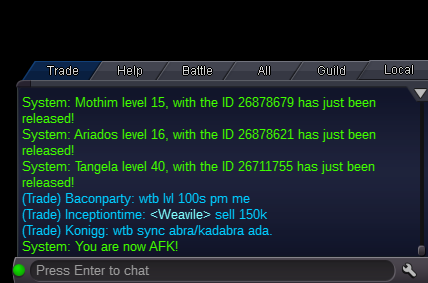
Accidently released tangela Server: Gold Screenhot:
-
All done thnx so much
-
I recently released ferrothorn and didnt had any pic or save of his id.is there a way to get it back.Thnx so much you helped me a lot it worked perfectly. Btw i wanted to know about the poke i released ferrothorn want to have it back but problem is i dont remember id cause never saved pic and didnt plan on releasing it, so i was wondering is there a way to restore it.Thought it will be wash but somehow it turn out to be heat cause of a mistake. Plz help me
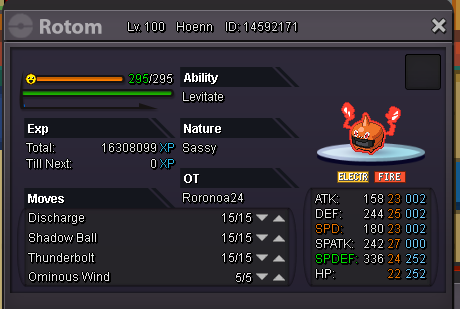 where is that and how to get in that special excaHi, i traded my latios with latias on trainers valley before reroll ticket is added, and want to know if possible to get it back. And will nature and iv stay the same when that happens. Thnx. Form: Username: Roronoa24 Server: yellow Legendary: LatiasTemplate example: ID Screenshot:https://imgur.com/krSNIwJ Server:yellow server I already trained ev and lvl of this gible and accidenty released it when it was done training and didnt know about this restore thing so i didnt manage to catch id. Pls can you restore my poke id pls i need it. ThnxI would like to enter yellow server
 Amazing i want it <r>Name: Roronoa<br/> Dialog: I love Lugia<br/> Location:Victory road<br/> NPC: Kaido<br/> NPC win: Better luck next time<br/> NPC lose: Need to train more<br/> <br/> <br/> </r>https://www.youtube.com/channel/UClvHt3jAq1sczmqDZl1ogjQ https://www.facebook.com/prevolutiononline/?hc_ref=NEWSFEED&fref=nf