




New Trade Zone
Trade Zone is now live
Use the new Trade Zone for auctions and instant-price trades so Pokemon and item offers are easy to find.


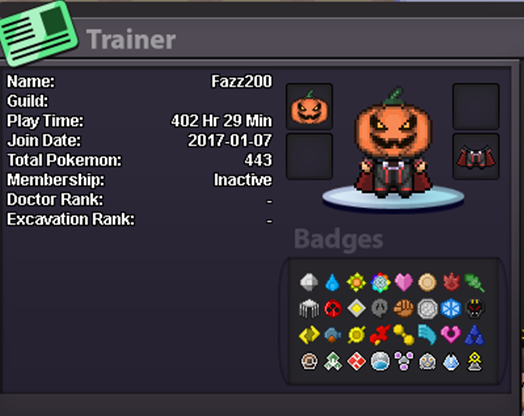
Fazz200
Registered User
-
Joined
-
Last visited
Everything posted by Fazz200
-
70k cloyster, rotor 300k
-
Start rotom and cloyster and charizard
-
210k
-
600k
-
500k
-
400k
-
400k
-
300k
-
450k!
-
● What's your in-game name? fazz200 ● How old are you? 20 ● Are you active in Discord? yeah, mainly for the reborn service ● Where are you from? UK ● What's your total playtime? 370hrs + ● What's your goal in PRO? pokemon merchant ● What do you enjoy while playing the game? catching, then training, and finally selling a pokemon ● Why do you want to be part of the guild? never been in a poke guild, sounds nice ● What's your favorite Pokemon and why? Gengar, move selection and design
-
1. What is your nickname in PRO? Fazz200 2. Which one is your favorite Pokemon and why? Gengar, an all round good Pokemon and an amazing Pokemon in battle when trained correctly. 3. What is your final objective in PRO? To catch 'em all and to be the very best... 4. How many hours did you play on Red? 247+ hours played 5. Age: 18 6. Do you have a PVP Team? Not yet
-
1. What's your Player name (IGN)? Fazz200 2. Number of hours played? 247+ hours 3. What's your favorite Pokemon? Gengar 4. Do you use discord? Yes 5. What country are you from? England 6. How old are you? =_''-''_= 7. When's your Birthday? (Optional) Find out after i join ;)

