




New Trade Zone
Trade Zone is now live
Use the new Trade Zone for auctions and instant-price trades so Pokemon and item offers are easy to find.

Nitrooxide
Registered User
-
Joined
-
Last visited
Everything posted by Nitrooxide
-
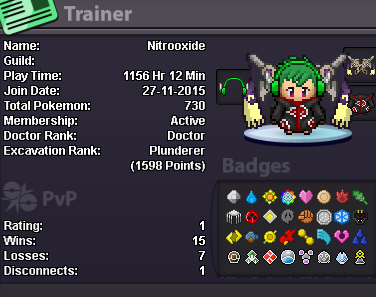
hi i want to enter in the guild if is possible 1. Age 16+ and above = I'm 23 2. Playtime hours at 200 or more = 1156 hr like on the immagine 3. Able to use Discord = yes i can use discord 4. Your previous Guild, why did you leave them (in case you were Kicked, then why?) = was on the server silver but i don't remember the guild, it's been 2 years the last time i played and i started yesterday 5. Other than having fun playing the game, what are your goals in PRO? = just having fun do ev training and pvp xD but the rest i'm most pve player
-
ciao in game mi chiamo NitroOxide, siete ancora attivi? volevo entrare in gilda se c'è posto
-
cerco gilda italiana
-
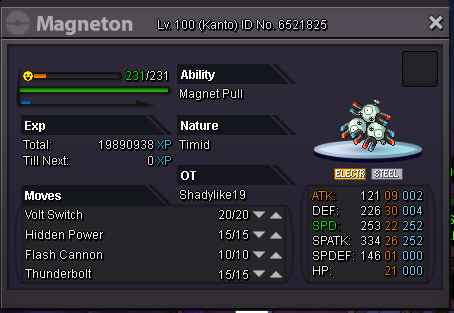
In-game name: Jambaman Server: Silver Pokemon ID and/or screenshot: help me please, i haven't remember it evolve magneton on a special magnetic field
-
interessante :D dai xD :Grin:
-
italianfury contatta il boss Riccatt per gildarti ;)
-
ciao sono Jambaman nel game vorrei entrare in gilda :3
-
Re: $2,000,000 PokeDollar Give-Away for 1st PRO X-MAS! <t>Merry Christmas PRO! 666<br/> <br/> with this number i can win ahahah xD</t>