New Trade Zone
Trade Zone is now live
Use the new Trade Zone for auctions and instant-price trades so Pokemon and item offers are easy to find.

Yauga
Registered User
-
Joined
-
Last visited
Everything posted by Yauga
-
Hello @WIERDOOS123 You can check the reason of your ban on the Dashboard ; here : https://dashboard.pokemonrevolution.net/ You will have some informations there but if you need more informations or you think the reason was strange then you can make a topic in the ban appeal section (Forum) which is a PRIVATE forum and not a public one like this one ; here : https://pokemonrevolution.net/forum/index.php?forums/discipline-appeals.37/ Also a last tips , for the future ; you should read PRO Trade Rules - You can negotiate with someone ; it's not a crime ; but for example you can't cancel a trade if you accepted a trade with someone (trade + town, rule N° 4) Look full rules in this topic here : https://pokemonrevolution.net/forum/topic/29538-url I hope it will help you
-
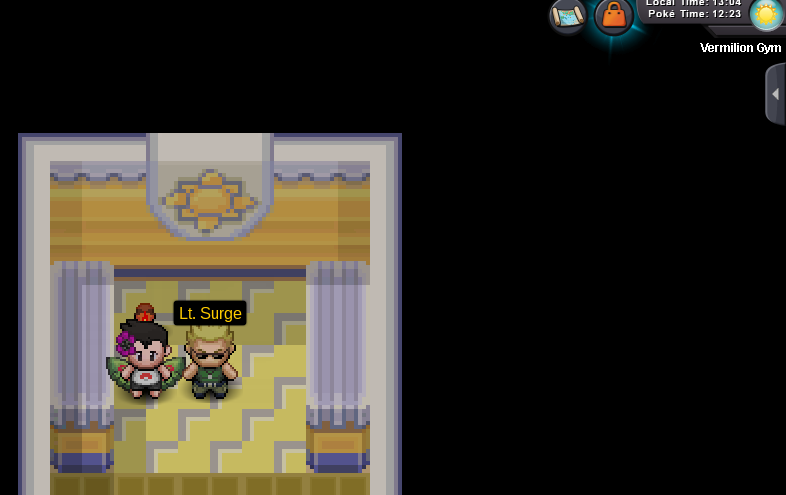
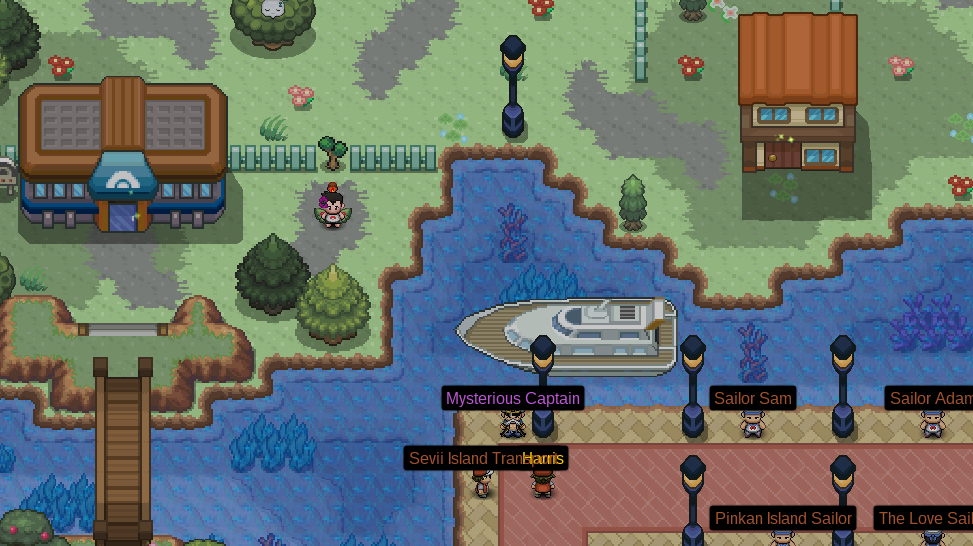
Helllo @CocoLaCalotte Surge is the Gym Leader of Vermilion City - you can found the Gym by doing Cut in the left side of the Map: Normally, if you are in Vermilion City, you should have a Cut HM in your backpack You get HM Cut after beating Misty in Cerulean City You need to have a pokemon who can learn Cut in your team and use this HM on it. Bonjour CocoLaCalotte, comme je l'ai dit avant ; il faut que tu utilises ta HM Cut sur un Pokemon qui peut l'apprendre et ensuite l'utiliser hors combat sur l'arbre qui bloque le chemin pour accéder à la Gym de Vermilion qui se trouve sur ta gauche. Tu es censé avoir obtenu cette HM Cut bien avant lors de ton aventure.(Cerulean arène) I hope it will help you

-
Around 24 hours before the end of this auction
-
Bump
-
Bump
-
Bump
-
-1 No, you dont need an item like that. You just need to be careful when you play and avoid giving him experience or doing fight with him. It's not something hard ; if you fail then you take another pokemon and do that again. + usually , when people use repel trick, their poekmon has 0 hp or has a smokeball. → No
-
Hello @chris7mai Maybe you played in the Red / Blue / Yellow server and you need to merge your account in the new server. Red / Blue Server -> SIlver Server now Yellow Server -> Gold Server Try to login HERE : dashboard.pokemonrevolution.net/ And look if you have an option for a merge. I think it will solve your problem ; if you have some problems with the merge then you can look this topic: https://pokemonrevolution.net/forum/topic/90465-url
-
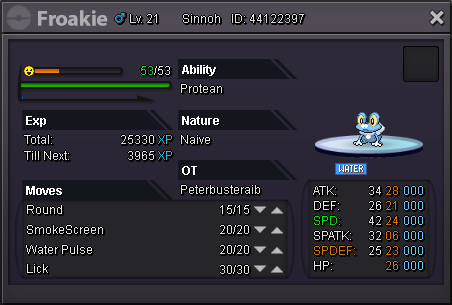
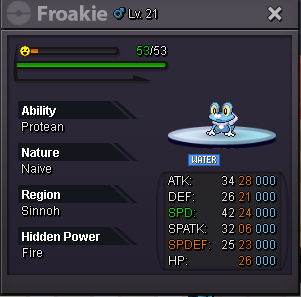
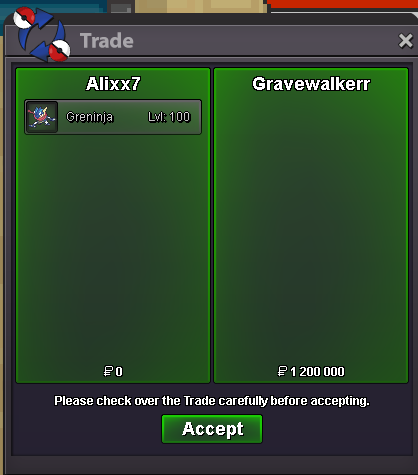
Hello Hello Here, 2 Auctions for 2 Froakie / Greninja HP FIRE Naive. [spoiler=Froakie Hp Fire] [spoiler=Froakie Hp Fire] Starting price : 700k Ending point (duration) : 72 hours (3 days) after the start Insta price : 2.5m Available Payements : PokeDollars Minimum Raise : 100k B.O. 800k by G375341 End Date : 7.04.2020 - 11h08 am GMT+0 [spoiler=Greninja Hp Fire] [spoiler=Greninja Hp Fire] Starting price : 1.0M (1000k) Ending point (duration) : 72 hours (3 days) after the start Insta price : None for the moment Available Payements : PokeDollars Minimum Raise : 100k End Date : 02.04.2020 3:41 PM GMT+0 Best Offer : @GraveWalkerr 1.2M SOLD This auction will start again since there was a fake offer yesterday. I am sorry for that problem. You can bid again Good Luck and Have Fun
-
Hello everyone Today, an auction for this very nice Valentine Skin. Starting price : 200k Ending point (duration) : 48 hours (2 days) after the start There is no Insta Price for the moment Available Payements : PokeDollars Minimum Raise : 50k End : 29.03.2020 11:33 GMT +0 B.O by Edbz Good Luck and Have Fun

-
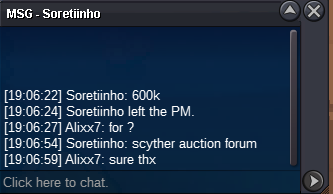
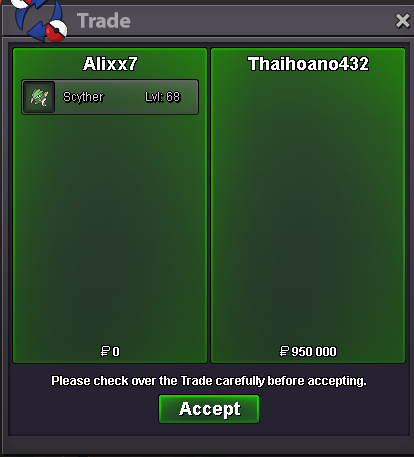
The auction started Frieday at 00:49 AM GMT +0 by Virgneel (20.03.2020,first answer) The duration was 72 hours after the start. According to the Trade Rules, the end of the auction was today (23.03.2020) at 00:48 AM GMT +0 (Auction Rule N° 5) → The last valid offer was from Thaihoano432 at 00:29 AM GMT +0 Soretiinho offer at 00:52 AM GMT +0 was after the end of the Auction - There was more than 15 minutes between the last offer and the end of the auction → @thaihoano432 Send me a message here / in game / Discord when you want to make our trade. Thanks Everyone
-
2 hours and 8 minutes left for this auction. B.O. Soretiinho 900k
-
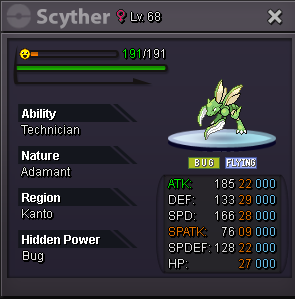
Hello, today i'll start an auction for this Scyther Starting price : 500k Ending point (duration) : 72 hours (3 days) after the start There is no Insta Price for the moment Available Payements : PokeDollars Minimum Raise : 50k Good Luck and Have Fun
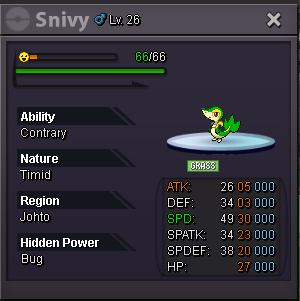
 End of the Auction - [uSER=2291879]@Duerenkran[/uSER] i'll contact you in Discord for our tradeBump A few hours left before the end of the auction !Hello @Asuncion08879 First, you should read Trade Rules ; you can see them here ; it will help you in the future if you don't know some Game Rules. https://pokemonrevolution.net/forum/topic/29538-url After that ; you can have more details about your ban in your Dashboard -> Infraction History Link here : https://dashboard.pokemonrevolution.net/infractions If you need more informations about that ban or you think the reason is strange / want to appeal ; you can make a post in the forum : Forum -> Discipline Appeals : https://dashboard.pokemonrevolution.net/infractions Also, you should keep ban contents privately ; i hope you will found all informations you need with these links. Have a nice dayBumpBumpBumpHello, today i'll start an auction for this Timid Contrary Snivy. Starting price : 600k Ending point (duration) : 7 days after the start Insta Price : 2m Available payements : Pokedollars Minimum Raise : 100k Started by Dueren : End Time : 19 03 2020 9:47 GMT +0 Good Luck and Have Fun
 Catching a new synch with the good level is fast, like 5min, shouldn't be a big problem-1 I agree with this changement. Synch should stay like this in my opinion. Synchs are easy to farm and we can use Trace. This update make the game A BIT (not a lot) harder which is a nice thing. The old system was strange I agree with that :Rule : Auctions cannot be cancelled once started.(Starting Price was met or starting point time is on.) → I cancel this Offer - Can be locked !Up