




Skip to content
View in the app

A better way to browse. Learn more.

Pokemon Revolution Online

A full-screen app on your home screen with push notifications, badges and more.

To install this app on iOS and iPadOS
  1. Tap the Share icon in Safari
  2. Scroll the menu and tap Add to Home Screen.
  3. Tap Add in the top-right corner.
To install this app on Android
  1. Tap the 3-dot menu (⋮) in the top-right corner of the browser.
  2. Tap Add to Home screen or Install app.
  3. Confirm by tapping Install.
New Trade Zone
Trade Zone is now live
Use the new Trade Zone for auctions and instant-price trades so Pokemon and item offers are easy to find.
Open Trade Zone

Saruron

Registered User
  • Joined

  • Last visited

Everything posted by Saruron

  1. Start Gengar bro 🙂 GL!
  2. 70k shellos 110k volcarona 110k kommo o Good luck! 🙂
  3. Hey Matt, just a friendly hint that the title says timid but it's obv. modest, you might want to change that. Best of luck with the auction! 🙂
  4. 777 lol
  5. up, hopeing for staff response
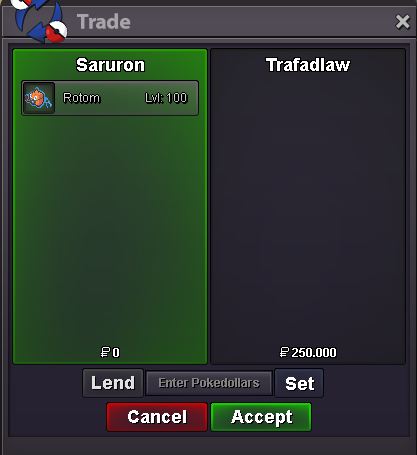
  6. Rotom-Wash sold to @Trafadlaw Thanks a lot!
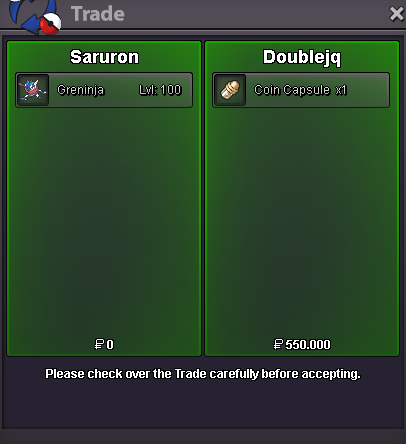
  7. Ash-Greninja sold to @Doublejq Thank you! 🙂
  8. 150k Arcanine
  9. 110k Arcanine
  10. 80k Arcanine
  11. Mighty 110k
  12. 40k Arcanine 40k Mighty GL again bro! 🙂

Account

Navigation

Search

Search

Configure browser push notifications

Chrome (Android)
  1. Tap the lock icon next to the address bar.
  2. Tap Permissions → Notifications.
  3. Adjust your preference.
Chrome (Desktop)
  1. Click the padlock icon in the address bar.
  2. Select Site settings.
  3. Find Notifications and adjust your preference.
