New Trade Zone
Trade Zone is now live
Use the new Trade Zone for auctions and instant-price trades so Pokemon and item offers are easy to find.
All Activity
Past hour
-
Rfkntbeh joined the community
-
-
-
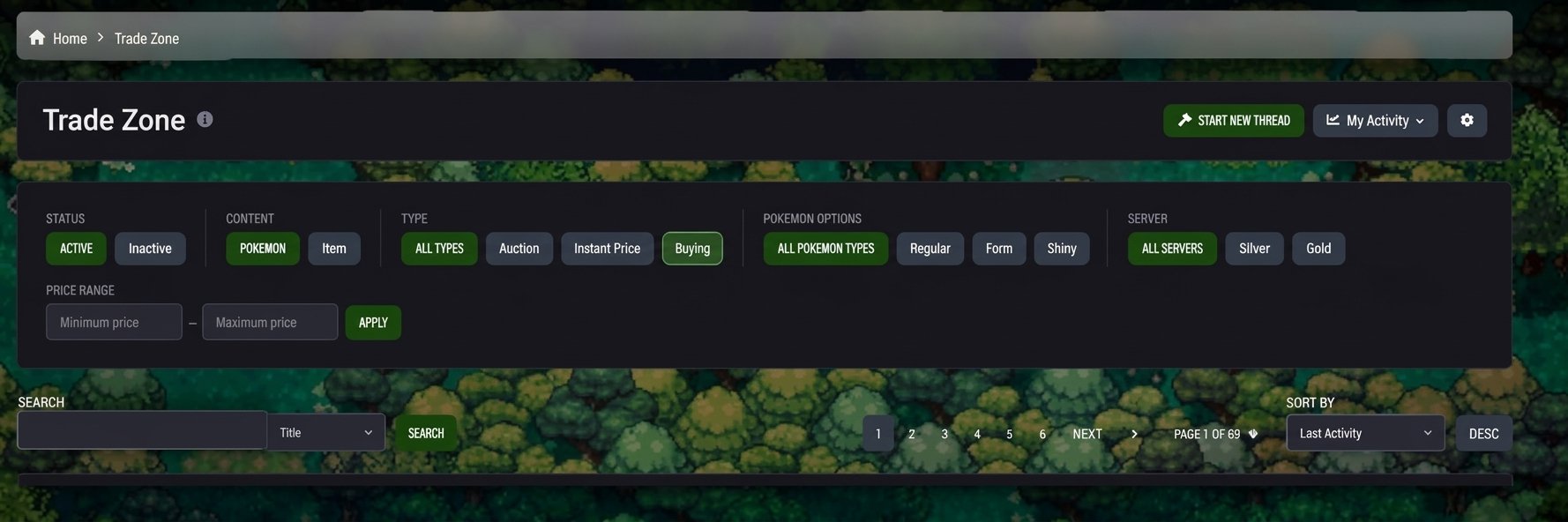
Would be nice having a new section for WTB, where people could ask for a poke and then the seller just post a picture of the pokemon with price so if the interested in buying it could accept the offer and then buy the pokemon Maybe something similar to this:
-
Hi Hess88, Thanks for reaching out, and I’m sorry you didn’t get the Clone Charmander after putting the effort into the quest. I believe this was not a bug. During the Dark World quest, you need to avoid losing (having all your Pokémon defeated) 5 times. If you lose 5 times, you’ll receive the regular version of your chosen starter from Oak instead of the Clone, and you won’t need to battle him. For this reason, it is not possible to replace your Charmander. I’m sorry for any inconvenience caused. Kind regards, Brambleghast
-
Hi Sangvip97! I'm glad everything is resolved. I'll close this thread as completed. Good luck with PvP! Kind regards, Brambleghast
Today
-
Someone messaged me in game yesterday i unfortunately wanted to add him as a friend as he had a hlw ralts which i want to buy now, i forgot to add him and now dont know how to find him. can any mod pls help me with this. will appreciate it
-
Dyates joined the community
-
Kai909 joined the community
-
Smokeey69 joined the community
-
Jandorcz joined the community
-
Markuslanz joined the community
-
Caenneth joined the community
-
I found it, sorry if this causes any inconvenience.
-
Sbqzyonq joined the community
-
Ludeshow joined the community
-
Banpan joined the community
-
Dear Staffs, Some time ago (I don’t recall exactly when), I purchased a Volcarona with the "Swarm" ability from another player—I don’t have a screenshot of it, but I do remember seeing it in my PC recently. Today, however, when I went to use it for PvP, I couldn't find it. Could you please help me check its ID? I’m worried that I might have accidentally released it, or perhaps I traded it away and someone else currently has it. Looking forward to hearing from you
-
Hello Admin, During the Halloween Darkrai event, I followed all the steps exactly as shown in a YouTube guide. However, when I talked to Professor Oak, I didn't have to battle him. He simply gave me a regular Charmander instead of the Clone Charmander. Could you please check if this was a bug and, if possible, replace my regular Charmander with the Clone Charmander? Thank you for your help!
-
-
i want buy service story only kanto
-
-
Thank you.. My problem resolve Thread can be close..
-
East west north west east west north west
-
-
+1 that item really helpful for me xd xd but my friend that not play at that time don't have it. he even don't know that item existed
-
bumpHey bro, i wanna the leveling service for 2 pkms
Yesterday
Kaizen now works on Linux and Mac. Download link below https://github.com/KaizenMMO/kaizen-builds/releaseshi im interested on full quest for halloween event map+1 and You should write the effects alongside the moves.