New Trade Zone
Trade Zone is now live
Use the new Trade Zone for auctions and instant-price trades so Pokemon and item offers are easy to find.
Leaderboard
-
Grabarz23
Registered User2Points2811Posts -
M3ru3m
Former Staff2Points1779Posts -
Bachikhotieu36
Suspended2Points108Posts -
Eon
Game Master2Points10175Posts




Popular Content
Showing content with the highest reputation on 01/04/23 in Posts
-
2 points
-
1 pointVangogsan - Guild Leader Legendkaran11 - Officer Venuus - Officer Shardxyn - Officer Littlebubu- Officer We are a society whose interests are focused on the development and improvement of pvp and the skills of individual players. Our goal is to be competitive and consistent in the TOP 3 GUILDS in the server. We also aim to create a pleasant friendly environment and new friendships around the world. We are looking for permanent and active players with passion in development for pvp who love the game. We also value a good tone and a friendly atmosphere , so the players we are looking for must be friendly and chill. 🎁 🎁 🎁 +25% exp boost Access to Guild Island any help and fastest possible answers in case of difficulty hunting and other events Access to Guild bank of pokemons for use - Active Discord user - Friendly and kind - 600 + hours - To follow PRO rules - permanently activity - Monthly participation in Normal Ranked PvP and at least 120 rank total at the end of the month Post a message in this thread with the following information : What is your In Game Name ? How old are you ? What is your Discord ID ? What is your favorite Pokemon ? What is your rank in the last 3 seasons ? We dream big 👊





 1 point
 -
1 point
-
1 pointAlrighty. You can just open a new one if you happen to run into any trouble or have any questions. Have a great day, M3ru3m1 point
-
1 pointFound it. It's currently with a player named "Godxkekw". Let me know if you need any further assistance or if that solved your problem 🙂 Greetings, M3ru3m1 point
-
1 point
-
1 point
-
1 pointHello i did win 10+ PvP match with z move in the November season but i didn't get the soul bound rr1 point
-
1 point
-
1 point
-
1 point
-
1 point
-
1 point
-
Hey @Pinklax (and everyone else who is affected), it seems there was a problem when you still don't have your rewards. I will forward the issue and will keep you up to date. Also thank you for mentioning everyone who's sprites are ingame, thats kind. 🙂 Kind regards ~1 point
-
1 point
-
1 point
-
1 point
-
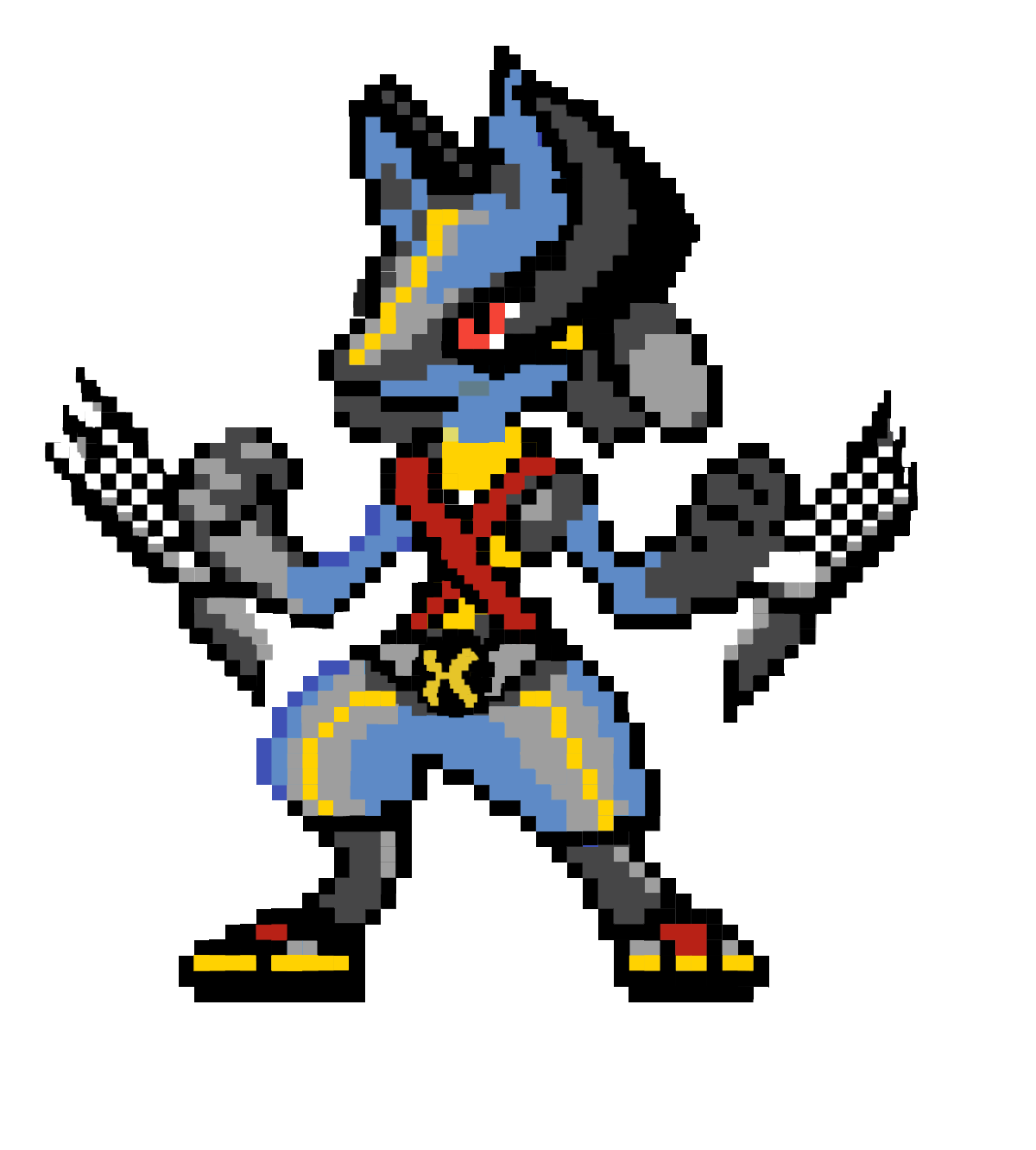
1 pointEvent form: Halloween Cosplay Time investment: 1hour Possibly interest to join staff either as Pixel Artist or Coin Shop icon creator: No Graphic: Lucario - Wolverine from X-Men Hope u guys like it, I will update more for Riolu form :3
 1 point
 -
1 pointEvent form: Halloween Time investment: 5 hours Possibly interest to join staff either as Pixel Artist or Coin Shop icon creator: Yes Graphic: Lucario Lawrence (Cobra Kai Cosplay) Samikyu (Trick or Treat movie) Jynx/Samara (Samara from The Ring movies)
.jpg.a31ac26302327e402283116070538d6c.jpg)
.jpg.814b33d087c6668a9928f48e6b9b9b07.jpg)
.jpg.fa455d62f78b22d023f1c00005cae074.jpg) 1 point
1 point -
1 point1 point0 points0 points0 points0 points0 pointsHello @Gaurav0307 Do not over bump your post. As stated in the Forum Rules You do not need to update the thread with the remaining time left, the end point is available on show for everyone to see. Take care, Manbat.0 points0 pointsHowdy, I'm very interested in joining. I am a brand new player using a friends old account and have mainly been learning from him, but I also wanna make friends and learn more 🙂 IGN: Raregod Disc: scapeg0at#75790 points