




New Trade Zone
Trade Zone is now live
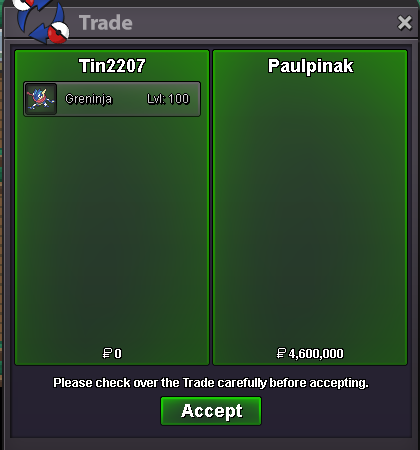
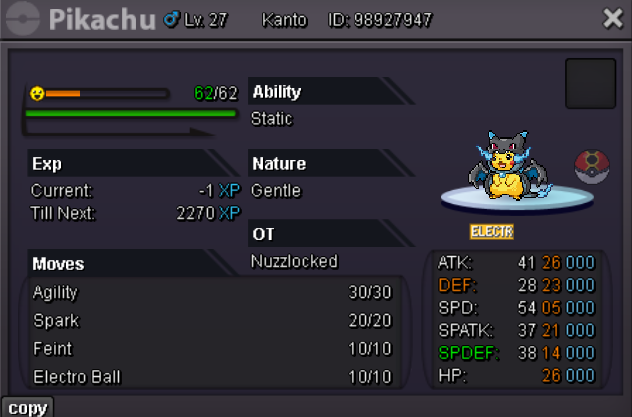
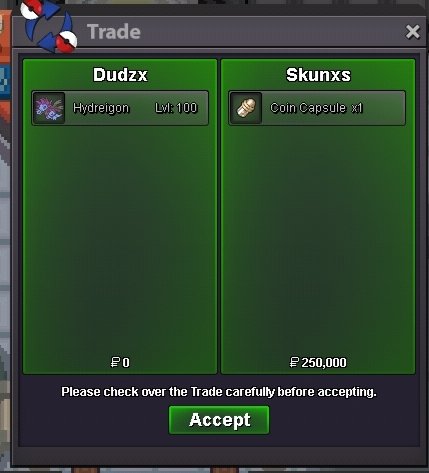
Use the new Trade Zone for auctions and instant-price trades so Pokemon and item offers are easy to find.
Leaderboard
-
Clumsygirl
Suspended3Points1037Posts -
Laviter
Registered User2Points1185Posts -

Medu5a
Registered User2Points1971Posts -

Magicarpediem
Registered User2Points1446Posts




Popular Content
Showing content with the highest reputation on 12/15/24 in Posts
-
2 points
-
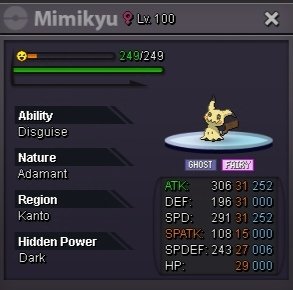
2 pointsStart 10m Min raise 500 k Insta 30m Accept cc 450 k Rr 500 k 48 hours after first bid
 2 points
 -
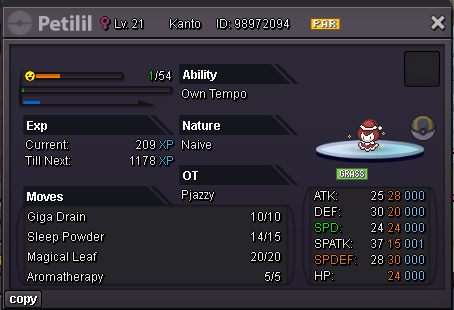
Current offer: 2.8m by Tkl070701 Minimum Bid : 100k 48h from the start No insta Accepted payment Cc : 420k, cash
 2 points
 -
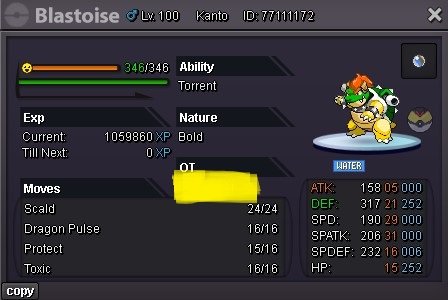
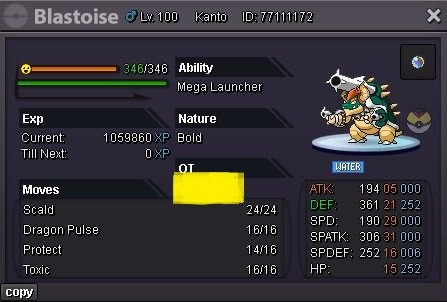
[PVPABLE HALLOWEEN MEGA BLASTOISE] CURRENT OFFER: 2.6m by Blackmoonn AUCTION TIMER: https://countingdownto.com/?c=5943228 PLEASE DO TAKE NOTES BEFORE BIDDING If you are bidding from silver server, PLEASE let me know and kindly message me, if you already transferred or still transferring from the gold server upon winning the auction. Additional 15mins rule apply after the auction timer ends. START OFFER: 1.5m MINIMUM BID: 100k NO INSTA The auction will end in 72hrs after the first bid started Discord: IceberryCoffee IGN: cazon511 Visit my shop : ICEBERRYCOFFEE'S SHOP

 1 point
 -
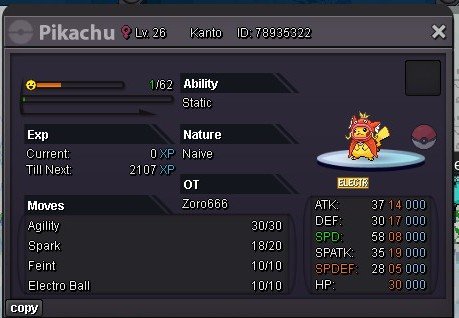
1 pointStart auction - 50k Min bid - 20k Insta - N/A Time duration - 15hrs ( start after first bid) Accept items- rare candys 5k ech Coin capsule 500k Iv reroll - 550k Nature reroll 270k
 1 point
 -
1 point
-
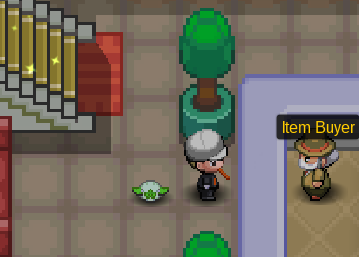
Hello, I think i suggested this in the past before. Personally, i feel that there are alot of pve items from bosses which are a bit "useless" and surely if you received /got many of them. There are lot of examples of these: Winter cloths, Some masks, ludicolo outfit and many more. Some of these are "trade locked", others are not. For example logan Mask is trade locked, If you do bosses alot of times you might have recieved a few of those. In my eyes it makes no sence that some items are "tradeable" others aren't. What i suggest: There is already an pvp item buyer in celadon market (You can sell only a few items here already for a decent amount of coins aswell (Tz clothes for example). What i suggest is that we would be able to sell all, or atleast more pve items received from bosses here. For example winter clohtes, in my eyes this is item that not many people want. It would be a good idea if we can sell those itmes here. The coins received would depend on how rare the item is (for example 25/50/100/125... coins. It believe it would be a good idea if we are able to sell more of these unwanted pve itmes for pve coins to item buyer. Clothes / masks / ...
 1 point
 -
1 point
-
1 point
-
1 point
-
1 point
-
1 point
-
1 point
-
1 point
-
1 point
-
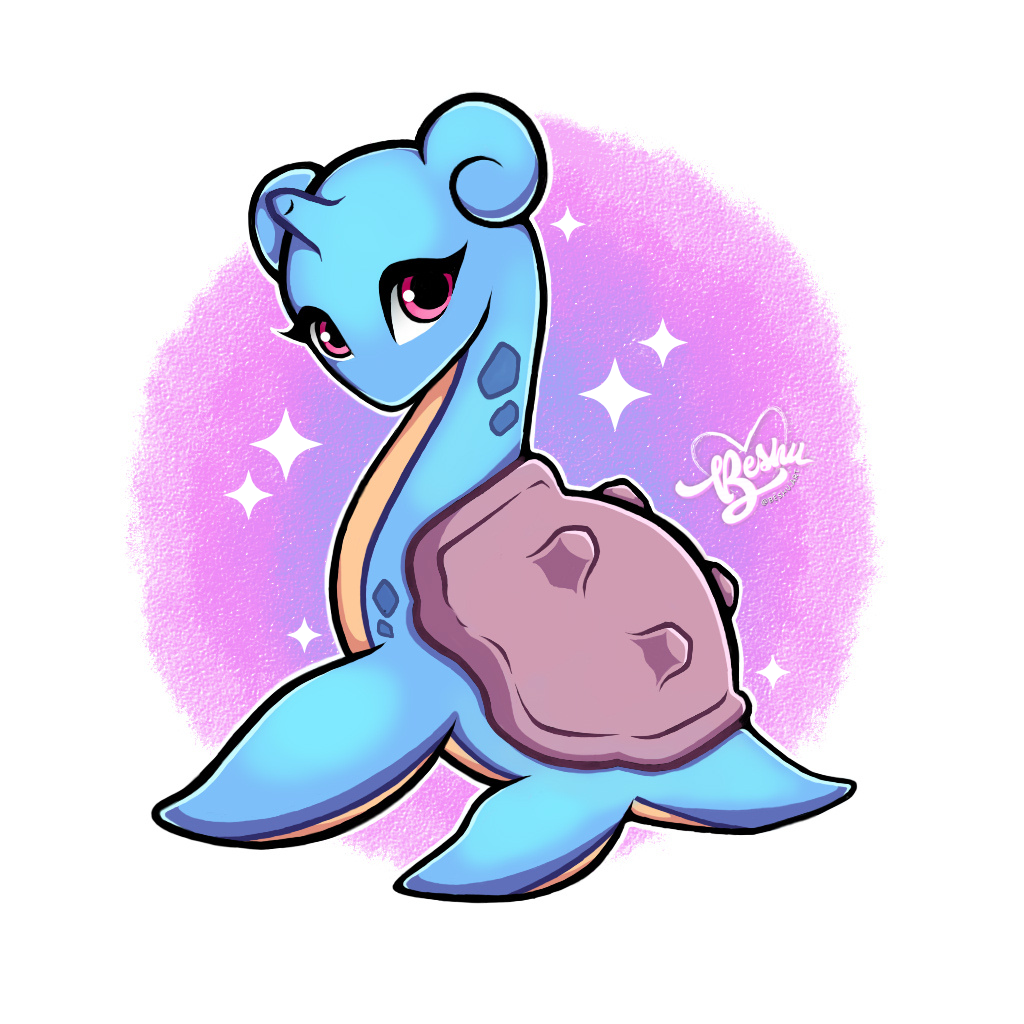
1 point1 point1 point1 point1 point1 point1 point1 point1 point1 pointDone @Melodicblue and @Paulpinak Congratulations on winning the auction today, hurray hurray!1 point1 point1 point1 point1 point1 point1 point1 point1 point1 point1 point1 point1 point1 point1 point1 point1 point1 point1 point1 point1 point1 point1 point1 pointHello everyone that are looking this! 🙂 My pleasure, Im Beshu from Argentina, and in this topic I want to share with you some of my draws that I did along these years. And I hope you like them! GLACEON | 2023 | DIGITAL ART: LAPRAS | 2023 | DIGITAL ART: MAREEP | 2019 | TRADITIONAL: FLAAFFY | 2019 | TRADITIONAL ART: Sooo these are some of poke draws I did, I have more but I don't want to do this topic so long, so I show you 4. Do you have some poke art that would like to show me? Let me know in this topic, I'd like to see them! 🙂 ✨ Thank you very much for your time ✨


 1 point0 points0 points









































Account
Navigation
Search
Configure browser push notifications
Chrome (Android)
- Tap the lock icon next to the address bar.
- Tap Permissions → Notifications.
- Adjust your preference.
Chrome (Desktop)
- Click the padlock icon in the address bar.
- Select Site settings.
- Find Notifications and adjust your preference.
Safari (iOS 16.4+)
- Ensure the site is installed via Add to Home Screen.
- Open Settings App → Notifications.
- Find your app name and adjust your preference.
Safari (macOS)
- Go to Safari → Preferences.
- Click the Websites tab.
- Select Notifications in the sidebar.
- Find this website and adjust your preference.
Edge (Android)
- Tap the lock icon next to the address bar.
- Tap Permissions.
- Find Notifications and adjust your preference.
Edge (Desktop)
- Click the padlock icon in the address bar.
- Click Permissions for this site.
- Find Notifications and adjust your preference.
Firefox (Android)
- Go to Settings → Site permissions.
- Tap Notifications.
- Find this site in the list and adjust your preference.
Firefox (Desktop)
- Open Firefox Settings.
- Search for Notifications.
- Find this site in the list and adjust your preference.