




New Trade Zone
Trade Zone is now live
Use the new Trade Zone for auctions and instant-price trades so Pokemon and item offers are easy to find.

Waleed1301
Suspended
-
Joined
-
Last visited
Everything posted by Waleed1301
-
Correct, you can.
-
Just a small bump for those who haven't got Kyurem yet, as the quest came back with a few slight changes. Enjoy new and existing players who missed out on Kyurem for Christmas Event in 2019.
-
Alright can you tell me if you can access this site? Here. If you're unable to access and download the game from this website I assume you're having some restrictions due to your Network or the use of Mobile Data. So if that does occur, download the VPN here. Then connect to a provider in UK or Canada and install the game then from the Website above.
-
Hello there @andrewchun. Sorry that this reply was late but I would like to inform you that the Cloyster you have now, learns the move "Razor Shell" from the Pre-Evo Move tutor located in the Day Care centres. Example being in Kanto Daycare the Pre-Evo tutor is located through the doorway behind the old couple, each Pre-Evo move will cost 10k to tutor your pokémon. To first access the day care the player must first be able to access Cerulean Cave and then defeat the Boss Named Naero, note defeating him on any level will allow the player to access the day care. Regarding on where you can look up the learnset of a Pokémon, I advise checking out Pokémon Databse, this is an example for Cloyster's learnset, click here. I hope this clears your doubts. Good luck and enjoy.
-
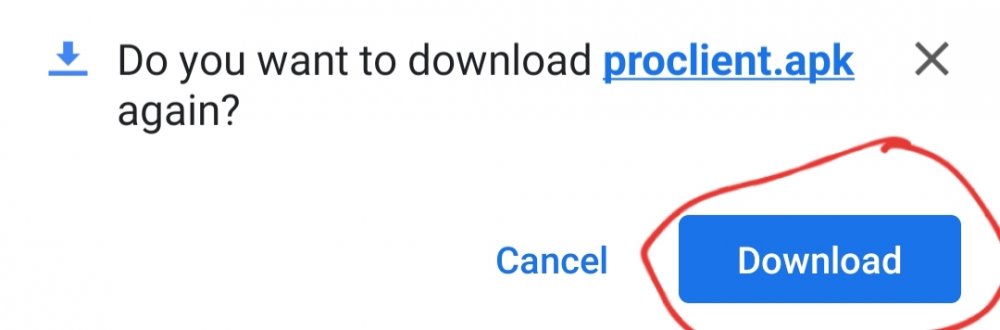
Hello there @Jatin12345 Could you please try the follwing in order: 4. Everything should be good after this and enjoy the game. :)
-
Ok, Boomers.
-
Very Cool!
-
Hello there @Simzon. Welcome back. Some small insight on what happend over the past few years, Red and Blue server merged to become the now Silver server and Yellow was renamed Gold. If you cannot access Silver server you would need to Merge on your dashboard which can be accessed from here. Once this is done after you have merged try logging in, if it still gives you the error of "Incorrect username or password" reset your password, do note this should be done after merge and not before or during, it can be reset from here. For more info about the merge and about the errors that might occur with it (I hope not), take a look here. Once again welcome back and Good luck.
-
-
xdFunny, I have never used Jinx. I main Sett, Aphelios and a few other champsNerdsHello there, @Quinbax Your username for the forums is the same username for ingame. If you are getting an error of 'incorrect password or username' try resetting your password here. If you're talking about a completely different account then I apologise, I hope then a staff member can help you out. Good luck.



Account
Navigation
Search
Configure browser push notifications
Chrome (Android)
- Tap the lock icon next to the address bar.
- Tap Permissions → Notifications.
- Adjust your preference.
Chrome (Desktop)
- Click the padlock icon in the address bar.
- Select Site settings.
- Find Notifications and adjust your preference.
Safari (iOS 16.4+)
- Ensure the site is installed via Add to Home Screen.
- Open Settings App → Notifications.
- Find your app name and adjust your preference.
Safari (macOS)
- Go to Safari → Preferences.
- Click the Websites tab.
- Select Notifications in the sidebar.
- Find this website and adjust your preference.
Edge (Android)
- Tap the lock icon next to the address bar.
- Tap Permissions.
- Find Notifications and adjust your preference.
Edge (Desktop)
- Click the padlock icon in the address bar.
- Click Permissions for this site.
- Find Notifications and adjust your preference.
Firefox (Android)
- Go to Settings → Site permissions.
- Tap Notifications.
- Find this site in the list and adjust your preference.
Firefox (Desktop)
- Open Firefox Settings.
- Search for Notifications.
- Find this site in the list and adjust your preference.