




New Trade Zone
Trade Zone is now live
Use the new Trade Zone for auctions and instant-price trades so Pokemon and item offers are easy to find.


Nadzhawkeye
Registered User
-
Joined
-
Last visited
-
actally gio is not replying to my txt
-
we both are offline and our times wont match can any mod help force trade
-
is it done ?
-
raise riolu 300k
-
270k ignore
-
230k
-
400
-
175 k for jolly chomp [my alt is absolute pain]
-
-
600k
-
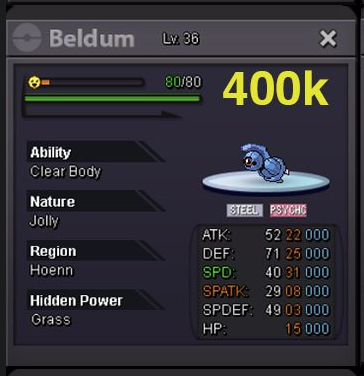
can u do 300k for it
-
start bulbasaur
-
preferred Gorebyss @ Leftovers Ability: Swift Swim EVs: 252 HP / 4 Def / 252 SpD Calm Nature IVs: 0 Atk - Baton Pass - Shell Smash - Aqua Ring - Substitute Whimsicott @ Lagging Tail Ability: Prankster EVs: 252 HP / 252 Def / 4 SpD Bold Nature IVs: 0 Atk - Switcheroo - Memento - Cotton Spore - Flash Golduck @ Leftovers Ability: Damp EVs: 252 HP / 4 Def / 252 SpD Calm Nature IVs: 0 Atk - Simple Beam - Flash - Yawn - Charm Pangoro @ Focus Sash Ability: Mold Breaker EVs: 4 HP / 252 Atk / 252 Spe Adamant Nature - Power Trip - Earthquake - Substitute - Drain Punch Banette-Mega @ Banettite Ability: Prankster EVs: 252 HP / 252 Atk / 4 Def Adamant Nature - Protect - Disable - Phantom Force - Destiny Bond Torkoal @ Leftovers Ability: Drought EVs: 252 HP / 252 Def / 4 SpD Bold Nature - Yawn - Rapid Spin - Stealth Rock - Smokescreen
-
504k
-
200k p3 also when will p3 end? any mods around

