




New Trade Zone
Trade Zone is now live
Use the new Trade Zone for auctions and instant-price trades so Pokemon and item offers are easy to find.

Daftgenius
Registered User
-
Joined
-
Last visited
Everything posted by Daftgenius
-
Start 500k Min raise 50k Insta 2m Ends 48 hours from start Accept cc (400k), rc 7k, reroll 700k

-
100k
-
start
-
Will be online in 3 hours Discord: daftgenius#3502
-
3m insta
-
I am not sure.. I'm hoping to get.a free Server Transfer on April 1st. If so then I'll transfer in 2-3 days. Otherwise I will transfer my alt to silver with the Dratini or Haxorus.. whichever you are buying. My discord: daftgenius#3502
-
Timid and Naive Clone Charizard sold

-
Both clone Charizards reserved
-
Easter Snorlax sold

-
New pokes added
-
3m4
-
3m2
-
3m
-
2.1m
-
Xmas Glalie trade complete

-
800k
-
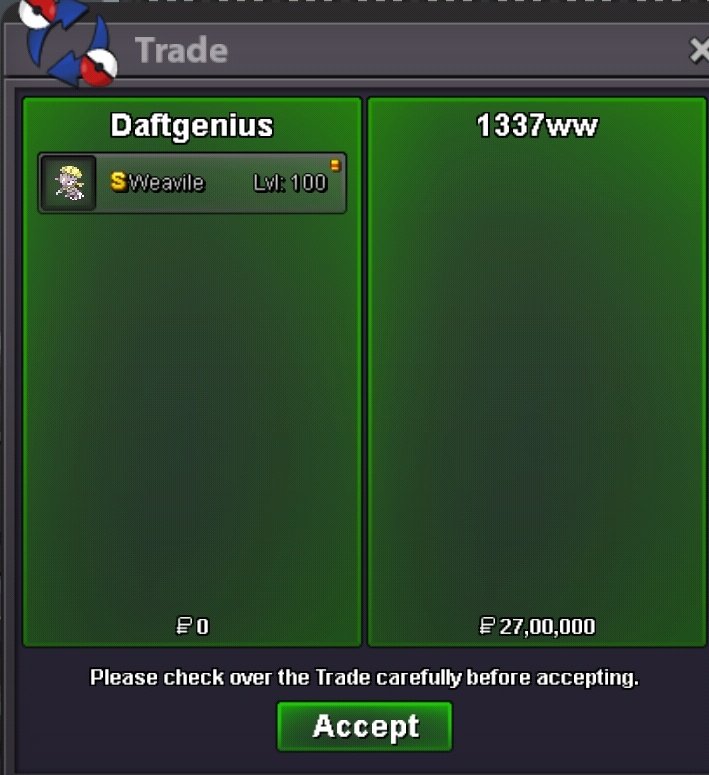
Weavile sold, thanks! Still haven't been able to meet with yazan123 for Xmas Glalie. Will do that soon. + Few pokes to be added soon
-
@Yazan123 Thanks for your patience.. I'll try to make the trade with you soon. @1337ww Sure, 2m7 for weavile is good. I'll be online in approx 5 hours. discord: daftgenius#3502
-
Bump
-
1. Xmas Glalie - mega - sold 2. Summer wingull epic -500k 3 Clone Charizard#1 - sold 4. Shiny weavile - jolly - sold 5. Easter Snorlax - sold 6. Summer pelipper - 800k 7. Clone Charizard#2 - hp ground - sold 8. Xmas Haxorus - semi epic - 3m 9. Vday Nido - sold 10. Shiny snorunt - sold 11. Xmas Dratini - 1m 12. Vday Nido timid - 500k 13. Easter munchlax (def, spdef, hp +20) - 1.2m 14. Pink pidgey - boss debuffer - 21+ in bulk - 300k 15. Max Speed shiny Pidgeot - Mega - 500k 16. Halloween Growlithe - 800k 17. Halloween Arcanine - 3.7m


-
Btw you can only have one active Pokemon sale in cross server
-
Start 500k
-
+1
-
Idk if it's valid when you edit now after auction started
-
Start 500k

