




New Trade Zone
Trade Zone is now live
Use the new Trade Zone for auctions and instant-price trades so Pokemon and item offers are easy to find.

Drowningpsyduck
Former Staff
-
Joined
-
Last visited
Everything posted by Drowningpsyduck
-
Hm Im sorry I cannot explain this, I'll look into it further.
-
Oh I am very glad I had you post here! The solution is simple. There are 3 requirements. 1. Hoenn champ 2. 50 Hoenn hours 3. You must have a party of only level 100s That should do it for you :) ~DP~
-
Can you tell me what pokemon you chose?
-
So the got back to me, and unfortunately we cannot do anything for you :\ I will look into this bug though and fix it soon. I am sorry for the issue! ~DP~
-
Hello there. I am sorry. I just tested this myself and it worked for me. I am not exactly sure of what might have gone wrong for you, but it may work the next time, as it does for me. You cannot sync this reward, so you only missed out on a random chespin. I am sorry I am unable to give you a replacement. ~DP~
-
Ah that is tricky, It is impossible for me to prove what happened to that item (most likely). We recently implemented a log system that may help, but I need an admin or dev to look at it. Be patient please.
-
Olá, não sei onde você está ou o que está fazendo. Você tem um total de 162 pokemon vistos, e Oak pode querer apenas kanto. Se você der mais detalhes eu posso ajudar mais.
-
Did you get it back after the battle end?
-
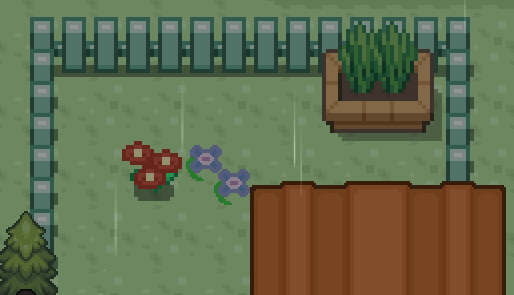
Thats very odd, can you show me a screenshot of him missing? I'll work on a fix for you in the meantime. okay, talk to the red flowers just above the sailor, that should fix it for you.
-
Boss Pokemon are buffed beyond normal. Although that does still seem odd. Perhaps noivern was slowed from something?
-
Found the issue. Fixed ~DP~
-
ah it is infact 30-70k, I updated the guide, ty ~DP~
-
Yup, I screwed em up, and now I fixed em :) ~DP~
-
300 hours is also needed. The information is incorrect.
-
Fixed it for ya. well sorta, you can just talk to the reporters and theyll disappear now. I believe you could have skipped this step. Those reporters are there from the time you first visit hoenn, and so they dont check and requirements. The next step is where the requirements matter. You can just go talk to the TV. ~DP~
-
yes the hat disappears when you mount. This is known and will be fixed in a soon to come future update. Thank you for the report! and I am very sorry for the delay :( ~DP~
-
yes, thats my disable message. and Yes we will update when hes online again! Sorry for the inconvenience. ~DP~
-
AFAIK this is a quest issue, not scripting, so I moved it. ~DP~
-
I will look into this asap. Thank you and be patient, please. ~DP~
-
What does he say? We disabled him and AFAIK he is still disabled temporarily. I am sorry for the inconvenience, he will be back and better than ever soon enough.
-
CAn you provide for me a screenshot and some more details? thank you
-
A dev needs to fix this, but I will inform, thank you. Im told that is a temporary bug that goes awaywhen you relog.
-
Are you playing on your phone? Seems odd, but if it’s that rare, I am not the most concerned. Thank you for the report though!
-
I can confirm you need 300 playtime hours to battle him. sorry for the misunderstanding :) ~DP~
-
Hello! If you leave sky pillar and then reenter, I believe mega Ray will work correctly. Let me know if it does please. ~DP~
