




New Trade Zone
Trade Zone is now live
Use the new Trade Zone for auctions and instant-price trades so Pokemon and item offers are easy to find.


Xchase
Registered User
-
Joined
-
Last visited
Everything posted by Xchase
-
they are in a bundle
-
40k
-
start
-
-
-
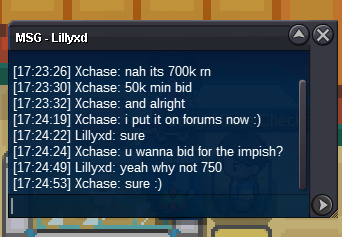
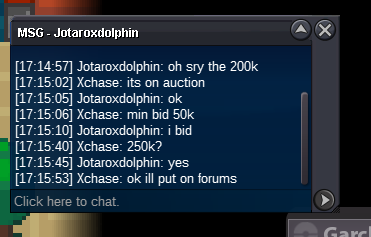
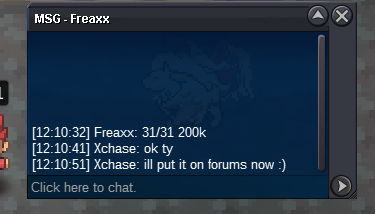
naive chomp auction ended 🙂 ty to all biddersjolly and impish chomp sold, now waiting for the buyers 🙂 naive chomp ends in 46 minutes 🙂10 minutes remaining for the jolly/impish chompapproximately 50minutes left for the impish + jollynoted. impish and jolly ends in 2 hours approxup , auction ends in around 10 hoursnoted. ends 48 hours from now.ALL S.O:100K MIN BID 50K NAIVE INSTA : 2M IMPISH INSTA : 4m JOLLY INSTA : 2m AUCTION ENDS AFTER 48HOURS FROM FIRST BID Current Offer : 200k by Rocketeer777 ENDS : 19:48 (UK TIME : GMT+0) 7/08/2022 Current Offer: 800k by Rocketeer777 ENDS : 19:01 (UK TIME : GMT+0) 7/08/2022 SOLD Current Offer:450k by jotaroxdolphin ENDS : 19:01 (UK TIME : GMT+0) 7/08/2022 SOLD
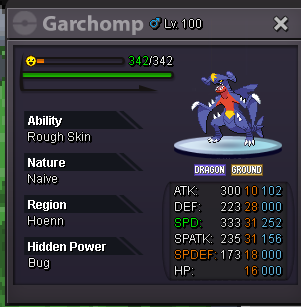
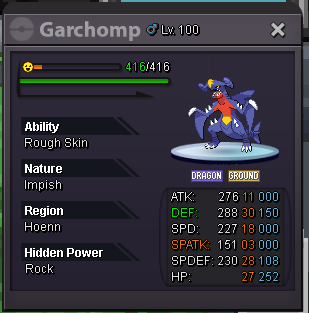
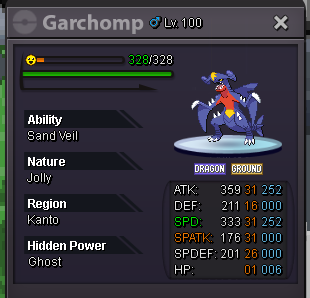 start bisharp5.1m500k

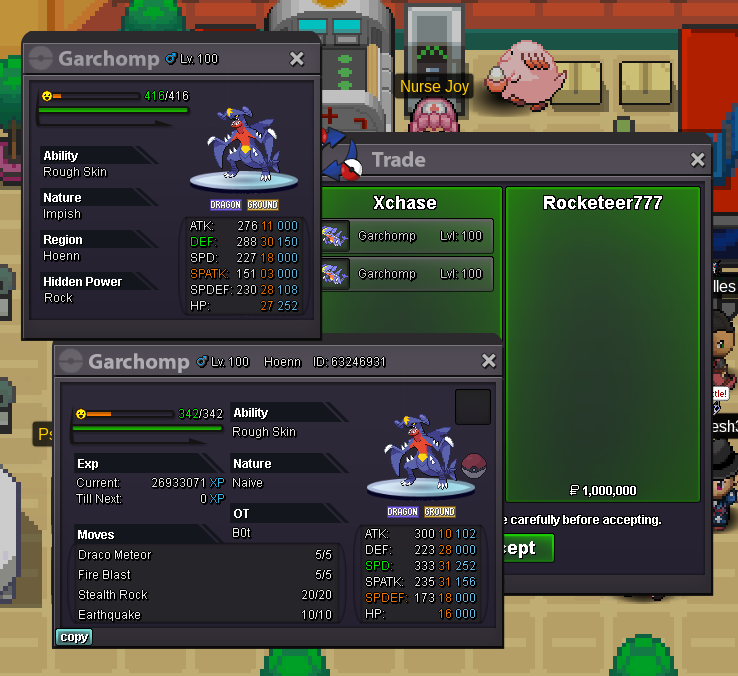


Account
Navigation
Search
Configure browser push notifications
Chrome (Android)
- Tap the lock icon next to the address bar.
- Tap Permissions → Notifications.
- Adjust your preference.
Chrome (Desktop)
- Click the padlock icon in the address bar.
- Select Site settings.
- Find Notifications and adjust your preference.
Safari (iOS 16.4+)
- Ensure the site is installed via Add to Home Screen.
- Open Settings App → Notifications.
- Find your app name and adjust your preference.
Safari (macOS)
- Go to Safari → Preferences.
- Click the Websites tab.
- Select Notifications in the sidebar.
- Find this website and adjust your preference.
Edge (Android)
- Tap the lock icon next to the address bar.
- Tap Permissions.
- Find Notifications and adjust your preference.
Edge (Desktop)
- Click the padlock icon in the address bar.
- Click Permissions for this site.
- Find Notifications and adjust your preference.
Firefox (Android)
- Go to Settings → Site permissions.
- Tap Notifications.
- Find this site in the list and adjust your preference.
Firefox (Desktop)
- Open Firefox Settings.
- Search for Notifications.
- Find this site in the list and adjust your preference.