




New Trade Zone
Trade Zone is now live
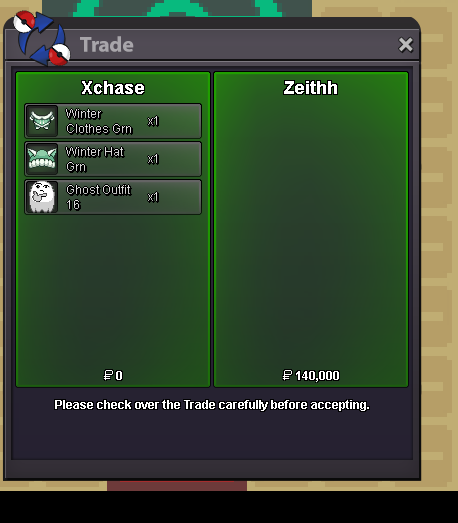
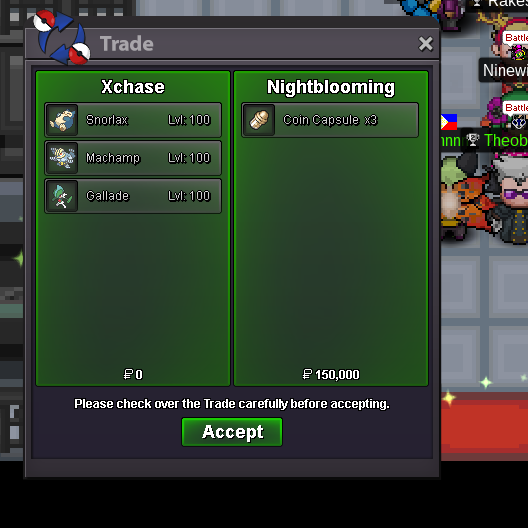
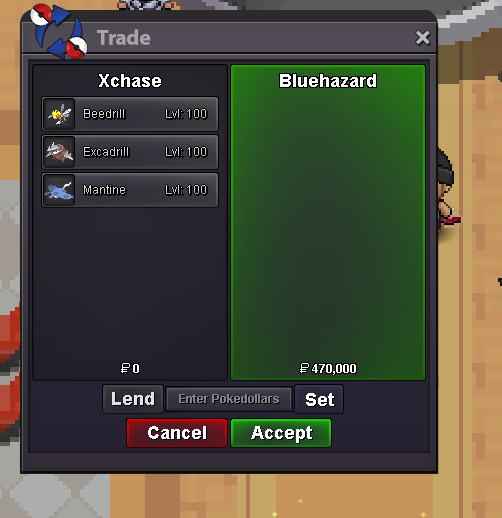
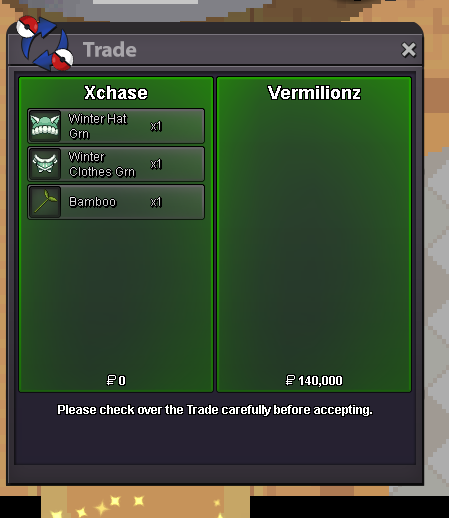
Use the new Trade Zone for auctions and instant-price trades so Pokemon and item offers are easy to find.


Xchase
Registered User
-
Joined
-
Last visited
Everything posted by Xchase
-
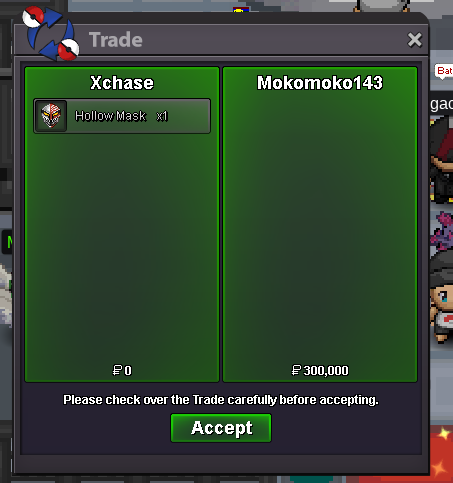
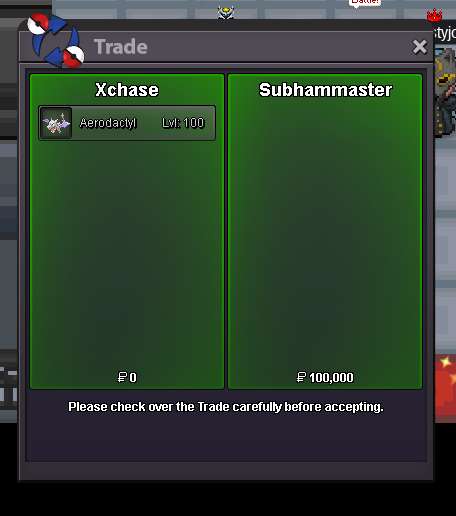
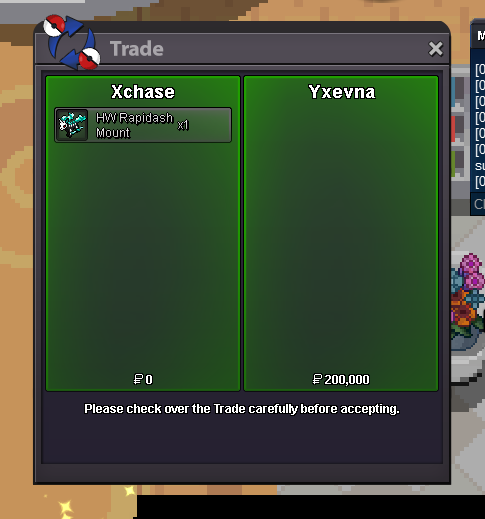
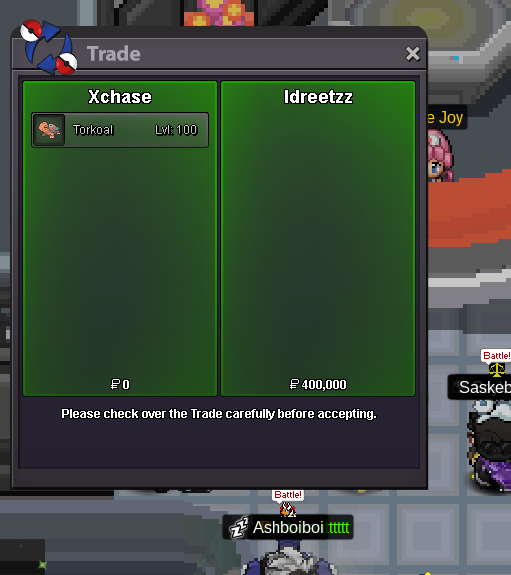
online?sold this forgot to take ss 🥲
 put this up in case anyone wanted to buy , its been taken already currently waiting for trade
sure , i didnt get a friend req? can u send again ^^ im onlineno unfortunately 😞 these are insta/set pricesdm me on disc or are u online rn?are u guys able to see them now?@Eon is it possible for you to lock this post please until i fix the problem? thank you so much 🙏thats extremely helpful, ill just change the way its setup. i had an idea in mind to put everything into one place but im afraid it doesnt work :c thanks for the help 🙏thanks imma try fix it or maybe change the way its set up thanks guys 🙏yeah i got the same problem from other people im trying to fix itWelcome to My Pokémon Shop! Rules: -DO NOT make fake offers -NO criticism on set prices -DO NOT accept Pokémon trades -Once offered, you CANNOT take it back << If there are any problems with this post please lmk >> Payment Methods: -Pokedollars -Coin Capsule : 380k -Iv Reroll : 680k -Nature Reroll : 320k -Rare Candy: 7k Contacts: [I will feature Pokémon from some friends so I will put their contacts here too :)] IGN: xChase Discord: Juicee#9543 IGN : ComicSamlerRony Discord: Moaxim#3190 IGN: Rocketeer777 Discord: Rocketeer777#6351 IGN: Metabolic Discord: MetaB0lic#3290 IGN: MSK876 Discord: Amaske#5234 Chase's Pokémon Rocketeer's Pokémon ComicSamlerRony's Pokémon Metabolic's Pokemon Amaske's Pokemon SOLD
put this up in case anyone wanted to buy , its been taken already currently waiting for trade
sure , i didnt get a friend req? can u send again ^^ im onlineno unfortunately 😞 these are insta/set pricesdm me on disc or are u online rn?are u guys able to see them now?@Eon is it possible for you to lock this post please until i fix the problem? thank you so much 🙏thats extremely helpful, ill just change the way its setup. i had an idea in mind to put everything into one place but im afraid it doesnt work :c thanks for the help 🙏thanks imma try fix it or maybe change the way its set up thanks guys 🙏yeah i got the same problem from other people im trying to fix itWelcome to My Pokémon Shop! Rules: -DO NOT make fake offers -NO criticism on set prices -DO NOT accept Pokémon trades -Once offered, you CANNOT take it back << If there are any problems with this post please lmk >> Payment Methods: -Pokedollars -Coin Capsule : 380k -Iv Reroll : 680k -Nature Reroll : 320k -Rare Candy: 7k Contacts: [I will feature Pokémon from some friends so I will put their contacts here too :)] IGN: xChase Discord: Juicee#9543 IGN : ComicSamlerRony Discord: Moaxim#3190 IGN: Rocketeer777 Discord: Rocketeer777#6351 IGN: Metabolic Discord: MetaB0lic#3290 IGN: MSK876 Discord: Amaske#5234 Chase's Pokémon Rocketeer's Pokémon ComicSamlerRony's Pokémon Metabolic's Pokemon Amaske's Pokemon SOLD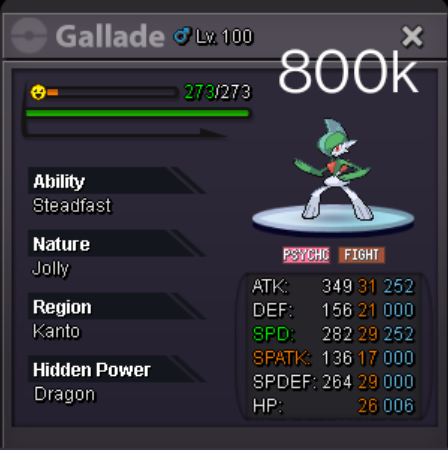
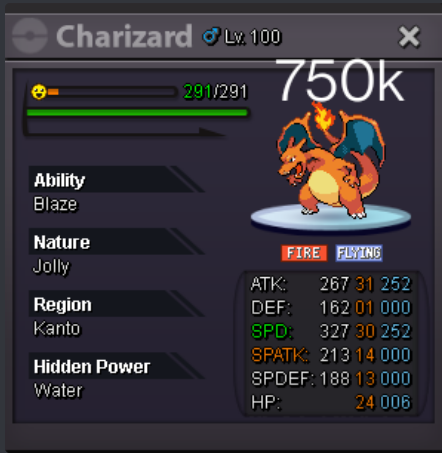
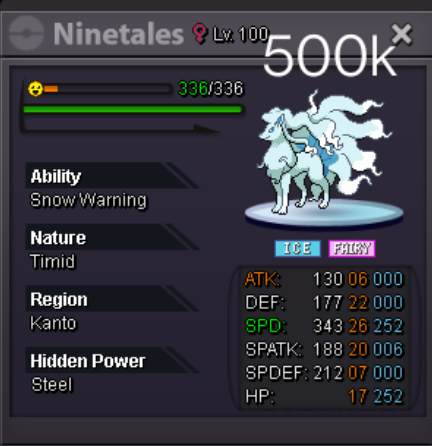
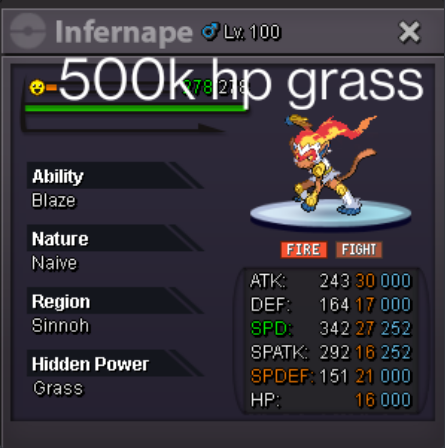
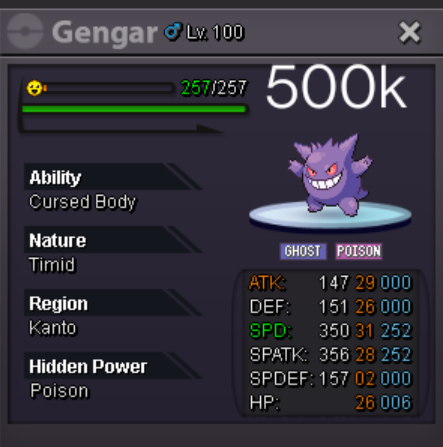
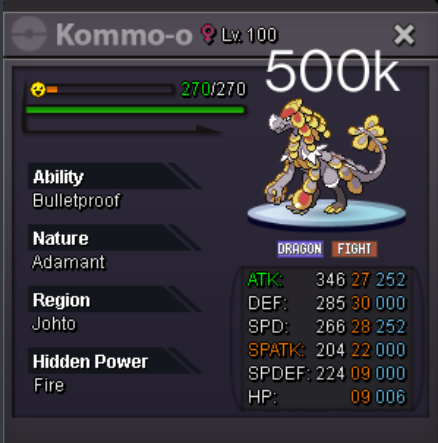
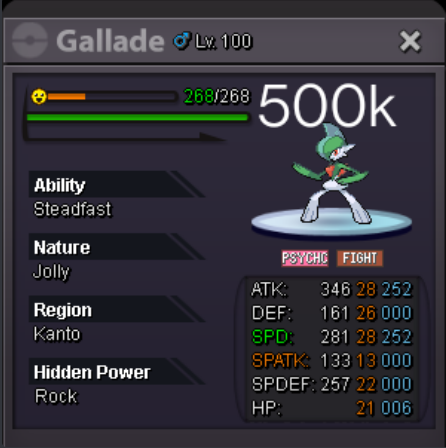
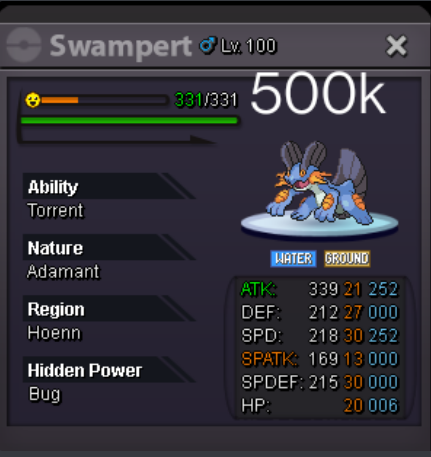
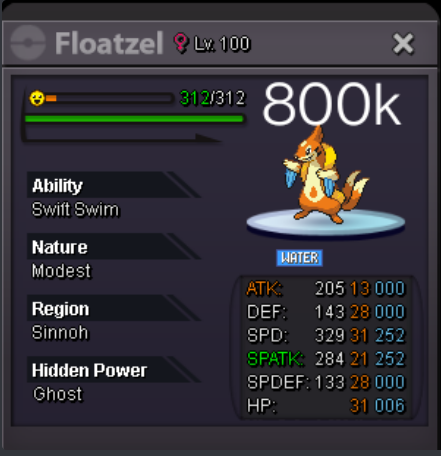
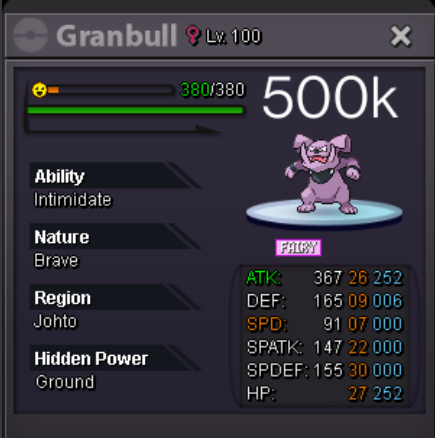
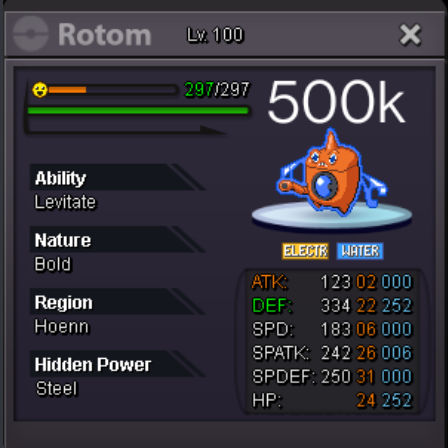
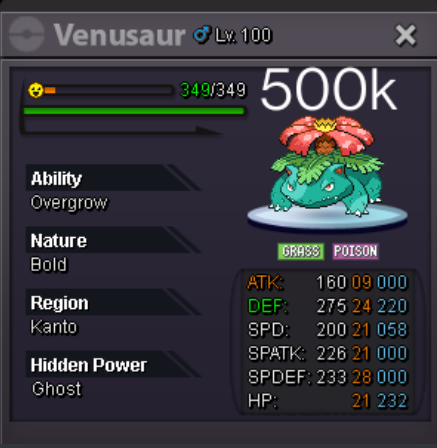
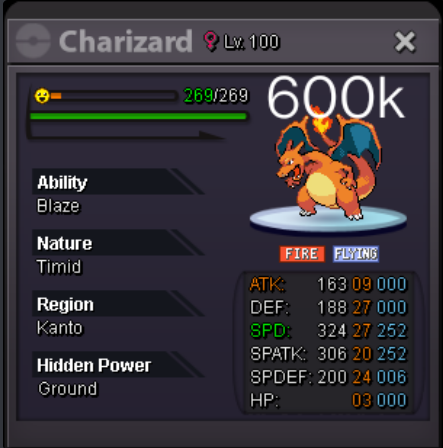
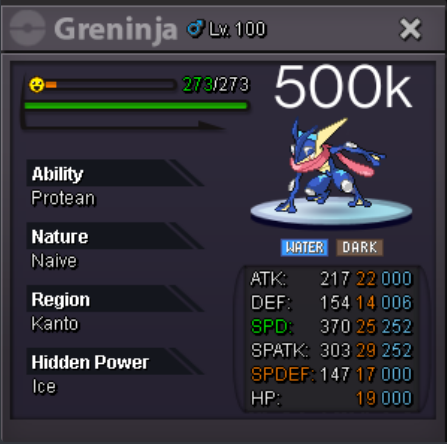
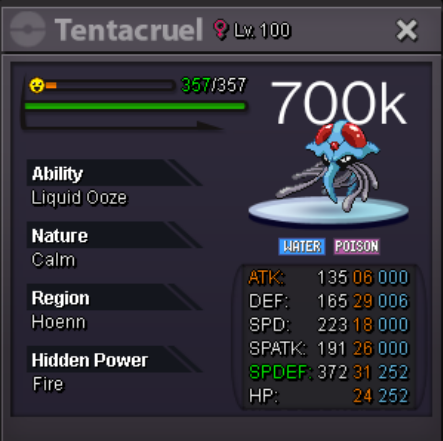
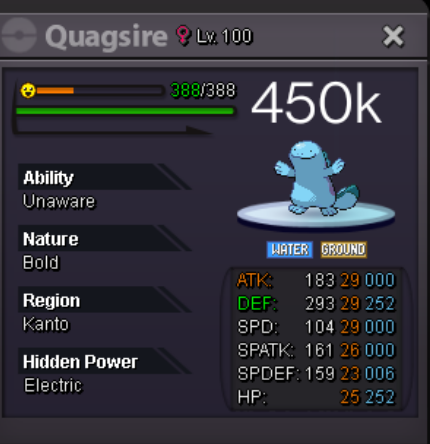
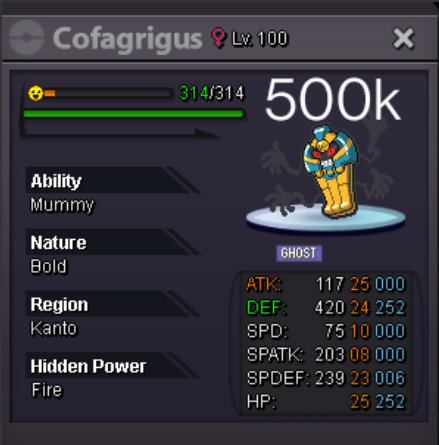
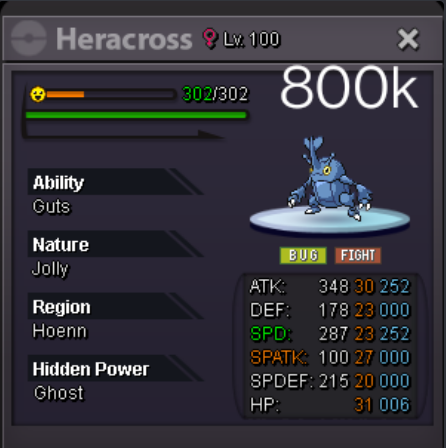
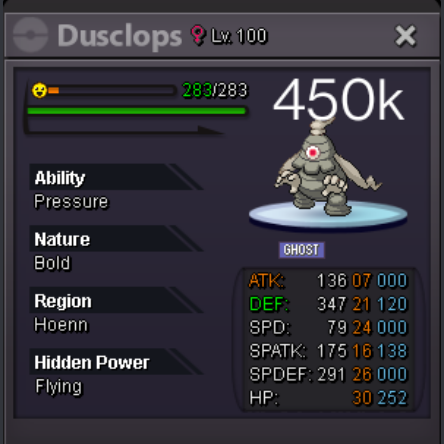
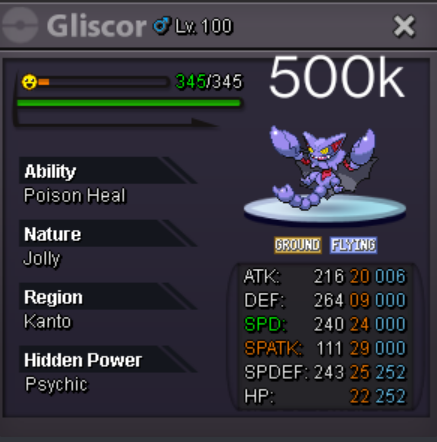
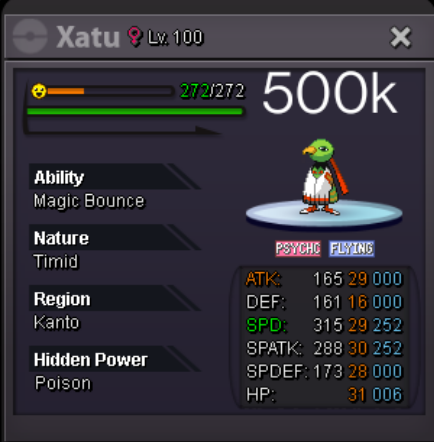
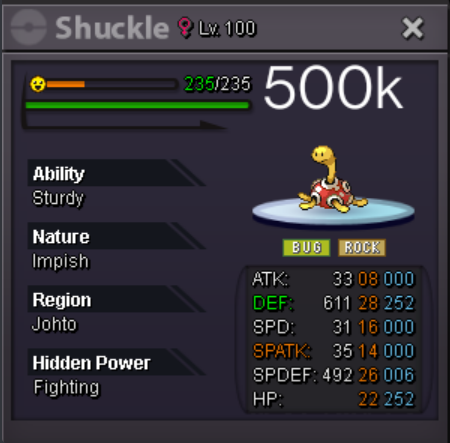
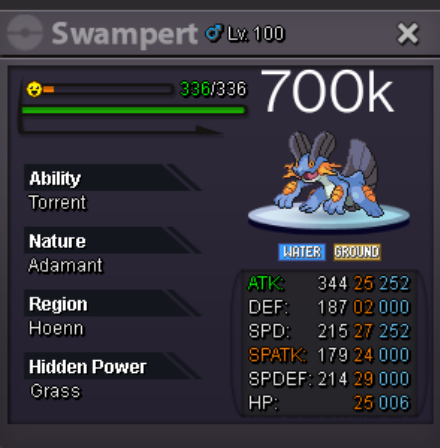
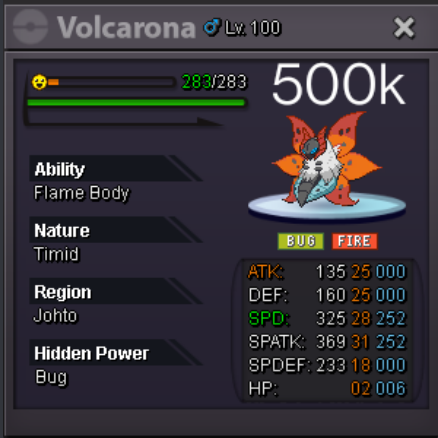
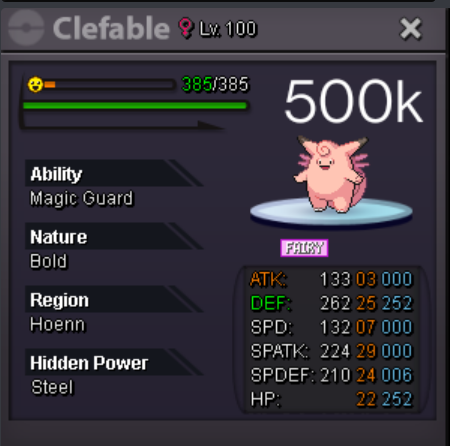
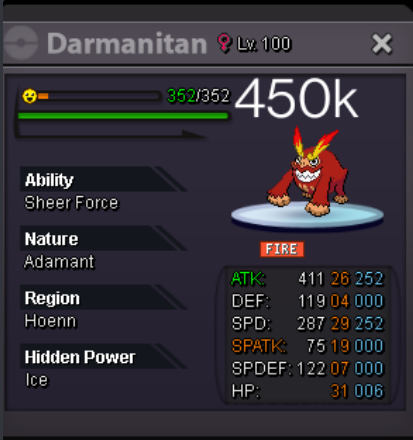
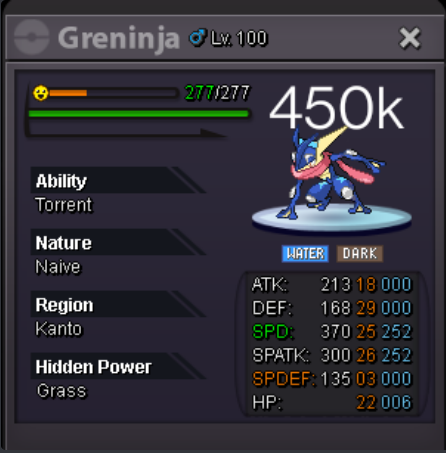
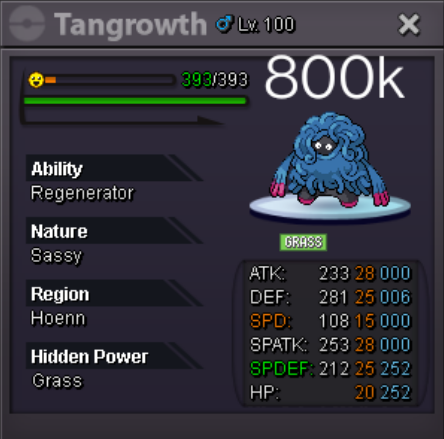
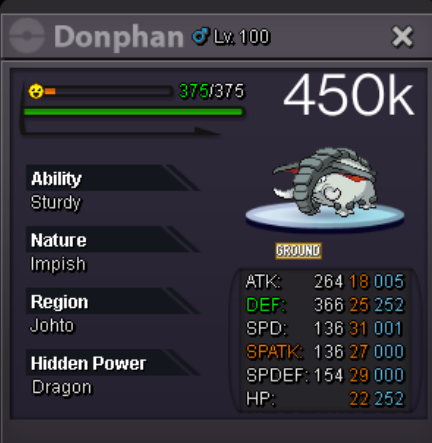
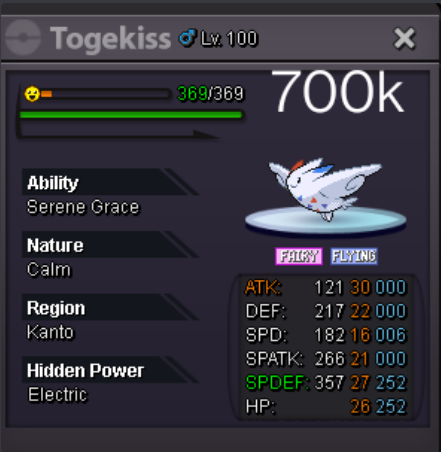
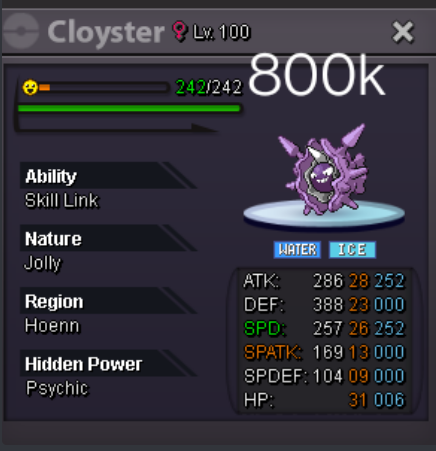
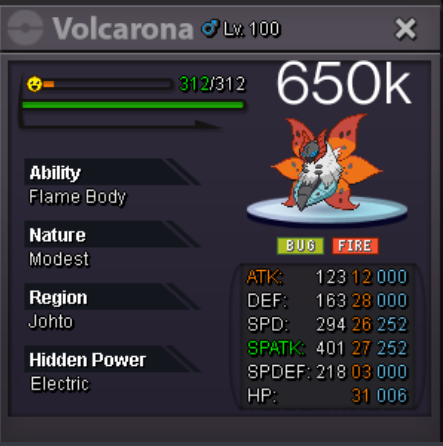
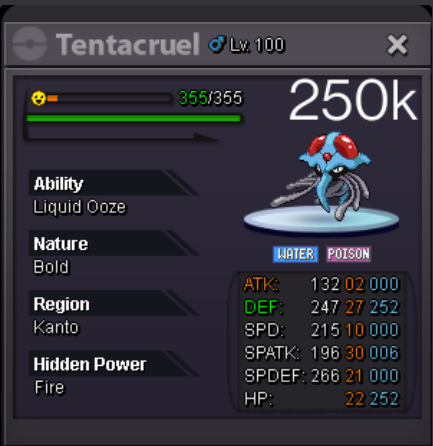
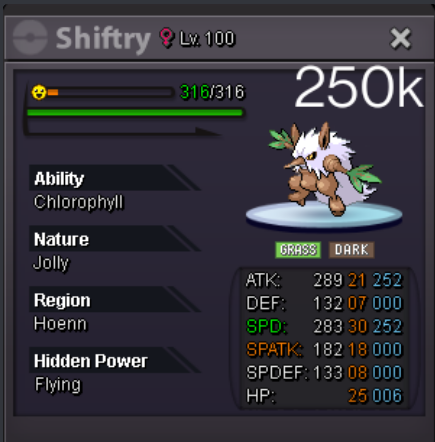
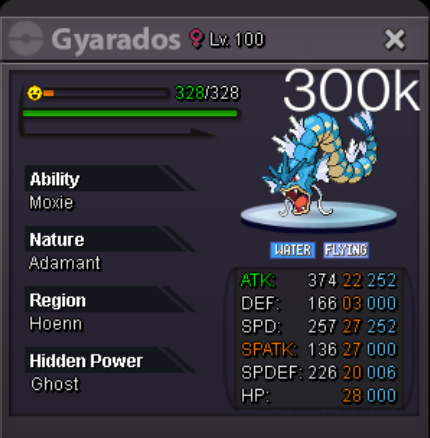
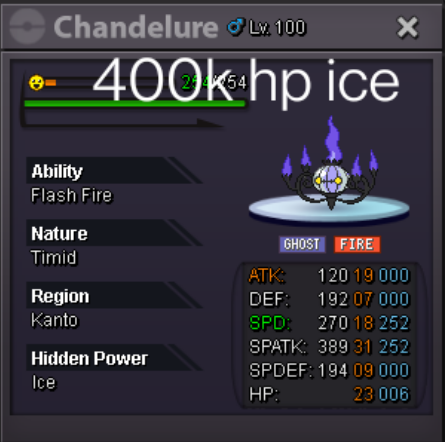
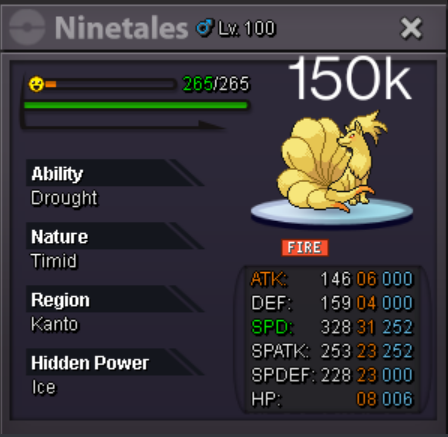
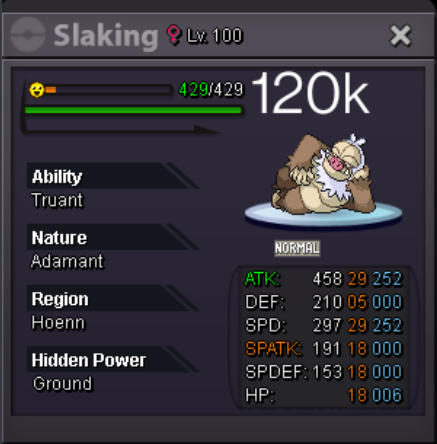
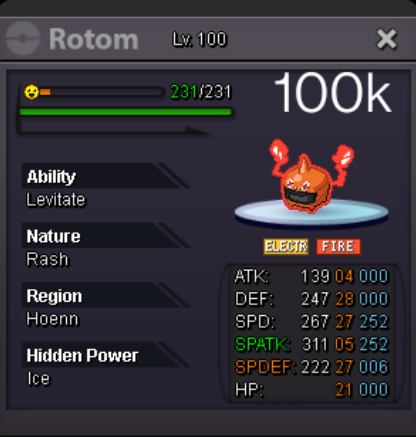
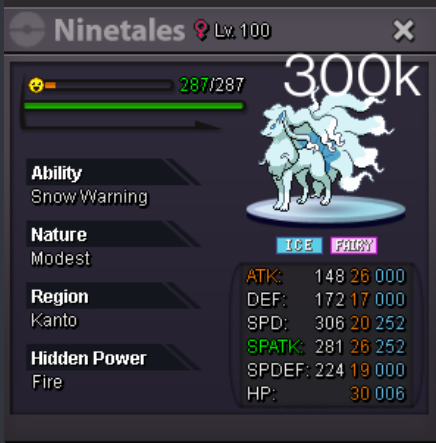
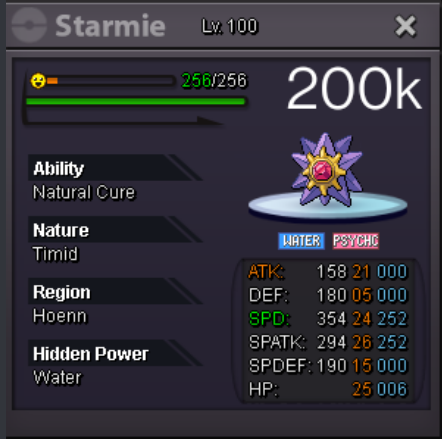
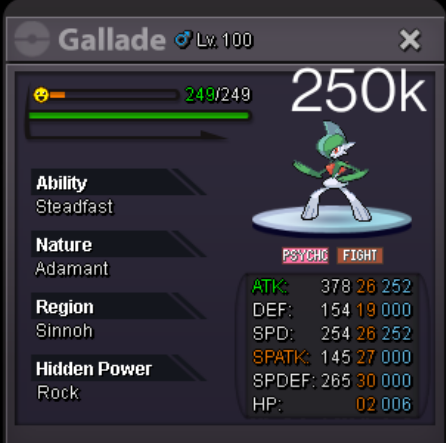
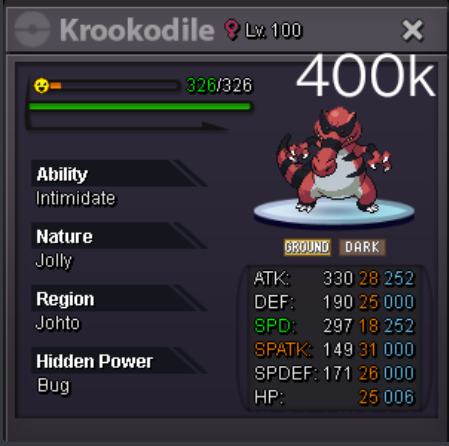
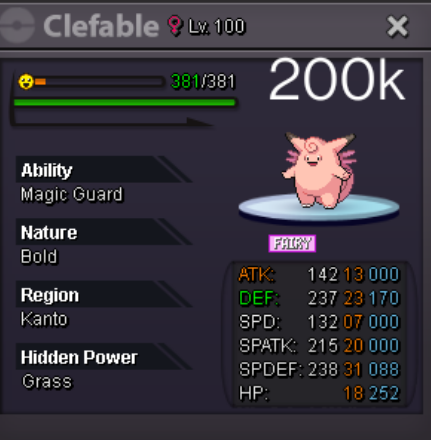
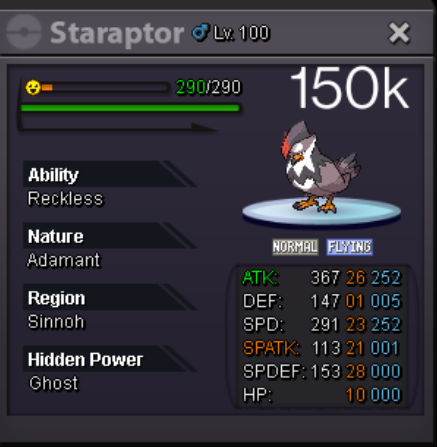
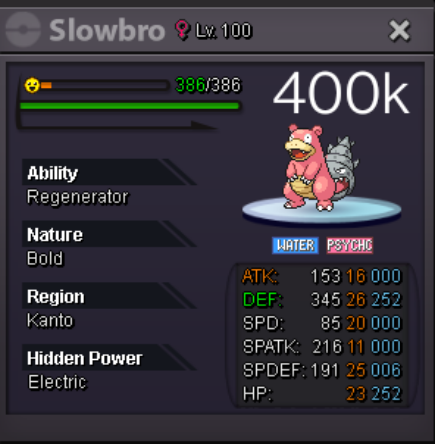
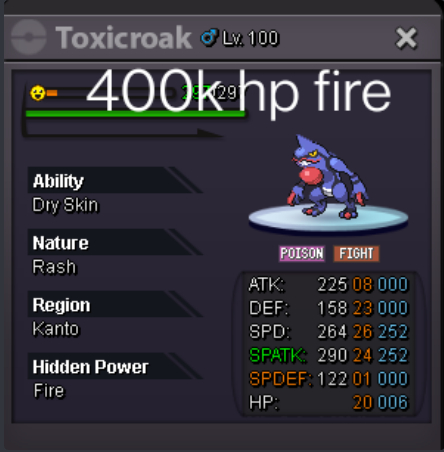
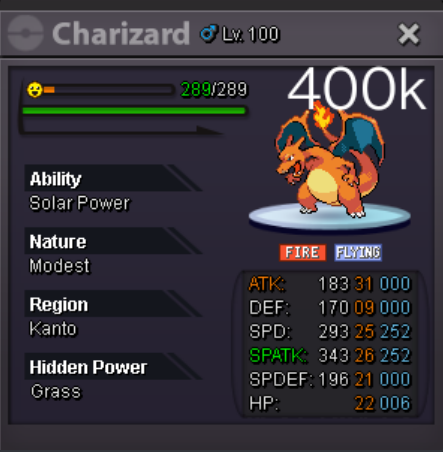
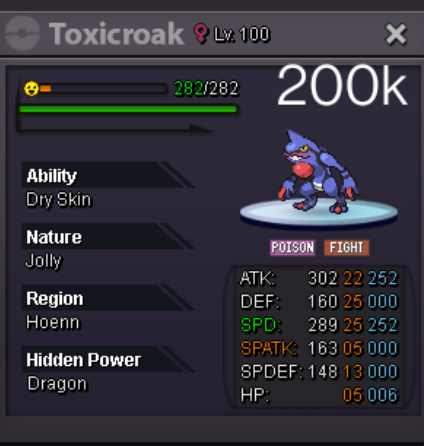
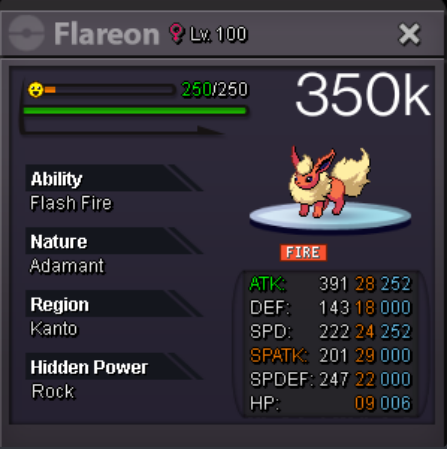
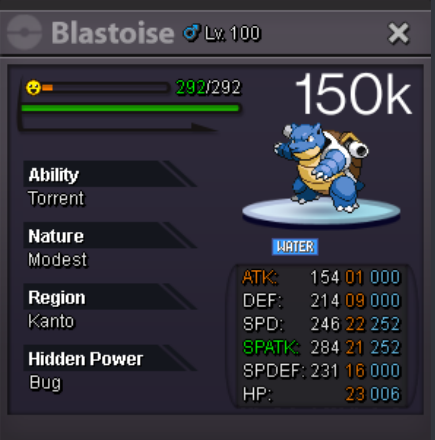
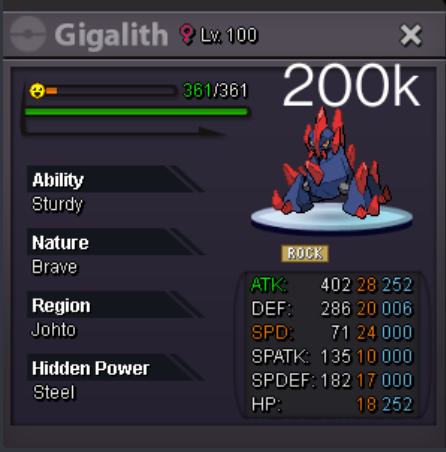
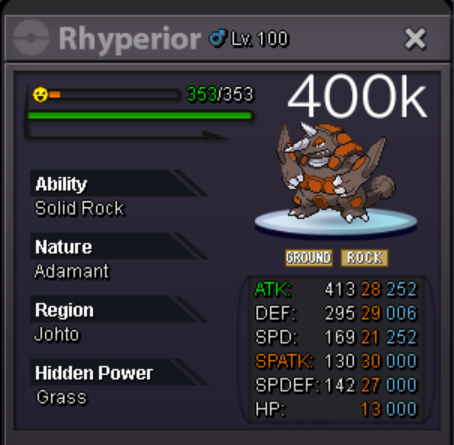
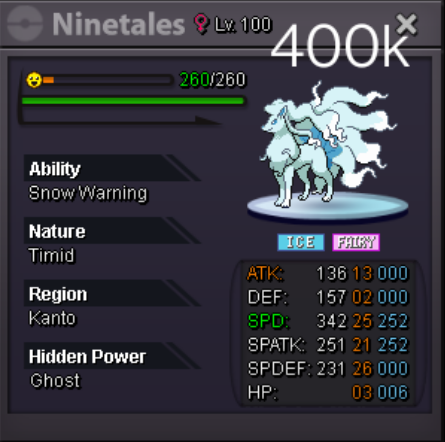
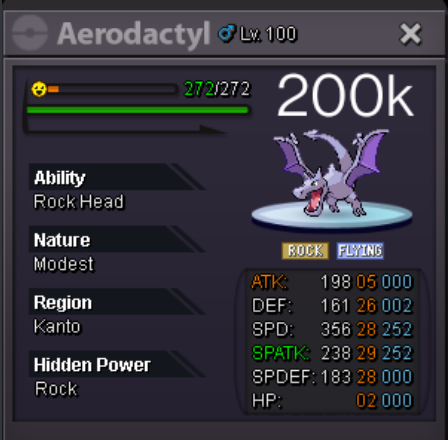
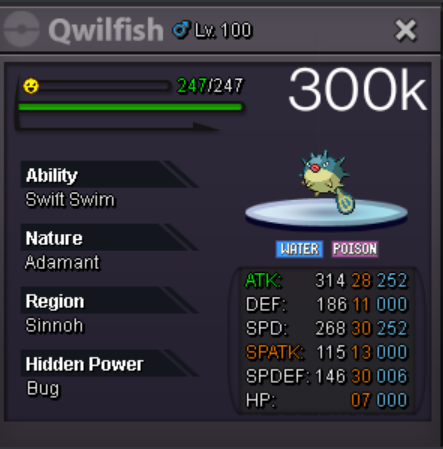
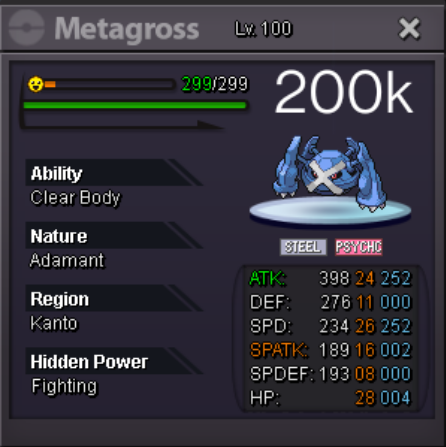
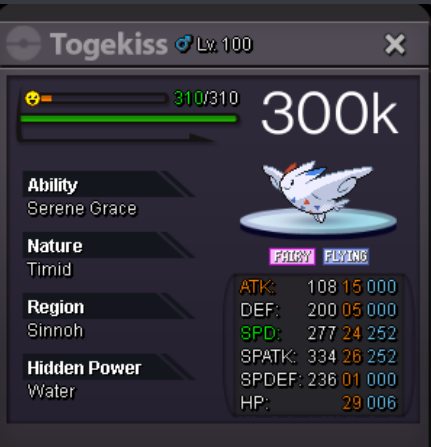
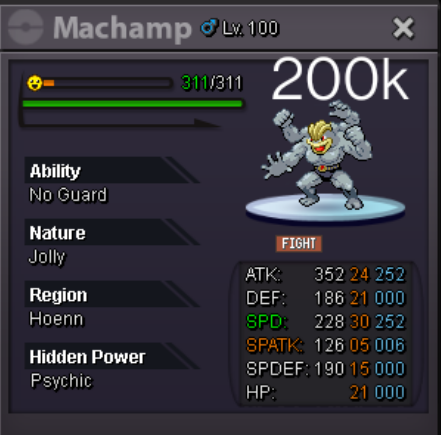
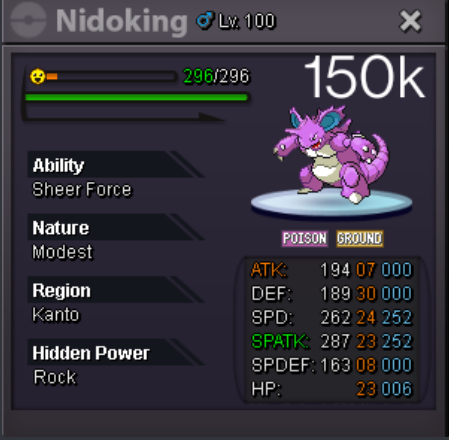
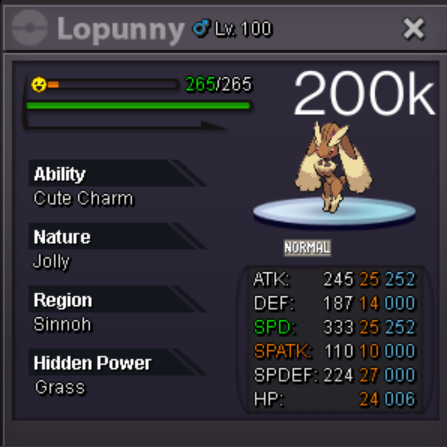
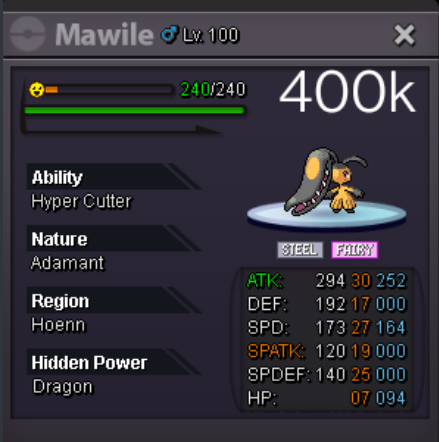
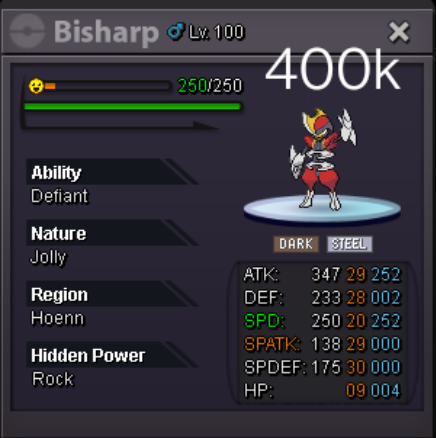
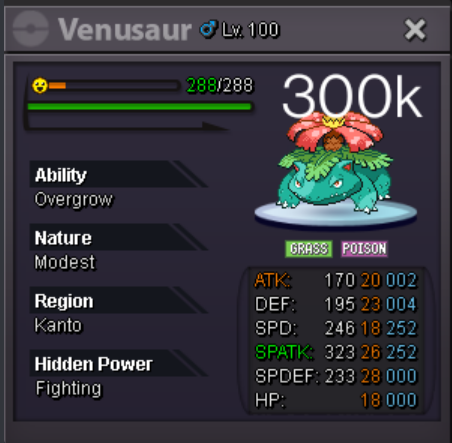
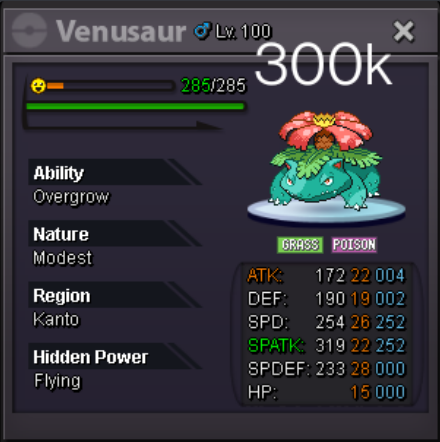
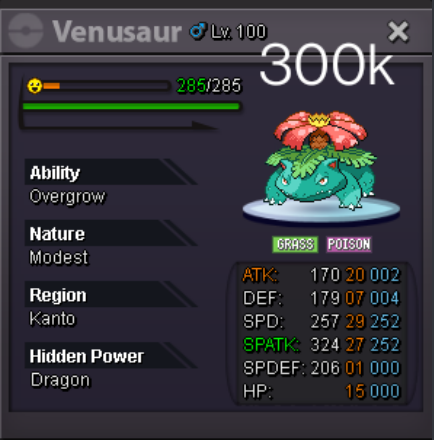
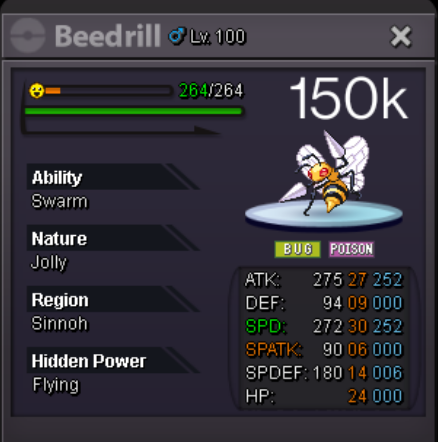
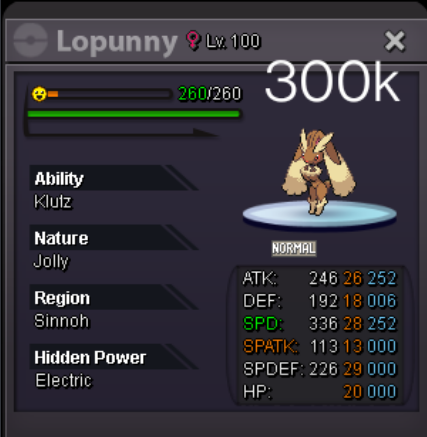
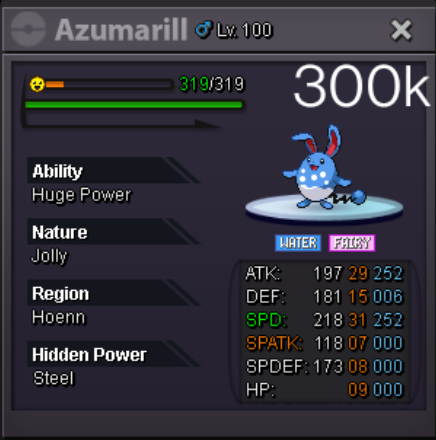
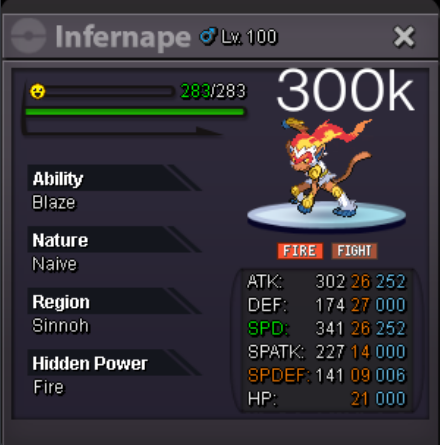
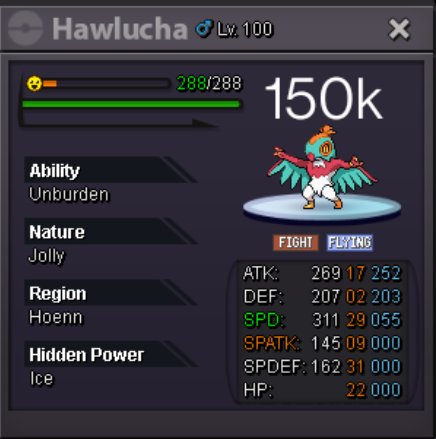
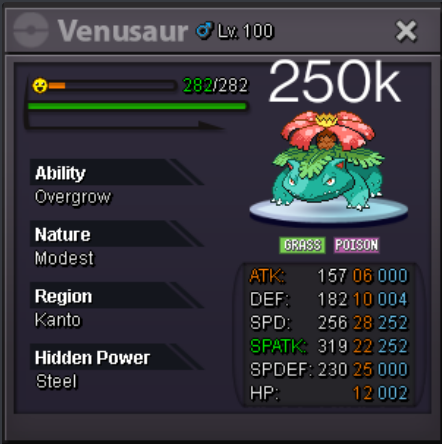
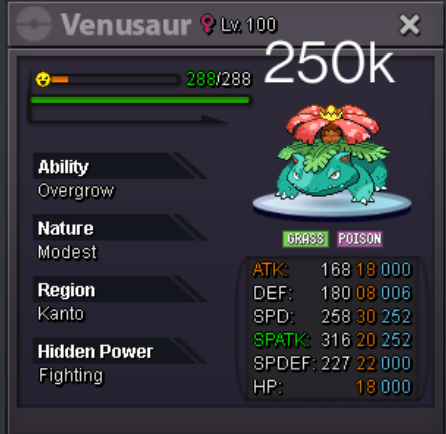
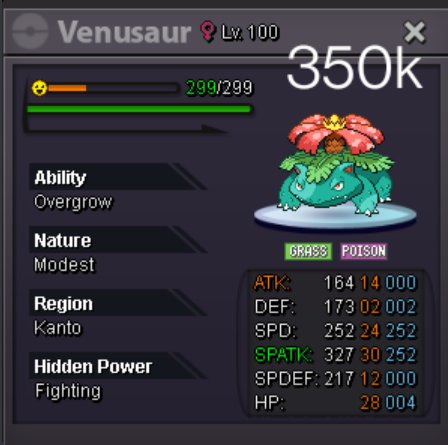
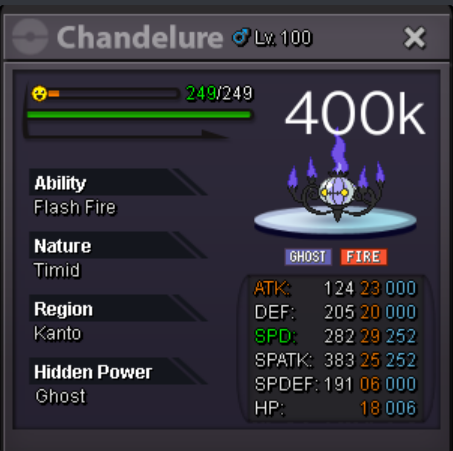
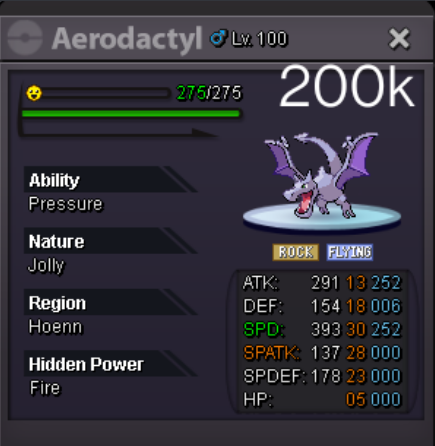
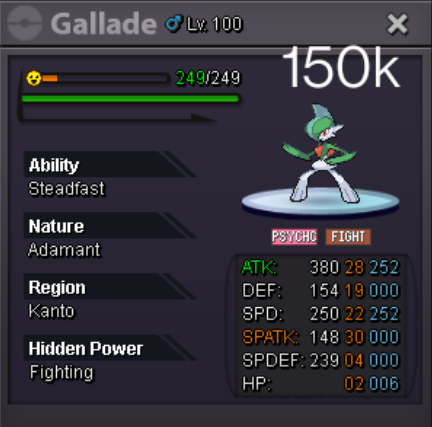
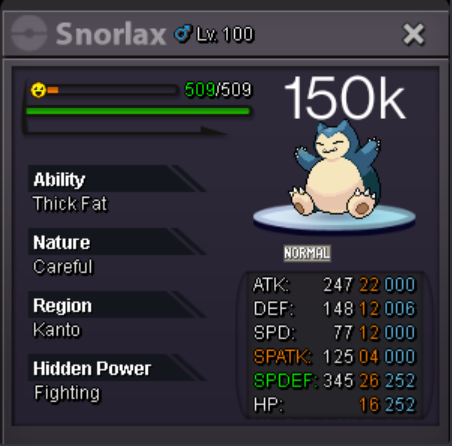
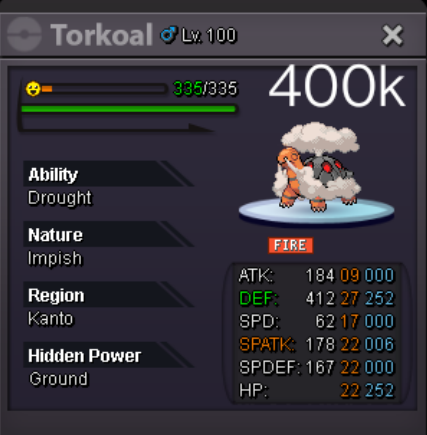
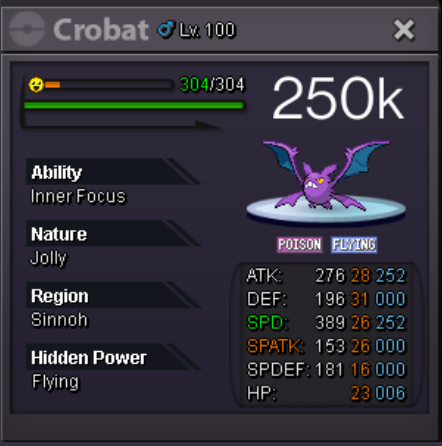
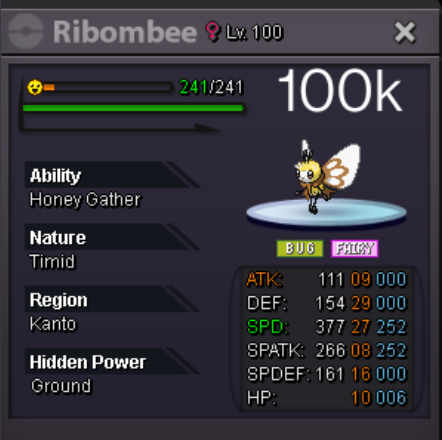
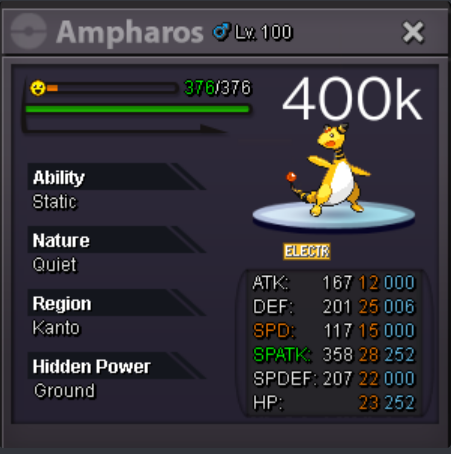
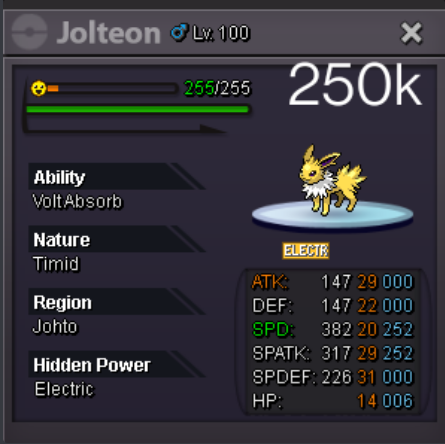
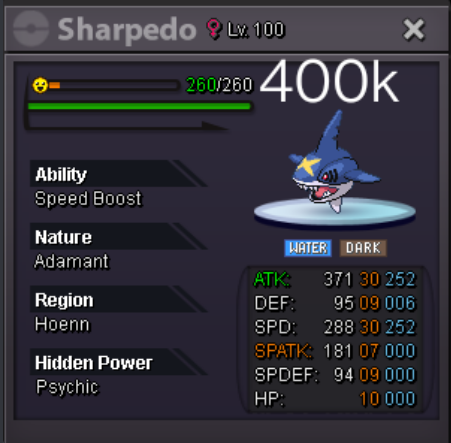
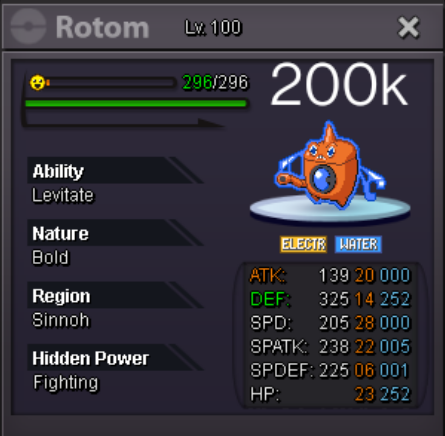
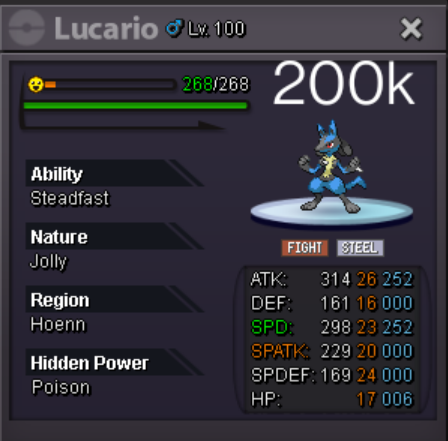
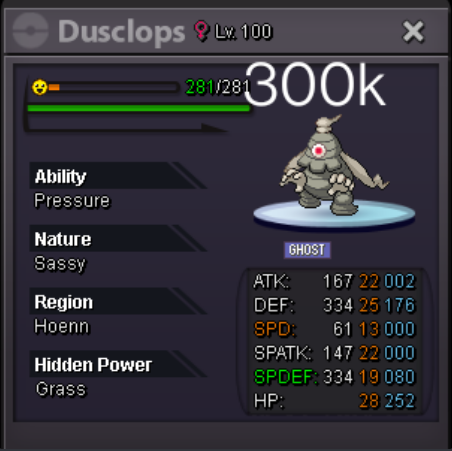
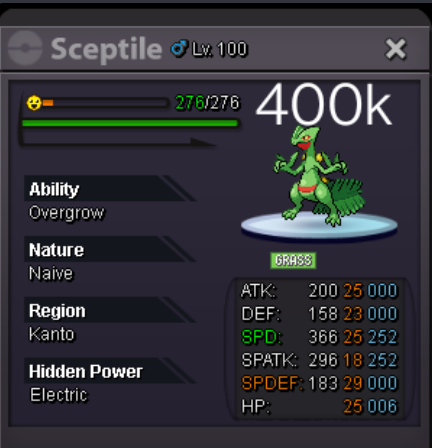
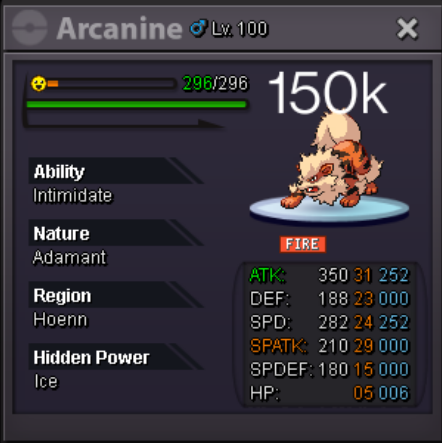
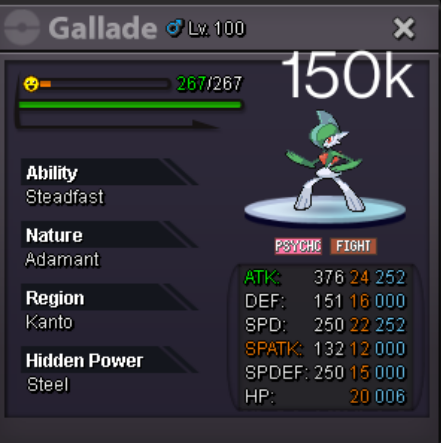
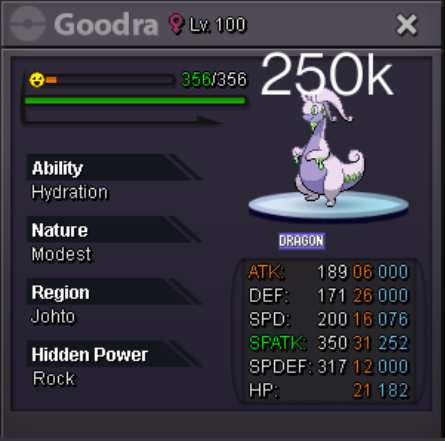
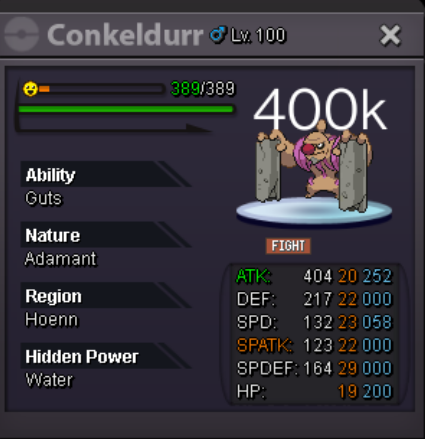
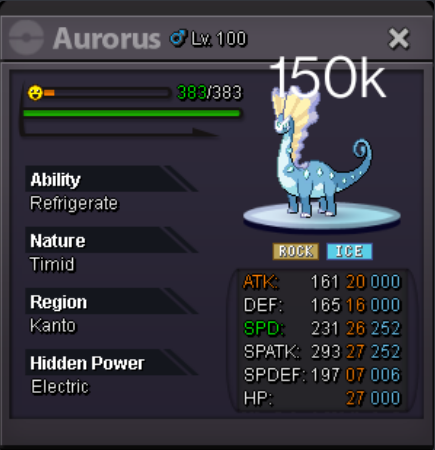
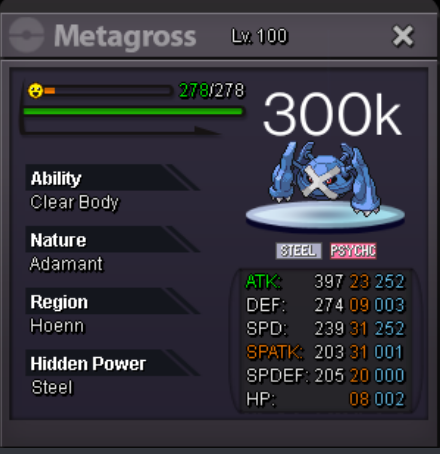
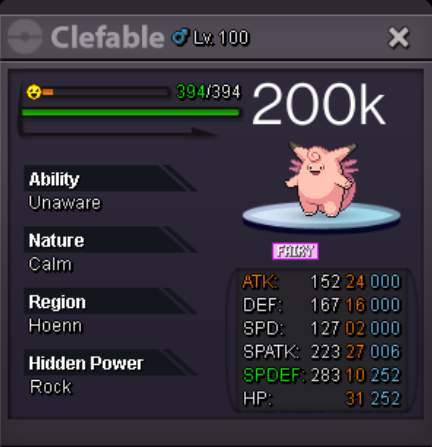
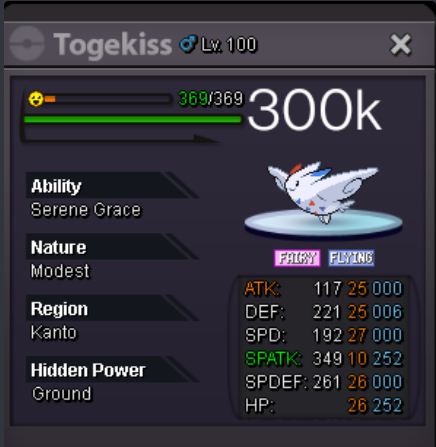
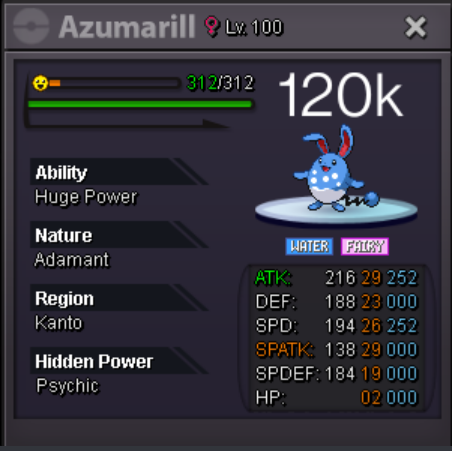
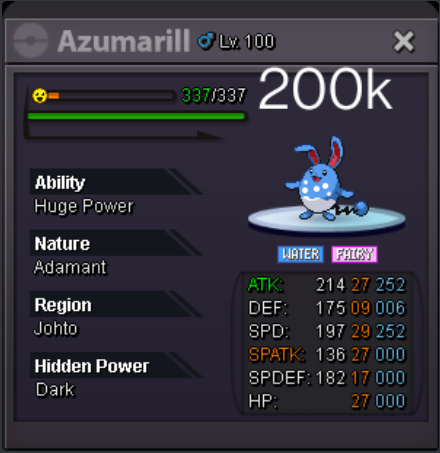
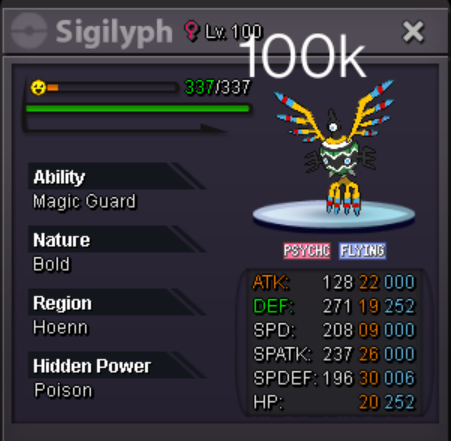
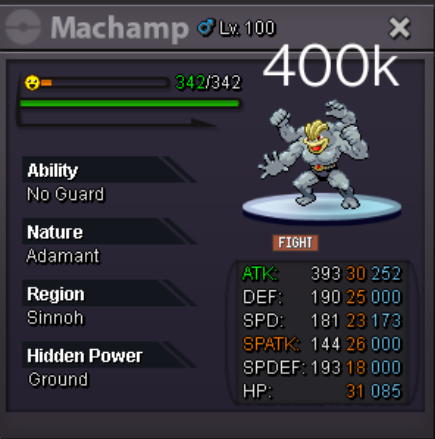
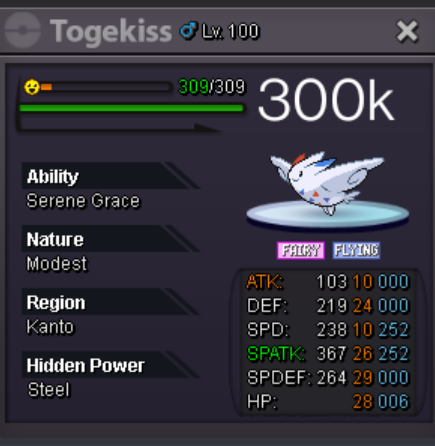
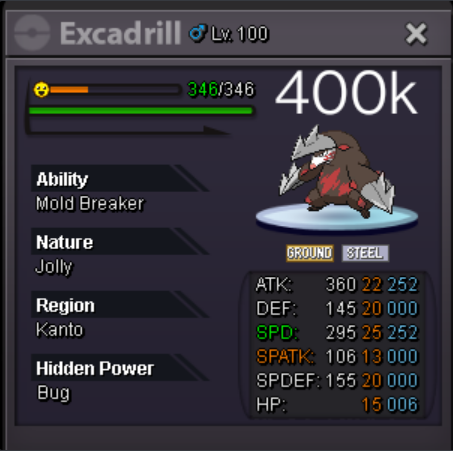
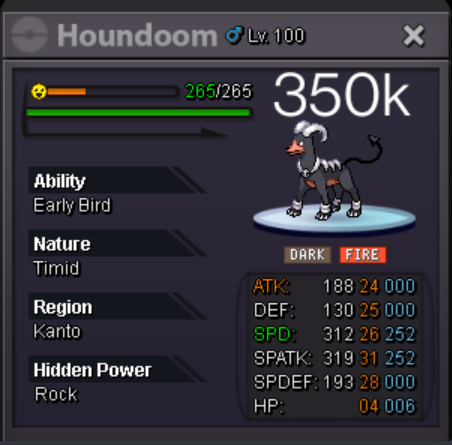
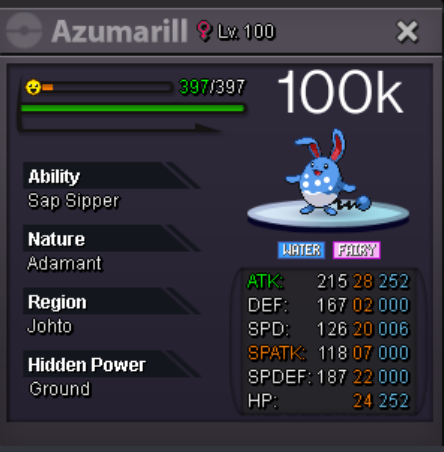
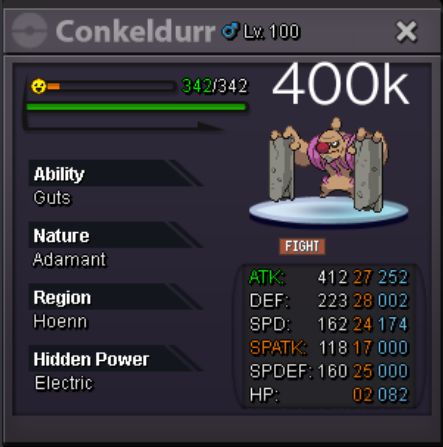
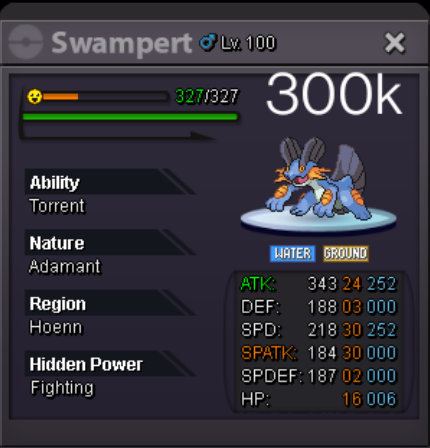
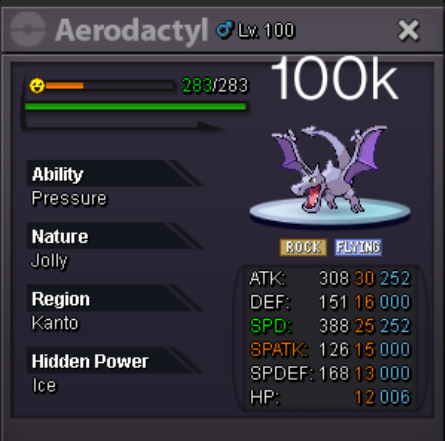
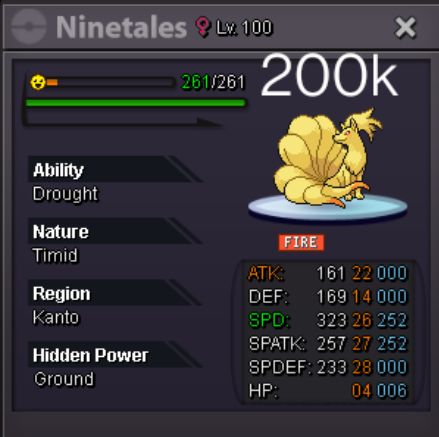
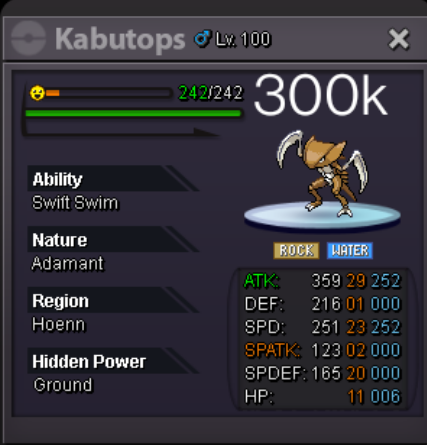
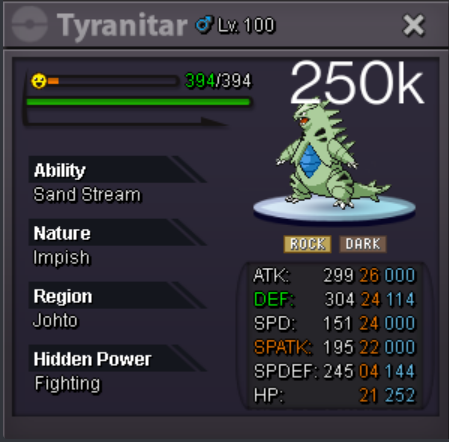
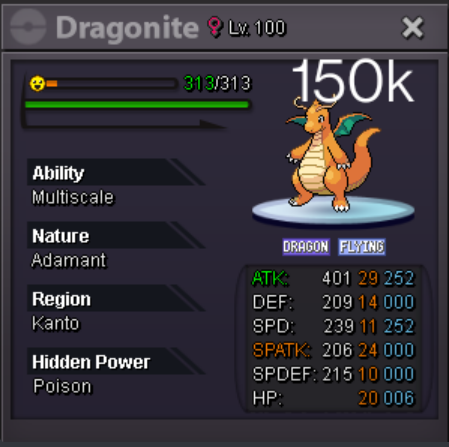
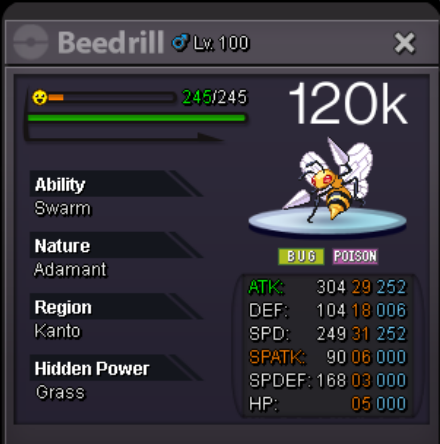
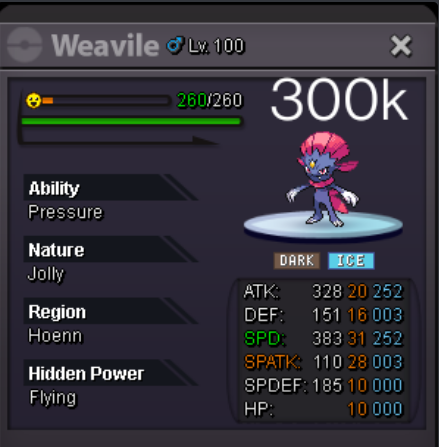
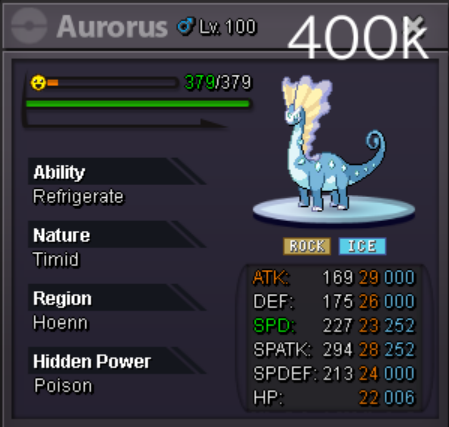
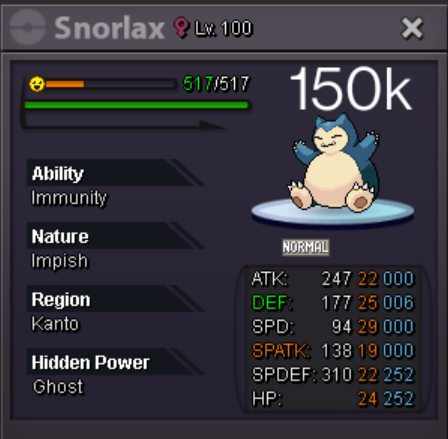
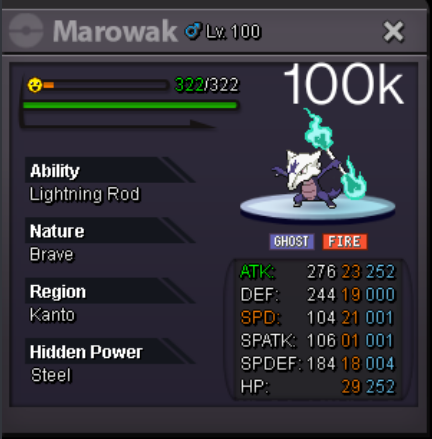
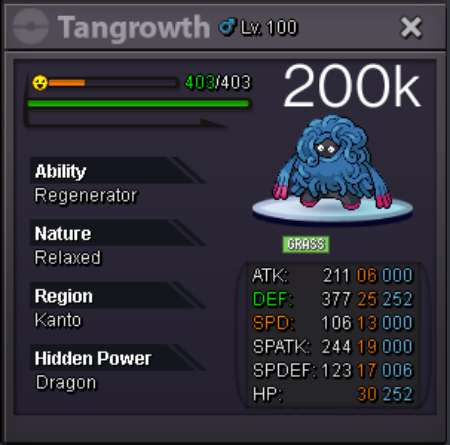
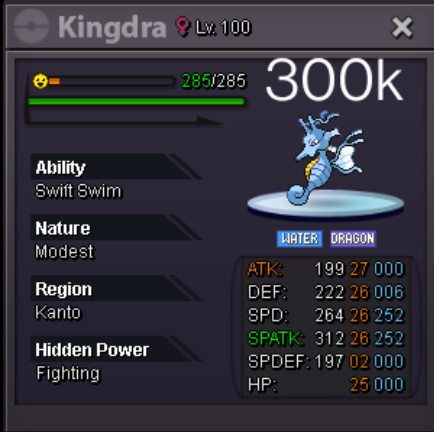
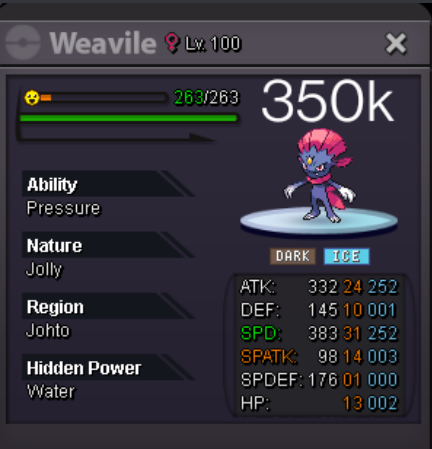
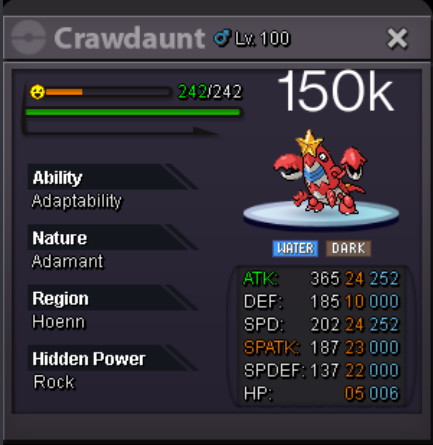
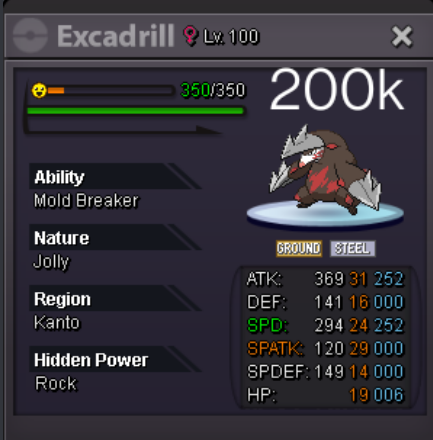
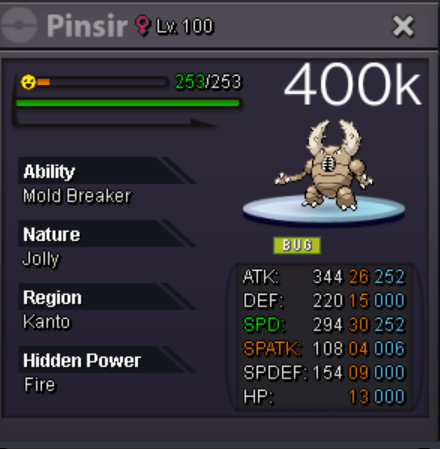
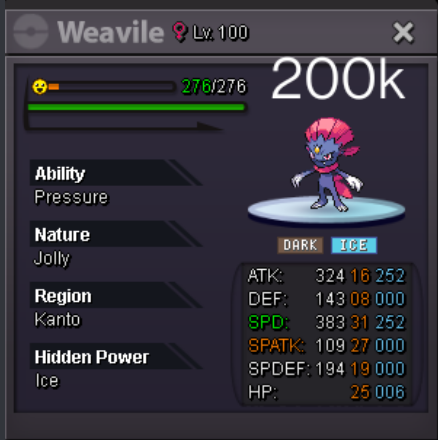
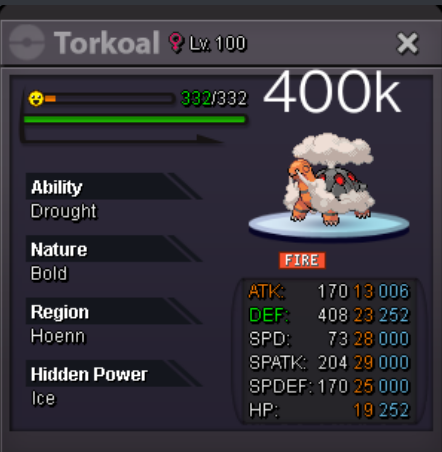
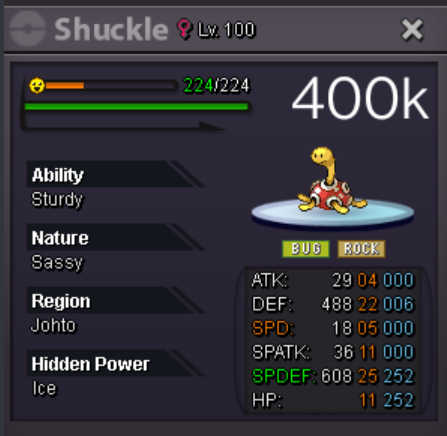
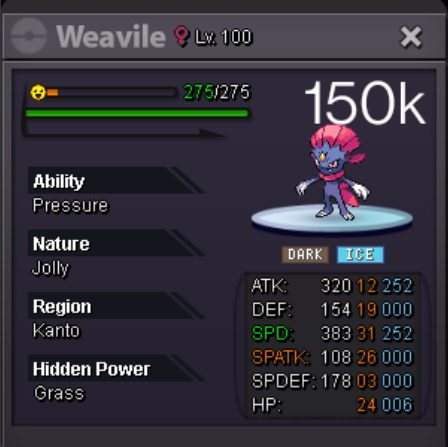
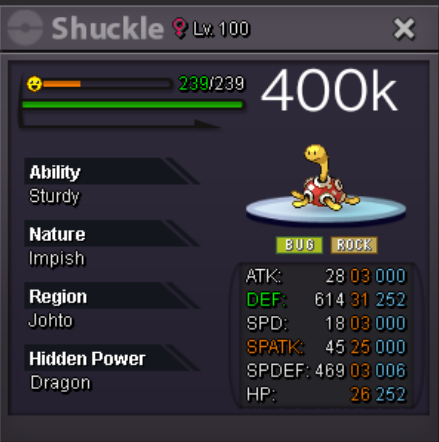
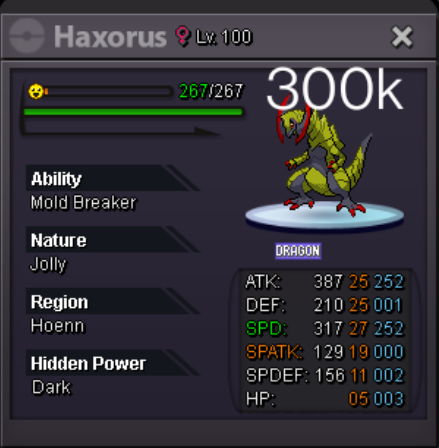
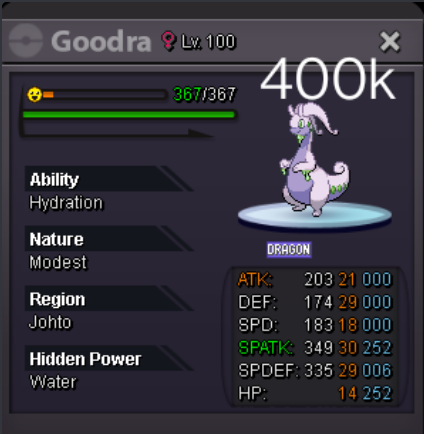
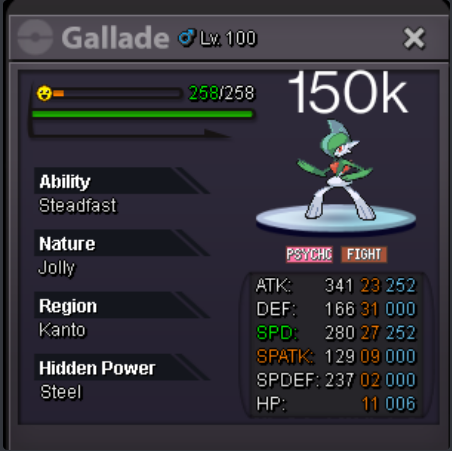
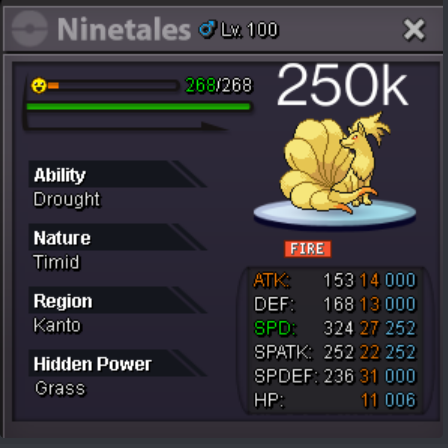
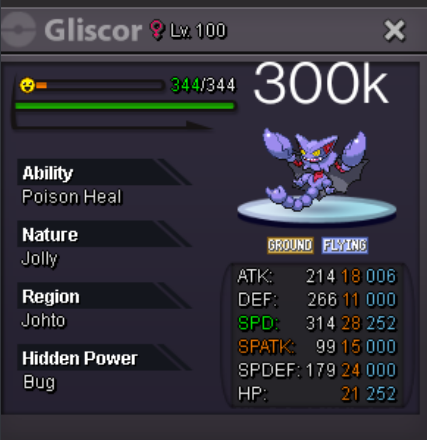
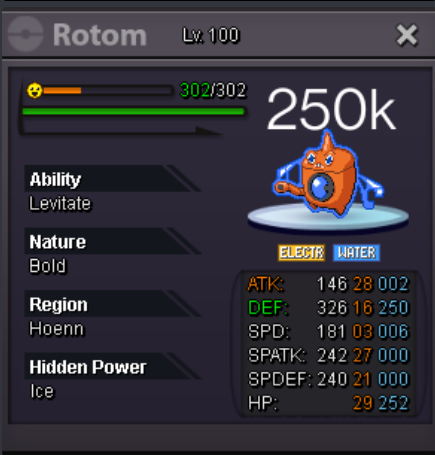
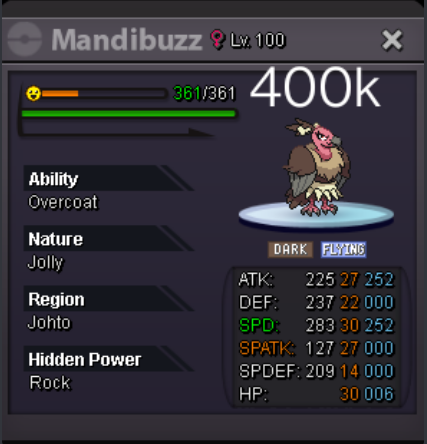
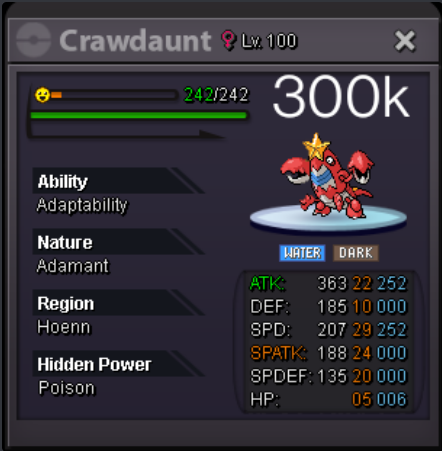
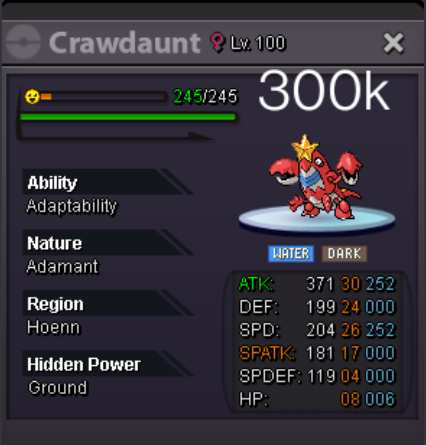
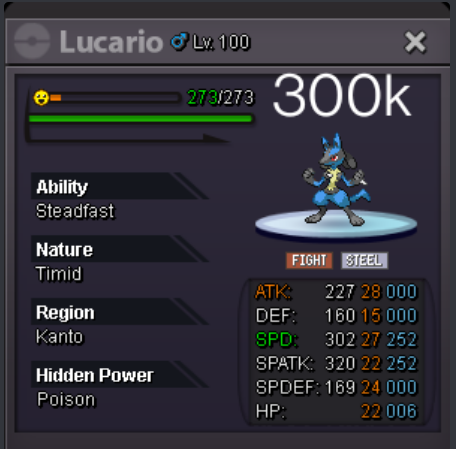
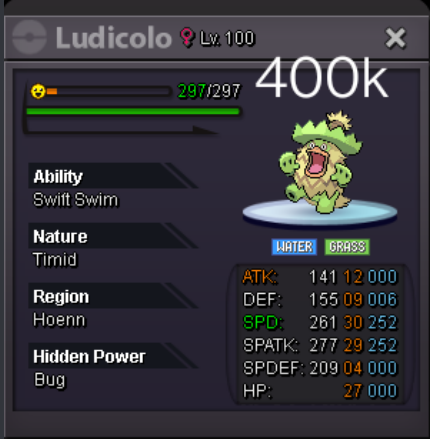
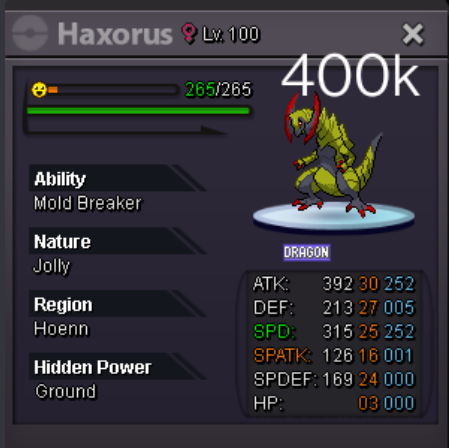
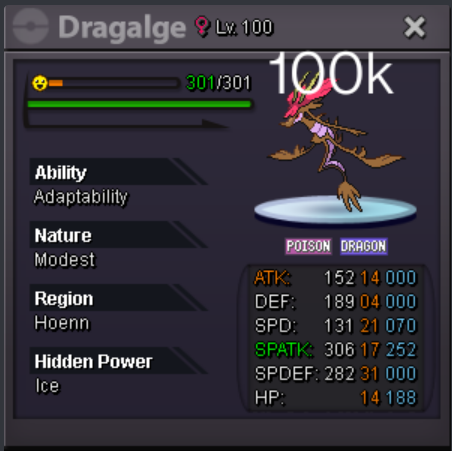
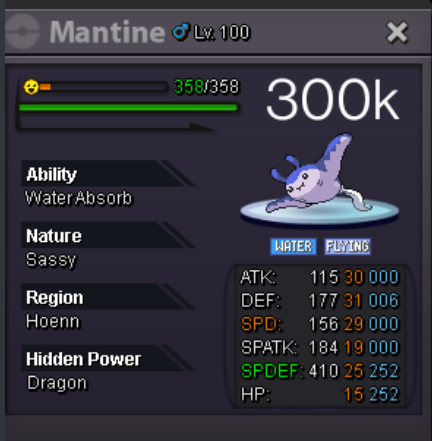
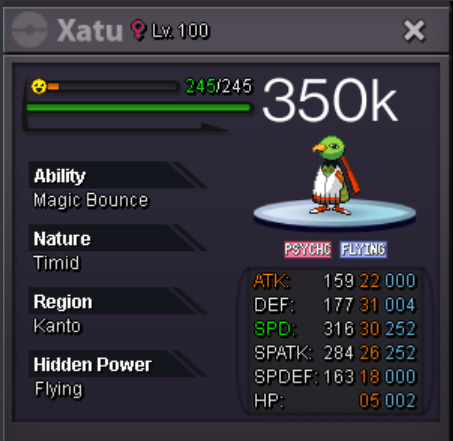
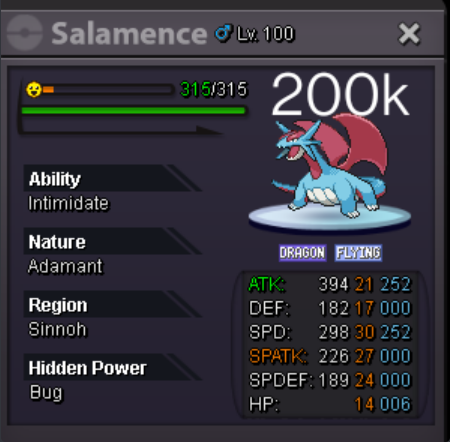
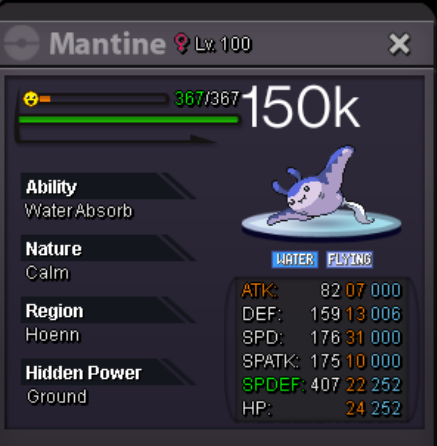
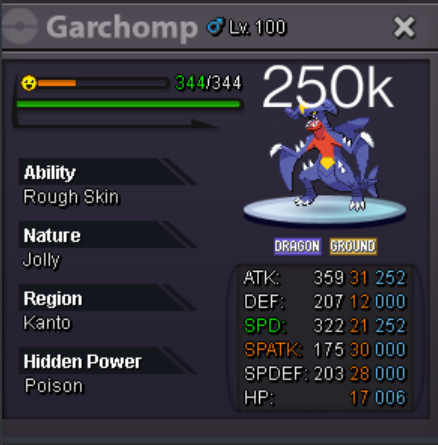
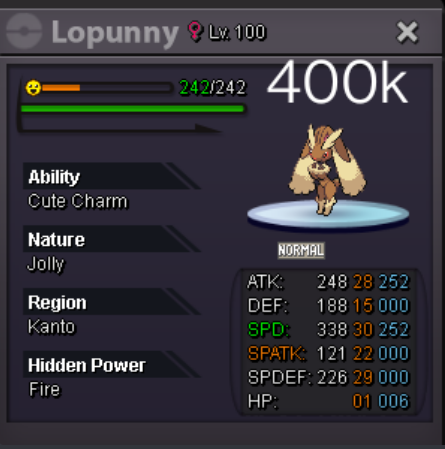
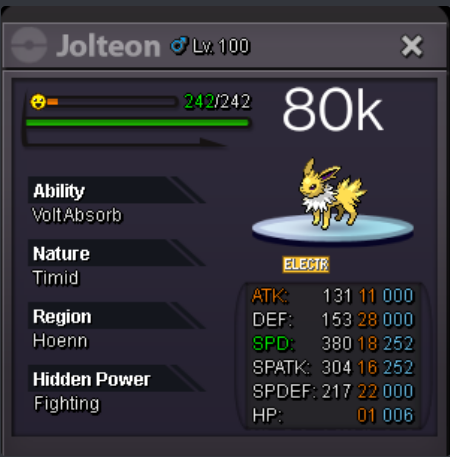
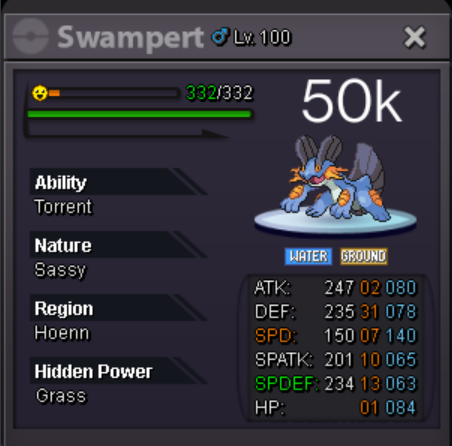
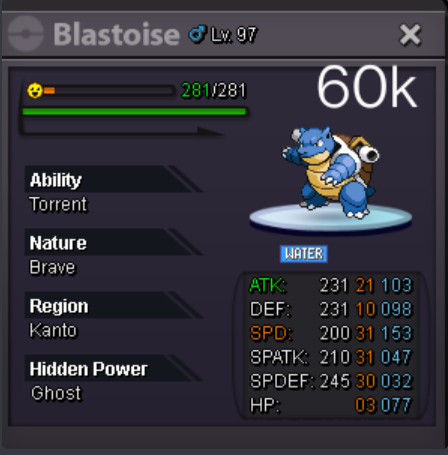
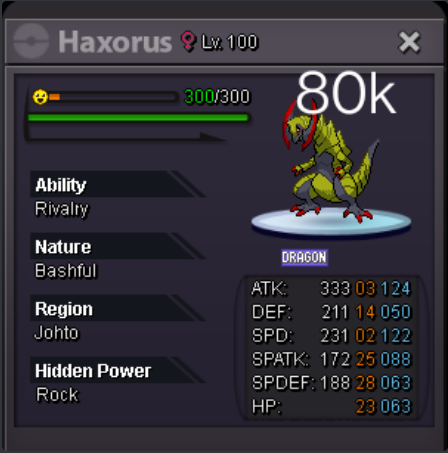
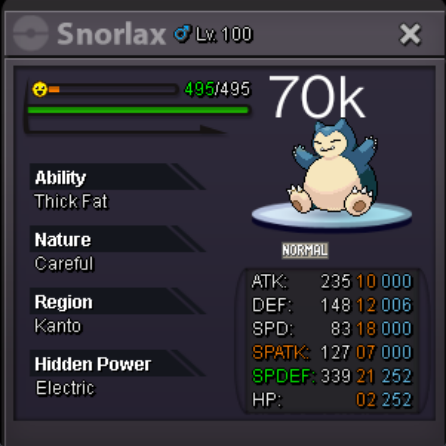
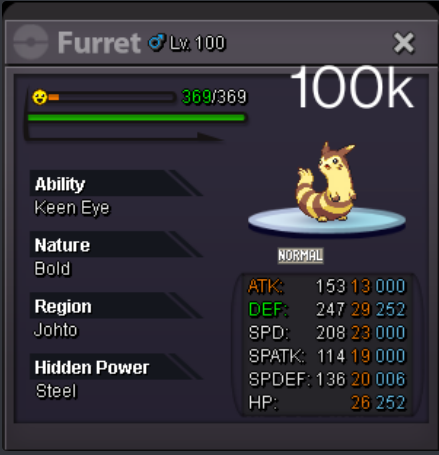
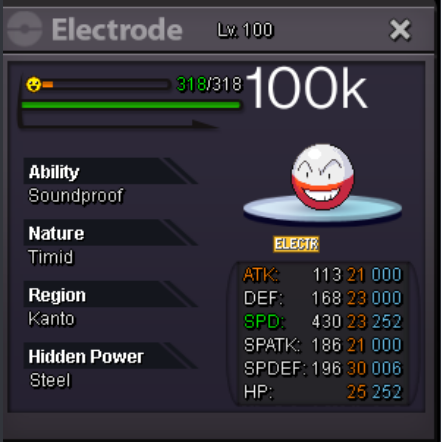
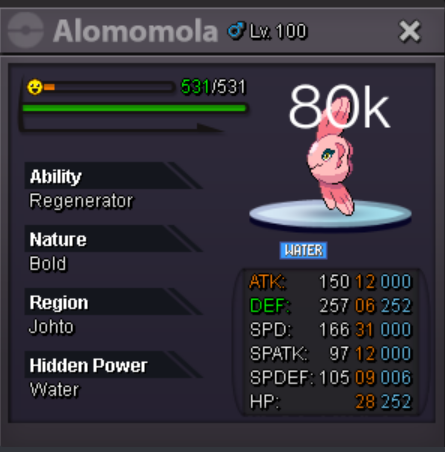
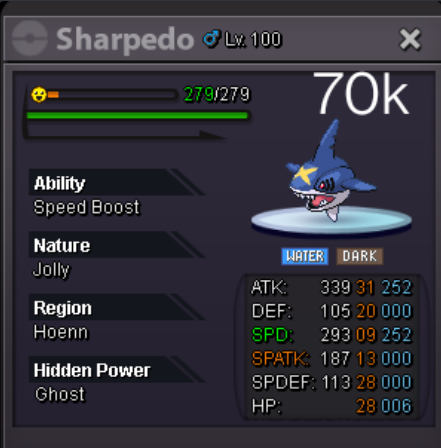
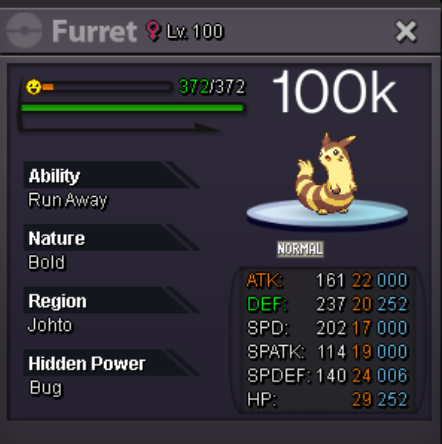
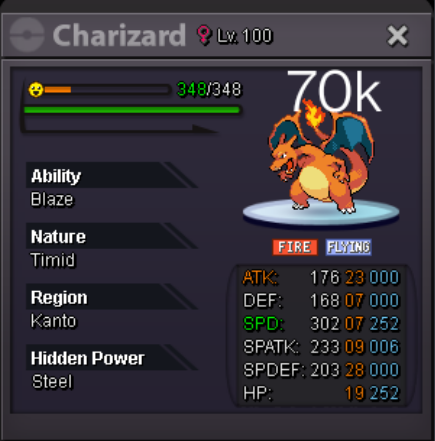
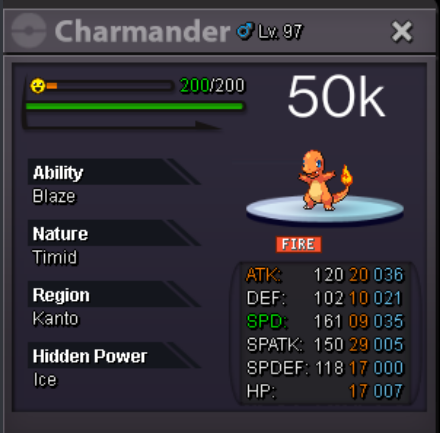
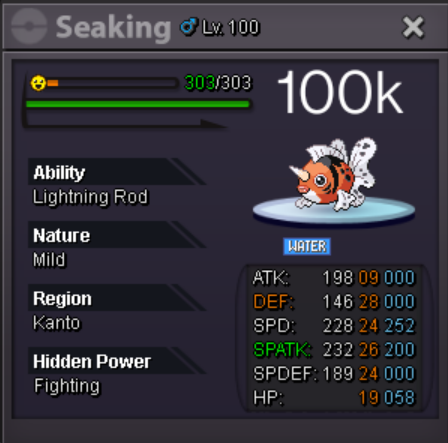
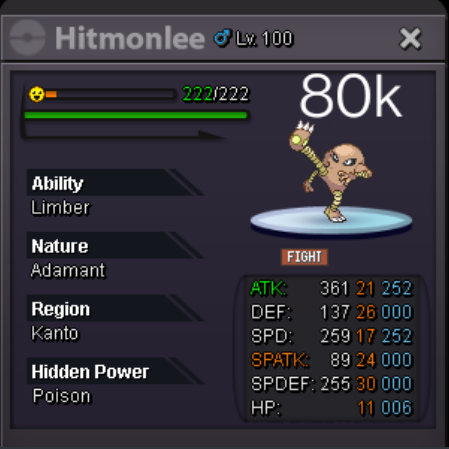
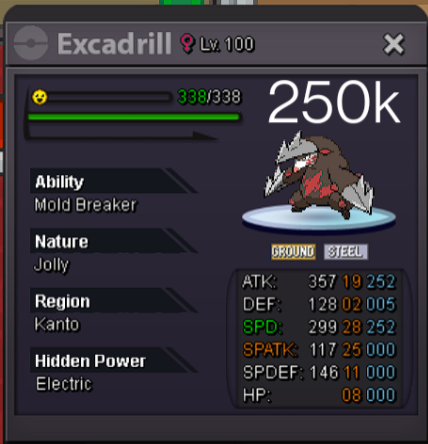
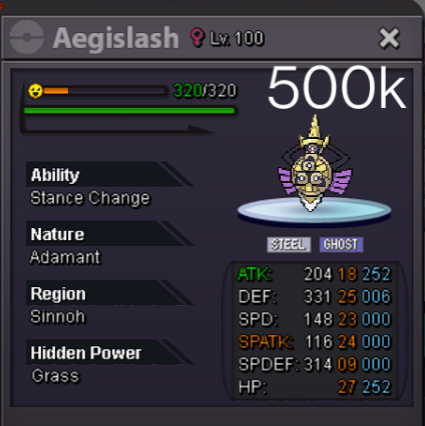
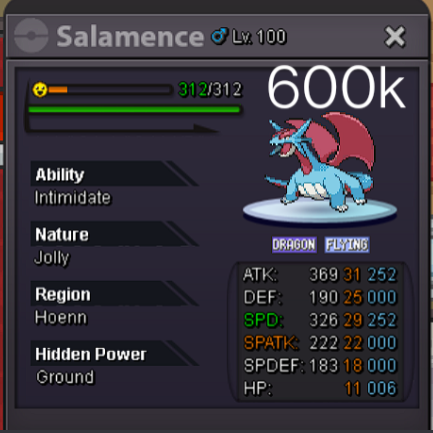
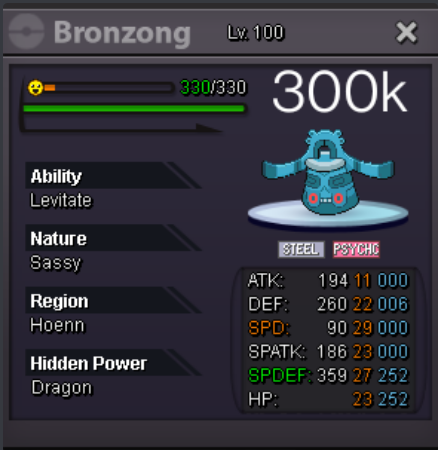
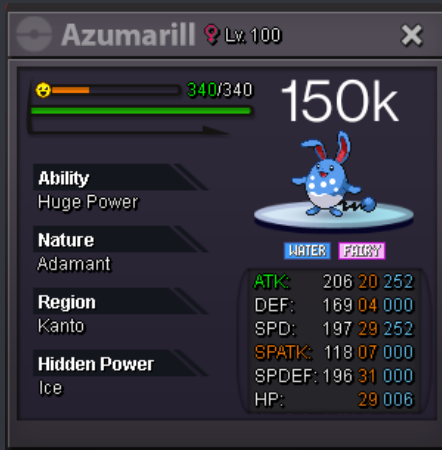
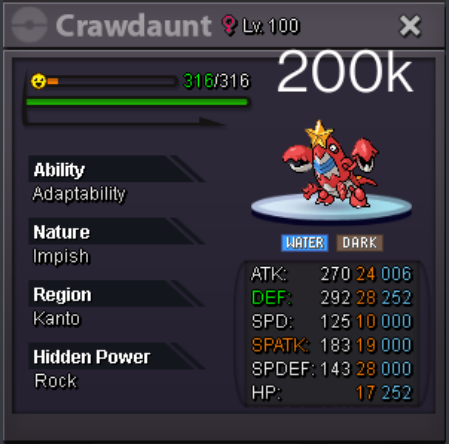
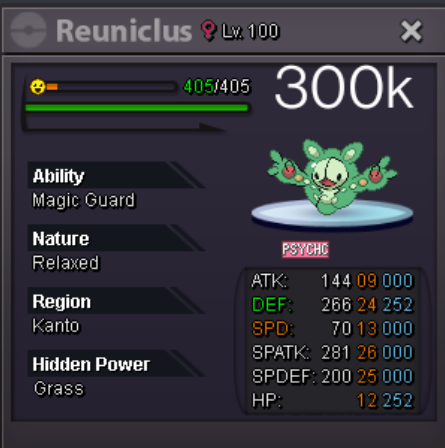
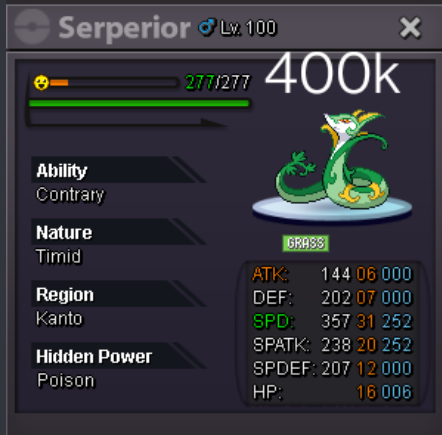
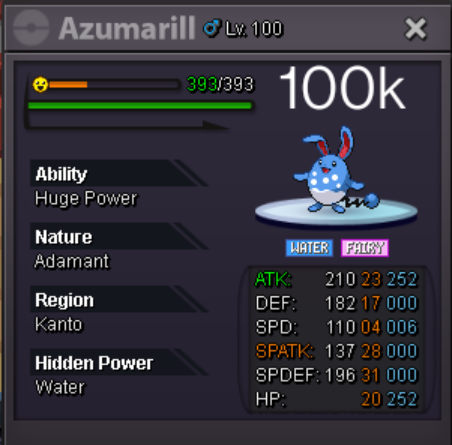
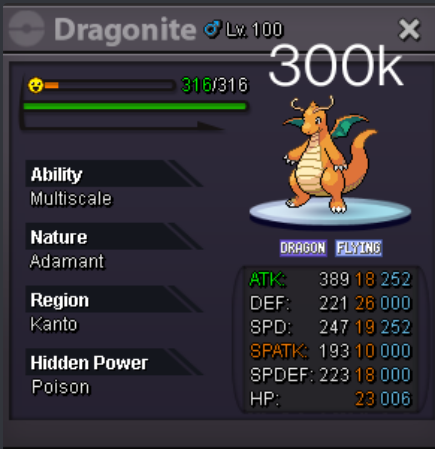
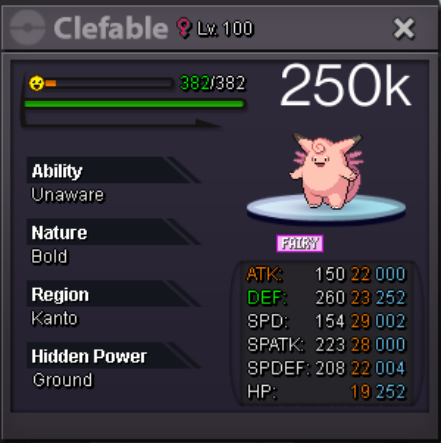
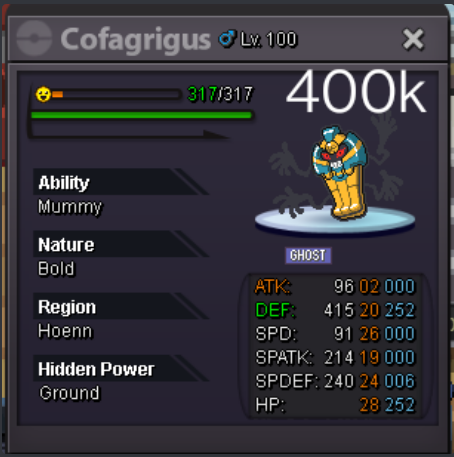
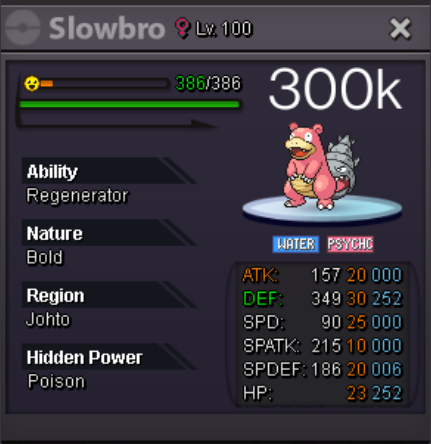
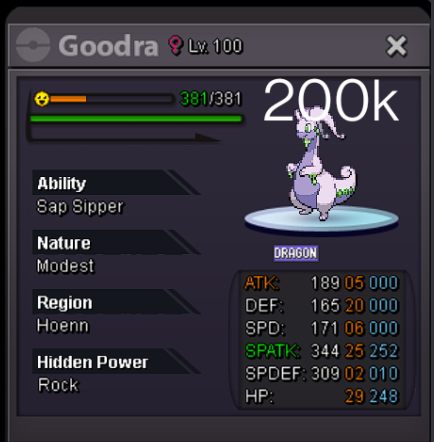
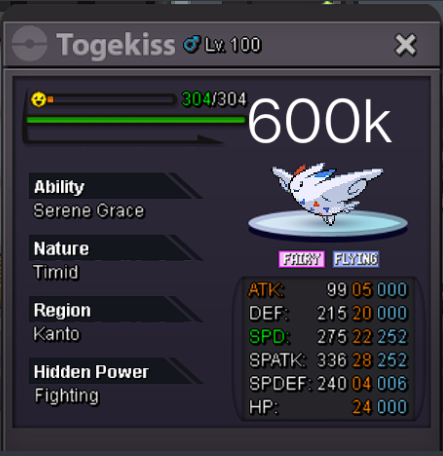
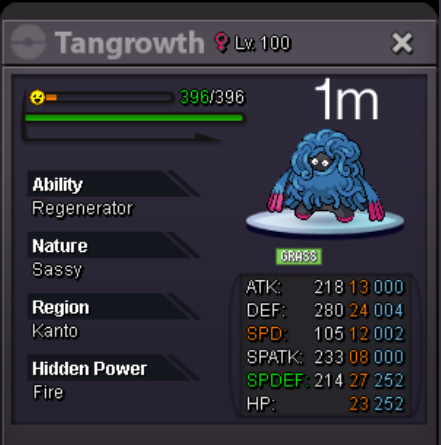
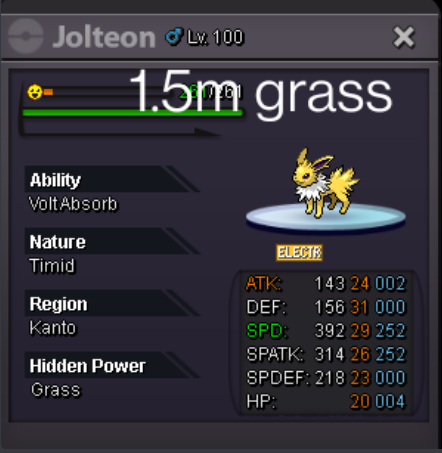
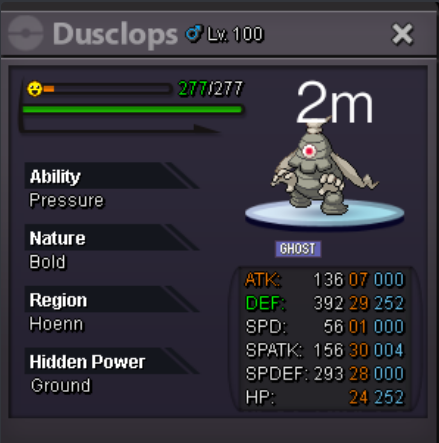
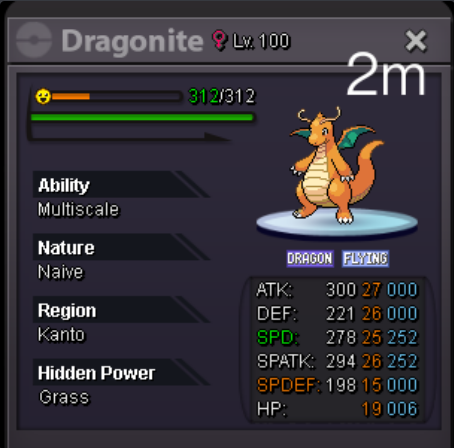
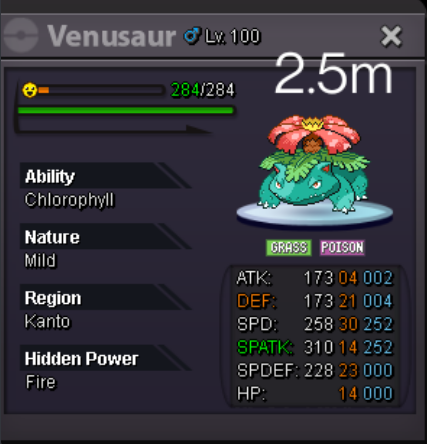
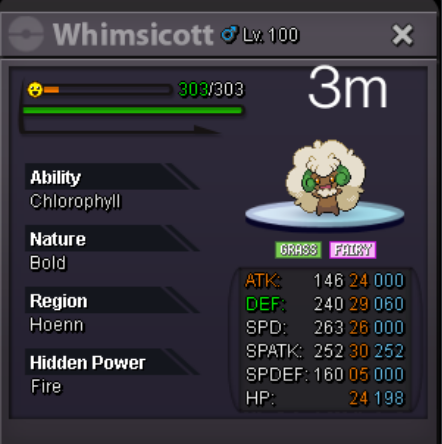
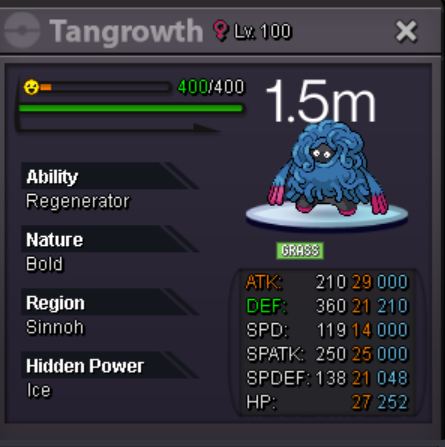
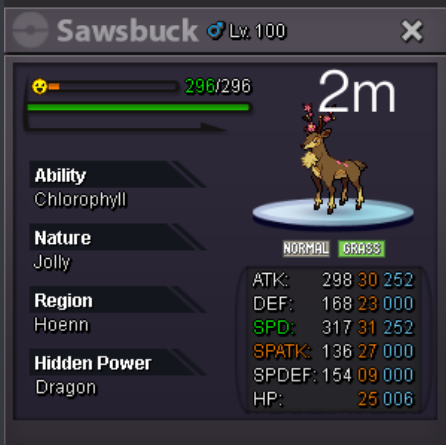
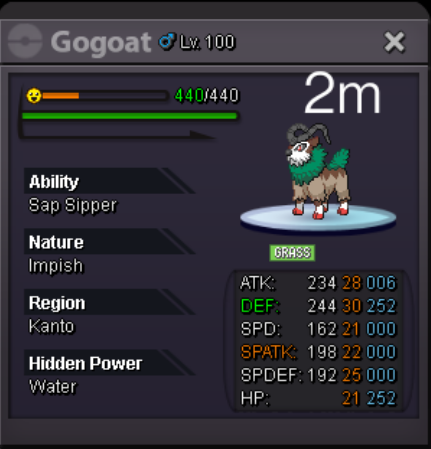
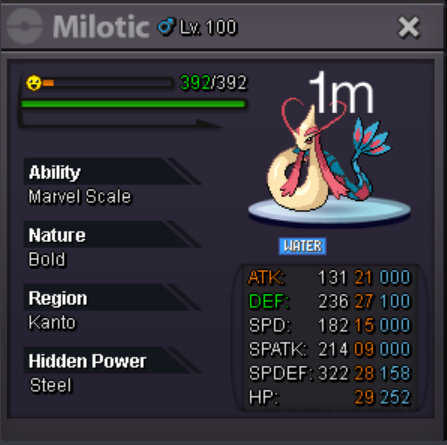
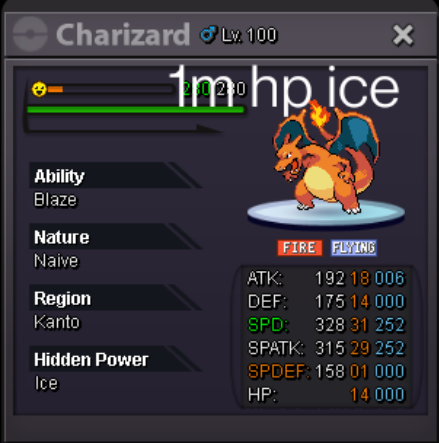
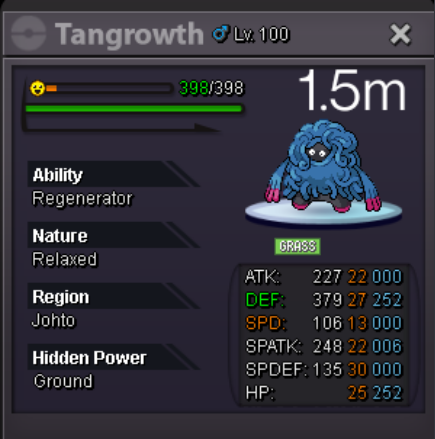
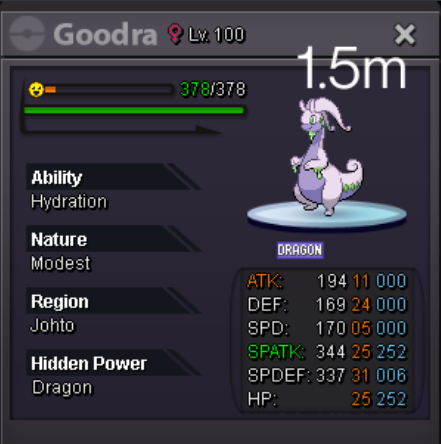
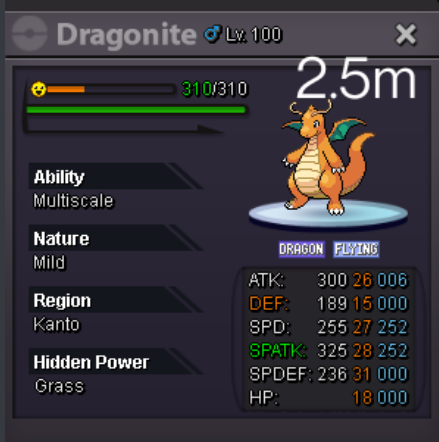
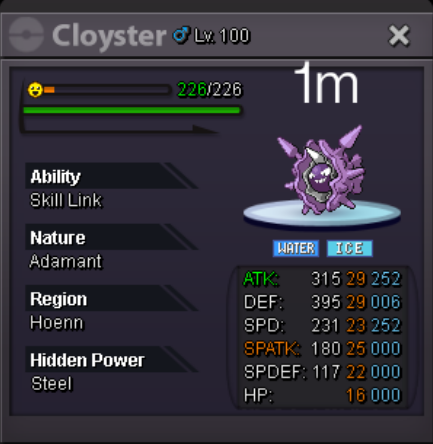
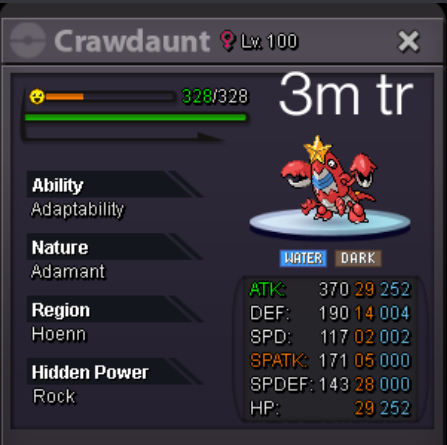
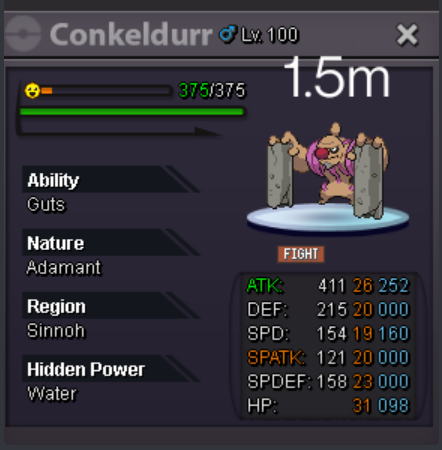
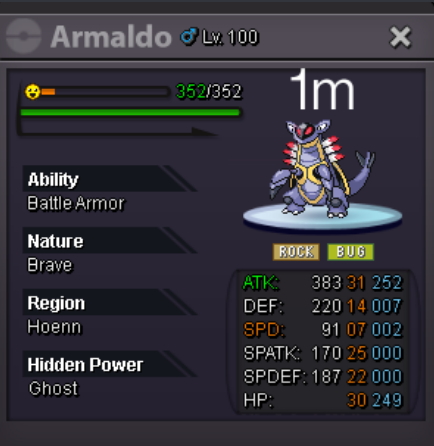
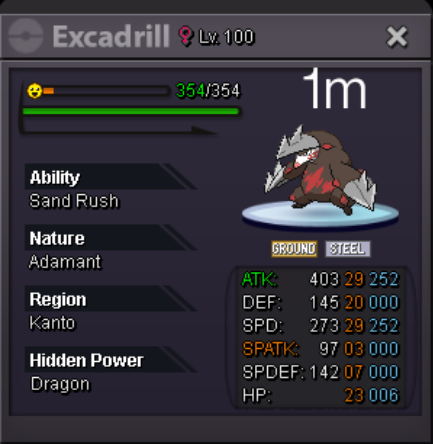
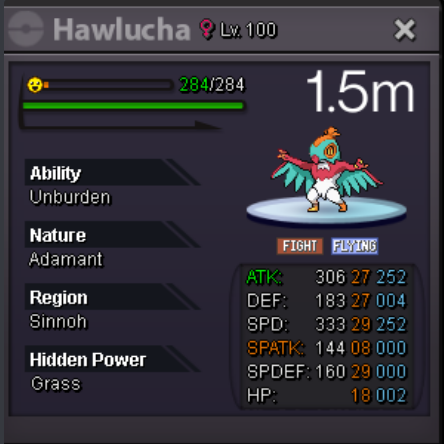
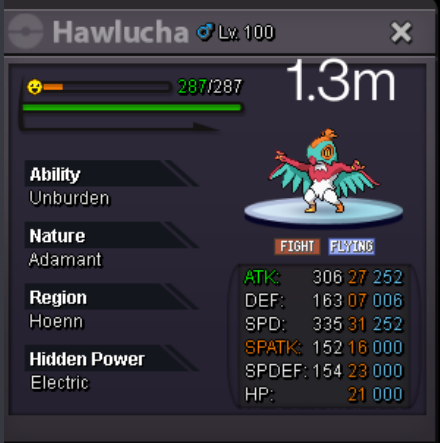
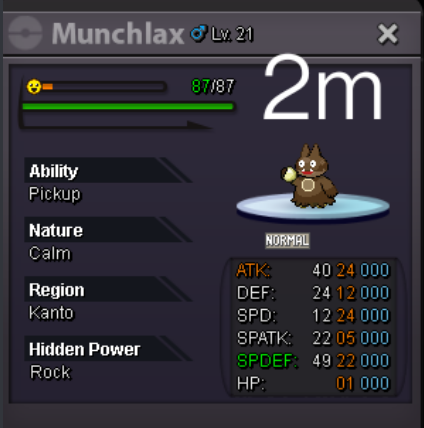
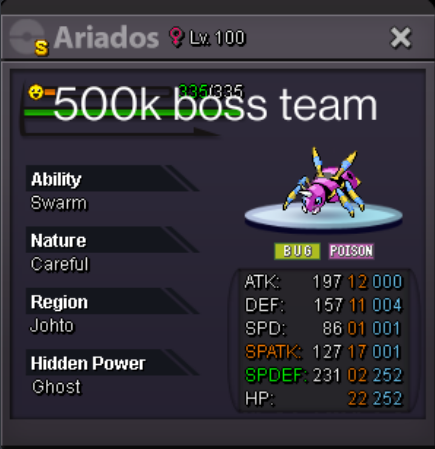
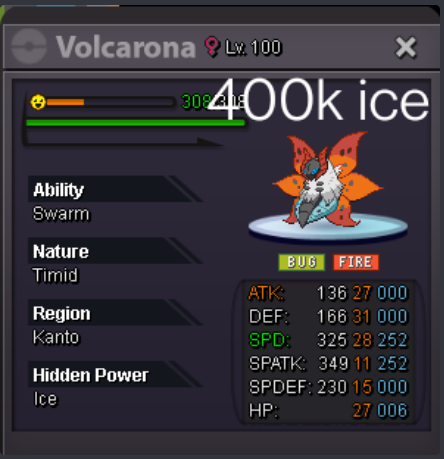
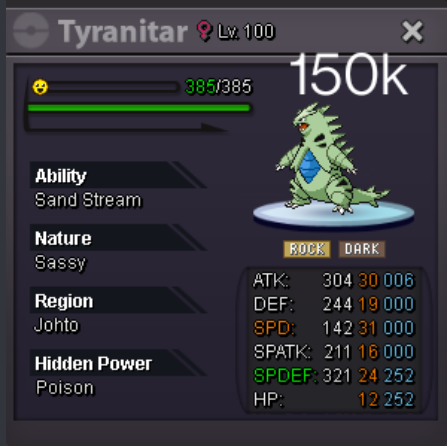
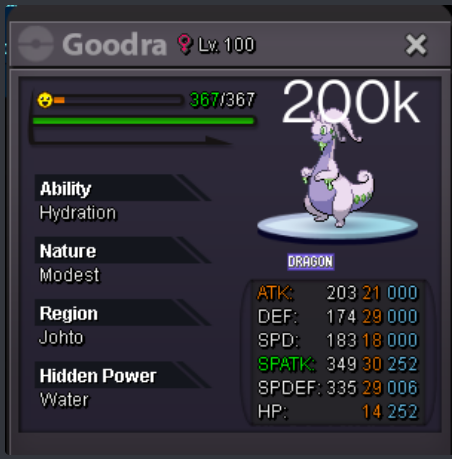
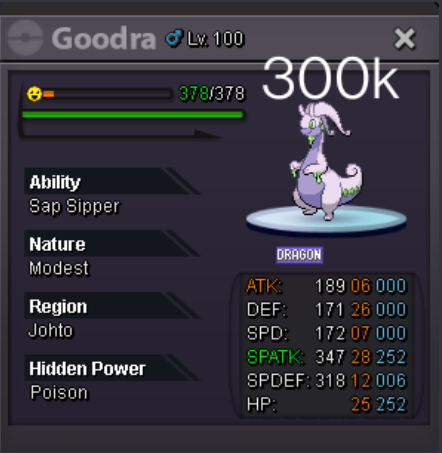
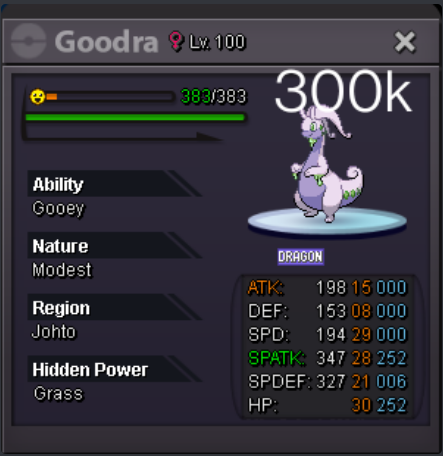
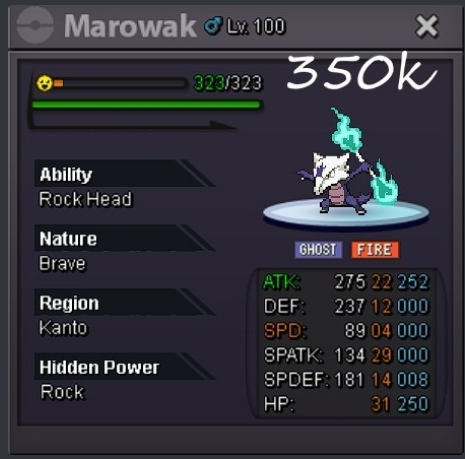
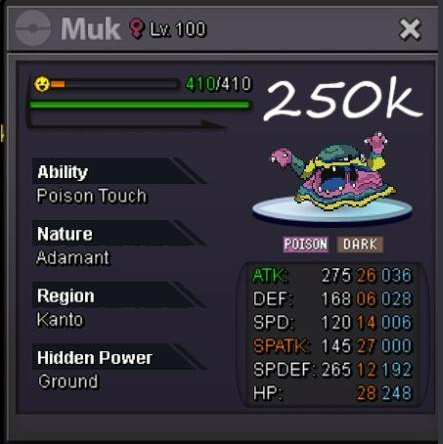
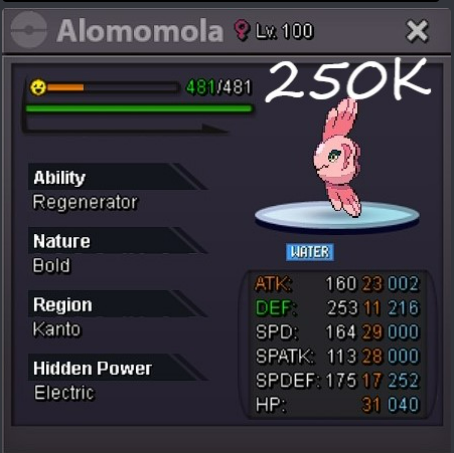
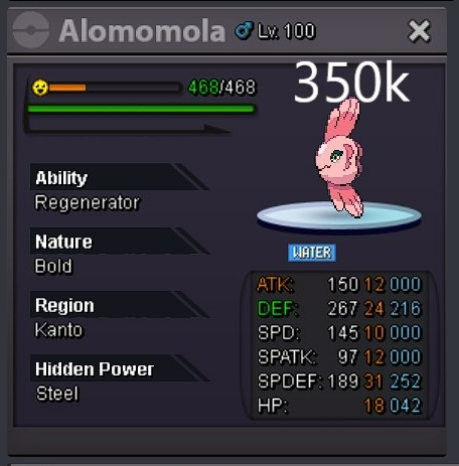
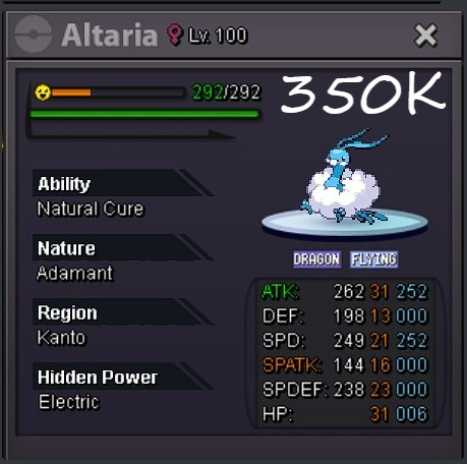
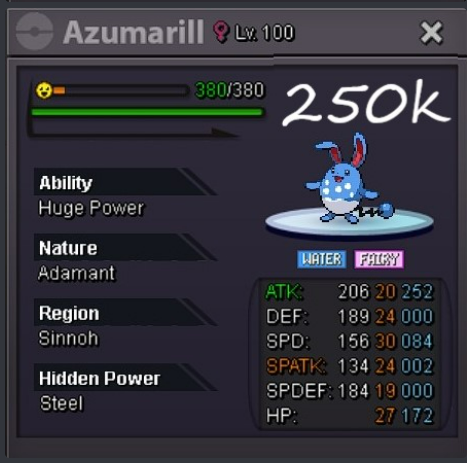
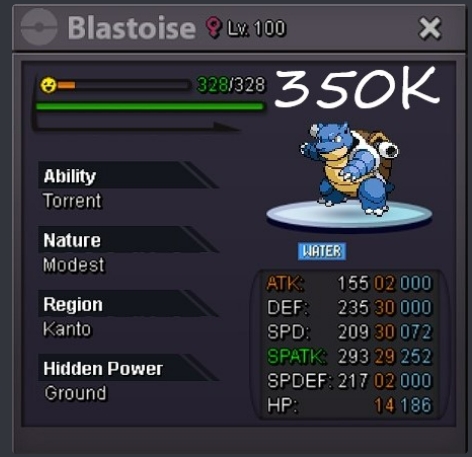
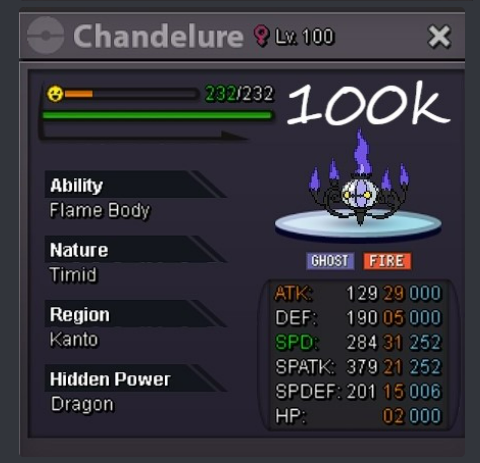
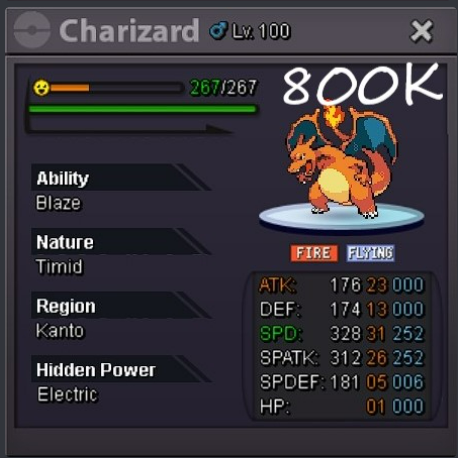
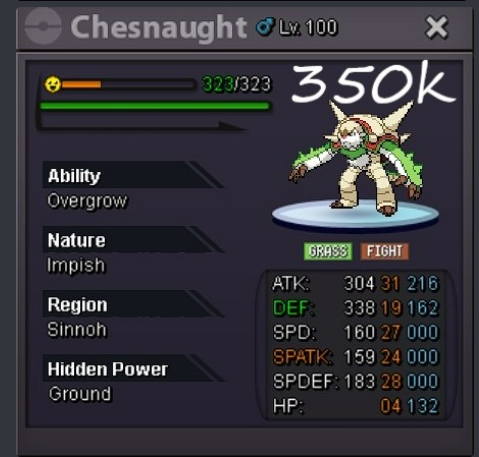
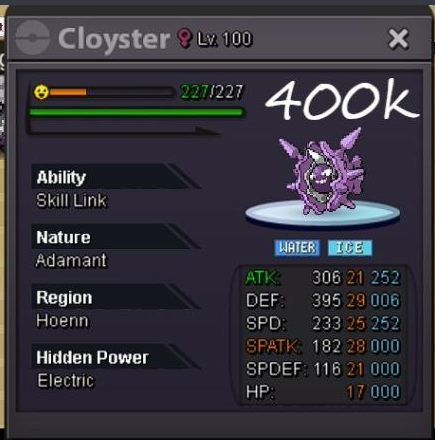
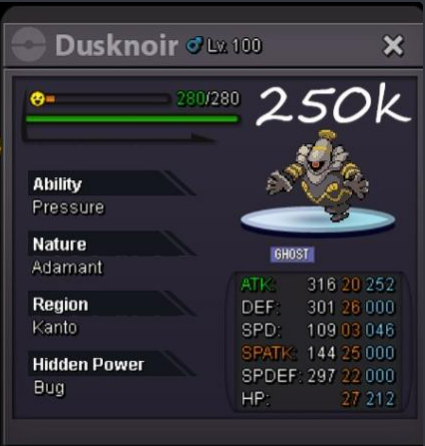
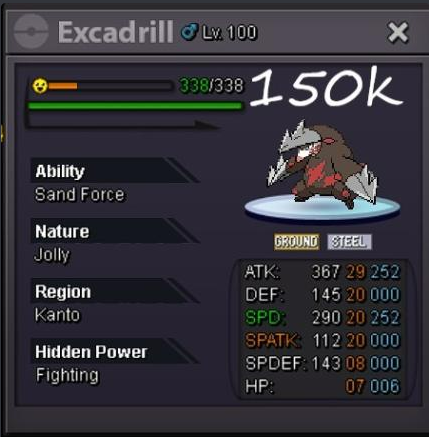
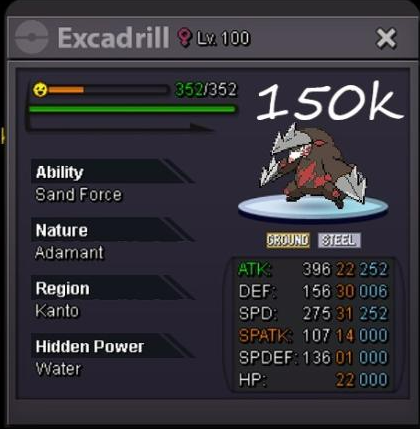
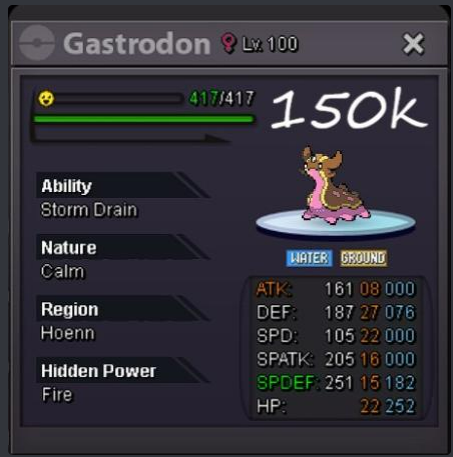
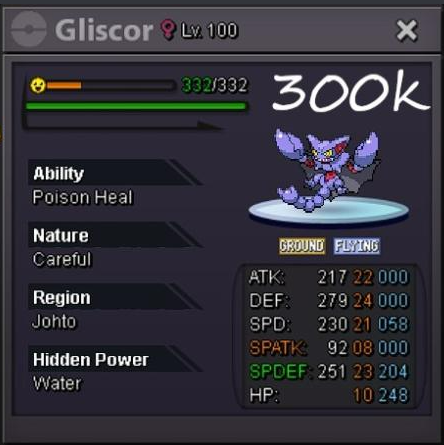
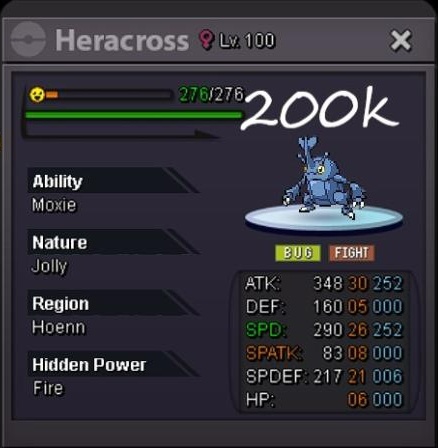
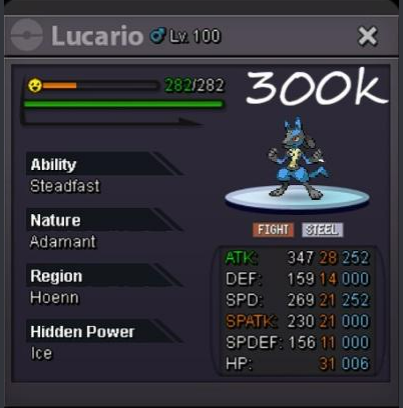
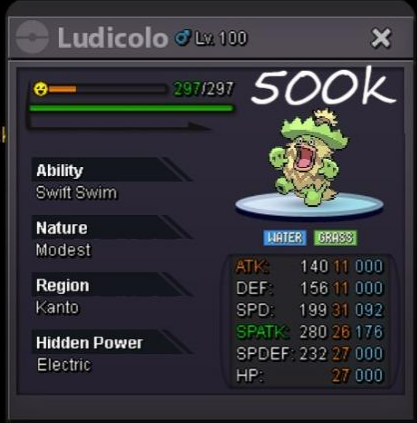
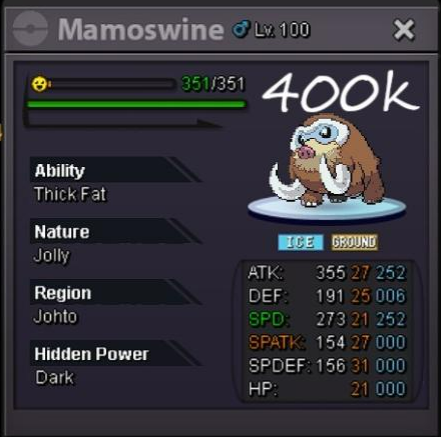
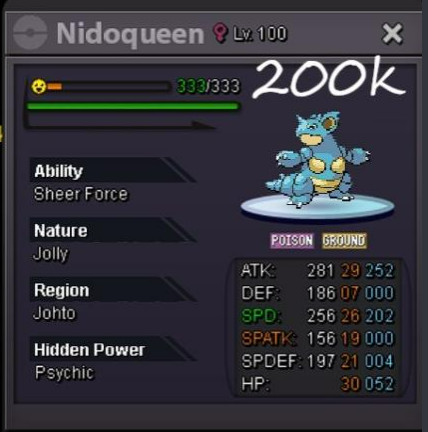
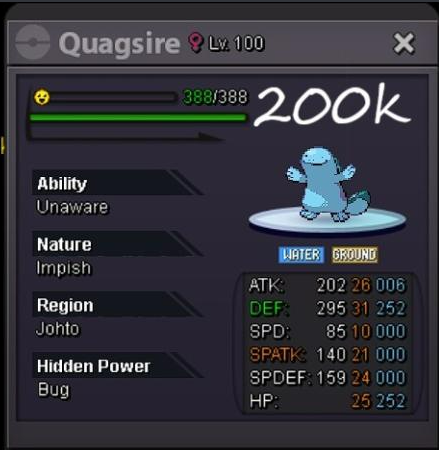
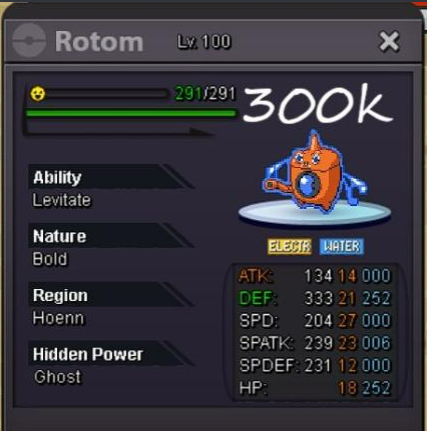
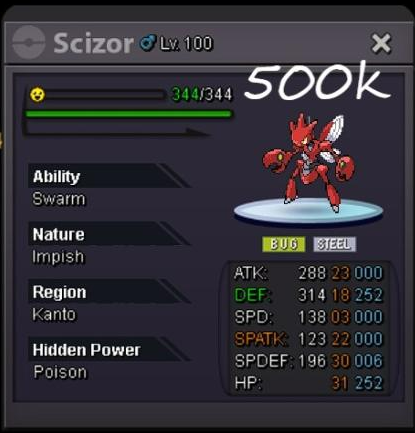
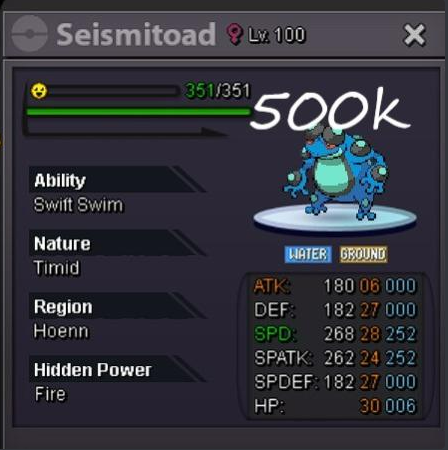
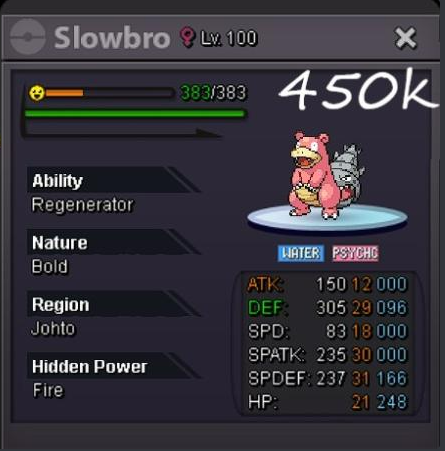
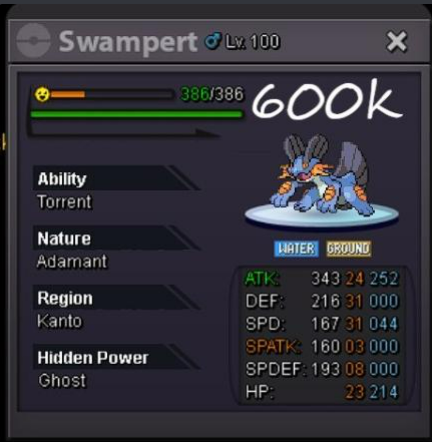
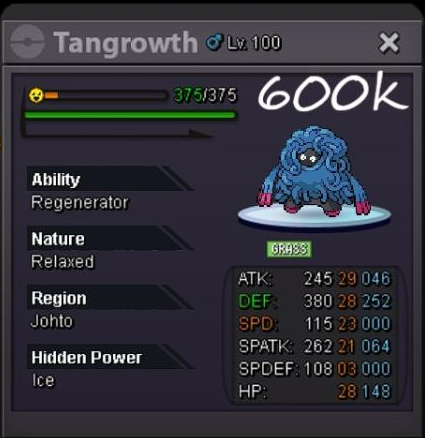
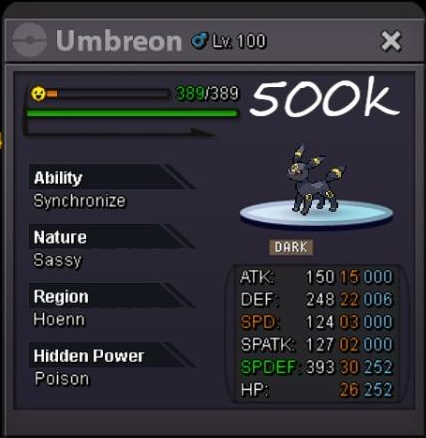
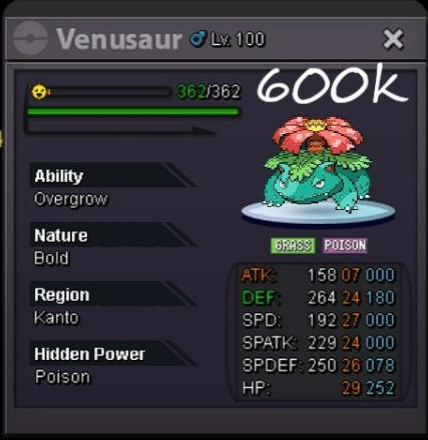
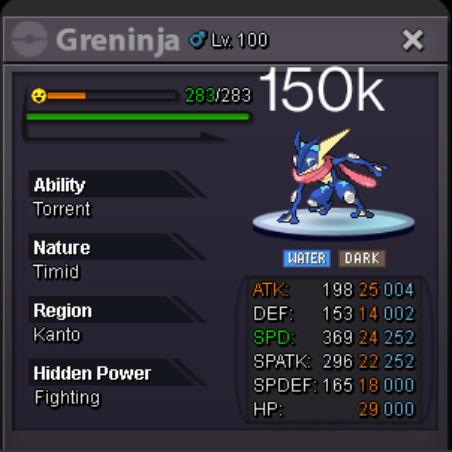
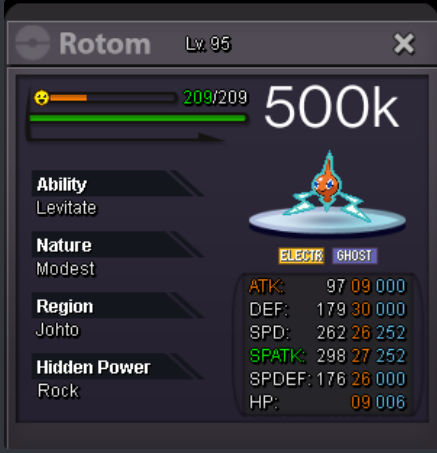
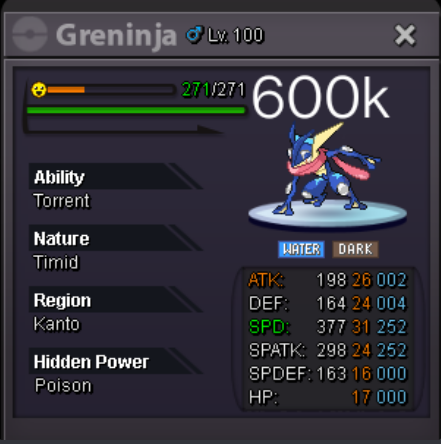
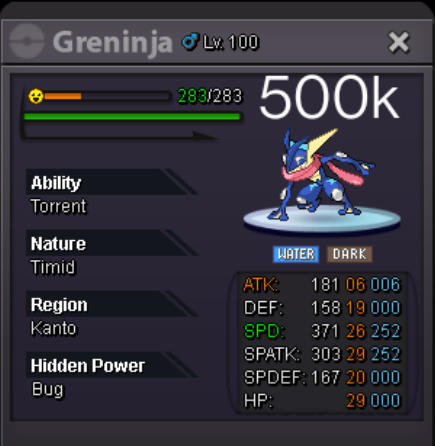
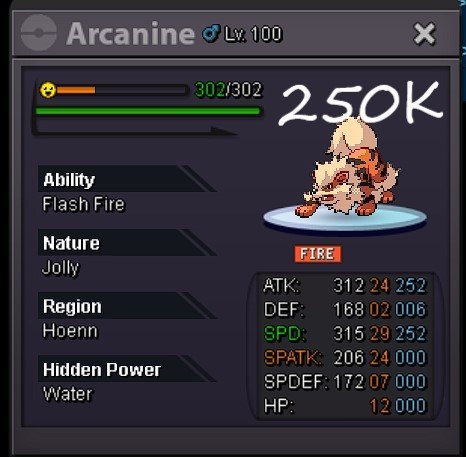
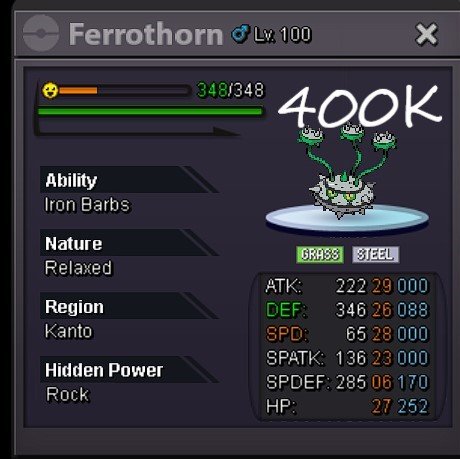
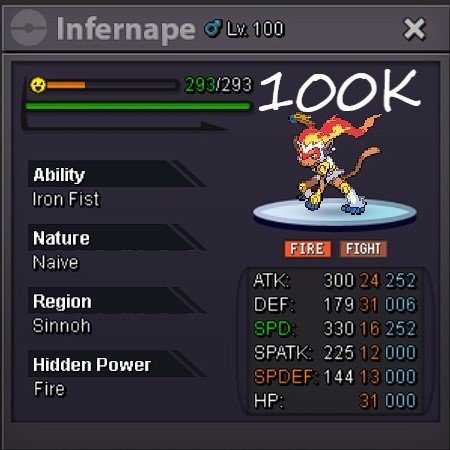
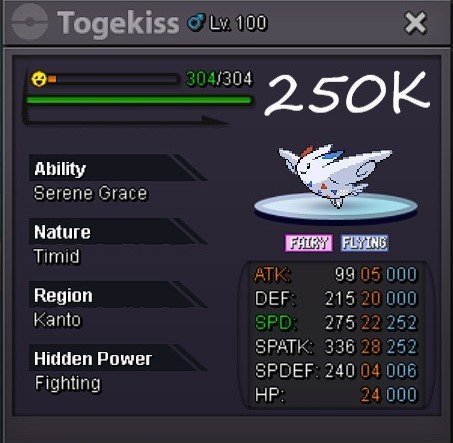
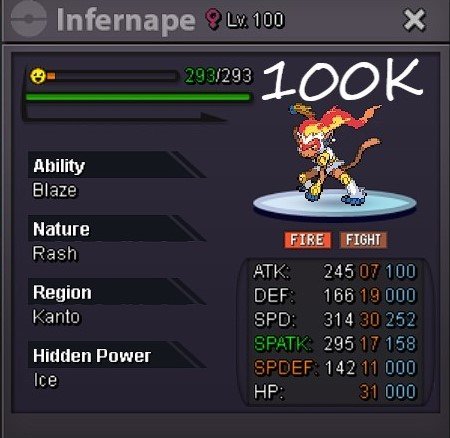
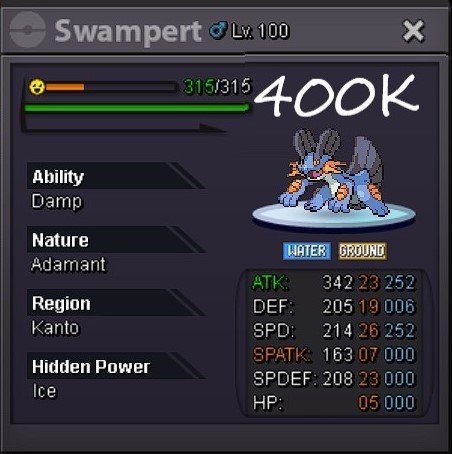
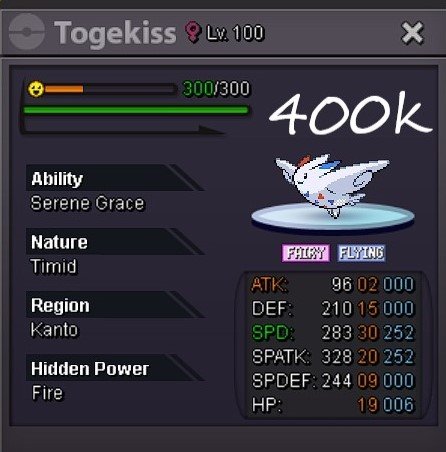
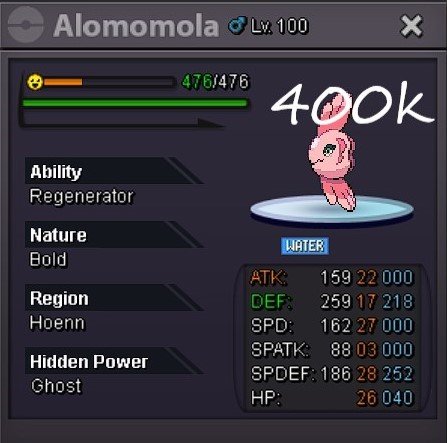
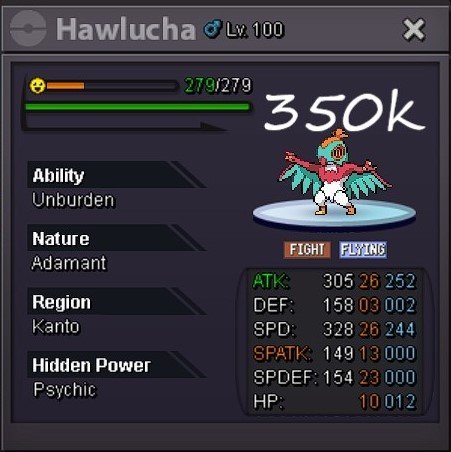
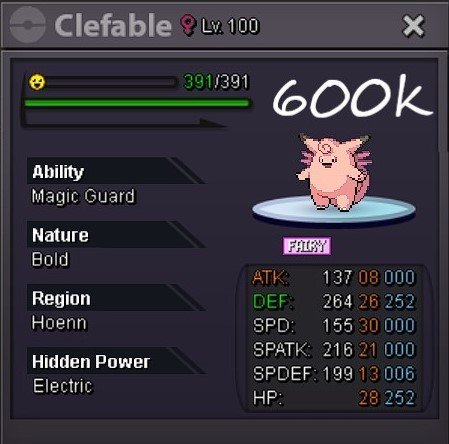
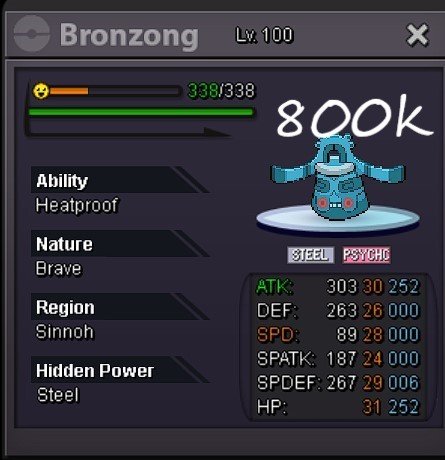
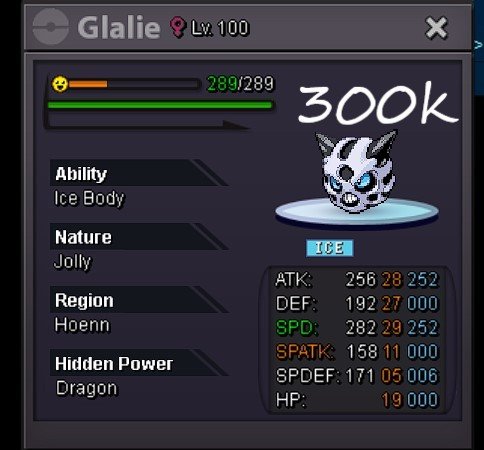
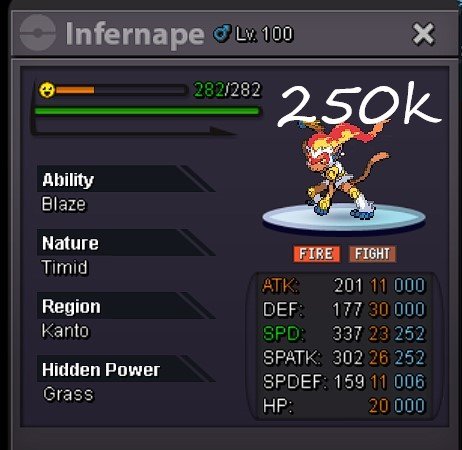
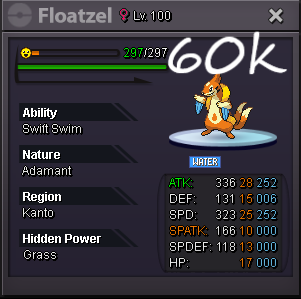
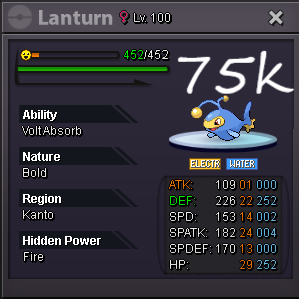
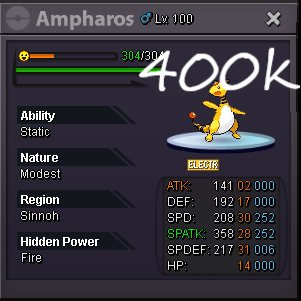
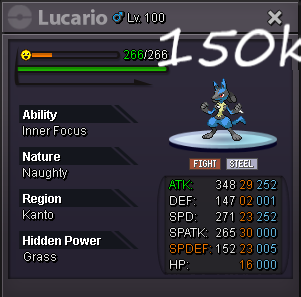
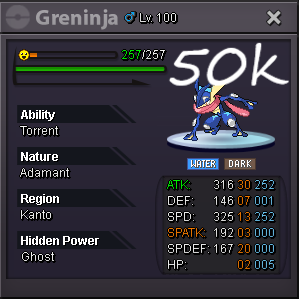
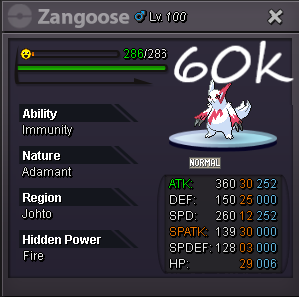 1.75mstart first 2 bulbas1.6



Account
Navigation
Search
Configure browser push notifications
Chrome (Android)
- Tap the lock icon next to the address bar.
- Tap Permissions → Notifications.
- Adjust your preference.
Chrome (Desktop)
- Click the padlock icon in the address bar.
- Select Site settings.
- Find Notifications and adjust your preference.
Safari (iOS 16.4+)
- Ensure the site is installed via Add to Home Screen.
- Open Settings App → Notifications.
- Find your app name and adjust your preference.
Safari (macOS)
- Go to Safari → Preferences.
- Click the Websites tab.
- Select Notifications in the sidebar.
- Find this website and adjust your preference.
Edge (Android)
- Tap the lock icon next to the address bar.
- Tap Permissions.
- Find Notifications and adjust your preference.
Edge (Desktop)
- Click the padlock icon in the address bar.
- Click Permissions for this site.
- Find Notifications and adjust your preference.
Firefox (Android)
- Go to Settings → Site permissions.
- Tap Notifications.
- Find this site in the list and adjust your preference.
Firefox (Desktop)
- Open Firefox Settings.
- Search for Notifications.
- Find this site in the list and adjust your preference.