New Trade Zone
Trade Zone is now live
Use the new Trade Zone for auctions and instant-price trades so Pokemon and item offers are easy to find.

Suzzie
Suspended
-
Joined
-
Last visited
-
6,7m
-
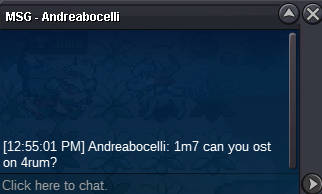
c.o 1,7m by andreabocelli, 1h left
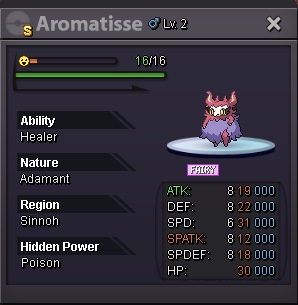
 Around 20h leftNeither ice, fire, ground.4mStart 100k Min raise 100k No insta Payment : cc as 400k, rr as 700k Auction will last 2 days from starting point. Have fun ~
 Suzzie changed their profile photoI really thought i lost last week, but it seems like it was on my other account. As that being said, thanks for your help and this shall conclude my issue.Hi @Maisa, Last week i did challenged the sus bot, but i lost, so i dont think cooldown matter here, it’d be probably more than a week since my last earned a Nature Reroll Ticket. This week as i mentioned in the topic, i completed 40 rounds sus but just before i created this topic around 5mins. I did 1 hour straight fighting and didn’t postpone any longer.Hi, i just finished 40 wins in this account, like 5 minutes ago, but it only showed “WELL PLAYED”. And then the msg turned off, i didn’t receive any nature reroll. Is this a bug or they actually fixed smth? I just got 1 few days ago in other account, but this account it didn’t workHi, im selling this tier 8 very rare and beautiful pokemon 😆 Start : 10m Insta : 20m Min raise : 500k Duration : 3 days, start from start bid Payment : cash, reroll = 700k, cc = 400k Thanks and good luck uwu