New Trade Zone
Trade Zone is now live
Use the new Trade Zone for auctions and instant-price trades so Pokemon and item offers are easy to find.

Symmetry
Registered User
-
Joined
-
Last visited
Everything posted by Symmetry
-
7.5m
-
6.5m
-
-
start
-
12m
-
3.5m
-
2.5m for muk
-
start bunny
-
2.2m for weavile
-
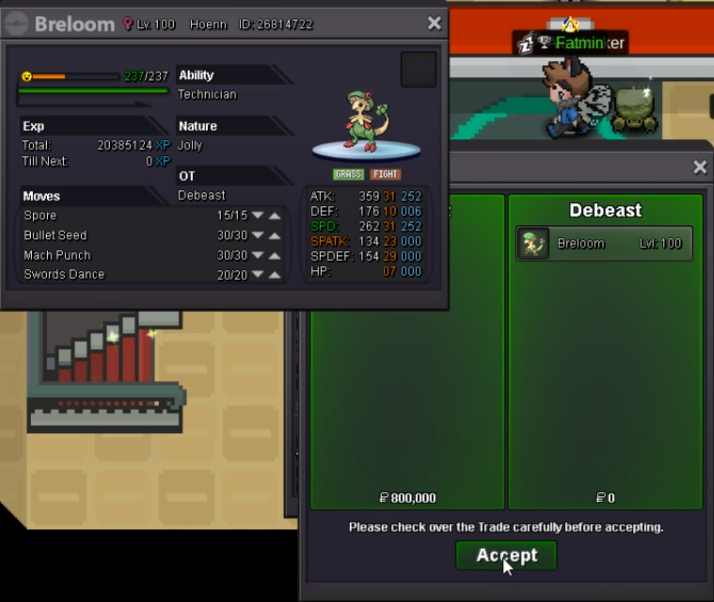
800 gengar
-
800Auction ended at 2:36AM (UTC-7:00) Mountain Time as stated above, the winner is acorn177 for 600k, the pokemon has been sold, ty all!
 c.o. is 600k by acorn177, auction will end at 2:36AM (UTC-7:00) Mountain Time (8 hours and 20 minutes from now)24h auction starting after the first bid -S.O 300k -minimum increase 100k. -Accepting coin capsules = 250K each -Insta 2m
 In-Game Name: Airwreckz Discord Tag: airwreck#7323 Server: Gold How often do you use Discord? Daily What is one suggestion you have for PRO Discord? Separate price checks and tradesIf the Clamperl was caught in the Hoenn region, then the person that received it needs to have access to Hoenn(same with the other regions), if not, the pokemon will stay locked until the person goes to that region.What's your IGN? Airwreckz How many hours do you have in PRO? 127 Do you have discord? yes, airwreck#7323 How far are you in story? 5th badge of Kanto How active are you in PRO? (How often do you play?) every day for now Are you a PvP or PvE player? Or do you enjoy both? Mostly PvE for now but I will try PvP in a bit