




New Trade Zone
Trade Zone is now live
Use the new Trade Zone for auctions and instant-price trades so Pokemon and item offers are easy to find.

Waytooedgy
Registered User
-
Joined
-
Last visited
Everything posted by Waytooedgy
-
Sorry for improper post placement, this can be close i have made a post in the correct thread. My apologies
-
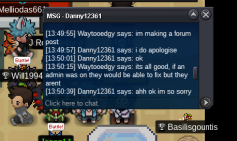
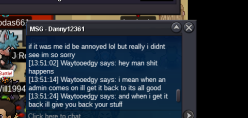
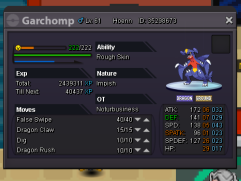
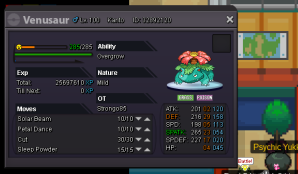
Made a different post that can be taken down but, traded someone willing to help in help chat in evolving my gurrdur. He didnt realize he was region locked until after the trade, and gave me two of his pokes to hold on to in the time it takes to get mine back. Gurrdurr is lvl 96 my ot, id ont have trade screenshots but have sc of chat logs. Server Silver waytooedgy other player: Danny12361 Gurdurr 96 my ot his 2 in exchange for messing up trade 100 venusaur 61 garchomp attached are the chat logs and his 2 pokes, i couldnt screenshot mine or the transaction because i thought it was going to take 5 seconds not all this...
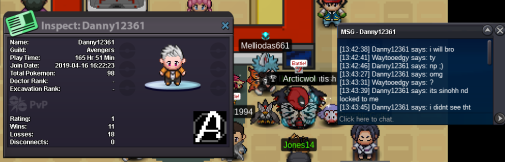
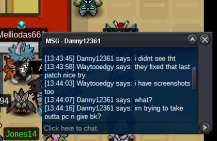

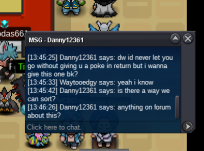
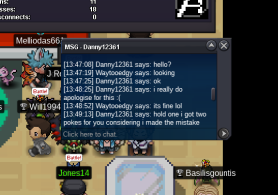

-
traded a player a timburr to evo, he was just helping out from help chat, didnt realize he was region locked and traded my poke, which was sinnoh. He apologized and gave me two of his pokes to hold on to in return until i get it back. Just need someone with the ability to reverse the trade or get the poke from him and then i can give his back. The poke will have my ot on it gurrdurr lvl 96. I have screenshots of the chat log and the pokes he gave if need be. Please help, thank you.
-
what is the hidden power?
