




New Trade Zone
Trade Zone is now live
Use the new Trade Zone for auctions and instant-price trades so Pokemon and item offers are easy to find.


Blitzkriegz
Registered User
-
Joined
-
Last visited
Everything posted by Blitzkriegz
-
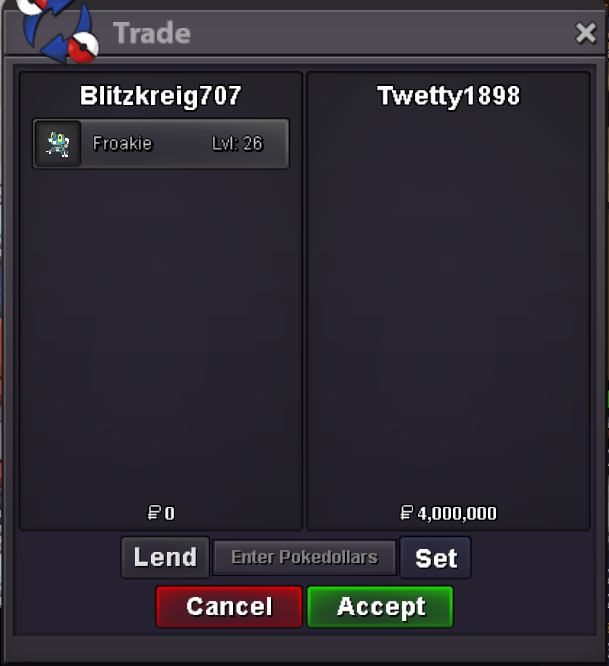
Insta by twetty1898
-
c.o. 2.7m
-
c.o. 2.5m
-
up
-
c.o. 2.2m
-
c.o. 2m
-
c.o. 1.8m
-
c.o. 1.6m
-
c.o. 1.4m
-
c.o. 1.2m
-
c.o. 1m
-
Insta lowered
-
Noted. Auction started at 21:13 (gmt+6) 4/28/2020
-
S.O.: 600k Min bid: 200k Insta: 4m
-
Whys this going unnoticed dont know
-
Its taking forever to login to silver acc and maps are laggy while I can login instantly to my gold acc on the same client and game's running smoothly. Is there something wrong with my client? Or is there any other possible issue?
-
Can someone please address this issue? TIA
-
I'm sure that I don't have any lending trades active but I'm unable to switch servers. Also, I tried to switch with 2 other alt accounts but the same problem occurs.
-
All 3 pokes sold and closed. Ty
-
bro, cause my timezone is (GMT+6). ZZZZZZZZ. The time shown in forums is GMT(+0), not local time. How about you think twice before recklessly tagging a mod yeah?
-
This guys claiming the auction to be over when theres more than 20 mins left
-
auction for tang started at 18/02/20 00:20 A.M. gmt(+6), its 23:57 PM 20/2/20 as of my writing this check the time carefully before claiming the auction is over ty
-
all updates will be posted ingame
-
roughly 1h 15m left for tang, co 1.8m
-
bisharp winner shrutayk18