New Trade Zone
Trade Zone is now live
Use the new Trade Zone for auctions and instant-price trades so Pokemon and item offers are easy to find.


Duynghia101
Registered User
-
Joined
-
Last visited
Everything posted by Duynghia101
-
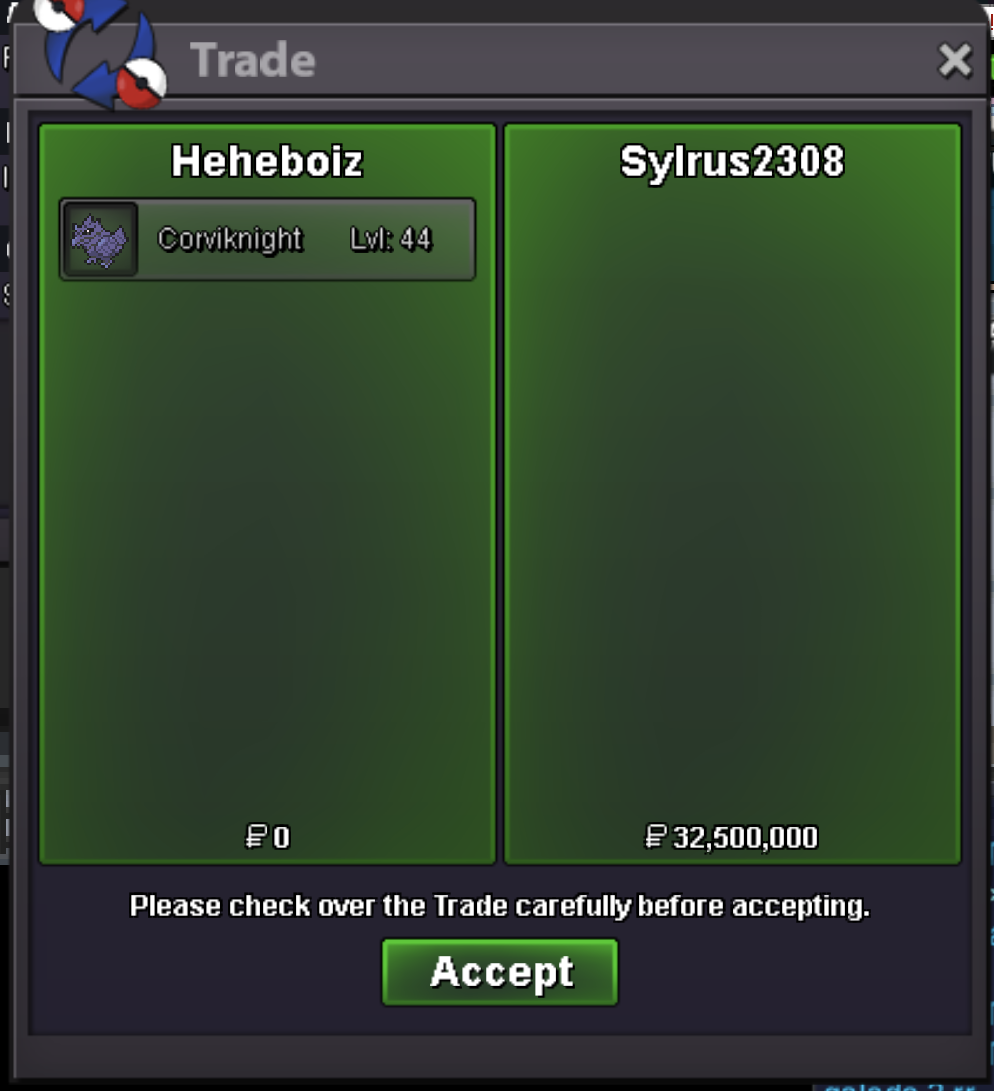
trade done, can be close
-
auct end here, thank you all gz @Sylrus2308 letme know when u are online
-
start ingame
-
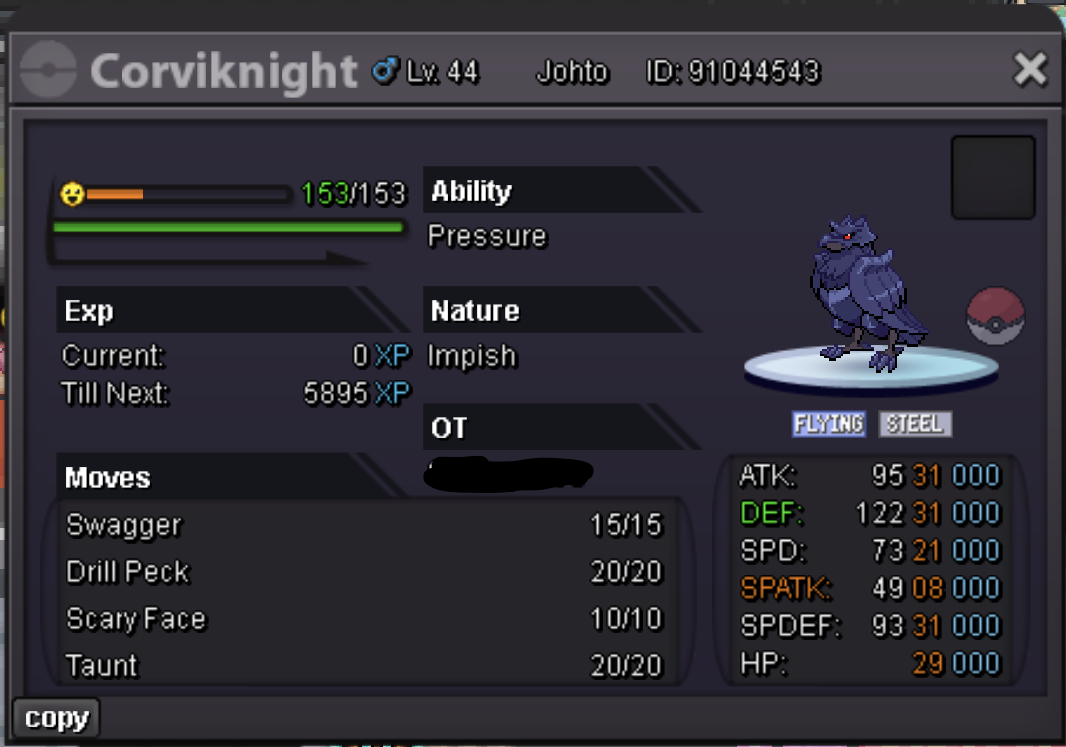
Auction Details: Start Price: 5m End Point: 96 hours -4 days (after start price is met) Insta Price: N/A Minimum Raise: 500k Accepted Payments: Pokedollars, Coin Capsules (x1 Coin Capsule = 450k), IV Reroll Tickets (x1 IV Reroll Ticket = 700k) Reminders: This is a Cross Server auction. You may bid from any server, and I will transfer to your preferred server upon winning. My alt account in silver: heheboiz If you intend to purchase with an alt account, specify the account alongside your bid. Other auction conditions are subject to the forum's auction rules https://pokemonrevolution.net/forum/topic/119709-forums-and-in-game-auction-rules/ Time left: https://www.timeanddate.com/countdown/generic?iso=20260710T232045&p0=4069&font=cursive
-
Ign : duynghia101 Timezone : gmt+7
-
Hello, I have accidentally evolved my Dewott into a regular Samurott, but my goal was to obtain a Hisuian Samurott. Could you please help me revert the evolution back to Dewott? I would truly appreciate your assistance. Username: duynghia101 Server: Gold Pokemon ID 91338021 Thanks!
-
im out of money xD, gz bro
-
21m5
-
20m
-
18m5
-
17m5
-
1m
-
300k
-
up
-
cancel
-
600k totodile
-
500k
-
-
start sneasler
-
start
-
200k
-
1.7
-
-
nice ideal +1 vote
-
Already solve, pls close. Thanks